
Matrix Keynote Charts
This collection brings together matrix chart layouts for Apple Keynote, built for teams that need to structure decisions visually rather than narrate them slide by slide. These are 2x2 grids, multi-axis comparisons, and quadrant-based layouts that carry meaning through position, not decoration.
In practice, a strategy lead preparing a quarterly review doesn`t want another bullet list-they need to show trade-offs: high vs low risk, market growth vs share, effort vs impact. A matrix does that in one frame. It forces prioritization. That`s why this format shows up in board decks more than people admit.
If your work involves comparing options, mapping uncertainty, or presenting strategic positioning, start here and pick the layout that matches how your data actually behaves.
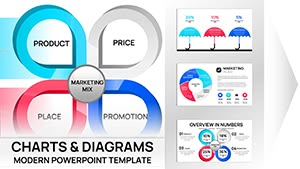 (12)
(12) Marketing Mix Keynote Charts - Fully Editable | ImagineLayoutID: #KC01108$20.00
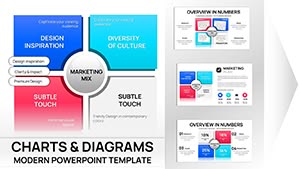 (11)
Marketing Mix Keynote Charts Template - Fully Editable | Instant Download | ImagineLayoutID: #KC01090$15.00
(11)
Marketing Mix Keynote Charts Template - Fully Editable | Instant Download | ImagineLayoutID: #KC01090$15.00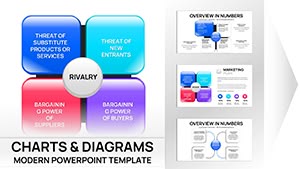 (13)
(13) Porter's Diamond Charts Keynote Template - Fully Editable | Instant Download | ImagineLayoutID: #KC01089$15.00
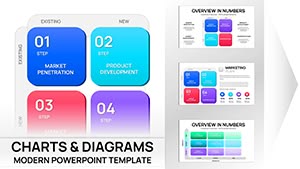 (14)
Ansoff Matrix Chart Keynote - Editable PPTX | ImagineLayoutID: #KC01082$20.00
(14)
Ansoff Matrix Chart Keynote - Editable PPTX | ImagineLayoutID: #KC01082$20.00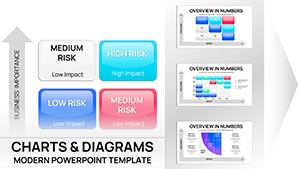 (14)
Risk Matrix Charts Template for Keynote | Fully Editable | Instant DownloadID: #KC01080$18.00
(14)
Risk Matrix Charts Template for Keynote | Fully Editable | Instant DownloadID: #KC01080$18.00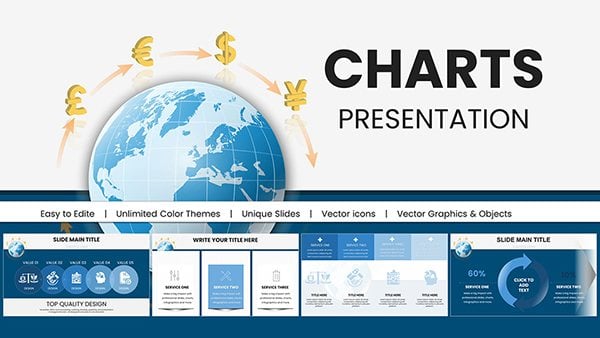 (1062)
 International Currency Exchange Keynote ChartsID: #KC00982$18.00
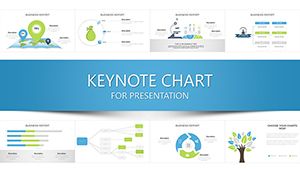 (221)
Professional Development Keynote Charts: Elevate Your Growth StrategiesID: #KC00936$20.00
(221)
Professional Development Keynote Charts: Elevate Your Growth StrategiesID: #KC00936$20.00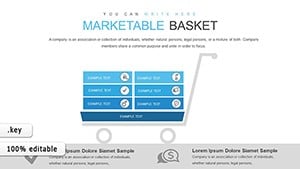 (769)
Marketable Basket Matrix Keynote Template for Economic AnalystsID: #KC00853$20.00
(769)
Marketable Basket Matrix Keynote Template for Economic AnalystsID: #KC00853$20.00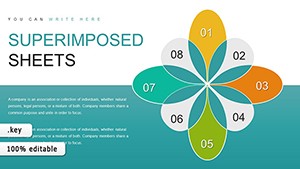 (650)
Superimposed Boundary Sheets Keynote Charts Template: Elevate Your ComparisonsID: #KC00849$14.00
(650)
Superimposed Boundary Sheets Keynote Charts Template: Elevate Your ComparisonsID: #KC00849$14.00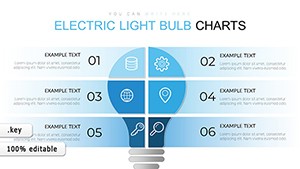 (1067)
 Light Bulb Keynote Charts - Fully Editable | ImagineLayoutID: #KC00689$18.00
 (104)
Keynote Square Matrix Charts - Fully Editable | ImagineLayoutID: #KC00686$12.00
(104)
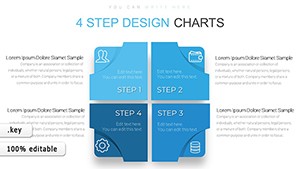
Keynote Square Matrix Charts - Fully Editable | ImagineLayoutID: #KC00686$12.00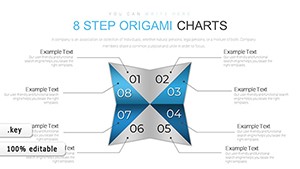 (624)
Keynote Origami Matrix Charts - Fully Editable | ImagineLayoutID: #KC00685$16.00
(624)
Keynote Origami Matrix Charts - Fully Editable | ImagineLayoutID: #KC00685$16.00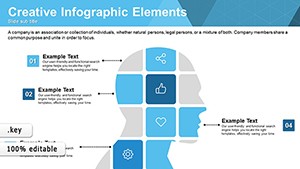 (18)
Creative Matrix Keynote Charts - Editable KEY | ImagineLayoutID: #KC00622free
(18)
Creative Matrix Keynote Charts - Editable KEY | ImagineLayoutID: #KC00622free (1186)
Data Analysis Graphs Keynote Charts TemplateID: #KC00597$15.00
(1186)
Data Analysis Graphs Keynote Charts TemplateID: #KC00597$15.00 (684)
Training Courses Keynote Charts: Animated ToolkitID: #KC00594$15.00
(684)
Training Courses Keynote Charts: Animated ToolkitID: #KC00594$15.00 (229)
Revolutionize Your Research Presentations with Research Methods Keynote Charts TemplateID: #KC00583$15.00
(229)
Revolutionize Your Research Presentations with Research Methods Keynote Charts TemplateID: #KC00583$15.00 (981)
Workflow Business Process Keynote TemplateID: #KC00569$22.00
(981)
Workflow Business Process Keynote TemplateID: #KC00569$22.00 (456)
Professional Keynote Charts - Fully Editable | ImagineLayoutID: #KC00567$20.00
(456)
Professional Keynote Charts - Fully Editable | ImagineLayoutID: #KC00567$20.00 (677)
Choice and Advantages Keynote Charts: Simplify Decisions VisuallyID: #KC00563$18.00
(677)
Choice and Advantages Keynote Charts: Simplify Decisions VisuallyID: #KC00563$18.00 (1015)
Sphere of Influence Keynote Charts: Visualize Networks and ImpactsID: #KC00562$20.00
(1015)
Sphere of Influence Keynote Charts: Visualize Networks and ImpactsID: #KC00562$20.00 (839)
Growth Prospects Keynote Charts Template: Visualize Business Expansion with EaseID: #KC00559$23.00
(839)
Growth Prospects Keynote Charts Template: Visualize Business Expansion with EaseID: #KC00559$23.00 (1095)
Concept of Sustainable Development Keynote Charts TemplateID: #KC00553$15.00
(1095)
Concept of Sustainable Development Keynote Charts TemplateID: #KC00553$15.00 (493)
Master Data Management Keynote Charts Template: Empower Your Data StrategyID: #KC00547$22.00
(493)
Master Data Management Keynote Charts Template: Empower Your Data StrategyID: #KC00547$22.00 (116)
Construction Keynote Charts: Editable Hexagon ProcessesID: #KC00526$21.00
(116)
Construction Keynote Charts: Editable Hexagon ProcessesID: #KC00526$21.00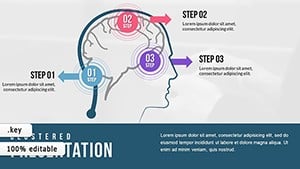 (643)
Animated Keynote Charts: Dynamic PresentationsID: #KC00504$20.00
(643)
Animated Keynote Charts: Dynamic PresentationsID: #KC00504$20.00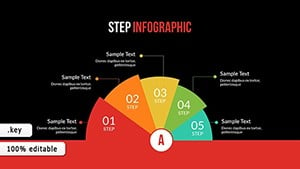 (852)
Infographic Creator Keynote Charts: Craft Data MasterpiecesID: #KC00494$22.00
(852)
Infographic Creator Keynote Charts: Craft Data MasterpiecesID: #KC00494$22.00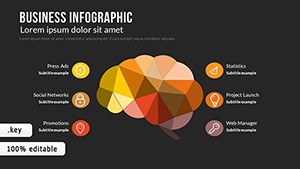 (400)
Business Infographic Process Keynote Charts: Streamline Workflows VisuallyID: #KC00480$21.00
(400)
Business Infographic Process Keynote Charts: Streamline Workflows VisuallyID: #KC00480$21.00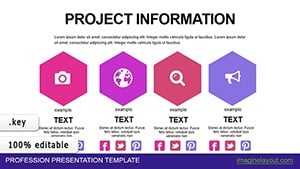 (1062)
Project Timeline Charts Keynote Template for ArchitectsID: #KC00466$20.00
(1062)
Project Timeline Charts Keynote Template for ArchitectsID: #KC00466$20.00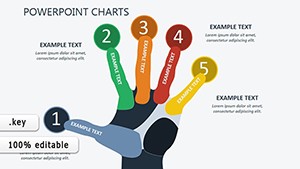 (677)
Selection Sort Keynote Charts Template - Fully Editable | Instant DownloadID: #KC00418$17.00
(677)
Selection Sort Keynote Charts Template - Fully Editable | Instant DownloadID: #KC00418$17.00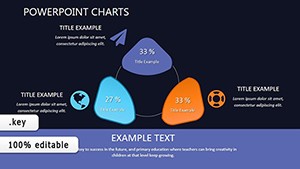 (868)
Methods of Website Promotion Keynote Charts: Chart Your Path to VisibilityID: #KC00411$15.00
(868)
Methods of Website Promotion Keynote Charts: Chart Your Path to VisibilityID: #KC00411$15.00 (615)
Boost Sales: SEO Services Keynote Charts TemplateID: #KC00408$15.00
(615)
Boost Sales: SEO Services Keynote Charts TemplateID: #KC00408$15.00 (780)
Unlock Opportunities: Business Keynote Charts TemplateID: #KC00407$14.00
(780)
Unlock Opportunities: Business Keynote Charts TemplateID: #KC00407$14.00 (418)
User Experience Keynote Charts: Bridging the Digital DivideID: #KC00404$12.00
(418)
User Experience Keynote Charts: Bridging the Digital DivideID: #KC00404$12.00
Why matrix layouts work when the decision isn`t linear
A matrix chart isn`t just a grid-it`s a decision surface. You`re placing items relative to each other across two variables, which means the layout itself carries the argument. That`s the part people underestimate. A bar chart shows magnitude. A matrix shows relationship and tension between factors.
From working on strategy decks, this is the slide that usually gets the longest discussion. Not because it`s complex, but because it forces alignment. Where something sits in the quadrant becomes the conversation.
These Keynote templates are structured to support that. Labels are already anchored, spacing is consistent, and the visual hierarchy makes it clear what belongs where. You drop in your data. done
If you`re preparing a stakeholder session where trade-offs matter, this is the format that keeps the conversation focused. Choose a layout and build from there.
What these matrix templates handle well (and where they don`t)
Matrix layouts are ideal when you`re comparing items across two clear dimensions: risk vs reward, cost vs impact, complexity vs value. The structure makes weak positioning obvious, which is exactly the point.
But they`re not flexible in the same way charts are. You can`t easily add a third variable without clutter. And if your data isn`t naturally comparative, forcing it into a matrix creates confusion instead of clarity. Slightly annoying at first, but once you accept the constraint, it actually sharpens the message.
In this collection, most layouts stick to clean 2x2 or extended quadrant formats. Some include bubble sizing or icon overlays, but the core logic stays intact. That consistency makes them usable in real decks, not just concept slides.
How these show up in real work
A product manager preparing a roadmap review often needs to justify why certain features move forward and others don`t. A matrix slide-impact vs effort-does that faster than a list. You place features visually, and suddenly prioritization becomes obvious.
In consulting work, I`ve seen BCG-style matrices used in client presentations where market positioning had to be explained in under five minutes. The layout carries the logic. You`re not explaining categories-you`re showing them.
Another common case: risk assessment in internal operations reviews. Teams map likelihood vs severity, then discuss mitigation. The slide becomes a working tool, not just a visual. And yes, it holds up even when exported to PDF.
Marketing teams use similar structures for audience segmentation or campaign prioritization. Slight variation, same logic. Also works for internal ops reviews, not just client decks.
What stands out in these Keynote layouts
The first time you open the slide master, it looks slightly dense-but the structure is consistent. Color coding follows a logical system across quadrants, and typography scales properly when you duplicate slides.
I liked how the alignment holds even when you resize elements. That`s usually where templates break. Here, shapes and labels stay anchored, which matters when you`re adjusting positioning live in a meeting.
Most layouts rely on native Keynote shapes rather than grouped objects, so editing is straightforward. No digging through layers just to change a label.
When to use this instead of other chart categories
If your goal is comparison across two variables, this category fits better than standard charts. But it`s not always the right choice.
Use a matrix when positioning matters more than exact numbers. If you need precise data visualization, something from Keynote chart templates will be more appropriate.
If your content is process-driven-steps, flows, sequences-then a diagram from Keynote diagram templates will communicate more clearly.
And if your slide is more about geographic distribution or regional strategy, switch to Keynote map templates. A matrix won`t help there.
Basically, choose this category when the story is about positioning and trade-offs. Not sequence. Not volume.
Technical detail that saves time later
In Keynote, matrix layouts often break when users group everything too early. These templates avoid that by keeping core elements separate but aligned. You can move items across quadrants without losing spacing or snapping behavior.
From experience, this matters most during live edits-when someone asks to reposition an item mid-discussion. With these layouts, you can do it without rebuilding the slide. That`s it.
Why this collection works in actual presentations
These templates aren`t overloaded with styling. They focus on structure first, which is what you need in a matrix. The hierarchy is clear, the spacing is consistent, and there`s enough flexibility to adapt without redesigning.
Not ideal if you need complex data modeling. But for positioning decisions? Yeah, it works.
Pick a layout that matches your variables and build your slide around that structure.
FAQ
Can I adjust the axes labels in a matrix template without breaking alignment?
Yes, and usually without much effort. The axis labels in these Keynote templates are separate text objects aligned to guides, not embedded into shapes. That means you can rename them or reposition slightly without affecting the grid. From experience, just avoid grouping everything too early-keep elements flexible until your content is final.
Can I add more than four quadrants to a matrix layout?
The short answer is yes, but it depends on how far you want to push readability. Most templates are built around 2x2 logic because that`s what people can interpret quickly. You can extend to 3x3 or more, but in most cases the slide becomes harder to read. It works fine for internal analysis, less so for presentations.
Are these templates compatible with all Keynote versions?
Generally yes, but newer versions of Keynote handle alignment and scaling more smoothly. If you`re using an older version, you might notice slight differences in spacing when resizing elements. Nothing critical, just something to watch for. Exporting to PDF works consistently across versions. No issues.
Can I move items between quadrants during a presentation?
Honestly, that`s one of the strengths of these layouts. Since elements are not locked into rigid groups, you can drag items across the grid while presenting. I`ve seen this used in workshops where positioning is discussed live. Just make sure snapping guides are enabled so alignment stays clean.
What license applies to these Keynote templates?
It`s the same license most marketplaces use-one buyer, one project, commercial use included. You can edit, present, and export without restrictions. Sharing the raw file across multiple teams usually requires additional licenses. That`s standard. Oh, and you can also export to PDF from there.


