
South America PowerPoint Maps
This collection provides editable map slides focused on South America. It is for analysts and strategists who need accurate country outlines and data layers without redrawing geography each quarter.
A market research lead preparing the annual Latin America expansion report for the board can drop revenue figures directly onto the country shapes. The template keeps all labels aligned so the story reads clearly.
Insert your data and present.
 (83)
(83) Falkland Islands PowerPoint Maps TemplateID: #PM00225$15.00
 (56)
Venezuela PowerPoint Maps Template: Engage and InspireID: #PM00201$50.00
(56)
Venezuela PowerPoint Maps Template: Engage and InspireID: #PM00201$50.00 (355)
(355) Peru PowerPoint Map Template - Professional & Fully EditableID: #PM00200$35.00
 (557)
Chile PowerPoint Maps Template: Editable Slides for Dynamic PresentationsID: #PM00186$40.00
(557)
Chile PowerPoint Maps Template: Editable Slides for Dynamic PresentationsID: #PM00186$40.00 (197)
(197) Costa Rica PowerPoint Maps: Versatile Editable Templates for Impactful StorytellingID: #PM00185$50.00
 (824)
Ecuador PowerPoint Map Template: Visualize Andean WondersID: #PM00180$53.00
(824)
Ecuador PowerPoint Map Template: Visualize Andean WondersID: #PM00180$53.00 (898)
Argentina PowerPoint Maps Template: Diverse Landscapes in FocusID: #PM00176$50.00
(898)
Argentina PowerPoint Maps Template: Diverse Landscapes in FocusID: #PM00176$50.00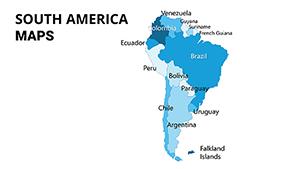 (1153)
South America PowerPoint Maps: Chart the Continent's PulseID: #PM00074$25.00
(1153)
South America PowerPoint Maps: Chart the Continent's PulseID: #PM00074$25.00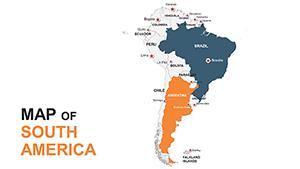 (675)
South America Editable Maps: PowerPoint Template ProID: #PM00054$45.00
(675)
South America Editable Maps: PowerPoint Template ProID: #PM00054$45.00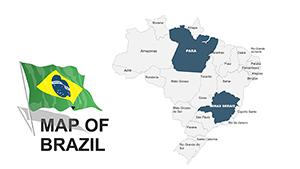 (407)
Brazil PowerPoint Maps: 46 Editable SlidesID: #PM00037$45.00
(407)
Brazil PowerPoint Maps: 46 Editable SlidesID: #PM00037$45.00 (1152)
Brazil PowerPoint Maps: Interactive Template for Insightful PresentationsID: #PM00028$45.00
(1152)
Brazil PowerPoint Maps: Interactive Template for Insightful PresentationsID: #PM00028$45.00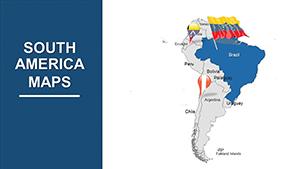 (109)
Journey Through South America: Premium 41-Slide PowerPoint Maps TemplateID: #PM00007$54.00
(109)
Journey Through South America: Premium 41-Slide PowerPoint Maps TemplateID: #PM00007$54.00
Why Accurate Regional Maps Matter in Executive Decks
A misaligned country border or incorrect label placement instantly undermines credibility. These templates use vector outlines that remain crisp at any zoom level and any aspect ratio.
The Time Lost Redrawing Maps From Scratch
Finding public domain outlines, tracing them, then aligning data callouts across 12 countries takes hours that could have been spent analyzing the numbers. The pre-built masters eliminate that step.
Real Scenarios for South America-Focused Teams
An international expansion manager presents growth opportunities to the C-suite. The slide shows Brazil and Argentina side-by-side with revenue bars overlaid. The template`s grouped shapes allow one-click color updates when new data arrives.
A supply-chain analyst updating quarterly logistics risk maps needs to highlight Chile and Peru routes. The editable legend and color palette ensure consistency with the rest of the deck.
A sustainability officer reporting ESG metrics across the continent uses the map to show reforestation progress by country. The data placeholder fields accept direct Excel links.
A sales director covering Mercosur markets needs a single slide that highlights all five member countries. The master layout keeps the map centered regardless of added text.
Workflow for Recurring Regional Reporting
Quarterly updates become simple: replace the data source file and the map refreshes across every slide that uses the same master. Teams share one master file instead of dozens of separate map images.
Practical Tip for Multi-Country Slides
Group the country shapes and legend together on the slide master. Any future color scheme change then applies to the entire deck in one action, keeping all regional slides visually synchronized.
Technical Note on Aspect Ratio and Export
The slides are built at 16:9. When exporting to PDF for print handouts, select "high quality" to preserve vector sharpness. For 4:3 projectors still used in some conference rooms, the master includes a safe area guide.
Why These Maps Are Built Differently
Every outline is fully editable and free of decorative shadows or unnecessary labels. The collection focuses on corporate data storytelling rather than decorative cartography.
If your reports also require formal cover pages, explore our finance accounting letterhead templates. For project visuals, the architecture estate brochure templates pair well. Executive networking benefits from the energy power business cards templates.
Browse the full set below and select the map layout that fits your current regional review.
Are these maps editable in PowerPoint?
Yes, every country outline is a native PowerPoint shape. You can change fill colors, add data labels, and link Excel tables directly. Version 2016 or newer is recommended for full grouping and animation support.
Can I use the maps in Google Slides?
The PPTX files import into Google Slides with shapes preserved. Some advanced grouping may need re-application after import. Test the data link feature and export to PDF to confirm final appearance.
Do the files include data placeholders?
Yes, selected slides contain pre-formatted callout boxes and legend areas designed to accept Excel-linked values. Update the source file once and all connected maps refresh.
What aspect ratio are the slides?
All slides are built at 16:9. A 4:3 safe-area version is included in the download for older projectors. Always check your presentation settings before final export.
Are the maps vector-based?
Yes, every country outline is a vector shape. They remain sharp at any zoom level and when printed or exported to PDF at high resolution.


