
Consulting Keynote Themes
This collection contains Keynote templates specifically designed for consulting engagements.
Management consultants and strategy advisors use them to structure client-facing presentations where every slide must support a logical flow of ideas.
They become useful when a standard blank slide deck would require too much time to organize frameworks or when you need to maintain brand consistency across multiple client projects.
For example, during a digital transformation engagement, a consultant can use one of these to outline current state assessment, gap analysis, and implementation roadmap without rebuilding the slide structure from scratch each time.
Look through the available files and pick the one suited to your upcoming workshop or pitch.
 (15)
(15) Keynote Innovation Template Free Download - Editable Keynote | ImagineLayoutID: #KT04030free
 (8)
Justice & Global Governance Diagrams - Editable Keynote | ImagineLayoutID: #KT04020$10.00
(8)
Justice & Global Governance Diagrams - Editable Keynote | ImagineLayoutID: #KT04020$10.00 (9)
Public Speaking Diagrams - Editable Keynote | ImagineLayoutID: #KT04019$10.00
(9)
Public Speaking Diagrams - Editable Keynote | ImagineLayoutID: #KT04019$10.00 (9)
(9) Impactful Political Keynote Diagrams - Fully Editable | ImagineLayoutID: #KT04017$10.00
 (14)
Government Politics Keynote Diagrams - Editable Keynote | ImagineLayoutID: #KT04016$10.00
(14)
Government Politics Keynote Diagrams - Editable Keynote | ImagineLayoutID: #KT04016$10.00 (15)
Geopolitics US-EU Keynote Diagrams - Editable Keynote | ImagineLayoutID: #KT04015$10.00
(15)
Geopolitics US-EU Keynote Diagrams - Editable Keynote | ImagineLayoutID: #KT04015$10.00 (8)
Business Conflict Management Keynote Diagrams - Editable Keynote | ImagineLayoutID: #KT04014$10.00
(8)
Business Conflict Management Keynote Diagrams - Editable Keynote | ImagineLayoutID: #KT04014$10.00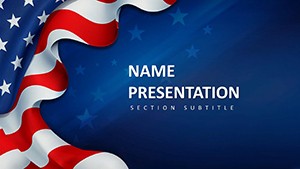 (12)
American Culture Diagrams - Fully Editable | ImagineLayoutID: #KT04010$10.00
(12)
American Culture Diagrams - Fully Editable | ImagineLayoutID: #KT04010$10.00 (9)
American Dream and Symbols of Freedom Keynote Template: Ignite AspirationsID: #KT04008$12.00
(9)
American Dream and Symbols of Freedom Keynote Template: Ignite AspirationsID: #KT04008$12.00 (8)
Keynote Diagrams for Project Mgmt - Fully Editable | ImagineLayoutID: #KT04007$10.00
(8)
Keynote Diagrams for Project Mgmt - Fully Editable | ImagineLayoutID: #KT04007$10.00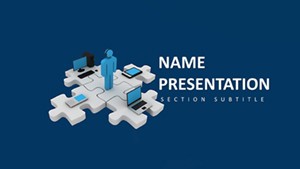 (9)
Team Collaboration Keynote Diagrams - Instant Download | ImagineLayoutID: #KT04006$10.00
(9)
Team Collaboration Keynote Diagrams - Instant Download | ImagineLayoutID: #KT04006$10.00 (16)
28 Goal Targeting Diagrams - Editable Keynote | ImagineLayoutID: #KT04000$10.00
(16)
28 Goal Targeting Diagrams - Editable Keynote | ImagineLayoutID: #KT04000$10.00 (16)
Social Media Marketing Keynote Diagrams - Instant Download | ImagineLayoutID: #KT03990$10.00
(16)
Social Media Marketing Keynote Diagrams - Instant Download | ImagineLayoutID: #KT03990$10.00 (9)
Fashion Keynote Presentation TemplateID: #KT03985$10.00
(9)
Fashion Keynote Presentation TemplateID: #KT03985$10.00 (14)
Free Download Digital Marketing Keynote Presentation TemplateID: #KT03984free
(14)
Free Download Digital Marketing Keynote Presentation TemplateID: #KT03984free (13)
Personal Success Keynote Template: Chart Your Path to Purposeful WinsID: #KT03956$10.00
(13)
Personal Success Keynote Template: Chart Your Path to Purposeful WinsID: #KT03956$10.00 (9)
Free SEO Marketing Keynote Template: Elevate Your Digital StrategiesID: #KT03955free
(9)
Free SEO Marketing Keynote Template: Elevate Your Digital StrategiesID: #KT03955free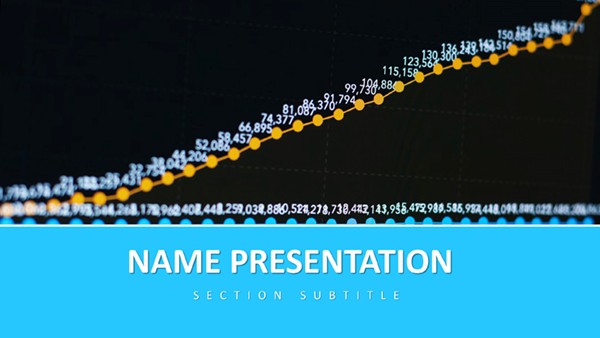 (126)
(126) Data-Driven Growth Keynote TemplateID: #KT03921$8.00
 (243)
Market Trends Keynote TemplateID: #KT03919$10.00
(243)
Market Trends Keynote TemplateID: #KT03919$10.00 (26)
Elegant Corporate Keynote TemplateID: #KT03914$10.00
(26)
Elegant Corporate Keynote TemplateID: #KT03914$10.00 (310)
Unified Solutions Keynote TemplateID: #KT03913$8.00
(310)
Unified Solutions Keynote TemplateID: #KT03913$8.00 (249)
Innovative Ideas Keynote Slides Template: Igniting Creativity on CanvasID: #KT03890$8.00
(249)
Innovative Ideas Keynote Slides Template: Igniting Creativity on CanvasID: #KT03890$8.00 (82)
In-Depth Analysis Keynote Template: Illuminate Data with PrecisionID: #KT03887$10.00
(82)
In-Depth Analysis Keynote Template: Illuminate Data with PrecisionID: #KT03887$10.00 (227)
Global Exploration Keynote Template: Charting Pathways to Worldwide ImpactID: #KT03882$10.00
(227)
Global Exploration Keynote Template: Charting Pathways to Worldwide ImpactID: #KT03882$10.00 (248)
Global Network Keynote Template: Knot the World to Your NarrativeID: #KT03874$10.00
(248)
Global Network Keynote Template: Knot the World to Your NarrativeID: #KT03874$10.00 (145)
Data-Driven Global Impact Keynote TemplateID: #KT03869$10.00
(145)
Data-Driven Global Impact Keynote TemplateID: #KT03869$10.00 (122)
Cultivating Your Financial Future Keynote TemplateID: #KT03862$10.00
(122)
Cultivating Your Financial Future Keynote TemplateID: #KT03862$10.00 (260)
Social Media for Business Growth Keynote Template: Strategies That ScaleID: #KT03845$12.00
(260)
Social Media for Business Growth Keynote Template: Strategies That ScaleID: #KT03845$12.00 (244)
Creativity Innovation Keynote Template: Ignite Your Digital Strategy PresentationsID: #KT03844$12.00
(244)
Creativity Innovation Keynote Template: Ignite Your Digital Strategy PresentationsID: #KT03844$12.00 (50)
Digital Strategies Keynote Template: Chart Your Path to Online DominanceID: #KT03843$12.00
(50)
Digital Strategies Keynote Template: Chart Your Path to Online DominanceID: #KT03843$12.00 (400)
Targeted Planning Keynote Template: Precision in Every PlanID: #KT03842$12.00
(400)
Targeted Planning Keynote Template: Precision in Every PlanID: #KT03842$12.00 (1)
USA Flag Keynote Template: Rally Audiences with Patriotic PrecisionID: #KT03832$12.00
(1)
USA Flag Keynote Template: Rally Audiences with Patriotic PrecisionID: #KT03832$12.00 (1)
Visualization Financial Data Keynote Template: Decode Dollars with ClarityID: #KT03831$12.00
(1)
Visualization Financial Data Keynote Template: Decode Dollars with ClarityID: #KT03831$12.00
Use Cases
These templates fit multiple consulting scenarios. A strategy consultant at a Big 4 firm prepares market entry presentations for executive board meetings using pre-built issue tree and recommendation slides to deliver clear hypotheses.
An independent advisor runs digital transformation workshops for retail clients with gap analysis and roadmap layouts that keep discussions focused on data and action plans.
Management consultants developing cost reduction projects use financial model slides and impact matrices during quarterly review sessions to support data-driven recommendations.
IT consultants outline cloud migration strategies for enterprise clients with current state, future vision, and implementation timeline slides that streamline client pitches.
Each case shows how the templates address needs in investor pitches, client workshops, and internal strategy sessions.
Comparison vs. default PowerPoint/Keynote shapes or blank slides
Blank Keynote slides force manual creation of every framework and alignment, resulting in inconsistent logic flow and extended preparation time.
Default shapes offer basic visuals but lack the structured consulting sequences like MECE issue trees and hypothesis pyramids that these templates provide ready to use.
Starting from scratch requires rebuilding data charts and recommendation matrices for every project, while the templates include reusable master elements.
Presentation software defaults do not include presenter notes tailored for consulting narratives, making client delivery less prepared.
These templates create a complete deck that maintains strategic depth and visual consistency, something blank options cannot deliver without significant extra effort.
Best-practice advice for using the templates in this category
Update the master slide theme with your firm's brand colors and fonts first to ensure every slide matches corporate guidelines.
Follow the built-in slide sequence for problem diagnosis to recommendation to keep the narrative logical during client workshops.
Insert data into the pre-formatted charts and let the layout auto-adjust for readability in board meetings.
Add speaker notes early to capture key talking points and practice delivery before the session.
Export a PDF version for client distribution while keeping the editable Keynote file for internal updates.
Test the deck on the actual presentation screen to confirm animations and transitions support your story flow.
Technical tip specific to this category type
In these consulting Keynote templates, use the master slide feature to lock recurring elements like issue trees and data tables across the deck.
Apply global text styles and color overrides to maintain consistency when adding new slides for different client engagements.
This prevents layout drift and speeds up revisions during strategy workshops.
Combine with Keynote's magic move transition for smooth framework animations that highlight recommendations without manual alignment.
How ImagineLayout's version of this category differs from competitors
Our templates differ from Slidesgo, Envato Elements, and Canva by embedding consulting-specific frameworks such as pyramid principle slides and hypothesis-driven matrices drawn from real advisory work.
Competitors focus on generic designs that require extensive rebuilding for client engagements, while ours include ready sequences tested in strategy sessions.
Compared to the general keynote templates category on this site, these consulting files contain pre-built slide orders for MECE issue trees and recommendation matrices that general collections do not provide.
This allows consultants to begin directly with client-ready structures instead of adapting basic layouts.
The result is faster preparation and more persuasive presentations for management consulting and advisory projects.
Selecting the right consulting Keynote template
Match the template to your engagement type by reviewing slide sequences in the preview. Strategy workshops benefit from gap analysis and roadmap decks while client pitches work best with executive summary and financial impact layouts.
Consider audience size and meeting format when choosing animation levels. Test the deck flow with sample data to confirm the narrative supports your key messages.
This targeted selection reduces preparation time and aligns the output with expectations in board meetings and investor discussions.
How do I download these consulting Keynote templates after purchase?
After purchase an email arrives with a direct download link to the .key file. The process is instant and accessible from any device. Open the file in Apple Keynote on Mac or iPad to begin customization. No extra software is required. If the link expires, support replaces it quickly. This direct method supports immediate preparation for upcoming client strategy sessions.
Are the templates compatible with different Keynote versions?
Yes, the files work with Keynote 10 and newer on macOS and iOS. They use standard transitions and master slides to avoid compatibility issues in recent releases. Older versions may require minor master slide adjustments but core frameworks remain functional. Support offers guidance for specific setups. This ensures consultants can present reliably across team devices and client environments.
How much customization is possible with these templates?
Change colors, fonts, logos, charts, and all text while preserving the consulting framework layouts and animations. Master slides update globally when modified. Add or remove slides without breaking sequences. The structures scale with new data automatically. This flexibility allows full branding alignment and adaptation to any client scenario while keeping the strategic flow intact.
What licensing terms apply to the downloaded templates?
The license permits use in personal and client consulting projects with unlimited edits and presentations. Deliver customized decks to clients but do not resell or share the original template files. Commercial advisory work is fully allowed. The license applies per organization and never expires. The included terms document outlines all permitted uses in detail.
Do these templates support export to other formats?
Yes, export to PDF for client distribution or PowerPoint for cross-platform sharing is fully supported while preserving layouts and animations where possible. Use Keynote's built-in export tools for high-quality outputs. Images and charts remain crisp in all formats. This capability lets consultants meet client preferences for file types without losing the original deck quality.


