
Finance - Accounting Keynote Themes
These finance presentation templates are built for accountants, CFO teams, consultants, and analysts who spend more time explaining numbers than decorating slides. The collection focuses on reporting structure: quarterly reviews, audit summaries, investment updates, forecasting decks, and internal planning presentations prepared in Apple Keynote.
A finance director preparing a board meeting usually needs three things at once: readable data, consistent slide hierarchy, and layouts that survive last-minute edits. That is where these templates fit. Instead of rebuilding table spacing, chart alignment, or title formatting inside Keynote from scratch, the framework already exists. Honestly, the slide master setup here is what makes the files actually usable in a real project.
Most templates include editable diagrams, multiple color schemes, widescreen layouts, and presentation-ready masters compatible with modern macOS versions. Some work especially well for investor reporting, others for accounting summaries or operational reviews. You drop in your numbers, adjust the palette if needed, done. And yes, most layouts export cleanly to PDF for stakeholder distribution.
 (17)
(17) Keynote Diagrams for Ethereum Blockchain - Editable | ImagineLayoutID: #KT04003$10.00
 (15)
(15) 28 Crypto Diagrams - Fully Editable Keynote | ImagineLayoutID: #KT04001$9.00
 (16)
28 Goal Targeting Diagrams - Editable Keynote | ImagineLayoutID: #KT04000$10.00
(16)
28 Goal Targeting Diagrams - Editable Keynote | ImagineLayoutID: #KT04000$10.00 (11)
28 Bitcoin Price Diagrams - Editable Keynote | ImagineLayoutID: #KT03998$10.00
(11)
28 Bitcoin Price Diagrams - Editable Keynote | ImagineLayoutID: #KT03998$10.00 (17)
Trade Secrets Keynote Diagrams - Fully Editable | ImagineLayoutID: #KT03989$10.00
(17)
Trade Secrets Keynote Diagrams - Fully Editable | ImagineLayoutID: #KT03989$10.00 (10)
Financial Market Analysis Keynote Diagrams - Editable KEY | ImagineLayoutID: #KT03988free
(10)
Financial Market Analysis Keynote Diagrams - Editable KEY | ImagineLayoutID: #KT03988free (10)
Bitcoin Market Analysis Keynote Template: Chart the Crypto SurgeID: #KT03975free
(10)
Bitcoin Market Analysis Keynote Template: Chart the Crypto SurgeID: #KT03975free (13)
Strategic Planning Keynote Template: Editable DiagramsID: #KT03961$10.00
(13)
Strategic Planning Keynote Template: Editable DiagramsID: #KT03961$10.00 (8)
Digital Assets Keynote Template: Free Resource for Fintech VisionsID: #KT03958free
(8)
Digital Assets Keynote Template: Free Resource for Fintech VisionsID: #KT03958free (13)
Personal Success Keynote Template: Chart Your Path to Purposeful WinsID: #KT03956$10.00
(13)
Personal Success Keynote Template: Chart Your Path to Purposeful WinsID: #KT03956$10.00 (15)
Digital Gold Bitcoin Keynote Template: Ignite Your Crypto NarrativesID: #KT03954free
(15)
Digital Gold Bitcoin Keynote Template: Ignite Your Crypto NarrativesID: #KT03954free (12)
Cryptocurrency Investing Keynote Template: Chart Your Path to Portfolio PowerID: #KT03948$10.00
(12)
Cryptocurrency Investing Keynote Template: Chart Your Path to Portfolio PowerID: #KT03948$10.00 (104)
European Business Keynote TemplateID: #KT03922$10.00
(104)
European Business Keynote TemplateID: #KT03922$10.00 (126)
(126) Data-Driven Growth Keynote TemplateID: #KT03921$8.00
 (243)
Market Trends Keynote TemplateID: #KT03919$10.00
(243)
Market Trends Keynote TemplateID: #KT03919$10.00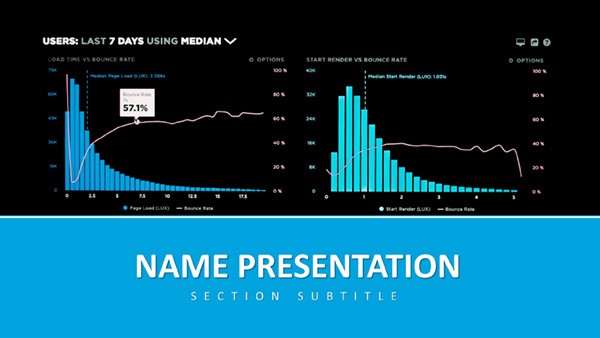 (278)
Analytics and Metrics Keynote Presentation TemplateID: #KT03918$12.00
(278)
Analytics and Metrics Keynote Presentation TemplateID: #KT03918$12.00 (335)
Excel Financial Growth Analysis Keynote Template PresentationID: #KT03916$8.00
(335)
Excel Financial Growth Analysis Keynote Template PresentationID: #KT03916$8.00 (249)
Innovative Ideas Keynote Slides Template: Igniting Creativity on CanvasID: #KT03890$8.00
(249)
Innovative Ideas Keynote Slides Template: Igniting Creativity on CanvasID: #KT03890$8.00 (82)
In-Depth Analysis Keynote Template: Illuminate Data with PrecisionID: #KT03887$10.00
(82)
In-Depth Analysis Keynote Template: Illuminate Data with PrecisionID: #KT03887$10.00 (248)
Global Network Keynote Template: Knot the World to Your NarrativeID: #KT03874$10.00
(248)
Global Network Keynote Template: Knot the World to Your NarrativeID: #KT03874$10.00 (160)
Global Innovation Venture Keynote TemplateID: #KT03871$10.00
(160)
Global Innovation Venture Keynote TemplateID: #KT03871$10.00 (99)
Focusing on Global Reach and Data Visualization Keynote Template for PresentationID: #KT03870$10.00
(99)
Focusing on Global Reach and Data Visualization Keynote Template for PresentationID: #KT03870$10.00 (145)
Data-Driven Global Impact Keynote TemplateID: #KT03869$10.00
(145)
Data-Driven Global Impact Keynote TemplateID: #KT03869$10.00 (122)
Cultivating Your Financial Future Keynote TemplateID: #KT03862$10.00
(122)
Cultivating Your Financial Future Keynote TemplateID: #KT03862$10.00 (371)
Versatile Business Keynote Presentation TemplateID: #KT03861$12.00
(371)
Versatile Business Keynote Presentation TemplateID: #KT03861$12.00 (400)
Targeted Planning Keynote Template: Precision in Every PlanID: #KT03842$12.00
(400)
Targeted Planning Keynote Template: Precision in Every PlanID: #KT03842$12.00 (1)
Visualization Financial Data Keynote Template: Decode Dollars with ClarityID: #KT03831$12.00
(1)
Visualization Financial Data Keynote Template: Decode Dollars with ClarityID: #KT03831$12.00 (917)
(917) Business Graph Keynote TemplateID: #KT03825$12.00
 (1113)
Financial Analytics Keynote Template with Data VisualizationID: #KT03822$12.00
(1113)
Financial Analytics Keynote Template with Data VisualizationID: #KT03822$12.00 (787)
Urban Economy Keynote Template: Data-Driven InsightsID: #KT03821$12.00
(787)
Urban Economy Keynote Template: Data-Driven InsightsID: #KT03821$12.00 (237)
Business World Keynote Template: Executive Strategy DeckID: #KT03819$10.00
(237)
Business World Keynote Template: Executive Strategy DeckID: #KT03819$10.00 (886)
Bulls & Bears Trend Keynote SlidesID: #KT03794$12.00
(886)
Bulls & Bears Trend Keynote SlidesID: #KT03794$12.00 (364)
Pro Bulls Trend Keynote TemplateID: #KT03793$12.00
(364)
Pro Bulls Trend Keynote TemplateID: #KT03793$12.00
Why finance teams keep separate slide structures for reporting decks
Financial presentations fail for a pretty predictable reason: the information hierarchy collapses under too many metrics. A spreadsheet can carry fifty rows without trouble. A presentation slide cannot. These Keynote templates solve that by separating narrative slides, KPI summaries, forecast visuals, and detailed accounting views into different layout types that still feel visually connected.
You see it immediately in templates like Financial Report Keynote, Trend Line Graphs Keynote Template for Finance, and Finance Review Keynote Templates. The layouts assume real reporting conditions - dense quarterly comparisons, audit explanations, variance analysis, cash-flow movement, or investor updates with very little presentation time. The hierarchy is genuinely well-built: headline claim first, supporting metric second, action or implication third.
A corporate controller preparing a monthly operations review usually has a rough situation: numbers are finalized late, executives want shorter meetings, and half the deck changes the night before. In practice, templates with prebuilt comparison layouts matter because they reduce formatting decisions during revisions. The thinking stays on the data instead of slide cleanup.
The same applies to consulting teams building financial diagnostics for clients. When every slide has different font spacing or inconsistent graph margins, the credibility of the analysis slips a bit. Small thing. But clients notice it.
If your work leans more toward process explanations than financial reporting, the adjacent flow diagram Keynote templates category is better for operational walkthroughs and approval systems. For data-heavy financial visuals, this collection makes more sense.
Where these Keynote finance templates actually get used
A startup CFO presenting runway projections to investors needs different slide behavior than an internal accounting manager. Investor decks usually prioritize trend direction, funding allocation, and scenario forecasts. That is why templates with line graphs, milestone layouts, and summary dashboards appear so often across this category. The slide is carrying the argument, not only the numbers.
An audit lead preparing compliance findings has a different problem. Too much detail. Here, comparison tables and structured breakdown slides become more important than animated charts because reviewers need to scan categories quickly. I always swap the color palette in the master before filling in actual numbers. Saves a rebuild later.
Banking and treasury teams often use these layouts for liquidity reporting and regional performance updates. Multi-column layouts help because the audience needs simultaneous comparisons between entities, currencies, or reporting periods. A chart alone usually hides too much context.
And there is the less glamorous use case nobody talks about enough: internal budget meetings. Department heads arrive with inconsistent spreadsheets, partial forecasts, and different naming conventions. Templates with locked alignment, recurring section headers, and reusable executive-summary slides help normalize the presentation before the discussion even starts.
Also works for training sessions and finance workshops, not just executive decks.
Charts, tables, and financial layouts that survive real edits
One useful thing about this category is that the layouts are not overdesigned. That sounds minor until you need to duplicate twelve slides at 11pm and keep everything aligned. Most templates use editable Keynote objects rather than flattened artwork, which matters when teams collaborate or update figures weekly.
Trend-focused templates support revenue tracking, forex movement, market performance reviews, and forecast comparisons. Table-driven layouts work better for balance sheets, audit summaries, procurement comparisons, and variance explanations. There are also waterfall-style financial structures, KPI dashboards, and timeline-based reporting sequences.
Some templates resemble frameworks analysts already use in Excel or PowerPoint reporting environments. Trend Line Graphs Keynote Template for Finance, for example, mirrors the logic of time-series reporting dashboards. Financial Statement Analysis layouts use ratio comparison structures similar to internal audit reporting systems. Basically, the slides are already thinking in finance terms before you add data.
But these are still presentation files, not live BI dashboards. Not ideal if you need constantly updating analytics tied directly to cloud reporting systems. For board reviews, investor presentations, and static reporting exports though, yeah, it works.
Technical detail that matters more than people expect
Finance slides tend to break when users resize charts or paste spreadsheet objects without checking alignment behavior. In Keynote, grouped chart objects sometimes shift differently than native tables when switching aspect ratios from 16:9 to 4:3. The first time you open the slide master it looks like a lot, but the color system is straightforward once you see it.
Templates in this collection generally behave better because recurring elements are anchored consistently inside the master slides. That means fewer broken margins after export to PDF or when another teammate edits the file on a different Mac setup.
Another small thing: border rendering on financial tables. Cheap templates often use inconsistent stroke weights, which becomes obvious during projector presentations or printed reports. These layouts keep spacing and cell padding relatively disciplined across slides. You notice it mostly during long presentations.
Why this collection feels different from generic presentation marketplaces
A lot of presentation marketplaces optimize for visual novelty. Finance teams usually need the opposite. They need predictable structure, editable layouts, restrained typography, and slides that support recurring reporting cycles without redesign every quarter.
ImagineLayout’s finance Keynote collection leans into that practical side. Most files include multiple masters, editable diagrams, widescreen presentation ratios, and reusable layouts designed around reporting workflows rather than decorative animation. Works as-is.
You can also move between related categories depending on the reporting style you need. The Keynote charts templates section focuses more heavily on data visualization layouts, while the broader Keynote presentation templates category includes corporate, consulting, and training themes outside finance.
If the next deck on your calendar is a quarterly review, investor briefing, or audit summary, this collection gives you a faster starting structure without forcing a full redesign cycle every time.
Frequently asked questions
Are these finance Keynote templates editable or are they fixed layouts?
Yes, the layouts are editable in Apple Keynote, including charts, typography, colors, icons, and most diagram structures. In most cases the templates use native Keynote objects rather than flattened graphics, which means finance teams can duplicate slides, add reporting periods, or adjust branding without rebuilding the design. Usually yes, but some imported infographic elements may still be grouped for alignment consistency. No issues once you ungroup them.
Can I use these templates for investor presentations and board meetings?
The short answer is yes. These templates are structured for situations where executives need fast scanning and clean reporting logic rather than decorative slide effects. Most finance decks here include executive summary layouts, comparison tables, forecast slides, and chart sequences that work well for board reviews, investor updates, annual reporting, and internal operational meetings. Exporting to PDF from Keynote generally keeps the spacing intact too. Oh, and widescreen 16:9 layouts are common by default.
Do the chart layouts update automatically from Excel or spreadsheet files?
So basically, these are still presentation templates, not live business intelligence dashboards. You normally paste or import spreadsheet data into Keynote charts manually. Some templates support easier copy-paste workflows from Excel, Apple Numbers, or Google Sheets because the placeholders are already structured correctly, but automatic syncing depends a bit on your own workflow setup. For recurring monthly reporting, most teams simply duplicate the deck and replace datasets each cycle. That is basically it.
Will the layouts break if I add extra financial rows or reporting sections?
Honestly, this depends more on how the slide was originally constructed than on Keynote itself. Native table-based layouts usually expand cleanly when you add extra rows or columns. Grouped infographic tables sometimes need small spacing adjustments afterward so labels do not overlap. Finance templates built around recurring accounting reports tend to behave better because the structure already expects edits and duplicated reporting periods. Slightly annoying at first if you have never used slide masters before, but after a few edits the logic becomes obvious.
What license applies when sharing the presentation with a client or internal team?
It is the same license structure most presentation marketplaces use - one buyer downloads the template and uses it for commercial or internal presentation work. Sharing the finished presentation with clients, executives, or team members is normally fine because the exported deck becomes part of your project deliverable. Reselling the original editable template files themselves is the part that is restricted. Works fine for agencies, finance departments, consultants, and internal reporting teams.


