 Click to zoom
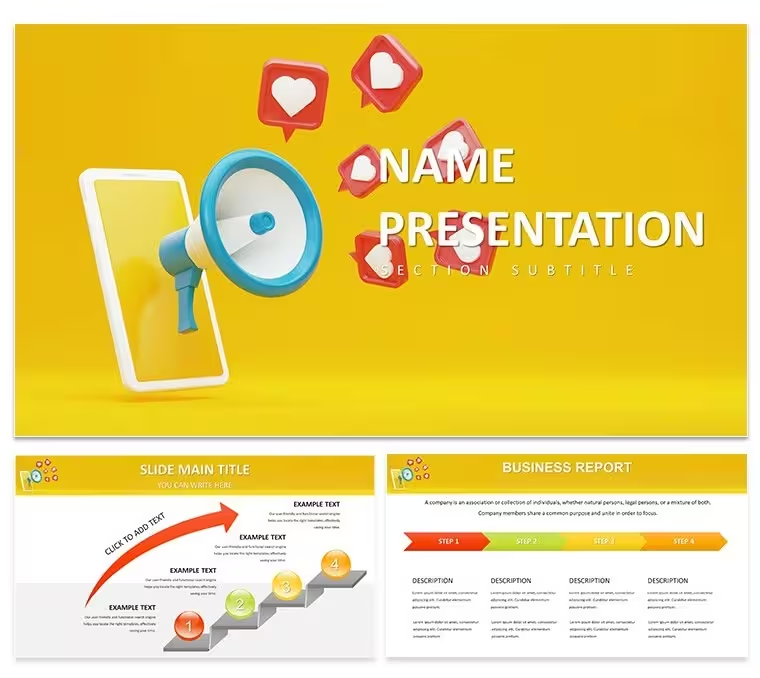
Social Media Marketing Keynote Diagrams - Instant Download | ImagineLayout
| Format | .pptx |
| Slides | 3 unique layouts |
| Aspect ratio | 16:9 |
| Compatibility | PowerPoint |
| Animated | No |
| Language | English |
| License | Commercial |
| File size | — |
| Version | v1.0 |
| Last updated | August 2026 |
What's inside
Social Media Marketing Keynote Template: Spark Viral Visions Across Every Platform
For social media campaigns that need clear platform breakdowns the 28 diagrams fit the task in Keynote.
Everything aligns automatically.
Marketing teams use the file to break down multi-platform campaigns for stakeholders without manual shape arrangement and the structure keeps every step visible on one slide.
When you need to show campaign workflows the diagrams replace hours of manual work.
The diagrams use a grid structure with color-coded sections to distinguish steps in your marketing explanation.
Color changes happen through the slide master.
The page does not list the exact Keynote version but the files follow standard KEY/KTH formats compatible with current installations.
Use this instead of building diagrams manually in Keynote.
The predefined structure keeps everything aligned so you don’t end up adjusting spacing slide by slide.
Best used when your focus is structured process explanation.
It is not ideal for data-heavy dashboards with multiple charts.
You can duplicate slides and reuse the same structure across multiple reports.
FeatureDetailsSlides / diagrams28 diagrams themed for social mediaFile formatKEY, KTHSoftware versionKeynote 12+Color schemes7 schemes switch via master slideEditable elementsText icons colors resize independentlyAspect ratio16:9Free vs PaidFull set of 28 diagrams in paid versionMasters / BackgroundsMaster slides for instant palette changesIn most cases you only replace text and adjust colors.
No photo placeholders no gradients — just clean diagrams.
Download and start editing immediately
Is it compatible with Keynote 12 and later on macOS?The template works with Keynote 12 and newer versions on macOS 11 or higher. Open the KEY file directly. In most cases no conversion is required.
Can I use this template for client work?Yes the license allows commercial use for your own or client presentations. One license per user. Do not resell the template itself.
What is the difference between free and paid?The page does not specify free vs paid differences. The paid version provides the complete set of 28 diagrams and 7 color schemes. No free version details are listed on the page.
What are the refund conditions?Refunds are available within 14 days if the template does not meet your needs. Contact support with your order number. No refunds after the file has been downloaded and used.
Can I export to PDF video or web?Export to PDF or video is fully supported in Keynote. The diagrams remain crisp in any format.
Facebook Business Manager Keynote Template: Free Your Social Strategy with Pro Polish Social Media Keynote templates - themes
Good for
- Project roadmaps and sprint plans
- Product launch timelines
- Quarterly or annual review decks
- Company history and milestone summaries
Licence
reviews
Used for a virtual conference session and received several compliments on the design. It translated well to online format.
Modern minimalism done right with sufficient white space and clear focal points. Master slides are robust.
Mostly satisfied although the chart templates needed supplementary styling. Editing remained fluid.
Helped convey complex ideas in an accessible manner to the audience.
FAQ
Will it work in Google Slides?
Are fonts embedded?
Can I use this for client work?
What's the refund policy?
Do you update the template after purchase?
Similar templates
See all Keynote templates →



All 1 slides