How to Build a Presentation Faster With Ready-Made Slides
Learn how to use ready-made PowerPoint slides strategically to build presentations faster while keeping the structure, visuals, and message consistent.
Design tips, tutorials, product updates, and industry insights.
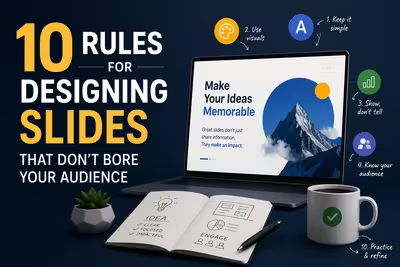
Tired of blank stares during your presentations? These 10 practical slide design rules help you keep attention without gimmicks or clutter.

Learn what separates pitch decks investors fund from ones that get ignored — structure, pacing, and the slides founders usually get wrong.
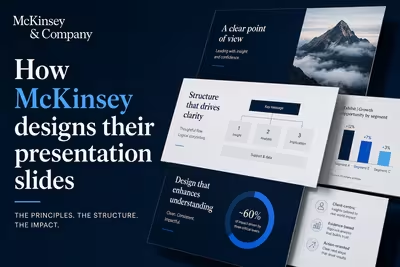
McKinsey's slide design isn't about polish — it's a structured argument system. Here's how the Pyramid Principle actually works in practice.

Learn how to use ready-made PowerPoint slides strategically to build presentations faster while keeping the structure, visuals, and message consistent.
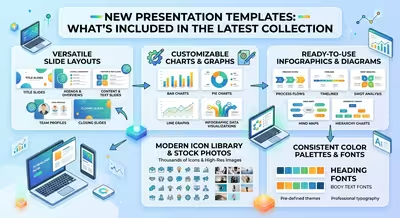
Explore what a modern presentation template collection can include, from business and marketing layouts to pitch decks, diagrams, charts, and reusable presentation structures.

New presentation templates for technology companies can make complex products, software, AI, infrastructure, and business strategies easier to explain.
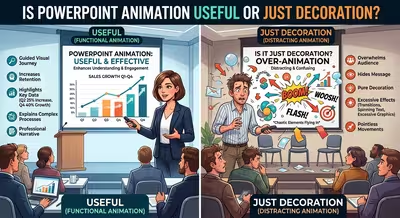
PowerPoint animation can clarify a process or simply make a slide take longer. Learn when motion helps the audience and when it is only decoration.

AI can build a presentation surprisingly fast, but speed is not the same as good presentation design. Here is where AI generators help and where human judgment still matters.
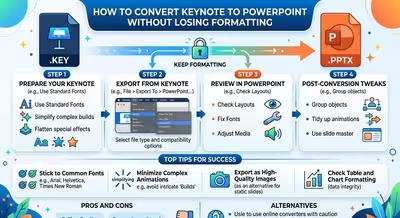
Converting Keynote to PowerPoint is easy; keeping the presentation looking right requires the right export workflow and a careful compatibility check.
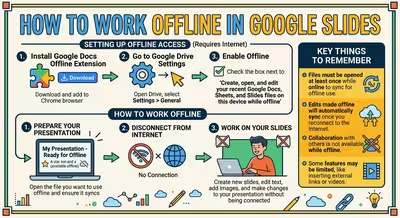
Learn how to set up Google Slides for offline work, make presentations available without internet, and avoid problems when your connection disappears.
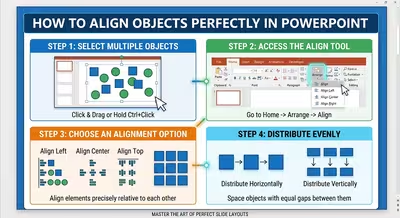
Learn how to align objects perfectly in PowerPoint using Align, Distribute, guides, grouping, and optical alignment for cleaner, more consistent slides.
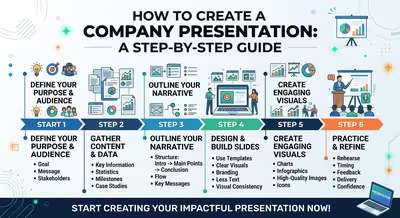
Learn how to create a company presentation that explains what your business does, proves why it matters, and gives the audience a clear reason to continue the conversation.