
Justice - Law Keynote Themes
This collection of Justice and Law Keynote templates is built for legal professionals who need to present structured arguments, case summaries, and compliance updates without reformatting every slide. The layouts focus on clarity - headings, supporting points, and evidence blocks are already aligned, which matters more than visual styling in legal contexts.
Think of a corporate counsel preparing a board-level compliance briefing or a litigation associate organizing a case timeline for internal review. In both cases, the slide structure carries part of the reasoning. Legal presentations aren`t about decoration - they rely on hierarchy and sequence. These templates handle that upfront so you`re not adjusting spacing the night before a deadline.
Browse the layouts and pick the structure that fits your next case review or legal presentation. You drop in your content - done.
 (8)
(8) Justice & Global Governance Diagrams - Editable Keynote | ImagineLayoutID: #KT04020$10.00
 (9)
Public Speaking Diagrams - Editable Keynote | ImagineLayoutID: #KT04019$10.00
(9)
Public Speaking Diagrams - Editable Keynote | ImagineLayoutID: #KT04019$10.00 (9)
(9) Impactful Political Keynote Diagrams - Fully Editable | ImagineLayoutID: #KT04017$10.00
 (14)
Government Politics Keynote Diagrams - Editable Keynote | ImagineLayoutID: #KT04016$10.00
(14)
Government Politics Keynote Diagrams - Editable Keynote | ImagineLayoutID: #KT04016$10.00 (15)
Geopolitics US-EU Keynote Diagrams - Editable Keynote | ImagineLayoutID: #KT04015$10.00
(15)
Geopolitics US-EU Keynote Diagrams - Editable Keynote | ImagineLayoutID: #KT04015$10.00 (8)
Business Conflict Management Keynote Diagrams - Editable Keynote | ImagineLayoutID: #KT04014$10.00
(8)
Business Conflict Management Keynote Diagrams - Editable Keynote | ImagineLayoutID: #KT04014$10.00 (11)
Civil Liberties Decline Keynote Diagrams - Free Editable Keynote | ImagineLayoutID: #KT04013free
(11)
Civil Liberties Decline Keynote Diagrams - Free Editable Keynote | ImagineLayoutID: #KT04013free (13)
EU-US Relations Keynote Diagrams - Editable | ImagineLayoutID: #KT04012$10.00
(13)
EU-US Relations Keynote Diagrams - Editable | ImagineLayoutID: #KT04012$10.00 (10)
Patriotic American Keynote Template | 28 Editable Diagrams in 7 Color Schemes - Instant DownloadID: #KT04009$10.00
(10)
Patriotic American Keynote Template | 28 Editable Diagrams in 7 Color Schemes - Instant DownloadID: #KT04009$10.00 (9)
American Dream and Symbols of Freedom Keynote Template: Ignite AspirationsID: #KT04008$12.00
(9)
American Dream and Symbols of Freedom Keynote Template: Ignite AspirationsID: #KT04008$12.00 (952)
Comprehensive Legal Acts Keynote Template | Professional Presentation DownloadsID: #KT03763$12.00
(952)
Comprehensive Legal Acts Keynote Template | Professional Presentation DownloadsID: #KT03763$12.00 (313)
(313) Law and Order Keynote Template - Judge and Laws TemplateID: #KT03762$12.00
 (604)
(604) Law Keynote Template: Persuade with PoiseID: #KT03761$12.00
 (330)
Crime Scene Keynote Template for Forensic ProsID: #KT03653$12.00
(330)
Crime Scene Keynote Template for Forensic ProsID: #KT03653$12.00 (401)
Law Court Keynote Template: Verdict-Ready VisualsID: #KT03387$12.00
(401)
Law Court Keynote Template: Verdict-Ready VisualsID: #KT03387$12.00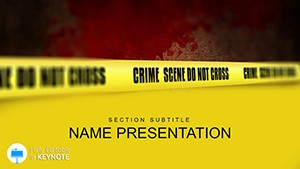 (464)
Crime Scene Keynote Template: Visualizing Justice with PrecisionID: #KT03386$12.00
(464)
Crime Scene Keynote Template: Visualizing Justice with PrecisionID: #KT03386$12.00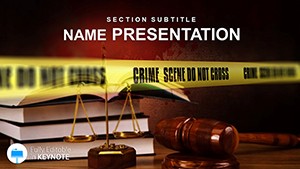 (1040)
Crime Rules Keynote Template: Crafting Legal Arguments That StickID: #KT03385$10.00
(1040)
Crime Rules Keynote Template: Crafting Legal Arguments That StickID: #KT03385$10.00 (316)
Contract in Business Law Keynote Template for PresentationID: #KT02954$12.00
(316)
Contract in Business Law Keynote Template for PresentationID: #KT02954$12.00 (775)
Lawyer Keynote Template for Legal Presentations | Fully Editable Instant DownloadID: #KT02943$12.00
(775)
Lawyer Keynote Template for Legal Presentations | Fully Editable Instant DownloadID: #KT02943$12.00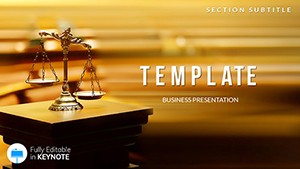 (331)
Judiciary Keynote templates - ThemesID: #KT02655$12.00
(331)
Judiciary Keynote templates - ThemesID: #KT02655$12.00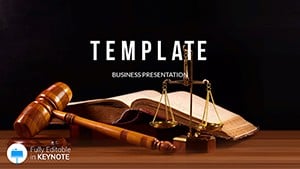 (993)
Judicial branch Keynote templates - ThemesID: #KT02654$12.00
(993)
Judicial branch Keynote templates - ThemesID: #KT02654$12.00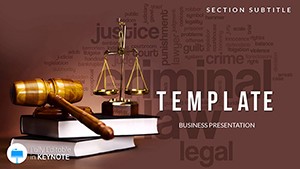 (1144)
Principles of Justice Keynote templates - ThemesID: #KT02653$12.00
(1144)
Principles of Justice Keynote templates - ThemesID: #KT02653$12.00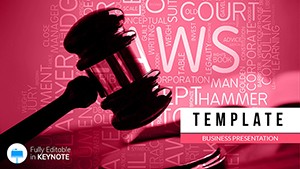 (375)
Legislation Keynote templates - ThemesID: #KT02652$12.00
(375)
Legislation Keynote templates - ThemesID: #KT02652$12.00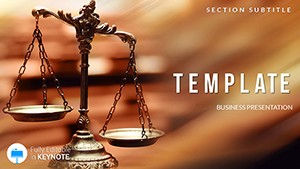 (1043)
Codes and Laws Keynote templates - ThemesID: #KT02651$12.00
(1043)
Codes and Laws Keynote templates - ThemesID: #KT02651$12.00 (797)
Important Documents Keynote templates - ThemesID: #KT02583$12.00
(797)
Important Documents Keynote templates - ThemesID: #KT02583$12.00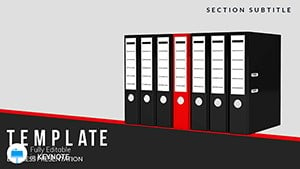 (933)
Types Business Documents Keynote templatesID: #KT02502$12.00
(933)
Types Business Documents Keynote templatesID: #KT02502$12.00 (626)
Business Relationship Keynote templatesID: #KT02501$12.00
(626)
Business Relationship Keynote templatesID: #KT02501$12.00 (804)
Professional Legal Contract Keynote TemplateID: #KT02369$12.00
(804)
Professional Legal Contract Keynote TemplateID: #KT02369$12.00 (244)
Criminal Activities Police Keynote templatesID: #KT02277$12.00
(244)
Criminal Activities Police Keynote templatesID: #KT02277$12.00 (220)
Criminal Case Keynote TemplatesID: #KT02276$12.00
(220)
Criminal Case Keynote TemplatesID: #KT02276$12.00 (212)
Constitutional, Civil Law Keynote TemplateID: #KT02129$12.00
(212)
Constitutional, Civil Law Keynote TemplateID: #KT02129$12.00 (80)
Administrative Law Keynote TemplateID: #KT02128$12.00
(80)
Administrative Law Keynote TemplateID: #KT02128$12.00 (61)
Contract Law Keynote TemplatesID: #KT02127$12.00
(61)
Contract Law Keynote TemplatesID: #KT02127$12.00
What legal presentations actually require from a slide layout
Legal decks are different from typical business presentations because the argument structure matters as much as the content itself. You`re not just showing information - you`re guiding someone through a chain of reasoning. That`s why these Keynote templates rely heavily on consistent text hierarchy, controlled spacing, and predictable slide flow.
In practice, when I`ve worked on compliance decks, the biggest issue wasn`t missing data - it was inconsistent formatting across slides. Titles shift, bullet levels don`t align, and suddenly the argument feels less convincing. These templates avoid that. The hierarchy is already built in, so each slide reads like part of a continuous narrative.
And yes, it sounds minor. But in a boardroom, structure reads as credibility.
If you`re preparing a legal briefing under time pressure, start with a layout that already matches how legal arguments are presented.
Real-world scenarios where these templates actually get used
A corporate lawyer preparing a quarterly compliance update usually faces a mixed audience - executives want clarity, while legal teams want detail. The templates here handle that balance by separating summary slides from detailed breakdowns. You can show the conclusion first, then support it with structured evidence slides. That sequence matters more than people think.
Another case: litigation support teams building internal case reviews. You know the situation - multiple documents, timelines, and arguments need to fit into one coherent deck. These layouts often include timeline structures and comparison slides that make it easier to present conflicting positions side by side.
I also see these used in law firm pitches. Slightly different tone, but the same need for clarity. The templates keep things formal without feeling overly rigid, which is honestly harder to get right than it sounds.
And for training sessions - internal legal education or onboarding - the structured layouts help keep long sessions readable. Not flashy. Just clear. Works as-is.
When to use these instead of business or general Keynote templates
If your presentation is built around argumentation, policy explanation, or legal reasoning, this category makes more sense than general-purpose layouts. A standard business template often prioritizes visuals or charts, which isn`t always useful in legal contexts.
For broader corporate presentations, you might look at general Keynote templates. Those are more flexible but less structured for legal narratives. If your content relies heavily on diagrams or process flows, then diagram-focused Keynote layouts may fit better.
But when your slides need to read like a legal document translated into presentation form - this is the right category.
Why these layouts work better than starting from a blank slide
The time cost in legal presentations isn`t just formatting - it`s consistency across 20-30 slides. Font sizes, spacing between bullet levels, alignment of text blocks - all of that needs to stay uniform. Otherwise, the deck feels fragmented.
The first time I opened the slide master here, it looked like a lot. But the color system and typography setup are straightforward once you see how they`re structured. Everything is tied to a few master styles, so changing branding doesn`t break the layout.
Also, Keynote handles text scaling slightly differently than PowerPoint. These templates account for that, which avoids those awkward line breaks when you present on a different screen. Slightly annoying issue - but handled well here.
Technical detail: how these behave inside Keynote
These templates rely on Keynote`s native text styles and slide masters rather than grouped elements. That means you can edit content without breaking alignment - something that often goes wrong in exported or poorly built templates.
From experience, this matters most when you duplicate slides or adjust text length. The layout holds. You don`t have to rebuild anything. That`s it.
Why this collection feels different from generic marketplaces
Most template libraries try to cover every use case with decorative layouts. This one is more focused. The designs are restrained - which is exactly what legal presentations need. No unnecessary visual elements, no oversized icons competing with text.
There are some limitations. If you`re looking for heavy data visualization or dynamic charts, this isn`t the strongest category. But for structured, text-driven presentations, it works really well.
Honestly, the value here is in how little you need to change before using it in a real presentation.
How to navigate related template categories
If your legal presentation starts to include more visual explanation - like workflows or decision trees - you might move into diagram templates. For broader corporate storytelling, the main Keynote category gives you more flexibility.
But if your priority is clarity, structure, and argument flow, staying within this category keeps things consistent from slide one to slide twenty.
Pick a layout, adjust the master, and start building your argument. That`s usually enough.
FAQ
Are these templates compatible with all Keynote versions?
Usually yes, but it depends a bit on how old your version is. Most templates are built for modern Keynote versions, so if you`re using a version from the last few years, everything should work fine - fonts, layouts, and slide masters. On older versions, you might see minor differences in spacing or font rendering. Nothing critical, just something to check before presenting.
Can I adapt these templates for non-legal presentations?
Yes, you can. The structure is formal, but that actually works well for internal reports or corporate updates. From experience, I`ve reused similar layouts for compliance training and operational reviews. You might want to adjust colors or remove legal-specific icons, but the underlying structure holds up in other contexts.
Do these templates include editable slide masters?
The short answer is yes. You can access and edit the slide master to change fonts, colors, and layout structure. This is actually one of the more useful parts - once you update the master, it applies across the entire deck. Saves a lot of time when adapting to brand guidelines.
Can I export these presentations to PDF for court or client use?
Yes, exporting to PDF works without issues. Keynote handles this natively, and these templates are structured in a way that preserves alignment and spacing during export. I`ve seen this trip up even experienced users, but here it`s straightforward - just check margins before exporting. Oh, and you can also export to PDF directly from the file menu.
What license applies to these templates?
It`s the same license most marketplaces use - one buyer, one project, commercial use included. You can use the template in client work or internal presentations, but redistribution or resale isn`t allowed. Pretty standard. No surprises there.


