
Business Models PowerPoint Diagrams
Our Business Models PowerPoint Diagram Templates deliver structured visuals for any framework analysis. A management consultant preparing the competitive landscape review for a client can drop data into the pre-aligned boxes instead of building from scratch.
The collection covers classic models and modern canvases. A startup founder mapping growth options for investors uses the Ansoff Matrix slide to show four strategic paths in one glance.
Reach for these files the next time your strategy deck must explain models clearly. Download the diagram that fits your framework and open it in PowerPoint.
 (844)
(844) Business Corporation Structure PowerPoint TemplateID: #PD00211$19.00
 (1022)
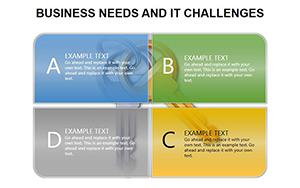
Mastering IT Challenges and Business Needs with Professional PowerPoint DiagramsID: #PD00190$15.00
(1022)
Mastering IT Challenges and Business Needs with Professional PowerPoint DiagramsID: #PD00190$15.00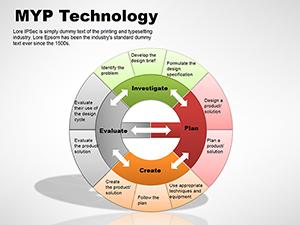 (882)
(882) MYP Technology PowerPoint Diagrams TemplateID: #PD00048$15.00
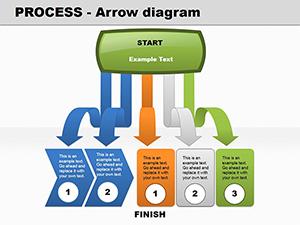 (296)
Process Arrow PowerPoint diagramID: #PD00046$20.00
(296)
Process Arrow PowerPoint diagramID: #PD00046$20.00 (907)
(907) Steps PowerPoint diagrams - 3D, Business Models, CubesID: #PD00041$20.00
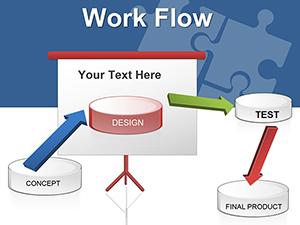 (478)
Workflow PowerPoint Diagram TemplateID: #PD00039$24.00
(478)
Workflow PowerPoint Diagram TemplateID: #PD00039$24.00 (391)
(391) World Globe PowerPoint Diagram: Global Insights VisualizedID: #PD00021$20.00
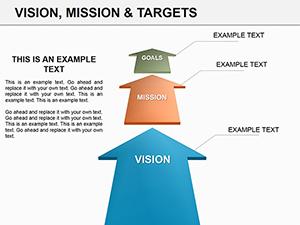 (185)
Vision and Mission PowerPoint Diagrams TemplateID: #PD00015$18.00
(185)
Vision and Mission PowerPoint Diagrams TemplateID: #PD00015$18.00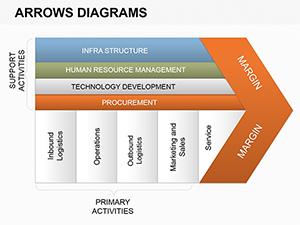 (408)
Memorable Arrows PowerPoint Diagrams TemplateID: #PD00010$16.00
(408)
Memorable Arrows PowerPoint Diagrams TemplateID: #PD00010$16.00 (180)
Paper Stickers PowerPoint Diagrams: Bringing Playful Precision to Your SlidesID: #PD00005$12.00
(180)
Paper Stickers PowerPoint Diagrams: Bringing Playful Precision to Your SlidesID: #PD00005$12.00
How Business Model Diagrams Clarify Strategy Discussions
Pre-built layouts let the audience read the model before the presenter explains it.
What Usually Stops Teams from Using Diagram Templates
Fear that the design will look dated or require heavy rework. These templates use clean corporate styling and fully editable shapes.
Four Strategy Moments These Diagrams Simplify
When the strategy director presents the annual planning retreat, the BCG Matrix template shows portfolio balance instantly, shifting the conversation to resource allocation.
A consultant running a workshop on market entry uses the Porter`s Five Forces diagram to visualize competitive pressure without rebuilding the chart each time.
During due diligence for an acquisition, the finance team maps synergies with the Value Proposition Canvas. Stakeholders see overlap areas immediately.
An innovation lead pitching new product ideas to the board uses the Lean Canvas to show problem-solution fit in a single slide.
Select your model and begin.
What You Lose Building Model Slides Manually
Every box alignment, connector line, and color choice must be repeated. One change cascades across the deck, eating hours before content is added.
Non-Obvious Advice for PowerPoint Model Decks
Convert the diagram to a SmartArt object after editing; PowerPoint then auto-updates all instances if you change the underlying data table.
Technical Tip Specific to PowerPoint
Link Excel data to the diagram charts via Paste Special - Link. Updates in the spreadsheet flow to the slide automatically, keeping numbers current across versions.
Choosing the Right Category for Your Deck
If you need arrow flows instead, see arrows Keynote diagrams templates. For company profiles try business company Keynote templates or illustrated diagrams in illustrations PowerPoint diagram templates.
Ready to map your next strategy? Download below.
FAQ
Are these diagrams compatible with current PowerPoint?
Yes, built in PowerPoint 2016 and above, including Microsoft 365. Slide master and theme colors update automatically. If charts do not refresh, use the Refresh Data button.
Can I edit the shapes and data?
All boxes and connectors are native PowerPoint shapes. Change text, colors, or replace with your data table in seconds.
Do the templates support 16:9 and 4:3 aspect ratios?
Both versions are included in the download. Switch via Design tab - all elements reflow automatically.
Can I share with clients?
The license permits commercial delivery of edited files to clients. No extra fees or attribution needed.


