
Business - Global Keynote Themes
This collection contains Keynote templates built for global business presentations. When a VP of international development prepares the annual expansion report for the executive board or a sustainability director aligns regional teams on ESG goals across continents, these files supply the structure so attention stays on the narrative.
The templates center on presentation structure with built-in paths for claims, supporting data, and action steps that hold across 40-slide decks. They support 16:9 aspect ratio and embedded fonts for reliable delivery whether shown live or exported to PDF.
Select the file that fits your region or industry focus, adjust the slide master for your brand, and move straight to content.
 (14)
(14) Investing in Renewable Energy Template for Keynote PresentationsID: #KT04031$12.00
 (8)
(8) Justice and Global Governance Keynote Template: Advocate with AuthorityID: #KT04020$10.00
 (9)
Public Speaking Keynote Template with DiagramsID: #KT04019$10.00
(9)
Public Speaking Keynote Template with DiagramsID: #KT04019$10.00 (9)
Impactful Political Keynote TemplateID: #KT04017$10.00
(9)
Impactful Political Keynote TemplateID: #KT04017$10.00 (14)
Government Politics Keynote Template: Streamline Your Policy PresentationsID: #KT04016$10.00
(14)
Government Politics Keynote Template: Streamline Your Policy PresentationsID: #KT04016$10.00 (15)
Geopolitics US-EU Relationship Keynote Template: Decode Global AlliancesID: #KT04015$10.00
(15)
Geopolitics US-EU Relationship Keynote Template: Decode Global AlliancesID: #KT04015$10.00 (11)
Fall of Freedom: Decline of Civil Liberties Keynote TemplateID: #KT04013free
(11)
Fall of Freedom: Decline of Civil Liberties Keynote TemplateID: #KT04013free (13)
European Union and United States Relations Keynote Template: Bridge Transatlantic IdeasID: #KT04012$10.00
(13)
European Union and United States Relations Keynote Template: Bridge Transatlantic IdeasID: #KT04012$10.00 (11)
Protests and Demonstrations USA Keynote Template: Spark Change with Visual PowerID: #KT04011free
(11)
Protests and Demonstrations USA Keynote Template: Spark Change with Visual PowerID: #KT04011free (12)
American Culture Keynote Template: Celebrate Heritage with StyleID: #KT04010$10.00
(12)
American Culture Keynote Template: Celebrate Heritage with StyleID: #KT04010$10.00 (10)
Patriotic American Keynote Template | 28 Editable Diagrams in 7 Color Schemes - Instant DownloadID: #KT04009$10.00
(10)
Patriotic American Keynote Template | 28 Editable Diagrams in 7 Color Schemes - Instant DownloadID: #KT04009$10.00 (9)
American Dream and Symbols of Freedom Keynote Template: Ignite AspirationsID: #KT04008$12.00
(9)
American Dream and Symbols of Freedom Keynote Template: Ignite AspirationsID: #KT04008$12.00 (17)
Ethereum Cryptocurrency and Blockchain Keynote Template: Decode the FutureID: #KT04003$10.00
(17)
Ethereum Cryptocurrency and Blockchain Keynote Template: Decode the FutureID: #KT04003$10.00 (15)
Investing in Cryptocurrency Keynote Template: Chart Your Wealth PathID: #KT04001$9.00
(15)
Investing in Cryptocurrency Keynote Template: Chart Your Wealth PathID: #KT04001$9.00 (11)
Download Bitcoin Price Today Template for Keynote PresentationID: #KT03998$10.00
(11)
Download Bitcoin Price Today Template for Keynote PresentationID: #KT03998$10.00 (10)
Bitcoin Market Analysis Keynote Template: Chart the Crypto SurgeID: #KT03975free
(10)
Bitcoin Market Analysis Keynote Template: Chart the Crypto SurgeID: #KT03975free (12)
Digital Revolution Keynote Template: Tech Innovation SlidesID: #KT03959$9.00
(12)
Digital Revolution Keynote Template: Tech Innovation SlidesID: #KT03959$9.00 (8)
Digital Assets Keynote Template: Free Resource for Fintech VisionsID: #KT03958free
(8)
Digital Assets Keynote Template: Free Resource for Fintech VisionsID: #KT03958free (15)
Digital Gold Bitcoin Keynote Template: Ignite Your Crypto NarrativesID: #KT03954free
(15)
Digital Gold Bitcoin Keynote Template: Ignite Your Crypto NarrativesID: #KT03954free (12)
Cryptocurrency Investing Keynote Template: Chart Your Path to Portfolio PowerID: #KT03948$10.00
(12)
Cryptocurrency Investing Keynote Template: Chart Your Path to Portfolio PowerID: #KT03948$10.00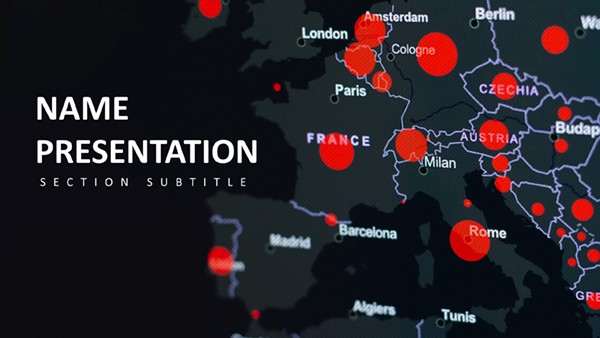 (104)
European Business Keynote TemplateID: #KT03922$10.00
(104)
European Business Keynote TemplateID: #KT03922$10.00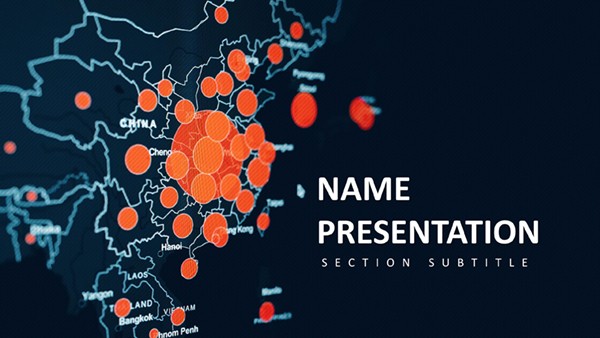 (172)
Asia Business Expansion Keynote TemplateID: #KT03920$10.00
(172)
Asia Business Expansion Keynote TemplateID: #KT03920$10.00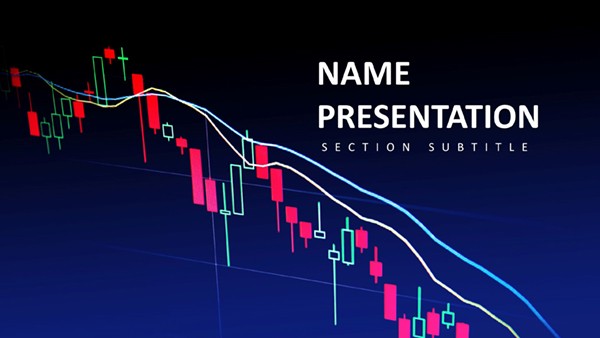 (243)
(243) Market Trends Keynote TemplateID: #KT03919$10.00
 (260)
Global Digital Health Solutions Keynote Template: Pioneering Tomorrow's CareID: #KT03897free
(260)
Global Digital Health Solutions Keynote Template: Pioneering Tomorrow's CareID: #KT03897free (254)
Global Community Keynote Template: Weaving Threads of Worldwide CollaborationID: #KT03881$10.00
(254)
Global Community Keynote Template: Weaving Threads of Worldwide CollaborationID: #KT03881$10.00 (282)
Global Tech Keynote Template: Code Your Vision into RealityID: #KT03878$10.00
(282)
Global Tech Keynote Template: Code Your Vision into RealityID: #KT03878$10.00 (248)
Global Network Keynote Template: Knot the World to Your NarrativeID: #KT03874$10.00
(248)
Global Network Keynote Template: Knot the World to Your NarrativeID: #KT03874$10.00 (160)
Global Innovation Venture Keynote TemplateID: #KT03871$10.00
(160)
Global Innovation Venture Keynote TemplateID: #KT03871$10.00 (99)
Focusing on Global Reach and Data Visualization Keynote Template for PresentationID: #KT03870$10.00
(99)
Focusing on Global Reach and Data Visualization Keynote Template for PresentationID: #KT03870$10.00 (145)
Data-Driven Global Impact Keynote TemplateID: #KT03869$10.00
(145)
Data-Driven Global Impact Keynote TemplateID: #KT03869$10.00 (148)
Brazil Keynote Template with Vibrant DesignsID: #KT03852$10.00
(148)
Brazil Keynote Template with Vibrant DesignsID: #KT03852$10.00 (260)
Social Media for Business Growth Keynote Template: Strategies That ScaleID: #KT03845$12.00
(260)
Social Media for Business Growth Keynote Template: Strategies That ScaleID: #KT03845$12.00 (114)
Military Protection Keynote Template: Safeguard with Superior SlidesID: #KT03841$10.00
(114)
Military Protection Keynote Template: Safeguard with Superior SlidesID: #KT03841$10.00
How These Templates Support Presenting Across Cultures and Time Zones
Global audiences expect clarity regardless of language or location. The layouts include modular world-map sections and regional comparison frames that adapt to specific markets without redesign. This keeps the focus on data storytelling instead of manual formatting during tight deadlines.
The Real Cost of Starting These Slides From Blank in Keynote
Building a 50-slide global strategy deck manually forces repeated decisions on column widths, chart palettes, font stacks, and alignment rules. Those choices multiply across recurring quarterly reports and leave less time for analyzing market data or refining recommendations. The templates lock those decisions in the slide master so the work remains strategic.
Four Real-World Business Moments These Templates Fit
An international expansion manager at a manufacturing firm faces a two-week deadline to present new-market entry plans to European partners. The stakeholder wants visual market-potential proof. The template`s ready world-map slide lets the manager spend time on the numbers rather than aligning icons.
A finance director in logistics prepares the quarterly supply-chain update for global teams. Reusable chart layouts ensure every region sees data in identical format, cutting confusion during the video call.
A government affairs consultant briefs the board on transatlantic policy. Geopolitical diagram slides clarify complex alliances without decorative distractions.
A public speaking coach trains executives for international conferences. Diagram-heavy layouts illustrate points with visual hierarchy that translates equally well in-person or virtual.
Practical Guidance Before You Start Editing
Duplicate the slide master first and test one full copy of the deck. This catches any propagation issues with color palettes or fonts before you invest hours in content.
Keynote-Specific Technical Considerations for Global Use
Keynote embeds fonts natively so text renders identically when the deck travels to Windows users via PDF export. The default 16:9 aspect ratio works for most modern screens, but if a region still uses legacy 4:3 projectors the templates convert cleanly without breaking chart alignment or map scaling.
Why These Templates Are Built for Corporate Storytelling
Every layout prioritizes clear action steps at the bottom of key slides, standardized data visualization rules, and the ability to scale the deck for department-wide sharing. Decoration is absent; the structure carries the argument.
If your next presentation involves internal skill development, explore the education and training PowerPoint templates. For supply-chain or operations updates, the transport logistics Keynote templates include specialized flow diagrams. Seasonal or event-based reports benefit from the holiday special occasion PowerPoint templates.
If this collection matches your current project timeline, download the files and begin adapting the slide master.
Are these Keynote templates compatible with the latest Apple Keynote version?
Yes, all files are created and tested in the current Keynote release on macOS. Slide master layouts, charts, and embedded fonts open without conversion prompts. Older versions may require minor animation adjustments, but core structure and aspect ratio remain fully functional across releases. PDF export behaves identically for distribution to non-Keynote users.
Can I edit and share these templates with my entire team?
The license permits internal team use and commercial presentations once purchased. You can distribute the edited PPTX export or Keynote file within your organization. Each template includes unlocked editable shapes and charts so multiple contributors can work on the same deck without breaking the slide master consistency.
Do the files include PowerPoint compatibility or only Keynote?
Native Keynote files export cleanly to PPTX format for Microsoft PowerPoint users. World maps and charts retain alignment and color accuracy. Embedded fonts travel with the export, eliminating missing-font issues when the deck moves between Mac and Windows environments.
How do I change the aspect ratio if needed for regional projectors?
Keynote allows one-click conversion from 16:9 to 4:3 on the Document tab. The templates use percentage-based positioning and locked master guides so charts and text blocks reflow without overlap. Test the export to PDF immediately after the change to verify rendering for your audience.
What happens to animations and transitions when exporting to PDF?
Keynote animations convert to static elements in PDF, preserving the final layout appearance. Build and test the deck in presentation mode first, then export. This ensures the visual hierarchy remains intact for printed handouts or email distribution to global stakeholders.


