Fintech User Dynamics PowerPoint Template and Charts

5
8 ratings
Fintech User Dynamics PowerPoint Template and Charts - Slide











thumbnail slide #0
thumbnail slide #1
thumbnail slide #2
thumbnail slide #3
thumbnail slide #4
thumbnail slide #5
thumbnail slide #6
thumbnail slide #7
thumbnail slide #8
thumbnail slide #9
thumbnail slide #10
thumbnail slide #11
thumbnail slide #12
thumbnail slide #13
thumbnail slide #14
thumbnail slide #15
thumbnail slide #16
thumbnail slide #17
thumbnail slide #18
thumbnail slide #19
thumbnail slide #20
thumbnail slide #21
thumbnail slide #22
thumbnail slide #23
thumbnail slide #24
thumbnail slide #25
thumbnail slide #26
thumbnail slide #27
thumbnail slide #28
thumbnail slide #29
thumbnail slide #30
thumbnail slide #31

Type: PowerPoint Charts template

Category: Graphs, Analysis

Sources Available: .pptx

Product ID: PC01145

Template incl.: 32 editable slides

Purchase this template
$ 14.00

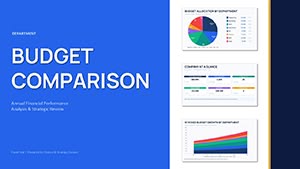
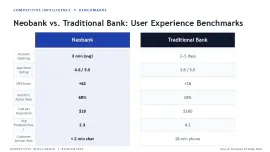
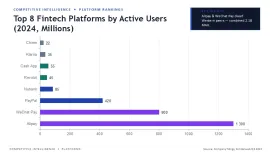
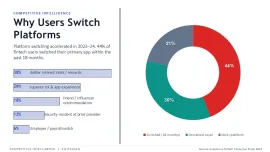
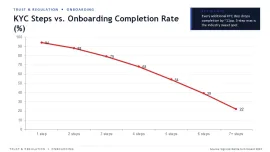
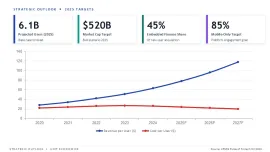
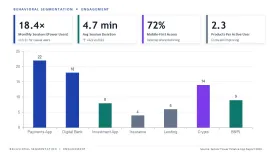
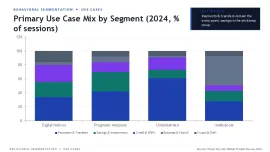
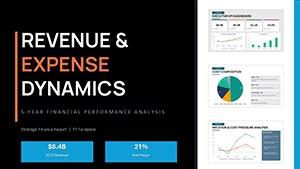
Designed for fintech product managers and data analysts, this PowerPoint chart template visualizes user behavior metrics across acquisition, retention, and churn cycles. The structure supports quarterly board reviews and investor reporting without manual reformatting. Charts include cohort analysis, funnel drop-offs, and LTV by segment, with pre-aligned data labels that maintain readability after value edits.

All charts connect to PowerPoint`s native data editor. Right-click any bar or line chart, select "Edit Data," and the linked Excel sheet opens with pre-labeled fintech metrics. Placeholders retain axis scaling when you replace sample numbers, so line trends stay proportional without manual axis adjustments. Grouped elements (legends, titles) move as a unit during drag operations.

  • Data integrity - Linked Excel sheets update charts automatically; no broken references after slide duplication
  • Layout consistency - Slide Master controls color themes; changing one accent color updates all charts across 32 slides
  • Vector scalability - All chart elements are native PowerPoint shapes; resize without pixelation or distortion
  • Fintech-specific metrics - Pre-filled with DAU, MAU, churn rate, and ARPU placeholders
SpecificationDetail
Slides32 editable slides
Formats.pptx
Aspect ratio16:9 (widescreen)
Editable elementsAll charts, text, colors, and vector shapes
Color customizationvia Slide Master: View - Slide Master - Colors
CompatibilityPowerPoint 2016 or later (Windows/Mac)

Frequently Asked Questions

Will this template work on Mac PowerPoint?

Yes. The template is a standard .pptx file compatible with PowerPoint 2016 and later on both Windows and macOS. The native chart editor and Slide Master features are identical across platforms.

How do I change all chart colors at once?

Navigate to View - Slide Master - Colors. Select a different color theme or create a custom one. All 32 slides update instantly while preserving the original layout structure.

Can I use this template for client presentations I sell?

Yes. The commercial license permits you to use the template for client work, including presentations you deliver or sell as part of your services. You may not resell the template file itself.

See more in Graphs PowerPoint Chart →