 Click to zoom
Department Budget Analysis - Editable PPTX | ImagineLayout
| Format | .pptx |
| Slides | 43 unique layouts |
| Aspect ratio | 130/73 |
| Compatibility | PowerPoint |
| Animated | No |
| Language | English |
| License | Commercial |
| File size | — |
| Version | v1.0 |
| Last updated | April 2026 |
What's inside
Department Budget Comparison PowerPoint Charts Template
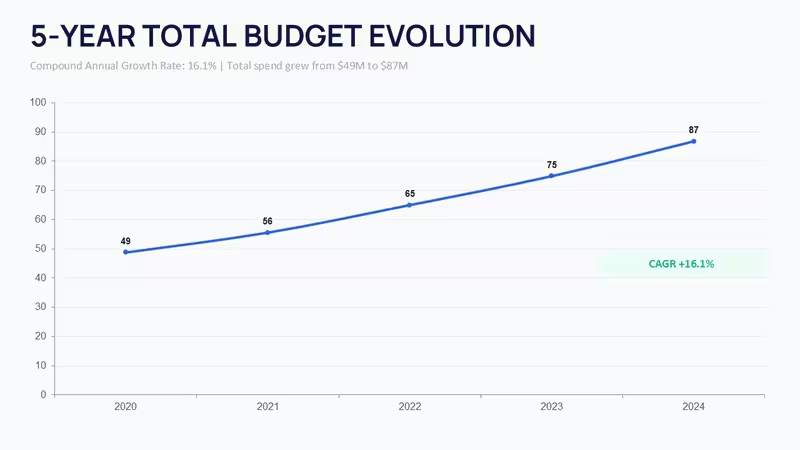
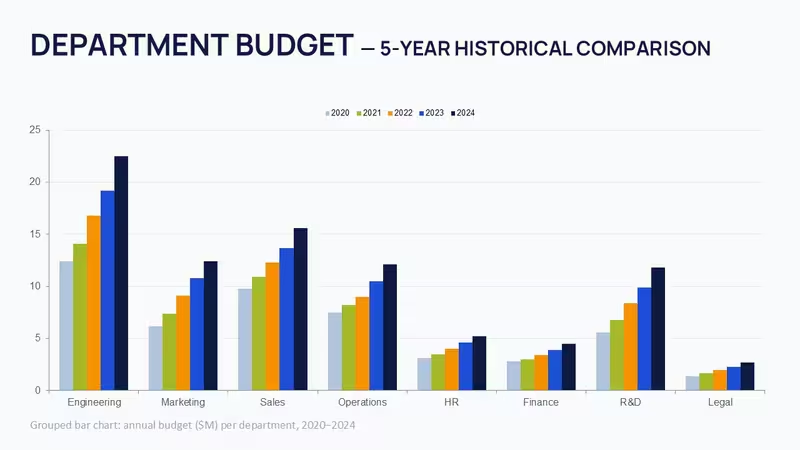
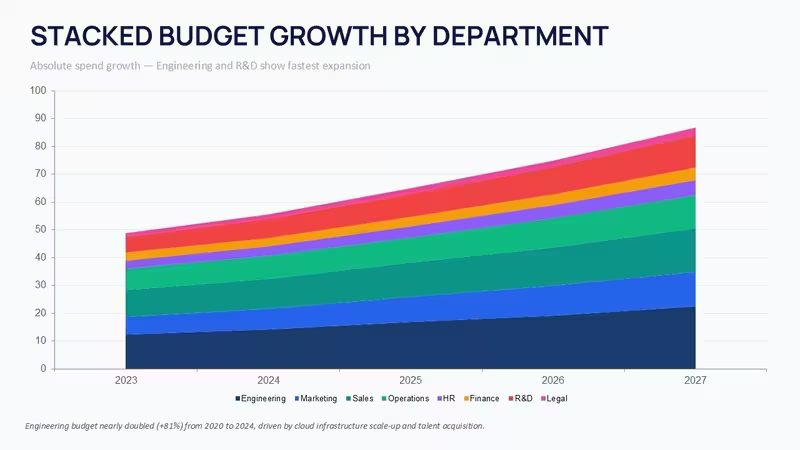
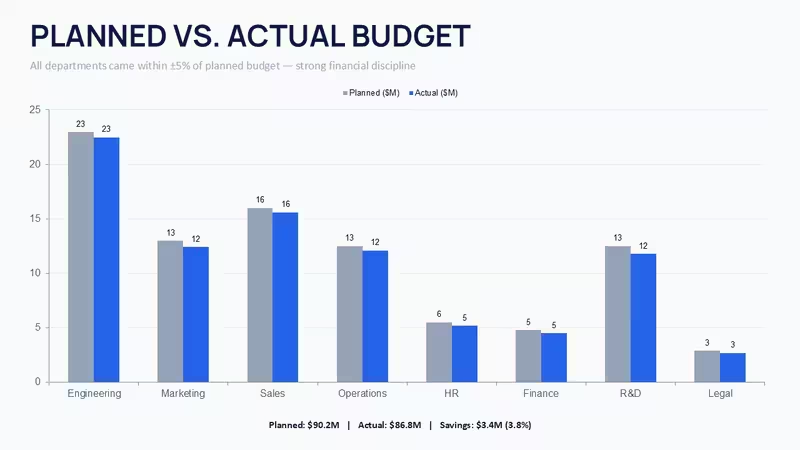
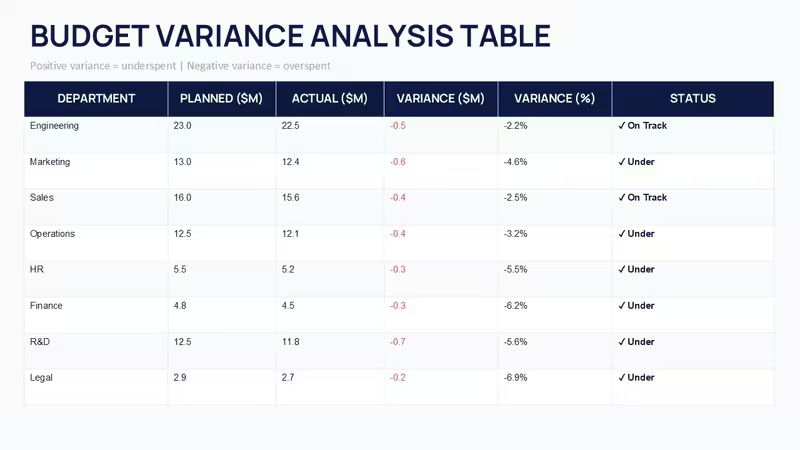
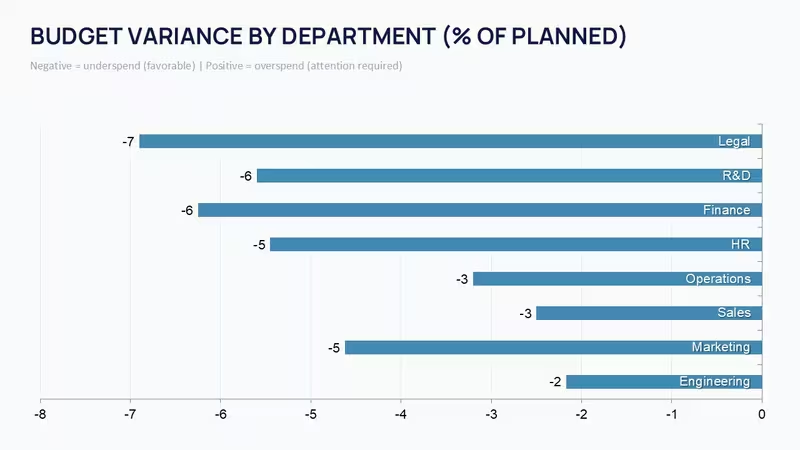
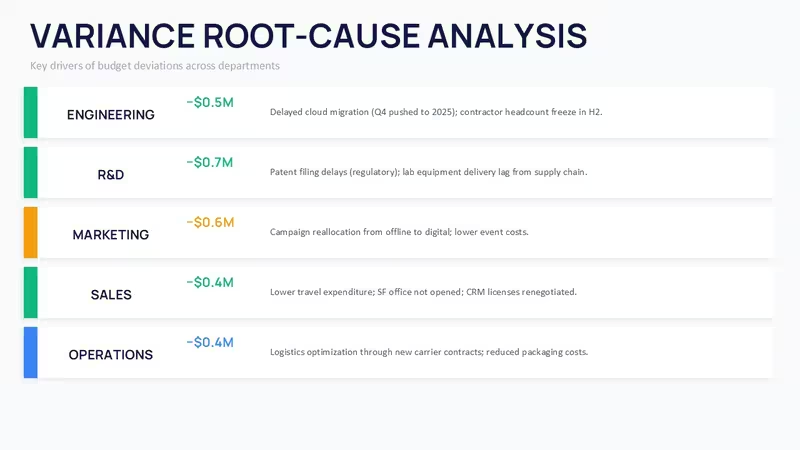
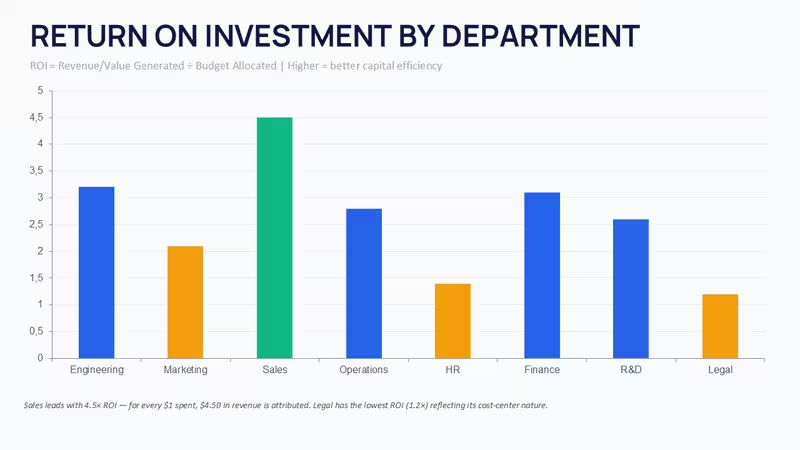
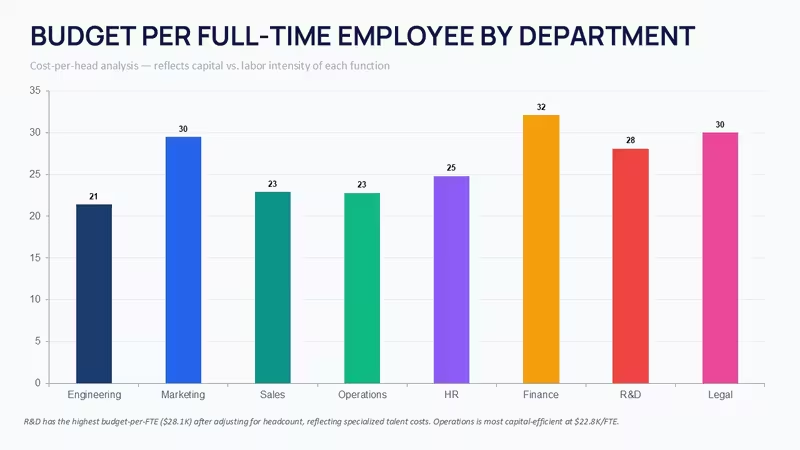
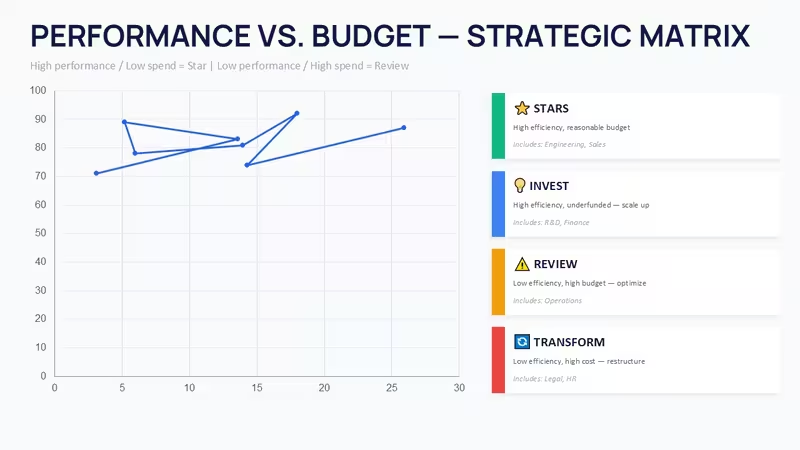
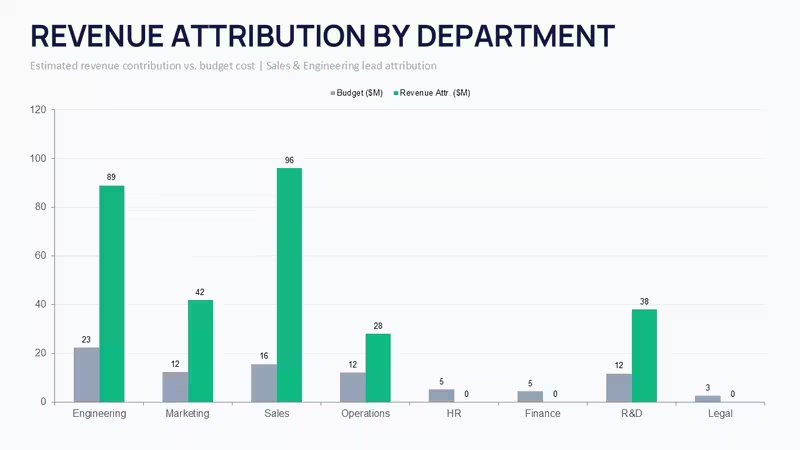
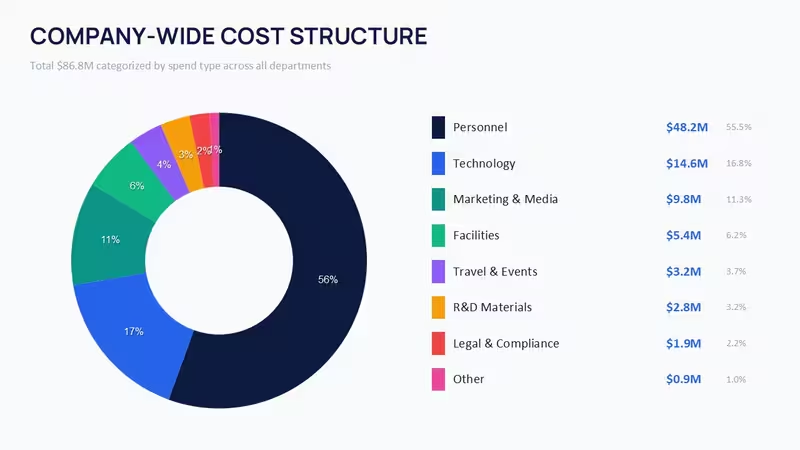
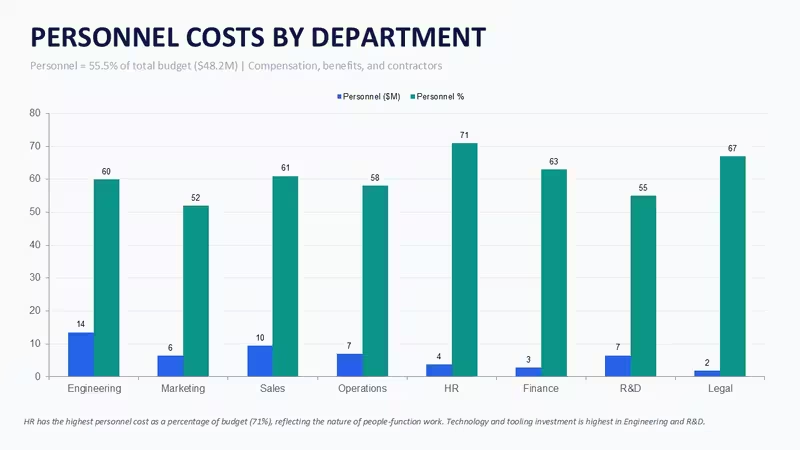
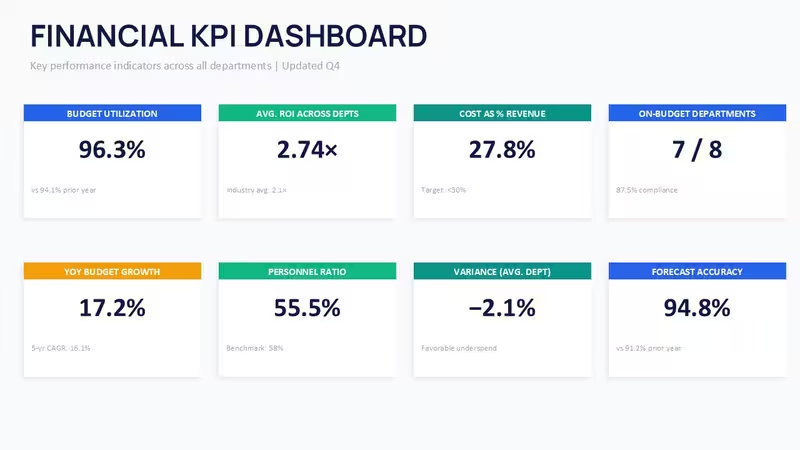
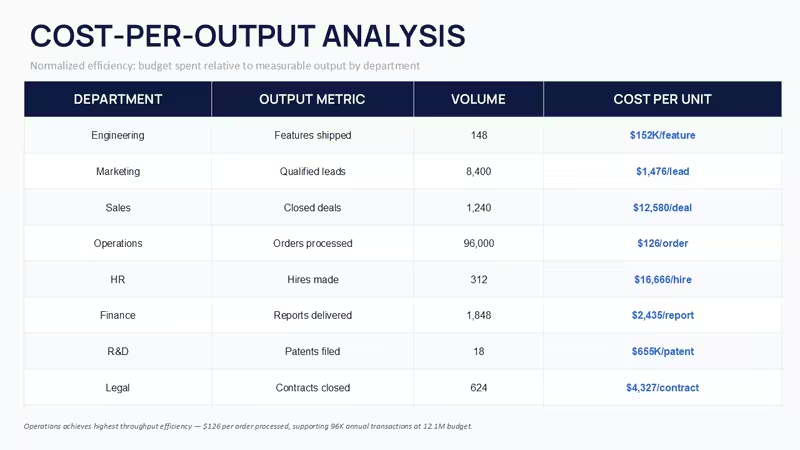
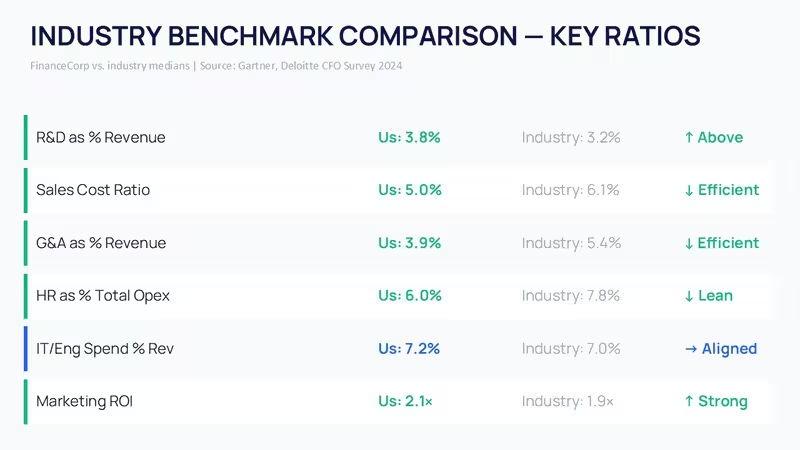
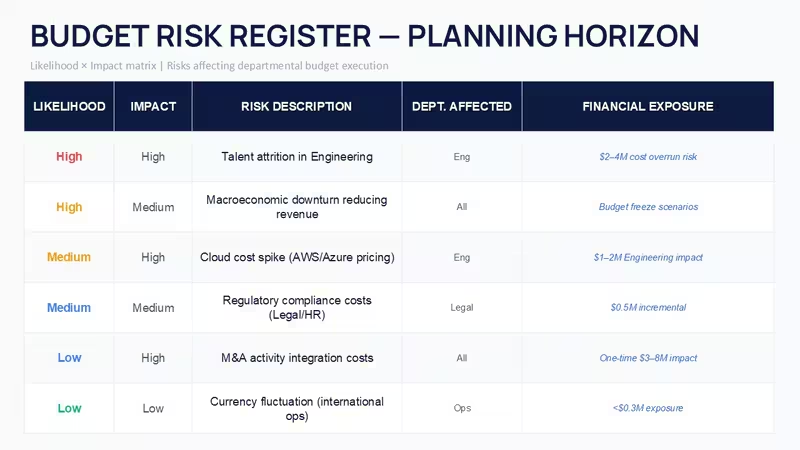
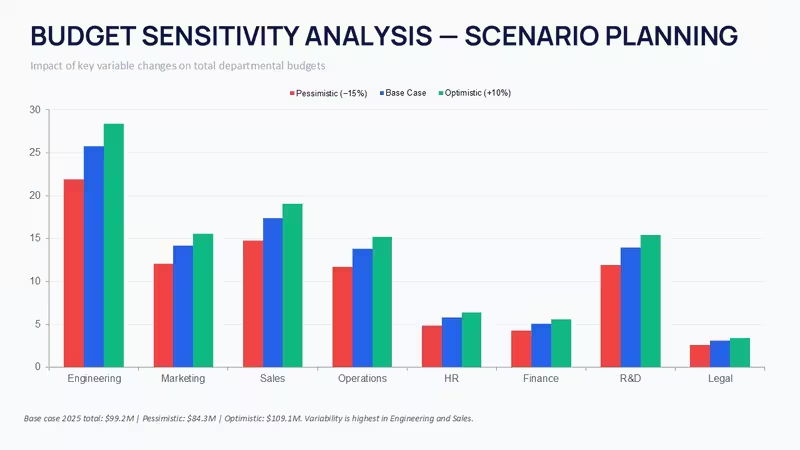
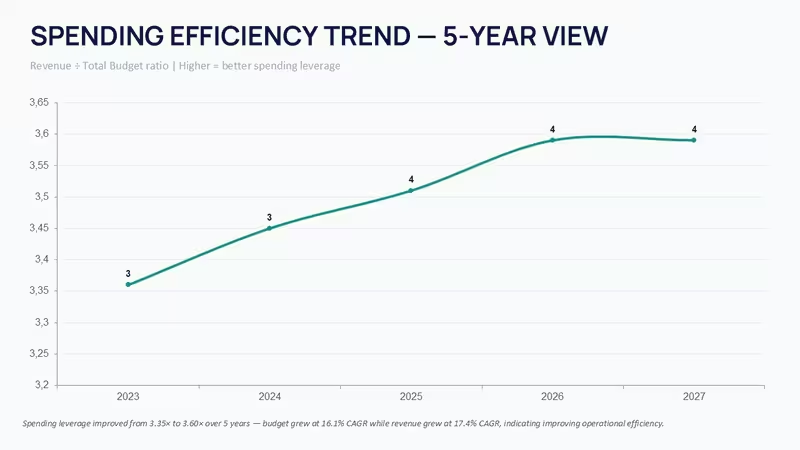
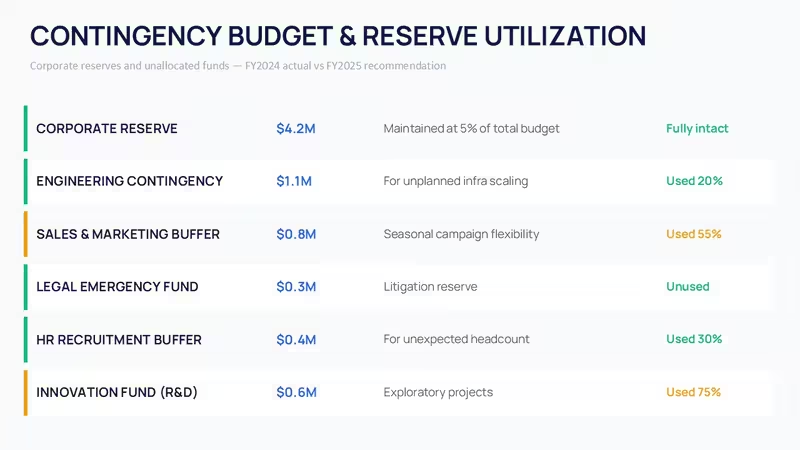
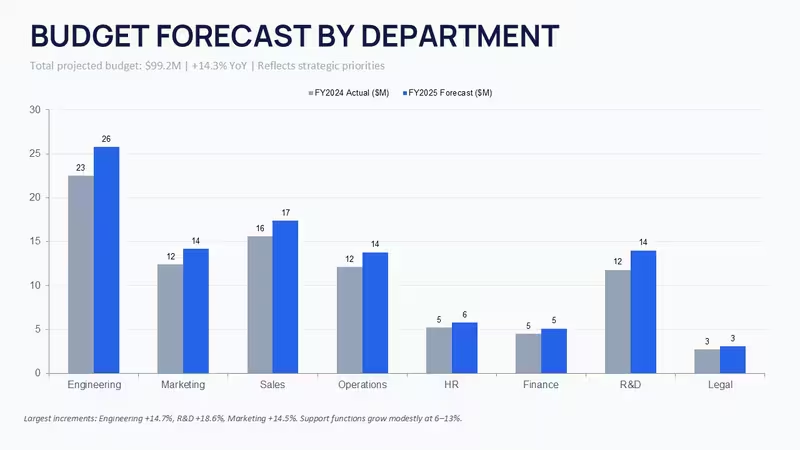
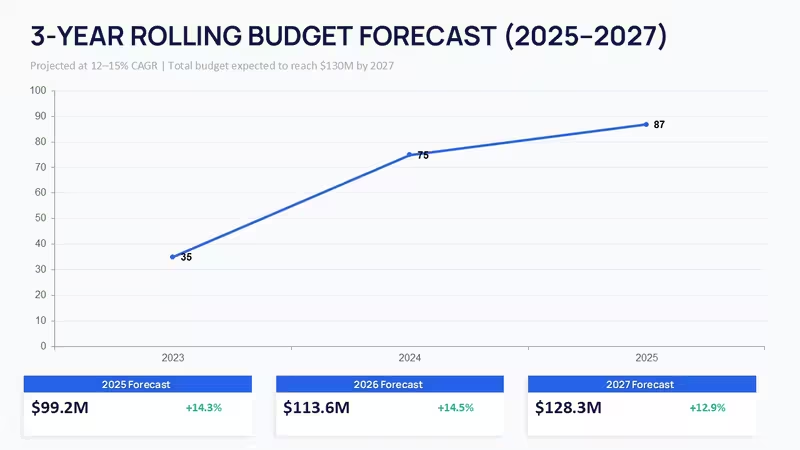
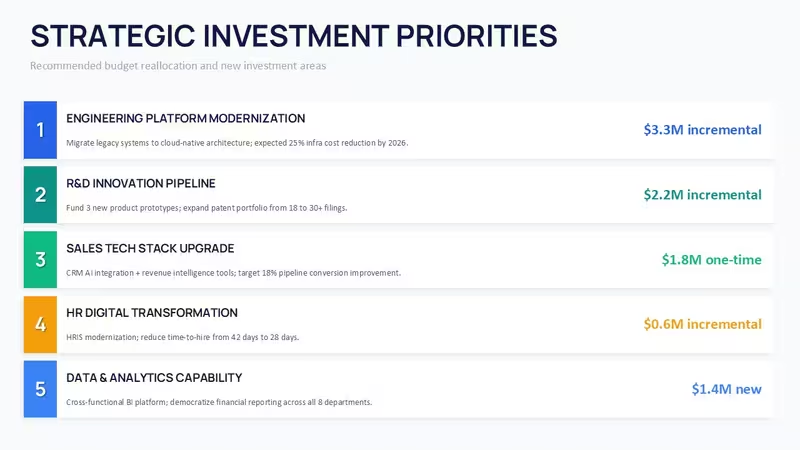
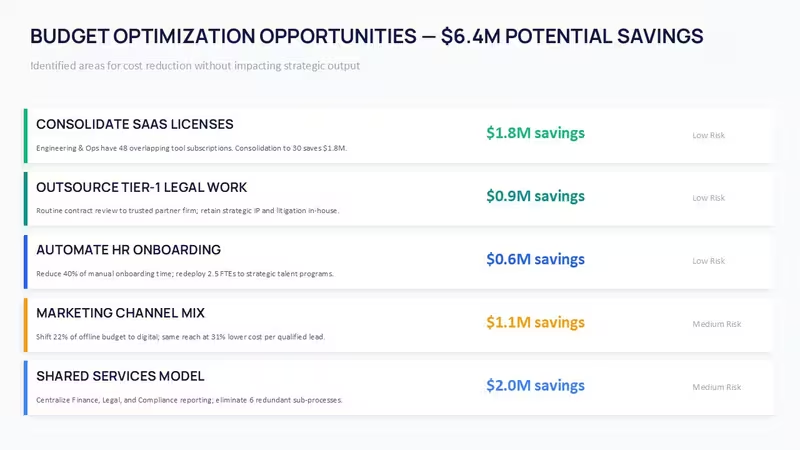
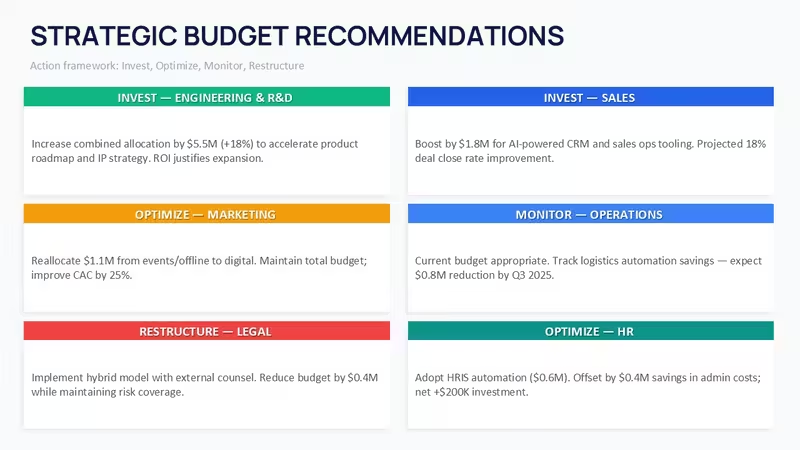
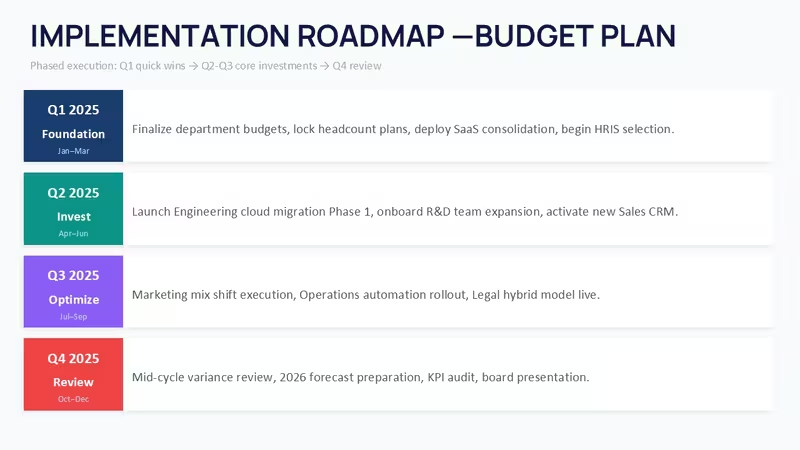
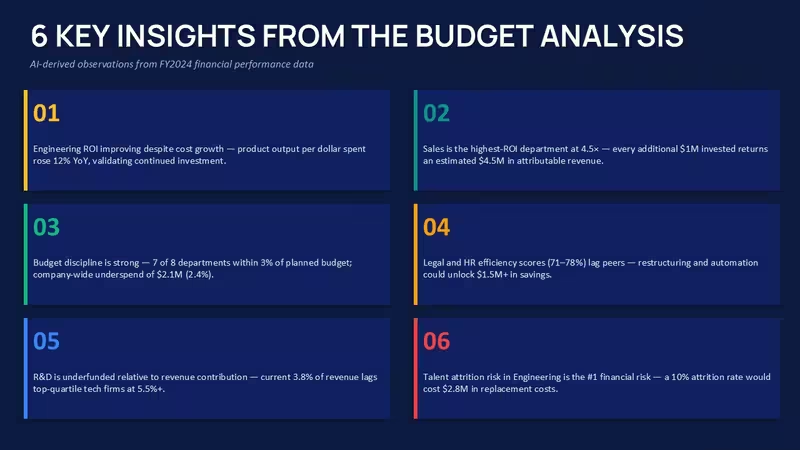
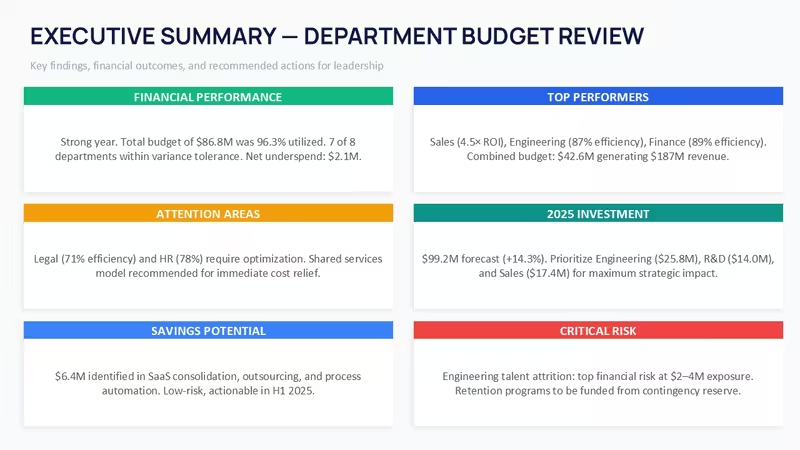
This PowerPoint chart template is built around department budgeting, variance tracking, ROI reporting, and long-range financial planning. The file includes 45 editable slides covering allocation charts, KPI dashboards, planned-vs-actual analysis, risk registers, forecasting layouts, and executive summary pages. Most slides use horizontal flow structures or stacked comparison blocks, so the information moves left to right in a pretty natural way when presenting. A lot of the charts are grouped bars, layered area graphs, segmented KPI cards, and table-style breakdowns with icon markers.
The layouts are dense, but not cramped. There is a noticeable amount of spacing between sections, especially on the dashboard slides where metrics are split into equal-width cards. Honestly, the vertical alignment here is what makes it actually usable once you start adding real company numbers. Some finance templates fall apart when text gets longer. This one holds together better than expected. Oh, and the aspect ratio is 16:9 by default.
The download is provided in PPTX format and works in current PowerPoint versions including 2016, 2019, 2021, and Microsoft 365. Keynote imports most slides correctly too, although a few font and spacing adjustments are usually needed after conversion. You drop in your data, switch the theme colors if needed, and that is basically it. The color switching is slightly confusing the first time, but once you find the slide master it takes under a minute.
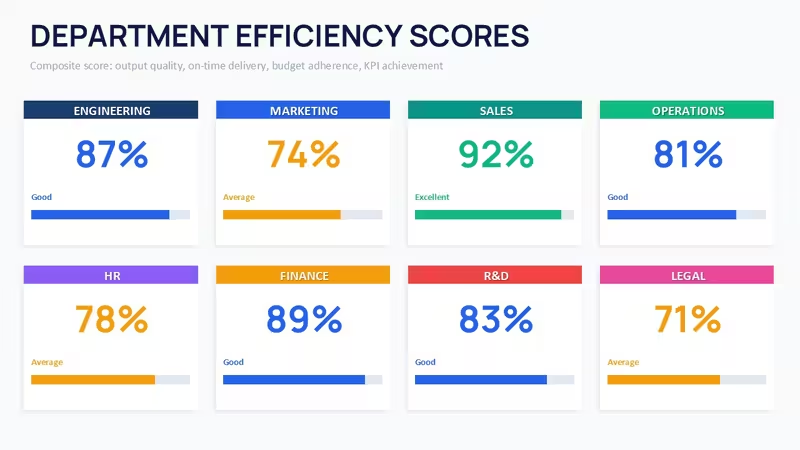
What I liked here is the consistency between the analysis sections. The ROI slides, efficiency scorecards, and strategic recommendation pages all use the same geometry system, so you are not redesigning every section manually. The horizontal flow layouts are genuinely well-structured - each step connects without crowding the slide. And the KPI dashboard slides are actually useful, not filler. In practice that matters more than fancy graphics.
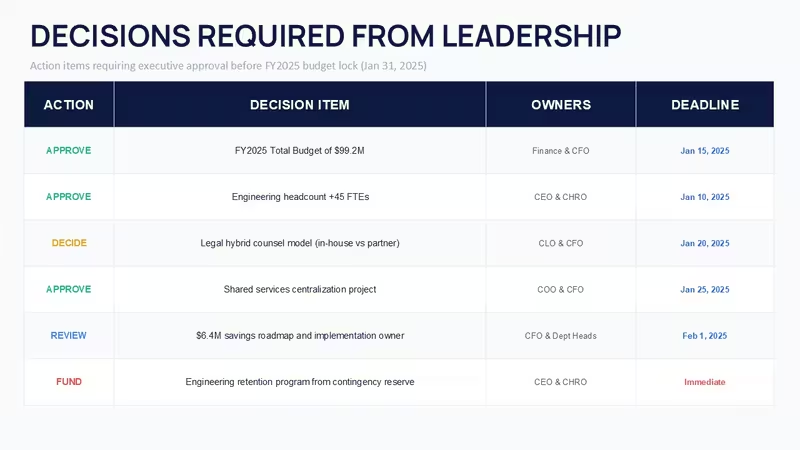
This works best for finance managers, FP&A teams, operations directors, and consultants building annual review decks or quarterly planning presentations. You know that situation when the deck is due tomorrow - this is exactly when you grab something like this. The variance analysis and budget forecast slides support real approval discussions because they already separate operational costs, personnel spending, and forecast risk areas into distinct blocks.
Not ideal if you need live Excel-linked charts or highly animated storytelling. Most of the layouts are static. But for budget reviews, departmental reporting, board summaries, or internal planning sessions, it works well as-is. The paid version includes the complete editable slide set, while the free option is not specified on the page. The full package is priced at around $30, which honestly feels reasonable if you reuse even five or six of the layouts in different reporting cycles.
One small thing I noticed after going through the slides: the diagrams do not feel overloaded even when extra notes are added below the charts. That sounds minor, but in finance decks people always add more text than planned. This one handles it fairly well. Also works for internal team updates, not just client decks.
If your team regularly presents project budgets, operational reviews, or forecasting updates, this set covers most of what you need without rebuilding charts from scratch. The color system is one of the better-built parts - one change in the master and the whole deck updates. That alone saves real time.
FAQ
How do I change the color scheme in this template?Open the Slide Master view inside PowerPoint first. Then go to the theme colors section and replace the existing palette with your company colors. All charts, icons, and blocks update automatically because the template uses linked theme colors instead of manually colored shapes. I always change the colors in the master first before filling in any data - actually, that is the easiest way to avoid fixing slides one by one later.
Can this template be used for client work and commercial presentations?The license usually allows internal business use and commercial client presentations after purchase. Reselling or redistributing the original PPTX files is not allowed. It is the same license most marketplaces use - one buyer, one project, commercial use is fine. No issues there.
What is the difference between the free and paid versions?So basically, the paid package includes the full editable presentation with all slides and chart layouts unlocked. The product page does not clearly list a separate free edition for this specific template, so in most cases the paid file is the complete version people use for actual reporting work. Works fine once downloaded. That is basically it.
What happens if I request a refund?Refund conditions depend a bit on the marketplace policy and whether the file was downloaded already. Usually digital presentation products are non-refundable after access because the files are delivered instantly. But if the download is corrupted or incomplete, support normally helps replace the file pretty quickly. Oh, and you can also export the finished deck to PDF from PowerPoint afterward.
Does the PPTX file work in PowerPoint 365 and Mac versions?Honestly, current PowerPoint versions handle the file without much trouble. PowerPoint 2016, 2019, 2021, Microsoft 365, and Mac editions generally open the slides correctly with editable shapes and text intact. Keynote imports most layouts too, although some alignment fixes may be needed on a few graph-heavy slides. Slightly annoying at first, but easy enough once you see which fonts shifted.
Download and start editing immediately
Good for
- Project roadmaps and sprint plans
- Product launch timelines
- Quarterly or annual review decks
- Company history and milestone summaries
Licence
reviews
Used the planned-vs-actual analysis and variance tracking for a department budget review. The grouped bars and layered area graphs are dense but not cramped. The vertical alignment held up even when I added real company numbers.
The ROI slides and efficiency scorecards all use the same geometry system so you are not redesigning every section manually. One small thing I noticed is the diagrams do not feel overloaded even when extra notes are added below the charts.
Not ideal if you need live Excel-linked charts but for budget reviews and board summaries it works well. The KPI dashboard slides are actually useful not filler. The color switching in the master is slightly confusing at first but fine once you find it.
Honestly I just opened it changed the colors and it looked fine for my annual review deck. The risk registers and forecasting layouts support real approval discussions because they separate operational costs and personnel spending into distinct blocks.
The horizontal flow structures move left to right in a natural way when presenting. The paid version is around $30 which feels reasonable if you reuse even five or six of the layouts. The consistency between analysis sections is better than expected.
FAQ
Will it work in Google Slides?
Are fonts embedded?
Can I use this for client work?
What's the refund policy?
Do you update the template after purchase?
Similar templates
See all PowerPoint Charts →

All 48 slides