
Organizational Keynote Diagrams
A collection of ready-made organizational diagrams designed exclusively for Keynote. These slides help teams visualize structure, roles, and relationships without starting from blank canvases.
Reach for them when an HR director needs to present the new company structure to the executive board or a project manager is aligning cross-functional teams ahead of a kickoff. The structure is already built into the slide master so you focus on the message, not the alignment.
This collection focuses on clean hierarchy visualization, making it easy to show reporting chains that scale from startups to enterprise departments. Pick the template that matches your depth of detail and begin customizing.
 (412)
(412) Combination Photo Keynote Diagrams - Editable | ImagineLayoutID: #KD00216$12.00
 (1014)
 Powerful Employee Keynote Diagrams Template: 16 Editable SlidesID: #KD00215$16.00
 (915)
(915) Premium Corporate Keynote Diagrams Template: Black Aesthetic SlidesID: #KD00213$19.00
 (874)
Collective Keynote Diagrams for Pro PresentationsID: #KD00212$16.00
(874)
Collective Keynote Diagrams for Pro PresentationsID: #KD00212$16.00 (351)
(351) Business Corporation Keynote Diagrams TemplateID: #KD00211$19.00
 (401)
Jobs PowerPoint Diagrams: Elevate Your HR PresentationsID: #KD00193$19.00
(401)
Jobs PowerPoint Diagrams: Elevate Your HR PresentationsID: #KD00193$19.00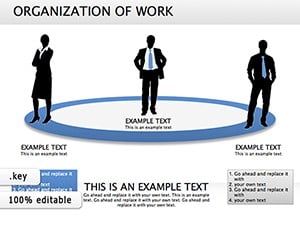 (100)
Organization of Work Keynote Diagrams: Structure Success EffortlesslyID: #KD00172$26.00
(100)
Organization of Work Keynote Diagrams: Structure Success EffortlesslyID: #KD00172$26.00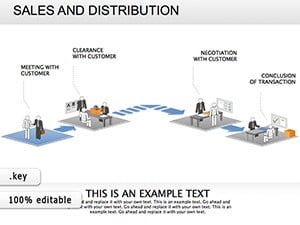 (328)
Sales And Distribution Keynote diagramsID: #KD00168$26.00
(328)
Sales And Distribution Keynote diagramsID: #KD00168$26.00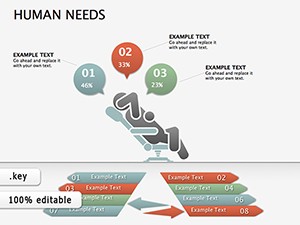 (818)
Human Needs Keynote diagrams templatesID: #KD00154$25.00
(818)
Human Needs Keynote diagrams templatesID: #KD00154$25.00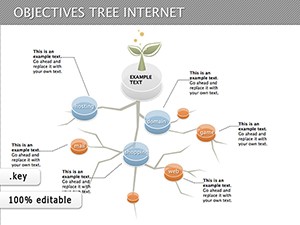 (149)
Objectives Tree Internet Keynote Diagram TemplateID: #KD00113$16.00
(149)
Objectives Tree Internet Keynote Diagram TemplateID: #KD00113$16.00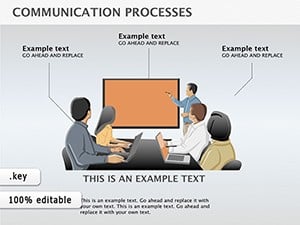 (2)
Communication Processes Keynote Diagrams - Visualize InteractionsID: #KD00106$20.00
(2)
Communication Processes Keynote Diagrams - Visualize InteractionsID: #KD00106$20.00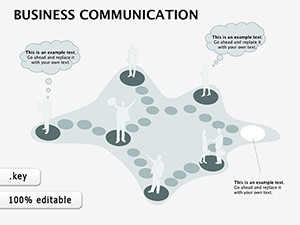 (1182)
Business Communication Keynote Diagrams: Forge Clear Connections in Every PitchID: #KD00080$14.00
(1182)
Business Communication Keynote Diagrams: Forge Clear Connections in Every PitchID: #KD00080$14.00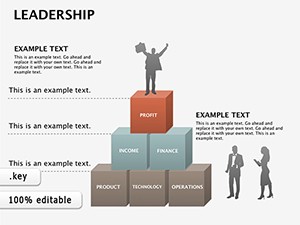 (544)
Leadership Keynote Diagrams TemplateID: #KD00073$15.00
(544)
Leadership Keynote Diagrams TemplateID: #KD00073$15.00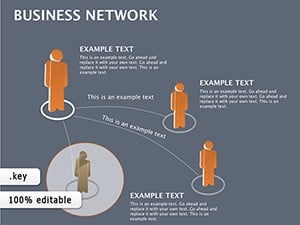 (860)
Business Network Keynote diagramsID: #KD00071$22.00
(860)
Business Network Keynote diagramsID: #KD00071$22.00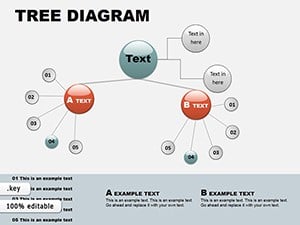 (284)
Tree Circular Keynote Diagrams - EditableID: #KD00060$16.00
(284)
Tree Circular Keynote Diagrams - EditableID: #KD00060$16.00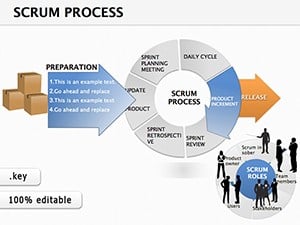 (1014)
Scrum Process Keynote Diagrams: Agile Visions That DeliverID: #KD00025$18.00
(1014)
Scrum Process Keynote Diagrams: Agile Visions That DeliverID: #KD00025$18.00 (319)
Manager Keynote Diagrams: Chart Leadership Paths with EaseID: #KD00023$24.00
(319)
Manager Keynote Diagrams: Chart Leadership Paths with EaseID: #KD00023$24.00
How organizational diagrams clarify team structures in Keynote
When presenting reporting lines the layout itself carries part of the argument. Pre-aligned boxes and connectors let the audience grasp the hierarchy before the first bullet appears.
The real cost of building organizational charts from blank slides
You lose time deciding font stack, matching arrow styles across twenty slides, and fixing column widths when text length changes. These decisions eat into thinking time and create inconsistency that distracts stakeholders.
Real scenarios where these templates changed the presentation outcome
The operations manager at a logistics firm had forty-eight hours to show the new regional reporting structure to the board. Manual boxes kept shifting during edits until the deadline loomed. After dropping the template in, she updated names and lines in minutes and the board focused on growth strategy instead of slide layout.
An education administrator at a university needed to explain department reorganization to faculty senate. Without ready diagrams the alignment took two hours alone. The Keynote template let her adjust box sizes while keeping connectors live, turning a stressful rehearsal into a confident delivery.
A startup CEO preparing for investor day mapped three rounds of team growth. Starting from scratch would have broken the flow; the diagram template kept the timeline consistent across slides so investors saw scaling clearly.
The nonprofit director rolling out a new volunteer structure to fifty staff used the collective layout. Connectors stayed attached when she added subgroups, letting the team see reporting paths without confusion.
Workflow advantages for recurring organizational updates
Slide master updates propagate across every instance in a sixty-slide deck. Departments share one master file so quarterly revisions stay consistent without reformatting.
Non-obvious editing techniques for Keynote diagrams
Group related departments before applying theme colors to avoid mismatched line weights. Use Keynote connection points on shapes so arrows follow boxes automatically when you resize during live edits.
Technical tip for Keynote file handling
Keynote embeds custom fonts inside the .key file. When exporting to PDF the type stack remains exact even on machines without the corporate font installed.
Why these diagrams prioritize corporate storytelling
The collection avoids decorative elements and focuses on editing freedom. Every shape and connector is native so you adjust without breaking layout or quality.
Choosing the right template collection for your presentation needs
If your deck requires supporting data alongside structure see our PowerPoint chart templates. For adding custom icons to roles try the PowerPoint shape templates. When the topic involves legal or governance themes the justice law PowerPoint templates provide complementary visuals.
The collection is ready for your next hierarchy update.
What Keynote versions are these organizational diagrams compatible with?
The templates are optimized for Keynote 12 and newer on macOS and iPadOS. Slide master layouts ensure consistent formatting even when opening on different devices. If you encounter a missing font warning Keynote will suggest alternatives but you can embed fonts during export to PDF to preserve the exact look across shared decks.
Do the files come in PPTX format or only .key?
All files are native .key format. You can export to PowerPoint if needed though some connection lines may need minor adjustment after conversion. The original Keynote version keeps every connector and shape fully live for editing.
Can I share the templates with my team under the license?
Yes for internal company use. The license permits multiple users within your organization to edit copies for presentations but redistribution outside is restricted. This supports collaborative storytelling without additional purchases.
How do I change the aspect ratio if presenting on 4:3 screens?
The templates default to 16:9 but Keynote document settings let you switch aspect ratio while keeping shapes proportional. Watch for text reflow on narrow slides and adjust padding manually using the master.
Are the shapes fully editable for custom organizational charts?
Yes all elements use native Keynote shapes and lines so you can add or remove boxes change colors via the palette and update text without quality loss. Connection tools maintain links dynamically.


