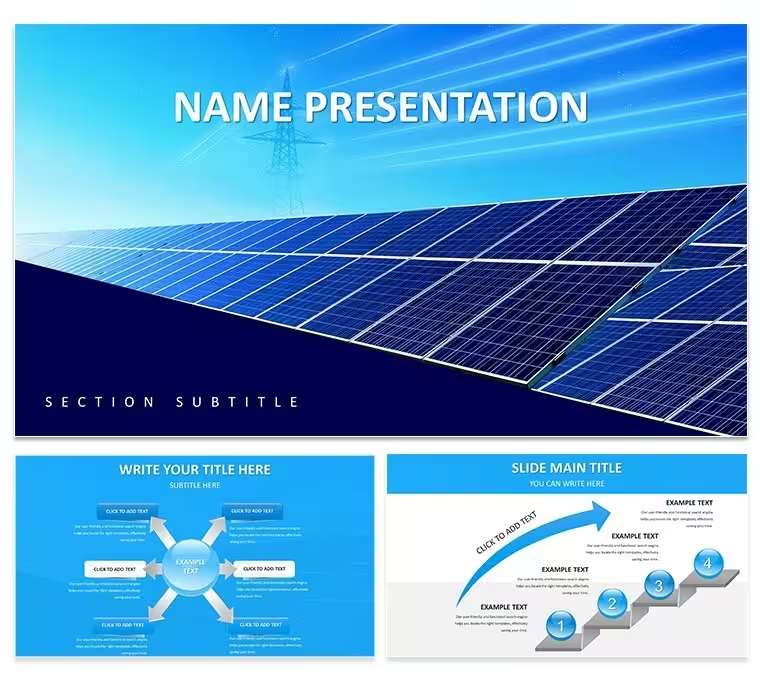
 Click to zoom
Renewable Energy Tech Diagrams - Editable Keynote | ImagineLayout
| Format | .pptx |
| Slides | 3 unique layouts |
| Aspect ratio | 16:9 |
| Compatibility | PowerPoint |
| Animated | No |
| Language | English |
| License | Commercial |
| File size | — |
| Version | v1.0 |
| Last updated | April 2026 |
What's inside
Flat icons of renewable tech define the 28 diagrams.
Gear symbols and battery icons sit inside vertical flowcharts on a precise grid. The paid version supplies every layout and scheme without restrictions while the page lists no free option.
This Keynote diagram template gives renewable energy analysts instant access to 28 diagrams and 7 color schemes. Edit text once and the entire deck stays consistent.
Pie charts use thin 2pt strokes. Timelines align to a 12-column structure.
Color switches take one click. The master slide handles it.
Technology consultants preparing innovation reports rely on this set. All elements stay vector and fully scalable.
Open the master to change hues across seven schemes. Icons recolor independently while text placeholders expand without breaking alignment. The design supports quick PDF export or video recording.
28 diagrams cover data structures tailored to renewable technologies. The .KEY file runs in Keynote 12+ on macOS 11 or later.
Download and start editing immediately
Which Keynote version and macOS does the template require?The template works in Keynote 12 and newer. It requires macOS 11 Big Sur or later for full compatibility. Older versions may open the file but master slide updates or vector scaling could behave differently.
How do I change colors via slide master?Open the template in Keynote 12+. Go to View > Edit Master Slides, select the master, and update the color palette. All 28 diagrams and 7 schemes update automatically. This takes under one minute and maintains perfect consistency across every slide.
Can I use this template for client work?The license allows client work. You can deliver the final edited presentation to clients. You cannot resell or redistribute the original .KEY file itself. One license covers one user or project team.
What is the difference between free and paid versions?The paid version includes the complete .KEY file with all 28 diagrams and 7 color schemes. No free version appears on the page. The paid option gives immediate full access without watermarks or missing elements.
What are the refund conditions?You can request a refund within 30 days if the template does not meet your needs. Contact support with your order number. Refunds are not issued after the file has been downloaded and opened in Keynote.
Good for
- Project roadmaps and sprint plans
- Product launch timelines
- Quarterly or annual review decks
- Company history and milestone summaries
Licence
reviews
Not the most creative template but it is functional. The charts are easy to edit and the flow is logical. Worked fine for a stakeholder update.
The free version gave me a good preview. Ended up buying the paid one for the extra diagram variety. The master slide controls are easy to use once you find them.
The icon style is minimal and consistent. Used this for an operations update and the process flows worked well. The file opened without any issues on my Mac.
The diagram variety is decent. Used it for a quarterly report and the timeline slides were particularly useful. The color schemes are easy to switch in the master.
The slide layouts are very practical. Used this for a financial review and the tables were already formatted. The color system updates from the master which saved me time.
FAQ
Will it work in Google Slides?
Are fonts embedded?
Can I use this for client work?
What's the refund policy?
Do you update the template after purchase?
Similar templates
See all Keynote templates →


All 1 slides