28 diagrams, 7 color schemes, 3 masters, 3 backgrounds - delivered as .key and .kth files for Apple Keynote. The base version costs $10 and includes masters and backgrounds only; the full version at $24 adds the complete diagram set. This Keynote diagram template targets renewable energy presentations where the visual tone needs to read as sustainability-oriented without relying on generic stock-photo backdrops.
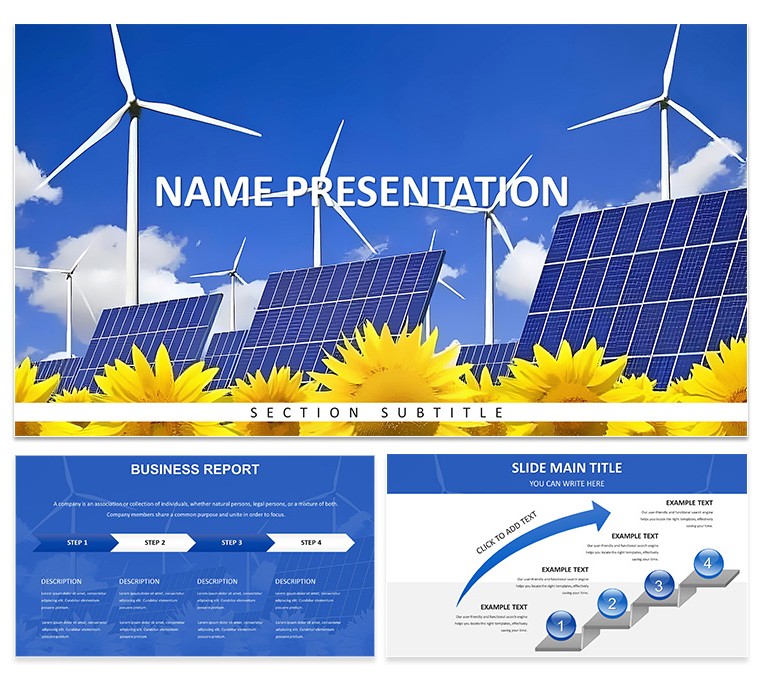
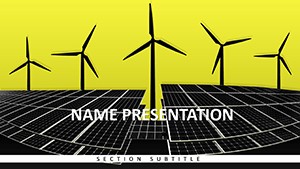
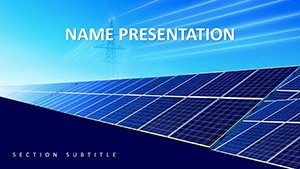
The cover slide uses a full-bleed aerial photograph showing a green-and-grey landscape with wind turbines visible from above, giving the first slide an environmental scale that ground-level turbine shots do not achieve. The title block sits in the lower half of the frame in clean white type against a semi-transparent dark overlay - no gradient fill, no decorative shapes. The three background variants shift the photographic subject: one shows a solar panel array from an elevated angle, another features a close-up of a leaf with a circuit-board texture overlay suggesting the tech-meets-nature theme, and the third returns to a turbine field at the golden hour. The diagram slides use a white ground with bright green as the primary accent, reserving the photography for background decorative bands at the slide top.
Color changes propagate through the slide master. Go to View → Edit Master Slides, change the green accent swatch, and all 28 diagrams update at once - no slide-by-slide color work. The 7 color schemes extend the palette from the default leaf-green into teal, blue, amber, and three darker variants, giving the same deck a different tonal mood for different audience contexts.
The 28 diagrams include cycle diagrams suitable for energy lifecycle presentations, multi-column comparison layouts for renewable source breakdowns, timeline slides for policy or project roadmaps, and stat-callout infographic slides for single-metric highlights. The icon set throughout is flat and outlined, with consistent 2px stroke weight, which keeps icons readable both on projector screens and in PDF export.
Environmental NGO staff, corporate sustainability report authors, and educators building course material on renewable energy transitions will find enough layout variety in the 28 diagrams to run a full presentation without visual repetition. The .kth file applies the theme to existing decks built for recurring use cases such as quarterly reports.
Download and start editing immediately
Specifications
| Feature | Details |
|---|
| Diagrams | 28 diagrams - cycle diagrams, comparison layouts, timelines, stat infographics |
| File formats | .key, .kth |
| Software | Apple Keynote (macOS and iOS) |
| Color schemes | 7 presets; default leaf-green, plus teal, blue, amber, 3 dark variants; switch via slide master |
| Editable elements | Text, icon stroke color, chart fills, accent color via master, photo placeholders |
| Masters / Backgrounds | 3 masters, 3 aerial/nature photo backgrounds |
| Free vs Paid | $10: 3 masters + 3 backgrounds. $24: adds 28 diagrams + 7 color schemes |
| Categories | Energy - Power, Industry - Production |
Frequently Asked Questions
Does this template work on Keynote for Mac and iOS?
Both .key and .kth files are native Apple Keynote formats and open without conversion on macOS and in the Keynote app on iOS. The .kth file is specifically a theme file that applies the visual system to a Keynote presentation you already have, without overwriting your existing slide content. Full master editing - including the global color scheme switch - is available on macOS Keynote. The iOS version supports content edits but does not expose the full master editor, so palette-level changes are best handled on a Mac before presenting from an iPad.
How do I change the color scheme across all slides at once?
The accent color - which controls icon fill, diagram highlight bands, chart bar fill, and heading color - is defined at master slide level. In Keynote, go to View → Edit Master Slides, locate the accent color swatch (typically the bright green in the default scheme), and replace it with your brand color or any of the 7 built-in alternative palettes. Closing the master editor applies the change globally across all 28 diagram slides in a single step. Each of the 7 preset color schemes is stored as a named master set, so switching between them means selecting a different master rather than manually editing colors.
Can I use this template for client projects and paid work?
The standard license grants permission to use the template in presentations delivered to clients, including sustainability reports, grant applications, investor briefings, and academic lectures. Slides built using this template may appear in billable deliverables. The license does not extend to redistributing the source files - sharing the .key or .kth files with colleagues outside a single-seat purchase, or incorporating them into another template product for resale, requires a separate agreement with ImagineLayout.
What is the difference between the $10 and $24 versions?
The $10 tier delivers 3 master slides and 3 photo backgrounds - the design shell that sets typography, layout structure, and background imagery. All content layouts need to be built from scratch using those masters. The $24 version includes everything from the $10 tier plus 28 pre-designed diagram slides spanning 7 color schemes, covering cycle diagrams, timelines, comparison tables, and infographic stat layouts ready to fill with your data. The $14 price difference reflects the diagram construction work that the higher tier eliminates.
What is the refund policy?
Refunds are available when the delivered files are technically defective - files that fail to open, are corrupt, or do not match the description on the product page. Because these are instant digital downloads, ImagineLayout does not issue refunds for preference-based returns after a file has been accessed. To avoid issues, examine the slide preview images and confirm the diagram count and file format match your software before completing the purchase. Report technical problems through the Contact page with your order number.
Browse the full Energy - Power Keynote Theme collection or explore all Keynote Templates and Themes.