 Click to zoom
Solar & Wind Power Diagrams - Editable Keynote | ImagineLayout
| Format | .pptx |
| Slides | 3 unique layouts |
| Aspect ratio | 16:9 |
| Compatibility | PowerPoint |
| Animated | No |
| Language | English |
| License | Commercial |
| File size | — |
| Version | v1.0 |
| Last updated | April 2026 |
What's inside
.KEY and .KTH files deliver 28 diagrams across 7 color schemes.
All vector. The paid version unlocks every element without limits while the page lists no free alternative.
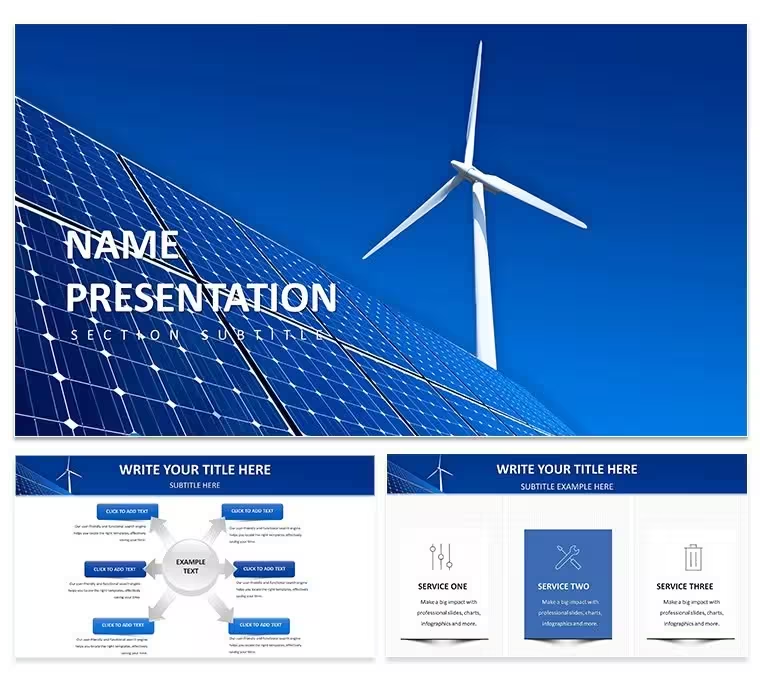
Solar panel icons sit in clean horizontal timelines beside wind turbine symbols on a 16:9 grid. This Keynote diagram template lets energy consultants switch the entire palette through the slide master in seconds and keeps every placeholder editable.
Diagrams include flowcharts and org charts built for renewable topics. Stroke weight stays consistent at 1.5pt across layouts.
Color changes happen once. All 28 diagrams update together.
Sustainability managers preparing investor updates rely on this set. The design uses flat icons only and avoids any photo placeholders or gradients.
Open the master slide once to adjust hues across seven schemes. Text resizes independently while icons maintain proportion. Export options stay open for PDF or video without extra steps.
28 diagrams cover timelines and data structures specific to solar and wind power. The .KEY file works in Keynote 12+ on macOS 11 or later.
Specifications
FeatureDetailsSlides / diagrams28 vector diagrams including flowcharts, timelines and org chartsFile format.KEY / .KTHSoftware versionKeynote 12+Color schemes7 schemes switched instantly by editing one master slideEditable elementsIcons resize and recolor independently; text placeholders scale without distortionAspect ratio16:9Free vs PaidPaid version contains full 28 diagrams and all 7 schemes; no free version listedMasters / BackgroundsSingle master slide controls all 28 diagramsSee also Energy - Power Keynote Theme and Renewable Energy Technologies Keynote Template for more options.
Download and start editing immediately
Which Keynote version and macOS does the template require?The template works in Keynote 12 and newer. It requires macOS 11 Big Sur or later for full compatibility. Older versions may open the file but master slide updates or vector scaling could behave differently.
How do I change colors via slide master?Open the template in Keynote 12+. Go to View > Edit Master Slides, select the master, and update the color palette. All 28 diagrams and 7 schemes update automatically. This takes under one minute and maintains perfect consistency across every slide.
Can I use this template for client work?The license allows client work. You can deliver the final edited presentation to clients. You cannot resell or redistribute the original .KEY file itself. One license covers one user or project team.
What is the difference between free and paid versions?The paid version includes the complete .KEY file with all 28 diagrams and 7 color schemes. No free version appears on the page. The paid option gives immediate full access without watermarks or missing elements.
What are the refund conditions?You can request a refund within 30 days if the template does not meet your needs. Contact support with your order number. Refunds are not issued after the file has been downloaded and opened in Keynote.
Good for
- Project roadmaps and sprint plans
- Product launch timelines
- Quarterly or annual review decks
- Company history and milestone summaries
Licence
reviews
The icon set is consistent throughout the deck. Used this for a consulting presentation and the client liked the clean look. The color schemes are easy to switch.
The paid version includes all the diagrams which saved me a lot of time. The flowcharts are well-structured and the spacing is good. The .kth format imported into my existing presentation without any problems.
Honestly the free download was enough to get started. The 3 masters and 3 backgrounds gave me a solid base. Ended up upgrading because I needed more diagram variety.
The outline-based icons keep the slides uncluttered. Used this for a product roadmap and the hierarchical tree structures worked well. The master slide color controls are straightforward.
The lightbulb-tree motif is a nice visual anchor. Used this for a clean-tech presentation and the diagrams covered everything I needed. The paid tier at $20 is worth it for the full library.
FAQ
Will it work in Google Slides?
Are fonts embedded?
Can I use this for client work?
What's the refund policy?
Do you update the template after purchase?
Similar templates
See all Keynote templates →


All 1 slides