28 diagrams, 7 color schemes, .key and .kth files - that is the complete contents of this Keynote diagram template built around renewable energy topics including wind turbines, hydroelectric dams, and solar arrays. The base version at $10 gives you 3 master slides and 3 backgrounds; the $20 paid version adds all 28 diagrams with the full color palette set. Both tiers are delivered as Apple Keynote files compatible with Keynote on macOS and iOS.
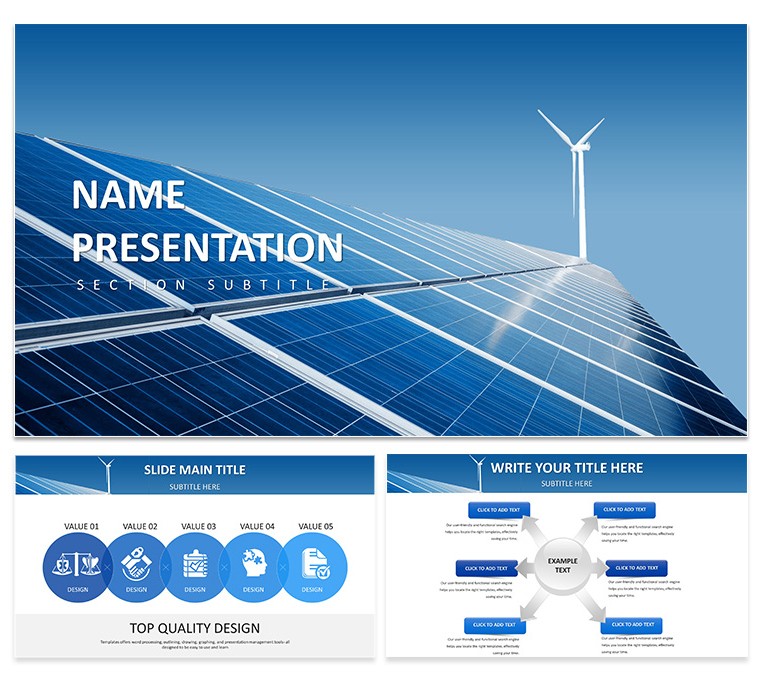
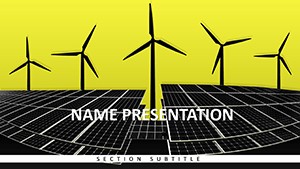
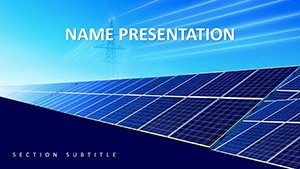
The cover slide uses a full-bleed photograph of wind turbines against a blue-grey sky, overlaid with white sans-serif text positioned in the lower-left quadrant - no decorative borders, no gradient overlays. The same photographic approach carries through the background variants: one shows an aerial view of a wind farm, another a close-up of solar panels at dusk, and the third a wide-angle dam shot with green hills in frame. The diagram slides shift to a cleaner white-ground layout with the photo mood confined to header bands, keeping data legible on-screen and in print.
Color changes apply globally. Open the slide master, swap the accent color in one place, and all 28 diagrams update together - useful when reusing the deck for a different client or brand context. The 7 preset schemes run from deep teal and forest green through mid-blue and amber, so the eco palette is not locked in if your organization uses a different system.
The 28 diagrams cover the diagram types that come up most often in energy sector decks: timelines for project phases, process-flow charts for energy conversion steps, comparison tables for source mix analysis, and infographic-style slides for stat callouts. Icons are flat and single-color, not illustrated, which keeps them readable at small sizes during remote presentations.
Energy consultants, sustainability managers, and university lecturers preparing renewable energy course material will find the slide count sufficient for a full 45-minute presentation without repeating layouts. The .kth file lets you apply the theme to an existing Keynote deck without rebuilding slides from scratch.
Download and start editing immediately
Specifications
| Feature | Details |
|---|
| Diagrams | 28 diagrams - timelines, process flows, comparison charts, stat infographics |
| File formats | .key, .kth |
| Software | Apple Keynote (macOS and iOS) |
| Color schemes | 7 presets; switch globally via slide master |
| Editable elements | Text, accent colors, icon fill, photo placeholders in header bands |
| Masters / Backgrounds | 3 masters, 3 photo backgrounds |
| Free vs Paid | $10: 3 masters + 3 backgrounds only. $20: adds 28 diagrams + 7 color schemes |
| Categories | Energy - Power, Industry - Production |
Frequently Asked Questions
Does this template work on Keynote for Mac and iOS?
The files ship as .key and .kth, both of which open natively in Apple Keynote on macOS and on iPad or iPhone via the Keynote app. The .kth file is a Keynote Theme file, which means you can apply the visual style to an existing presentation without copy-pasting slide content. Full editing functionality - master editing, color changes, animation - is available on macOS; iOS supports content edits but master-level changes are best done on a Mac.
How do I change the color scheme across all slides at once?
Open the file in Keynote, then go to View → Edit Master Slides. Select the master that carries the accent color - typically applied to diagram fills and heading highlights. Change that color swatch and confirm. Keynote propagates the change to every slide that inherits from that master, covering all 28 diagrams simultaneously. If you purchased the 7-color-scheme version, each scheme is a separate master set, so switching schemes means applying a different master rather than editing colors manually.
Can I use this template for client projects and paid work?
The standard license covers use in presentations created for clients, including investor decks, educational materials, and internal reports. The delivered slides and diagrams can appear in final client-facing documents. Reselling the template files themselves, bundling them into another template product, or distributing the source .key files to third parties falls outside the standard license. For extended commercial redistribution, contact ImagineLayout directly via the Services page.
What is the difference between the $10 and $20 versions?
The $10 version includes 3 master slides and 3 photo backgrounds - enough to build a presentation from scratch using your own content and slide layouts. The $20 version adds 28 pre-built diagram slides across 7 color schemes, which means the data visualization and process-flow layouts are ready to populate with your numbers. If your deck needs only a thematic design wrapper and you plan to build all content layouts yourself, the $10 tier is sufficient. If you need ready-made infographic and chart slides, the $20 version saves significant build time.
What is the refund policy?
ImagineLayout's refund policy covers situations where the delivered file is technically defective or does not match the product description. Because the files are digital downloads, refunds are not issued simply because the design does not suit your preferences after purchase - review the preview images and slide count details carefully before buying. For legitimate technical issues, contact support via the Contact page with your order details and a description of the problem.
More renewable energy Keynote options in the Energy - Power Keynote Theme category, or browse all Keynote Templates and Themes.