
Cars - Transportation Keynote Themes
These templates deliver ready-to-use layouts for any presentation involving vehicles or movement of goods. A supply chain analyst at a global shipping firm no longer starts from a blank slide when deadline pressure hits for the monthly operations review.
Instead, the file opens with structured sections for fleet performance metrics, delivery timelines, and risk maps already in place. This collection targets roles like transportation coordinators and automotive sales leads who need to communicate technical details without spending the meeting on formatting fixes.
The focus stays on data storytelling through clean hierarchies that guide the audience from problem statement to recommended action. Grab the file that matches your next briefing and begin editing.
 (50)
(50) High-Speed Logistics Keynote Template: Navigate Supply Chains VisuallyID: #KT03885free
 (336)
(336) Driving Delivery Keynote TemplateID: #KT03864$10.00
 (306)
Logistics Technology Keynote Template for ProsID: #KT03853$12.00
(306)
Logistics Technology Keynote Template for ProsID: #KT03853$12.00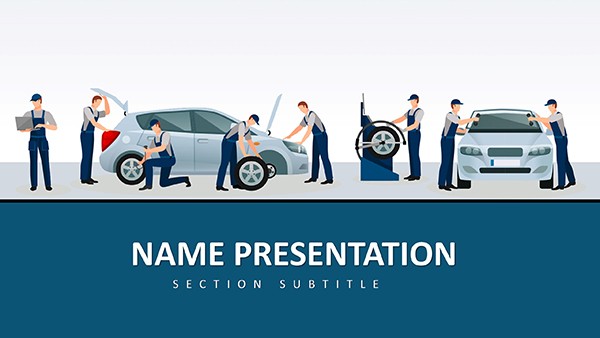 (540)
(540) Car Maintenance and Repair Keynote Template: PresentationID: #KT03820$12.00
 (810)
(810) Drone Modern IT Technology Keynote Template | Download PresentationID: #KT03782$12.00
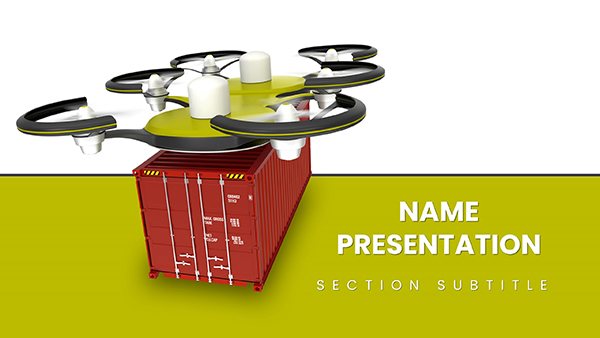 (868)
Efficient Drone Heavy Cargo Delivery Keynote TemplateID: #KT03744$12.00
(868)
Efficient Drone Heavy Cargo Delivery Keynote TemplateID: #KT03744$12.00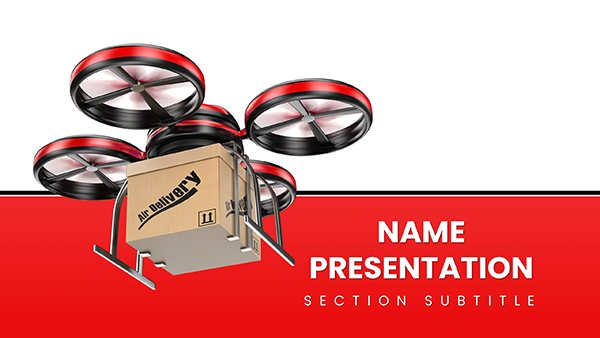 (3)
Drone Delivery Keynote Template: Tech Pitch PowerID: #KT03743$12.00
(3)
Drone Delivery Keynote Template: Tech Pitch PowerID: #KT03743$12.00 (1054)
Military Vehicle Keynote Template and Themes PresentationID: #KT03738$12.00
(1054)
Military Vehicle Keynote Template and Themes PresentationID: #KT03738$12.00 (196)
Gasoline Pump Refueling Car Keynote Template for PresentationID: #KT03736$12.00
(196)
Gasoline Pump Refueling Car Keynote Template for PresentationID: #KT03736$12.00 (859)
Revitalize Your Presentations with Refuel a Car Keynote Template for PresentationID: #KT03729$12.00
(859)
Revitalize Your Presentations with Refuel a Car Keynote Template for PresentationID: #KT03729$12.00 (1028)
Freight Road Transport Keynote: Logistics SlidesID: #KT03638$12.00
(1028)
Freight Road Transport Keynote: Logistics SlidesID: #KT03638$12.00 (865)
Motorcycles for Sale Keynote TemplatesID: #KT03407$12.00
(865)
Motorcycles for Sale Keynote TemplatesID: #KT03407$12.00 (926)
Motorcycle Keynote Templates and ThemesID: #KT03406$12.00
(926)
Motorcycle Keynote Templates and ThemesID: #KT03406$12.00 (431)
Car Diagnostic Tools Keynote Template: Engineered for ImpactID: #KT03382$12.00
(431)
Car Diagnostic Tools Keynote Template: Engineered for ImpactID: #KT03382$12.00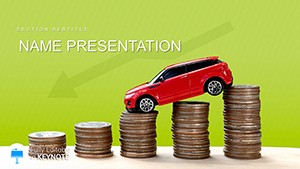 (190)
Cheap Cars For Sale Keynote template and ThemesID: #KT03324$12.00
(190)
Cheap Cars For Sale Keynote template and ThemesID: #KT03324$12.00 (1060)
Computer Diagnostics of Car Keynote template and ThemesID: #KT03321$12.00
(1060)
Computer Diagnostics of Car Keynote template and ThemesID: #KT03321$12.00 (995)
Auto Diagnostic and Repair Keynote Template: Gear Up for Impactful PitchesID: #KT03320$12.00
(995)
Auto Diagnostic and Repair Keynote Template: Gear Up for Impactful PitchesID: #KT03320$12.00 (905)
Auto Repair Mechanics Keynote Template: Drive Home Your MessageID: #KT03319$12.00
(905)
Auto Repair Mechanics Keynote Template: Drive Home Your MessageID: #KT03319$12.00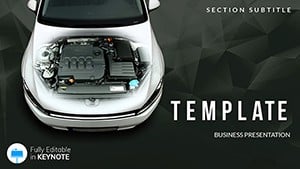 (236)
Auto Repair - Diagnostics Keynote templatesID: #KT02592$12.00
(236)
Auto Repair - Diagnostics Keynote templatesID: #KT02592$12.00 (877)
Car Price Keynote templatesID: #KT02572$12.00
(877)
Car Price Keynote templatesID: #KT02572$12.00 (40)
Fastest Car Keynote templates - ThemesID: #KT02545$12.00
(40)
Fastest Car Keynote templates - ThemesID: #KT02545$12.00 (254)
Cost of Cars Keynote templates - ThemesID: #KT02416$12.00
(254)
Cost of Cars Keynote templates - ThemesID: #KT02416$12.00 (658)
Cargo Transport Keynote TemplatesID: #KT02065$12.00
(658)
Cargo Transport Keynote TemplatesID: #KT02065$12.00 (519)
Best Trucks Keynote TemplatesID: #KT02063$12.00
(519)
Best Trucks Keynote TemplatesID: #KT02063$12.00 (1148)
Military Hummer Keynote templatesID: #KT02022$12.00
(1148)
Military Hummer Keynote templatesID: #KT02022$12.00 (179)
Automobile Keynote templates - themesID: #KT01826$12.00
(179)
Automobile Keynote templates - themesID: #KT01826$12.00 (898)
Catalog of New Cars Keynote templatesID: #KT01723$12.00
(898)
Catalog of New Cars Keynote templatesID: #KT01723$12.00 (608)
Car Leasing Keynote templatesID: #KT01722$12.00
(608)
Car Leasing Keynote templatesID: #KT01722$12.00 (767)
High speed Cars Keynote presentationID: #KT01703$12.00
(767)
High speed Cars Keynote presentationID: #KT01703$12.00 (829)
Speed Concept Car Keynote TemplateID: #KT01433$12.00
(829)
Speed Concept Car Keynote TemplateID: #KT01433$12.00 (364)
Style Car Keynote TemplateID: #KT01350$12.00
(364)
Style Car Keynote TemplateID: #KT01350$12.00 (393)
Project Cars Keynote TemplateID: #KT01349$12.00
(393)
Project Cars Keynote TemplateID: #KT01349$12.00 (467)
Dynamic Test Drive Car Keynote TemplateID: #KT01230$10.00
(467)
Dynamic Test Drive Car Keynote TemplateID: #KT01230$10.00
How These Keynote Templates Fit Into Transportation and Automotive Workflows
A product development manager at an electric vehicle startup uses the templates to pitch prototype specs to investors. The stakeholder meeting is scheduled for next week, the data from testing is ready, but aligning photos of the chassis with performance charts would eat two days. With the file open, the layout already separates claim, evidence, and next steps on each slide.
In the same way, a logistics director preparing the quarterly supply chain update for the board pulls the high-speed logistics layout. The deadline is tomorrow morning and the executive team expects visuals that show delay impacts without extra explanation. The template provides the hierarchy so the numbers speak first.
A car maintenance shop owner rolls out new repair protocols to technicians. The session covers 200 employees across three locations and every slide must carry the same safety icons. The car maintenance and repair file keeps column widths identical from slide one to slide twenty.
Finally, a military vehicle procurement officer compiles a bid response for government review. The deliverable must reach the review panel in 48 hours and every diagram of armor plating needs consistent scale. The military vehicle layout handles that alignment automatically.
The Concrete Losses When You Build Vehicle Presentation Slides From Scratch
You lose the afternoon deciding on the slide master layout for consistent truck icons across twenty slides. You lose another hour matching column widths when comparing delivery routes side by side. The chart color palette ends up mismatched to the company brand because the previous deck used a different green for fuel efficiency. All of that happens before content is added and the real thinking begins.
Managing Large Decks With Recurring Transportation Reports
Structured templates keep layouts identical across a sixty-slide quarterly update. Reusable reporting slides carry the same chart formatting shared between the operations and finance departments. The slide master stores vehicle illustrations so one edit updates every instance in the deck.
A Non-Obvious Tip for Working With Vehicle Illustrations
Group related editable shapes for engine diagrams on the slide master. One click then updates the entire set across the presentation while preserving scale and alignment. This trick works only after you lock the background layer first.
Keynote-Specific Advice for Exporting Clean Transportation Files
Set the aspect ratio to 16:9 before adding wide highway maps. Embedded fonts prevent substitution on Windows viewers during PDF export. Test the export with animations for route highlights turned off to keep file size under 10 MB.
What Sets This Collection Apart for Real Business Use
Layouts prioritize hierarchy over decorative elements. Every template supports easy data updates without breaking the visual flow. The focus remains on corporate storytelling that executives recognize immediately.
Choosing the Right Adjacent Collection for Your Project
If your deck also includes heavy metrics on delivery volumes, combine these with our cubes Keynote charts templates for clearer 3D data visuals. When you need supporting materials for internal training on safety protocols, the education and training brochures templates provide print-ready handouts. For farm-to-table supply chains, check the agriculture keynote templates.
Pick the template that fits your upcoming presentation and open it in Keynote.
Are these templates compatible with the latest Apple Keynote?
Yes, each file uses the native .key format and has been verified on Keynote 13 and the 2026 release. If you are on an older macOS version, some custom animations for route highlights may require a single click to update the transition settings. The slide master remains fully accessible for brand color swaps and the exported PDF versions retain vector sharpness for printed handouts to the team.
Can I share these files with my department?
Each license allows use across one user account. For team sharing, each colleague needs their own license. The files contain no locked elements so everyone can edit vehicle diagrams or chart data independently. Export to PDF removes any editable layers for distribution to external stakeholders.
Do the files export cleanly to PowerPoint or PDF?
Export to PowerPoint works reliably but check text wrapping on complex vehicle diagrams after conversion. PDF export preserves embedded fonts and keeps animation paths intact when viewed in Adobe Reader. Always test the PDF on the target machine before the meeting to confirm map overlays render at full resolution.
How do I edit the chart data inside the templates?
Double-click any chart on the slide to open the data editor. The color palette is stored in the slide master so updates propagate automatically. For live data from external spreadsheets, copy and paste the values directly into the table view; the cube or bar heights adjust instantly while keeping the transportation theme intact.
What happens if I need a different aspect ratio?
The templates default to 16:9 but you can change the slide size in Document Settings without breaking layouts. Vehicle icons and route lines scale proportionally because they sit inside grouped editable shapes. After resizing, re-align any overflow text boxes and the file is ready for 4:3 projector use.


