
Business Keynote Themes
Transform your business presentations with professionally designed Keynote templates built specifically for Mac users. Whether you're pitching to investors, reporting quarterly results, or presenting strategic plans, our collection of 100+ business Keynote templates helps you create polished presentations in a fraction of the time.
Each template is fully editable in Keynote, featuring clean layouts, data visualization slides, and modern design elements that work seamlessly with macOS. Skip the hours of formatting and focus on your message - these templates give you a professional foundation from the first slide.
 (8)
(8) Business Conflict Management Keynote Diagrams - Editable Keynote | ImagineLayoutID: #KT04014$10.00
 (8)
Keynote Diagrams for Project Mgmt - Fully Editable | ImagineLayoutID: #KT04007$10.00
(8)
Keynote Diagrams for Project Mgmt - Fully Editable | ImagineLayoutID: #KT04007$10.00 (9)
Team Collaboration Keynote Diagrams - Instant Download | ImagineLayoutID: #KT04006$10.00
(9)
Team Collaboration Keynote Diagrams - Instant Download | ImagineLayoutID: #KT04006$10.00 (16)
(16) 28 Goal Targeting Diagrams - Editable Keynote | ImagineLayoutID: #KT04000$10.00
 (17)
Trade Secrets Keynote Diagrams - Fully Editable | ImagineLayoutID: #KT03989$10.00
(17)
Trade Secrets Keynote Diagrams - Fully Editable | ImagineLayoutID: #KT03989$10.00 (13)
Strategic Planning Keynote Template: Editable DiagramsID: #KT03961$10.00
(13)
Strategic Planning Keynote Template: Editable DiagramsID: #KT03961$10.00 (13)
Personal Success Keynote Template: Chart Your Path to Purposeful WinsID: #KT03956$10.00
(13)
Personal Success Keynote Template: Chart Your Path to Purposeful WinsID: #KT03956$10.00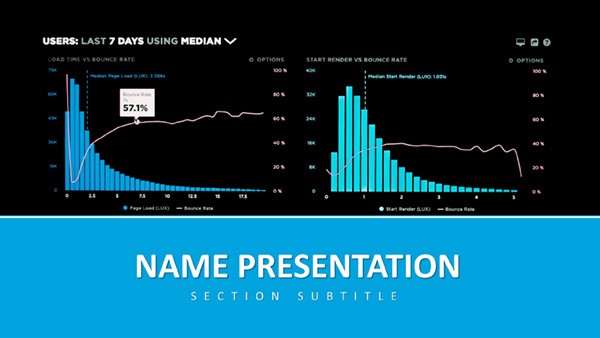 (278)
Analytics and Metrics Keynote Presentation TemplateID: #KT03918$12.00
(278)
Analytics and Metrics Keynote Presentation TemplateID: #KT03918$12.00 (310)
(310) Unified Solutions Keynote TemplateID: #KT03913$8.00
 (249)
Innovative Ideas Keynote Slides Template: Igniting Creativity on CanvasID: #KT03890$8.00
(249)
Innovative Ideas Keynote Slides Template: Igniting Creativity on CanvasID: #KT03890$8.00 (227)
Global Exploration Keynote Template: Charting Pathways to Worldwide ImpactID: #KT03882$10.00
(227)
Global Exploration Keynote Template: Charting Pathways to Worldwide ImpactID: #KT03882$10.00 (387)
Global Connectivity Keynote Template: Weave the World into Your WordsID: #KT03876$10.00
(387)
Global Connectivity Keynote Template: Weave the World into Your WordsID: #KT03876$10.00 (248)
Global Network Keynote Template: Knot the World to Your NarrativeID: #KT03874$10.00
(248)
Global Network Keynote Template: Knot the World to Your NarrativeID: #KT03874$10.00 (160)
Global Innovation Venture Keynote TemplateID: #KT03871$10.00
(160)
Global Innovation Venture Keynote TemplateID: #KT03871$10.00 (99)
Focusing on Global Reach and Data Visualization Keynote Template for PresentationID: #KT03870$10.00
(99)
Focusing on Global Reach and Data Visualization Keynote Template for PresentationID: #KT03870$10.00 (145)
Data-Driven Global Impact Keynote TemplateID: #KT03869$10.00
(145)
Data-Driven Global Impact Keynote TemplateID: #KT03869$10.00 (122)
Cultivating Your Financial Future Keynote TemplateID: #KT03862$10.00
(122)
Cultivating Your Financial Future Keynote TemplateID: #KT03862$10.00 (371)
Versatile Business Keynote Presentation TemplateID: #KT03861$12.00
(371)
Versatile Business Keynote Presentation TemplateID: #KT03861$12.00 (260)
Social Media for Business Growth Keynote Template: Strategies That ScaleID: #KT03845$12.00
(260)
Social Media for Business Growth Keynote Template: Strategies That ScaleID: #KT03845$12.00 (244)
Creativity Innovation Keynote Template: Ignite Your Digital Strategy PresentationsID: #KT03844$12.00
(244)
Creativity Innovation Keynote Template: Ignite Your Digital Strategy PresentationsID: #KT03844$12.00 (400)
Targeted Planning Keynote Template: Precision in Every PlanID: #KT03842$12.00
(400)
Targeted Planning Keynote Template: Precision in Every PlanID: #KT03842$12.00 (1)
Visualization Financial Data Keynote Template: Decode Dollars with ClarityID: #KT03831$12.00
(1)
Visualization Financial Data Keynote Template: Decode Dollars with ClarityID: #KT03831$12.00 (188)
Marketing Consultation Strategy Keynote TemplateID: #KT03826$12.00
(188)
Marketing Consultation Strategy Keynote TemplateID: #KT03826$12.00 (917)
(917) Business Graph Keynote TemplateID: #KT03825$12.00
 (801)
United States History Keynote TemplateID: #KT03823$12.00
(801)
United States History Keynote TemplateID: #KT03823$12.00 (1113)
Financial Analytics Keynote Template with Data VisualizationID: #KT03822$12.00
(1113)
Financial Analytics Keynote Template with Data VisualizationID: #KT03822$12.00 (787)
Urban Economy Keynote Template: Data-Driven InsightsID: #KT03821$12.00
(787)
Urban Economy Keynote Template: Data-Driven InsightsID: #KT03821$12.00 (237)
Business World Keynote Template: Executive Strategy DeckID: #KT03819$10.00
(237)
Business World Keynote Template: Executive Strategy DeckID: #KT03819$10.00 (1014)
Business Consultation Keynote Template: Strategy MasteryID: #KT03818$12.00
(1014)
Business Consultation Keynote Template: Strategy MasteryID: #KT03818$12.00 (364)
Pro Bulls Trend Keynote TemplateID: #KT03793$12.00
(364)
Pro Bulls Trend Keynote TemplateID: #KT03793$12.00 (1090)
Action-Packed Marketing Keynote TemplateID: #KT03768$12.00
(1090)
Action-Packed Marketing Keynote TemplateID: #KT03768$12.00 (896)
Powerful Business and Financial Documents Keynote TemplateID: #KT03766$12.00
(896)
Powerful Business and Financial Documents Keynote TemplateID: #KT03766$12.00 (1064)
Marketing Analytics Keynote TemplateID: #KT03756$12.00
(1064)
Marketing Analytics Keynote TemplateID: #KT03756$12.00
Why Business Professionals Choose Keynote Templates
Creating business presentations from scratch consumes valuable time that could be spent on strategy and content. Pre-designed Keynote templates eliminate the design guesswork while maintaining a polished, professional appearance that reflects well on your brand.
Unlike generic slide decks, business-focused templates include specialized layouts for financial data, organizational charts, timelines, and comparison tables. You get instant access to slide designs that experienced presenters use - without hiring a designer or spending hours tweaking alignment and colors.
Real-World Applications for Business Keynote Templates
Investor Pitches and Funding Presentations
When pitching to investors, first impressions matter. Business Keynote templates provide pitch deck structures that follow proven formats - problem statement, solution, market opportunity, business model, traction, and financial projections. Clean data visualization slides help you present numbers clearly, while timeline graphics showcase your roadmap effectively.
Quarterly Business Reviews and Board Meetings
Regular reporting demands consistency and clarity. Templates with built-in chart layouts, KPI dashboards, and performance comparison slides let you update data quickly while maintaining a consistent visual structure across reporting periods. Stakeholders appreciate the familiar format that makes quarter-over-quarter analysis straightforward.
Sales Proposals and Client Presentations
Win more business with proposal templates that guide prospects through your offering systematically. Include slides for company background, service descriptions, case studies, pricing tiers, and next steps. Professional design builds confidence in your capabilities before you even speak.
Internal Strategy and Planning Sessions
Strategic planning presentations benefit from templates that include SWOT analysis layouts, roadmap timelines, resource allocation tables, and goal-setting frameworks. These structured formats keep planning sessions focused and ensure all critical elements are covered.
Key Advantages Over Default Keynote Themes
Apple's built-in Keynote themes work for basic presentations, but business-specific templates offer significant advantages. You get slide layouts designed specifically for business content - not just title slides and bullet points.
Business templates include:
- Pre-formatted chart and graph layouts with professional color schemes
- Data table designs that present numbers clearly without visual clutter
- Icon libraries and infographic elements for concept visualization
- Organizational chart and team introduction layouts
- Timeline and milestone graphics for project planning
- Before-after and comparison slide structures
- Pricing table and package comparison layouts
These specialized layouts save hours of design work and ensure your business content is presented in formats that audiences understand immediately.
Design and Customization Tips for Business Presentations
Maintain Brand Consistency
After selecting a template, customize the color palette to match your brand guidelines. Most templates use theme colors in Keynote, which means changing the color scheme once updates it throughout the entire presentation. Replace placeholder logos with your company logo and adjust fonts to match your brand typography if needed.
Simplify Data Visualization
When working with charts and graphs, resist the urge to show everything. Focus each slide on one key insight. Use the template's chart styles as a starting point, then remove unnecessary gridlines, simplify legends, and highlight the most important data point with contrasting colors.
Balance Text and Visuals
Business presentations work best when slides support your spoken narrative rather than duplicate it. Use template layouts with image placeholders to incorporate relevant photos, screenshots, or diagrams. Limit text to key points - your audience should listen to you, not read paragraphs from slides.
Create a Logical Flow
Most business templates include 30-50 unique slide designs. You won't use them all in a single presentation. Select slides that create a logical narrative arc for your specific story. A typical business presentation might follow this structure: hook or problem statement, background context, solution or approach, supporting evidence or data, benefits or outcomes, and clear next steps.
Making the Most of Your Template Investment
Business Keynote templates are reusable assets. Once you've customized a template with your brand colors and logos, save it as your company master template. Team members can then use this branded version as their starting point, ensuring consistency across all business presentations.
Create a slide library by saving your best slides individually. When you design an effective chart layout or compelling case study slide, save it to reuse in future presentations. Over time, you'll build a collection of proven slides that speed up presentation creation even further.
Ready to elevate your business presentations? Browse our collection of professional Keynote templates designed specifically for business professionals who value both efficiency and impact.
Frequently Asked Questions
Do these templates work with the latest version of Keynote?
Yes, all business Keynote templates are compatible with current Keynote versions on Mac, iPad, and iPhone. They're tested to ensure all features - including animations and transitions - work properly across devices.
Can I use these templates for client work and commercial projects?
Absolutely. Once downloaded, you can use these templates for client presentations, proposals, and any commercial business purpose. You're creating the final presentation content, so there are no licensing restrictions on how you use the completed presentations.
How do I change colors to match my company branding?
Keynote templates use theme colors, which makes rebranding simple. Go to Format > Change Theme, then click the color palette icon to edit theme colors. Change the main colors once, and they'll update throughout every slide automatically. You can also replace fonts in the same theme editor.
What's included in a typical business Keynote template?
Most business templates include 30-60 unique slide layouts covering common business needs: title slides, agenda and section dividers, content slides with various layouts, chart and data visualization slides, timeline and process diagrams, team and about us slides, pricing and comparison tables, testimonial layouts, and closing slides with calls to action.
Can I export these presentations to PowerPoint if needed?
Yes, Keynote allows you to export presentations to PowerPoint format. Most design elements transfer successfully, though some advanced Keynote-specific animations may need adjustment. For best results, use Keynote's built-in Export function rather than simply changing the file extension.


