
Australia PowerPoint Maps
These Australia PowerPoint maps templates deliver vector country and state outlines plus Pacific island groups ready for PPTX. They help sales directors, logistics planners, and market analysts show coverage or performance across regions.
The regional sales director at an agribusiness firm needed to present territory performance to the national leadership team. Manual map creation meant hours spent on border accuracy and label placement. The template provided grouped states already scaled; adding revenue color fills and route lines took 25 minutes.
Download the layout that covers your scope and move straight to the data story.
 (434)
(434) Fiji PowerPoint Maps Template: Dive into Island Paradise VisualsID: #PM00231$30.00
 (840)
(840) New Caledonia PowerPoint Maps Template: Precision Mapping for Impactful PresentationsID: #PM00230$18.00
 (54)
Papua New Guinea PowerPoint Maps Template: Unlock Cultural and Geographic WondersID: #PM00229$38.00
(54)
Papua New Guinea PowerPoint Maps Template: Unlock Cultural and Geographic WondersID: #PM00229$38.00 (1010)
 Solomon Islands PowerPoint Map Template: Customizable Slides for Dynamic PresentationsID: #PM00228$17.00
 (864)
(864) Vanuatu PowerPoint Maps Template: Island Adventures VisualizedID: #PM00227$27.00
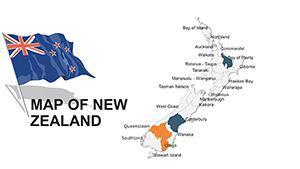 (731)
New Zealand Editable PowerPoint Maps TemplateID: #PM00045$48.00
(731)
New Zealand Editable PowerPoint Maps TemplateID: #PM00045$48.00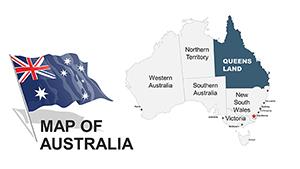 (812)
Australia PowerPoint Maps: 44 Editable DesignsID: #PM00043$48.00
(812)
Australia PowerPoint Maps: 44 Editable DesignsID: #PM00043$48.00 (283)
Australia PowerPoint Maps Template: 36 Custom Slides DownloadID: #PM00020$45.00
(283)
Australia PowerPoint Maps Template: 36 Custom Slides DownloadID: #PM00020$45.00 (783)
New Zealand PowerPoint Maps: Customizable Presentation SlidesID: #PM00018$40.00
(783)
New Zealand PowerPoint Maps: Customizable Presentation SlidesID: #PM00018$40.00
Why One Map Slide Beats Ten Bullet Slides
Color-coded territories and route lines show coverage gaps instantly. The eye travels from north to south without reading paragraphs, letting the discussion focus on action items.
Real Situations Where These Maps Delivered Clarity
A logistics manager mapped delivery routes across Australia and New Zealand for the quarterly operations review. The PowerPoint map showed density hotspots; the team identified the bottleneck in Queensland and rerouted resources before the meeting ended.
The market analyst at a retail chain overlaid store density on state outlines for the expansion planning session. Layered fills highlighted growth corridors; leadership approved two new sites based on the visual data alone.
An export consultant presented Pacific island trade flows to government stakeholders. The template grouped island nations cleanly; decision makers grasped coverage extent without requesting extra clarification slides.
The sustainability lead tracked carbon footprint by state for the annual report. Thematic coloring on the map made regional differences obvious; the board discussion moved directly to mitigation targets.
What You Lose When You Build Maps Manually
Hours disappear aligning state borders, positioning labels to avoid overlap, and maintaining consistent color logic across every layer. Those choices multiply when the deck updates quarterly.
Keeping Regional Updates Consistent Quarter After Quarter
Reuse the same map slide master for every report cycle. Update only the data overlays and every version carries identical scale and legend placement without re-checking alignment.
Practical PowerPoint Tip for Grouped Map Objects
Select all country shapes and group them once on the master slide. Future copies then move or scale as one unit while still letting you edit individual fills or labels.
Aspect Ratio and Export Considerations
Files default to 16:9. When exporting PDF for distribution, lock the slide master to prevent font substitution. Test the output on a non-company machine to confirm vector sharpness at print scale.
How This Collection Focuses on Business Needs
Layouts contain editable vectors only-no flattened images-so territories and labels stay adjustable. The set avoids decorative elements that require removal before client meetings.
Next Category to Check for Your Presentation
For country-specific detail in Keynote, see the Central America Keynote Maps templates. Organizational storytelling pairs well with the tree diagram PowerPoint charts. Medical or research decks often combine these with the medicine and pharma PowerPoint templates.
Open the map file that matches your region and start layering your data.
FAQ
Are these Australia PowerPoint maps compatible with Google Slides?
Yes. Upload the PPTX directly to Drive. Grouped vectors and fills remain editable. Minor label spacing may need one adjustment after import because Slides treats auto-fit differently. PDF export from Slides keeps the map crisp for any recipient.
What PowerPoint version guarantees full vector editing?
PowerPoint 2016 and newer, including Microsoft 365. Earlier versions convert complex groups to pictures in some cases; the core shapes and fills still allow recoloring and repositioning. Update the slide master after opening to apply your brand palette once.
Can I use the free starter maps in client presentations?
Yes. Free files carry the same commercial license as paid ones. Edit, present, and distribute finished decks freely inside and outside your organization. Only the source file itself cannot be resold.
Do the maps support animation for territory reveals?
Simple entrance animations work on grouped states. Keep them minimal for executive decks so the focus stays on data. Test the animation sequence in slideshow mode before final export.
Is team sharing allowed for purchased files?
The license permits internal team use. Colleagues can work on copies of the file. Finished presentations can be shared with external stakeholders without additional restrictions.


