
Transport - Logistics Keynote Themes
These Keynote templates are built for transport and logistics teams where the message is speed, cost, and reliability. Operations managers and supply chain leads use them when a deck must show routes, metrics, and next actions without the presenter wrestling with alignment.
A logistics director at a freight company is updating the monthly operations review for the executive team. The deadline is tomorrow and the focus must stay on on-time delivery numbers rather than fixing chart colors. The pre-built structures let him drop in data and keep the story moving.
The files lock in data hierarchy so recurring reports stay consistent. Choose any template below and start editing in Keynote.
 (50)
(50) High-Speed Logistics Keynote Template: Navigate Supply Chains VisuallyID: #KT03885free
 (336)
(336) Driving Delivery Keynote TemplateID: #KT03864$10.00
 (306)
Logistics Technology Keynote Template for ProsID: #KT03853$12.00
(306)
Logistics Technology Keynote Template for ProsID: #KT03853$12.00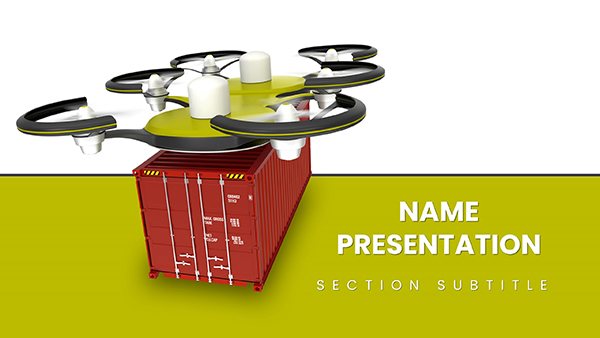 (868)
Efficient Drone Heavy Cargo Delivery Keynote TemplateID: #KT03744$12.00
(868)
Efficient Drone Heavy Cargo Delivery Keynote TemplateID: #KT03744$12.00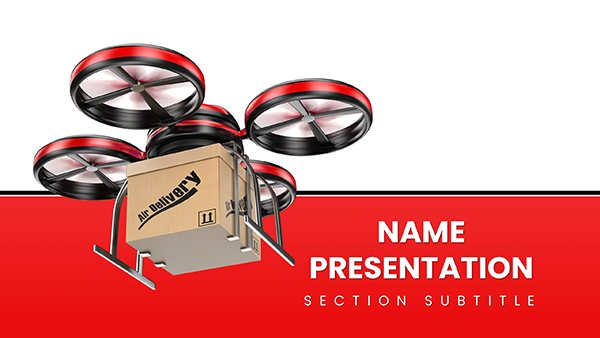 (3)
(3) Drone Delivery Keynote Template: Tech Pitch PowerID: #KT03743$12.00
 (1054)
 Military Vehicle Keynote Template and Themes PresentationID: #KT03738$12.00
 (547)
International Flights Keynote Template: Navigating Global Aviation StoriesID: #KT03704$12.00
(547)
International Flights Keynote Template: Navigating Global Aviation StoriesID: #KT03704$12.00 (807)
Airplane Flights Keynote Template: Navigate Narratives with EaseID: #KT03702$10.00
(807)
Airplane Flights Keynote Template: Navigate Narratives with EaseID: #KT03702$10.00 (1099)
Air Delivery Keynote: Logistics Efficiency ToolID: #KT03689$12.00
(1099)
Air Delivery Keynote: Logistics Efficiency ToolID: #KT03689$12.00 (30)
Road Rules Keynote Template: Routes to Remarkable LogisticsID: #KT03655$12.00
(30)
Road Rules Keynote Template: Routes to Remarkable LogisticsID: #KT03655$12.00 (1028)
Freight Road Transport Keynote: Logistics SlidesID: #KT03638$12.00
(1028)
Freight Road Transport Keynote: Logistics SlidesID: #KT03638$12.00 (206)
World Transfer Keynote Template: Global Logistics in MotionID: #KT03598$12.00
(206)
World Transfer Keynote Template: Global Logistics in MotionID: #KT03598$12.00 (969)
Airline Tickets Keynote Template - Fully Editable | Instant Download | ImagineLayoutID: #KT03379$10.00
(969)
Airline Tickets Keynote Template - Fully Editable | Instant Download | ImagineLayoutID: #KT03379$10.00 (72)
Safe Order Delivery Keynote Template: Secure Your Supply Chain StoryID: #KT03375$12.00
(72)
Safe Order Delivery Keynote Template: Secure Your Supply Chain StoryID: #KT03375$12.00 (859)
Order Delivery Keynote Template: Mapping the Path to Flawless FulfillmentID: #KT03374$12.00
(859)
Order Delivery Keynote Template: Mapping the Path to Flawless FulfillmentID: #KT03374$12.00 (77)
Container Shipping Companies Delivery Keynote templateID: #KT03223$12.00
(77)
Container Shipping Companies Delivery Keynote templateID: #KT03223$12.00 (1109)
International Communication Keynote TemplateID: #KT02980$12.00
(1109)
International Communication Keynote TemplateID: #KT02980$12.00 (726)
Rail Transport Keynote TemplatesID: #KT02978$12.00
(726)
Rail Transport Keynote TemplatesID: #KT02978$12.00 (1198)
Hydraulic Excavator Keynote Template - Instant DownloadID: #KT02660$12.00
(1198)
Hydraulic Excavator Keynote Template - Instant DownloadID: #KT02660$12.00 (553)
Truck Delivery Services Keynote Template: PresentationID: #KT02658$12.00
(553)
Truck Delivery Services Keynote Template: PresentationID: #KT02658$12.00 (683)
Cargo Delivery template for Transportation Keynote presentationID: #KT02542$12.00
(683)
Cargo Delivery template for Transportation Keynote presentationID: #KT02542$12.00 (254)
Cost of Cars Keynote templates - ThemesID: #KT02416$12.00
(254)
Cost of Cars Keynote templates - ThemesID: #KT02416$12.00 (479)
Transportation of goods Keynote Template - ThemesID: #KT02253$12.00
(479)
Transportation of goods Keynote Template - ThemesID: #KT02253$12.00 (1100)
Plane Tickets Keynote templates, background for PresentationID: #KT02230$12.00
(1100)
Plane Tickets Keynote templates, background for PresentationID: #KT02230$12.00 (733)
Military Airplanes Keynote templatesID: #KT02225$12.00
(733)
Military Airplanes Keynote templatesID: #KT02225$12.00 (594)
Fighters : Military Services Keynote templateID: #KT02216$12.00
(594)
Fighters : Military Services Keynote templateID: #KT02216$12.00 (568)
Aircraft above Earth Keynote templateID: #KT02215$12.00
(568)
Aircraft above Earth Keynote templateID: #KT02215$12.00 (347)
Freight Carrier Keynote template - themesID: #KT02214$12.00
(347)
Freight Carrier Keynote template - themesID: #KT02214$12.00 (1199)
Airplane invisible : Stealthy Keynote presentation templateID: #KT02212$12.00
(1199)
Airplane invisible : Stealthy Keynote presentation templateID: #KT02212$12.00 (193)
Combat Fighters Keynote Template for PresentationID: #KT02209$12.00
(193)
Combat Fighters Keynote Template for PresentationID: #KT02209$12.00 (614)
Air Force Keynote Templates PresentationID: #KT02206$12.00
(614)
Air Force Keynote Templates PresentationID: #KT02206$12.00 (418)
School Bus Keynote templates - themesID: #KT02164$12.00
(418)
School Bus Keynote templates - themesID: #KT02164$12.00 (37)
Cargo Truck - Logistics Keynote templatesID: #KT02066$12.00
(37)
Cargo Truck - Logistics Keynote templatesID: #KT02066$12.00
What logistics-specific data visualizations do these Keynote templates actually include?
The collection covers route maps, fleet utilization dashboards, warehouse throughput slides, international shipping timelines, and cost-per-mile comparisons. Every layout is built around the logic supply chain teams use daily.
The supply chain analyst at a manufacturing firm is presenting Q2 carrier performance to procurement. The comparison slides already align the metrics so he only updates the numbers and the audience sees the story instantly.
A fleet manager preparing the annual vehicle replacement proposal uses the timeline layouts to show depreciation curves alongside maintenance costs. The executive team focuses on the decision, not the formatting.
An operations lead at a retail distributor is rolling out new routing software to 40 drivers. The process flow slides walk through each step with clear callouts for exceptions.
A compliance officer updating customs clearance procedures for the European team uses the checklist layouts to highlight regulatory changes without losing the audience in text walls.
The hidden cost of building logistics decks in a blank Keynote file
You spend time choosing the right chart type for each KPI, aligning route lines on maps, and making sure every dashboard uses the same color logic for on-time versus delayed. Those hours come straight out of the thinking time needed to interpret the data for the audience.
How these templates support recurring supply chain reporting
Monthly operations reviews become faster when the master slide holds the KPI palette and the 16:9 layout matches every screen. Update the linked data once and all copies stay current. The same structure travels from regional leads to the boardroom.
Non-obvious Keynote tricks that save hours on logistics decks
In Keynote, use the magic move transition on route map slides to show a shipment moving from origin to destination. The animation is smooth and professional. Also duplicate the master slide for each new report so branding stays locked even when you add new map layers.
Technical notes for Keynote users in logistics work
These files are native Keynote format and tested on the latest macOS versions. The master slides include locked placeholders for your company logo and footer. When exporting to PDF for driver handbooks, choose the “Best quality" setting to keep chart lines crisp. File size stays manageable even with embedded route images because Keynote compresses on export.
What makes ImagineLayout different for transport and logistics presentations
The layouts are built for data storytelling that operations teams actually use. No decorative elements that distract from the metrics. Full editing freedom lets you update numbers, swap maps, or change colors without breaking the structure. The focus is on helping the presenter explain complex supply chain realities clearly.
If your next presentation is training-focused rather than logistics, the education and training PowerPoint templates offer structured learning layouts. For seasonal or milestone events, see the holiday special occasion PowerPoint templates. General business decks may suit broader strategy sessions.
These files match the data-heavy work your team presents every week.
Ready to open one in Keynote?
The full gallery is below. Any file opens directly and the structure for clear logistics storytelling is already in place.
FAQ
Are these templates native Keynote files?
Yes, every file is created and saved in current Keynote format. The master slides, animations, and chart styles are optimized for Apple devices and Keynote`s unique behavior. No conversion is required.
Will the charts update when I change the source data?
Yes, Keynote supports live links to Numbers or Excel files. Update the source spreadsheet and the charts refresh automatically across all slides that use them. This keeps monthly reports consistent without manual re-entry.
Do the files work on Windows or only Mac?
Keynote files open best on Mac or iPad. You can open them on Windows via the online version or by exporting to PowerPoint first, but some master slide behaviors and magic move animations may shift. For cross-platform teams we recommend the education and training PowerPoint templates as an alternative.
How do I keep branding consistent across monthly logistics reports?
Edit the master slide once with your logo, colors, and footer text. Every new slide you add inherits those settings. When you duplicate the entire deck for the next month the branding travels with it.
What is the file size and aspect ratio?
All files use 16:9 aspect ratio and stay under 12 MB even with route maps and photos. Keynote`s built-in compression keeps them light for email and shared drives. Before final PDF export, choose the high-quality setting to preserve sharp lines on charts.


