
Tourism - Voyage Keynote Themes
This collection includes tourism-focused Keynote templates built for teams presenting destinations, travel programs, and itinerary-based proposals. It`s aimed at agencies, tour operators, and in-house marketing teams who need to communicate route logic, experiences, and value without overdesigning every slide from scratch.
A travel consultant preparing a client pitch for a multi-country itinerary doesn`t just need photos - they need structure: day-by-day breakdowns, cost comparisons, and clear narrative flow. These templates handle that upfront, so you`re not rebuilding timelines or map layouts at midnight. Honestly, that`s usually where time disappears.
Use these when your presentation needs to explain a journey, not just show a destination. Open a file, adapt the story, and move on to the actual content decisions.
 (212)
(212) Around the World Keynote Template: Chart Your Global JourneyID: #KT03880free
 (148)
(148) Brazil Keynote Template with Vibrant DesignsID: #KT03852$10.00
 (1)
Tropical Paradise Dream Vacation Keynote TemplateID: #KT03830$10.00
(1)
Tropical Paradise Dream Vacation Keynote TemplateID: #KT03830$10.00 (547)
(547) International Flights Keynote Template: Navigating Global Aviation StoriesID: #KT03704$12.00
 (807)
Airplane Flights Keynote Template: Navigate Narratives with EaseID: #KT03702$10.00
(807)
Airplane Flights Keynote Template: Navigate Narratives with EaseID: #KT03702$10.00 (221)
Travel Suitcase Keynote Template: Plan Your JourneysID: #KT03700$12.00
(221)
Travel Suitcase Keynote Template: Plan Your JourneysID: #KT03700$12.00 (1099)
 Air Delivery Keynote: Logistics Efficiency ToolID: #KT03689$12.00
 (61)
Compass Marketing: Management Keynote TemplateID: #KT03669$12.00
(61)
Compass Marketing: Management Keynote TemplateID: #KT03669$12.00 (1010)
World Geography Information Keynote Template: Explore the GlobeID: #KT03548$12.00
(1010)
World Geography Information Keynote Template: Explore the GlobeID: #KT03548$12.00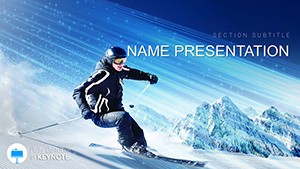 (159)
Skiing Keynote Template for Winter ProsID: #KT03480$10.00
(159)
Skiing Keynote Template for Winter ProsID: #KT03480$10.00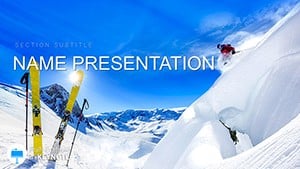 (726)
Mountain Ski Trails Keynote TemplateID: #KT03479$12.00
(726)
Mountain Ski Trails Keynote TemplateID: #KT03479$12.00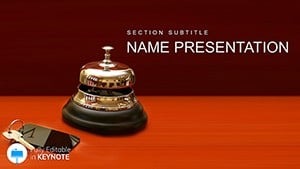 (29)
Modern Hotel Search Keynote TemplateID: #KT03468$12.00
(29)
Modern Hotel Search Keynote TemplateID: #KT03468$12.00 (524)
Vibrant Hotel Services Keynote TemplateID: #KT03467$12.00
(524)
Vibrant Hotel Services Keynote TemplateID: #KT03467$12.00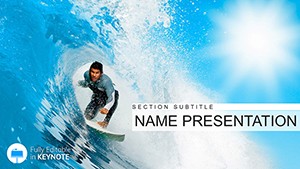 (226)
Surfing Big Waves Keynote Template: Ride the Tide of Impactful PresentationsID: #KT03457$12.00
(226)
Surfing Big Waves Keynote Template: Ride the Tide of Impactful PresentationsID: #KT03457$12.00 (833)
London Bridge Keynote Template: Melody in Every SlideID: #KT03438$12.00
(833)
London Bridge Keynote Template: Melody in Every SlideID: #KT03438$12.00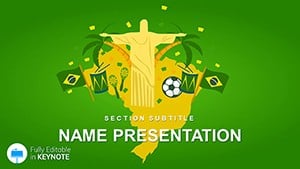 (314)
Brazil Travel Guide Keynote Template - Download Design PresentationID: #KT03404$10.00
(314)
Brazil Travel Guide Keynote Template - Download Design PresentationID: #KT03404$10.00 (14)
Brazil Vacation Guide Keynote TemplateID: #KT03397$12.00
(14)
Brazil Vacation Guide Keynote TemplateID: #KT03397$12.00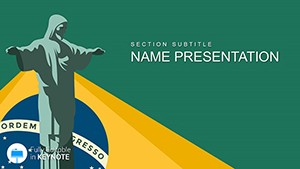 (495)
Beautiful Brazil Destinations Keynote Slides: Ignite Your WanderlustID: #KT03396$10.00
(495)
Beautiful Brazil Destinations Keynote Slides: Ignite Your WanderlustID: #KT03396$10.00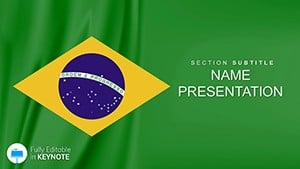 (800)
Brazil Business Keynote Templates UnleashedID: #KT03394$12.00
(800)
Brazil Business Keynote Templates UnleashedID: #KT03394$12.00 (1015)
Singapore City Keynote Template for Urban Innovation DecksID: #KT03363$12.00
(1015)
Singapore City Keynote Template for Urban Innovation DecksID: #KT03363$12.00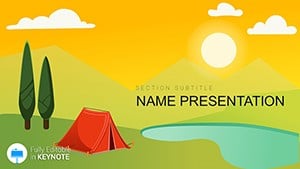 (922)
Camping, Adventure, Leisure, Tent Keynote template, presentationID: #KT03229$12.00
(922)
Camping, Adventure, Leisure, Tent Keynote template, presentationID: #KT03229$12.00 (794)
London Attractions Sightseeing Keynote Template PresentationID: #KT02731$12.00
(794)
London Attractions Sightseeing Keynote Template PresentationID: #KT02731$12.00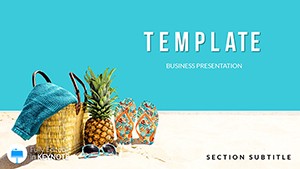 (706)
Beach Equipment Keynote templatesID: #KT02679$12.00
(706)
Beach Equipment Keynote templatesID: #KT02679$12.00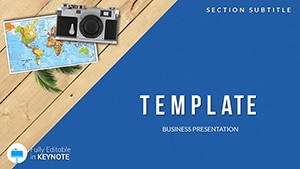 (598)
Tourism, Travel, Recreation Keynote templatesID: #KT02668$12.00
(598)
Tourism, Travel, Recreation Keynote templatesID: #KT02668$12.00 (590)
Vacation Resort Keynote templatesID: #KT02571$12.00
(590)
Vacation Resort Keynote templatesID: #KT02571$12.00 (806)
Leisure, Entertainment, Recreation for Children Keynote templatesID: #KT02558$12.00
(806)
Leisure, Entertainment, Recreation for Children Keynote templatesID: #KT02558$12.00 (1159)
Paris Guide Keynote Template - Fully Editable | ImagineLayoutID: #KT02549$12.00
(1159)
Paris Guide Keynote Template - Fully Editable | ImagineLayoutID: #KT02549$12.00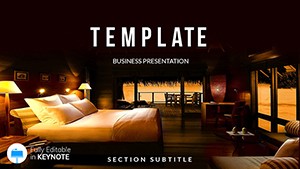 (562)
Hotel Reservations Keynote Template - Fully Editable | Instant Download | ImagineLayoutID: #KT02544$10.00
(562)
Hotel Reservations Keynote Template - Fully Editable | Instant Download | ImagineLayoutID: #KT02544$10.00 (563)
Tourist Attractions Keynote Template - Instant Download | ImagineLayoutID: #KT02541$10.00
(563)
Tourist Attractions Keynote Template - Instant Download | ImagineLayoutID: #KT02541$10.00 (386)
Night of Museums Keynote template, Presentation ThemesID: #KT02503$12.00
(386)
Night of Museums Keynote template, Presentation ThemesID: #KT02503$12.00 (558)
Recreation: beach, palm tree Keynote templatesID: #KT02278$12.00
(558)
Recreation: beach, palm tree Keynote templatesID: #KT02278$12.00 (284)
Scuba Diving Keynote Templates - ThemesID: #KT02275$12.00
(284)
Scuba Diving Keynote Templates - ThemesID: #KT02275$12.00 (700)
Refreshment Drinks Keynote templatesID: #KT02244$12.00
(700)
Refreshment Drinks Keynote templatesID: #KT02244$12.00
What actually matters in a tourism presentation (and where most slides fail)
Tourism decks aren`t just visual - they`re sequential. You`re explaining movement, time, and experience in a way that someone else has to mentally simulate. That`s where generic slide decks break down. They show places, but don`t explain the journey between them.
In practice, when I`ve worked on travel proposals, the hardest part wasn`t design - it was structuring the narrative. Day 1, Day 2, transitions, optional routes. These templates solve that earlier than expected. The layouts already assume progression, not isolated slides.
And that changes how you think. Instead of asking "what slide next?", you`re filling in a sequence that already makes sense.
If you`re preparing a client-facing itinerary or internal pitch, this is where you start. Not from a blank slide.
Download the layout that matches your route complexity and adapt it to your next proposal.
How these layouts handle itinerary logic (better than standard slides)
Tourism presentations usually combine three structures: timeline, geography, and experience layers. Most templates online handle only one. These combine them in a way that`s actually usable.
For example, a multi-day itinerary slide often includes:
- Time sequence (days or stages)
- Location references (cities, regions)
- Activity highlights (tours, experiences)
And the spacing matters more than you`d expect. I liked how the layouts keep consistent vertical rhythm - when you add one more day, the slide doesn`t collapse visually. That`s not always the case in generic decks.
But there`s a small adjustment period. The first time you open the slide master, it looks slightly dense. Then you realize the structure is doing most of the work for you.
Real scenarios where these templates make sense
A tour operator preparing a seasonal package presentation for partner agencies needs to compare routes, durations, and pricing tiers. A table-based itinerary slide works here because it shows all options at once. A chart wouldn`t - too abstract. The template handles that comparison without rebuilding columns every time.
A marketing manager pitching a new destination campaign internally needs a mix of storytelling and logistics. The opening slides frame the destination visually, then transition into structured content - itineraries, highlights, cost layers. That shift is already built into these decks.
An independent travel consultant preparing a custom trip proposal the night before a client call - you know the situation. The structure is already there: intro, route, daily plan, pricing. You drop in your data. Done.
And a corporate travel coordinator presenting employee travel options for an offsite event needs clarity over aesthetics. These templates lean toward structured readability, which is exactly what that audience expects. Also works for internal ops reviews, not just client decks.
What this category does differently from general Keynote templates
Most Keynote templates are built around generic business storytelling: problem, solution, metrics. Tourism presentations don`t follow that pattern. They`re closer to narrative sequences with embedded logistics.
That`s why these layouts prioritize:
- Sequential flow (day-by-day, stage-by-stage)
- Map integration without breaking layout alignment
- Balanced use of imagery and structured text
But they`re not ideal for everything. If you need heavy data visualization or financial modeling, you`ll feel the limitation. These are built for storytelling with structure, not dashboards.
When to use this instead of other categories
If your presentation is built around movement, routes, or experiences over time, this category is the right fit. That`s the key distinction.
If you`re working on broader business storytelling - strategy, KPIs, internal reporting - you`re better off starting with general Keynote templates. Those are more flexible but less specialized.
If your focus is purely visual diagrams - flows, cycles, or processes - then Keynote diagram templates give you more control over structure without the tourism-specific framing.
And if your presentation is map-heavy - location comparisons, regional analysis - you might switch to Keynote map templates. These tourism slides include maps, but they`re not the core system.
So the choice is simple: if the story is the journey, stay here. If not, move sideways.
Technical details that matter in real use
These templates are built in standard Keynote format with slide masters controlling color and typography. That part is expected. What`s more relevant is how editable the structures are.
From experience, itinerary slides often break when you add extra days or remove sections. Here, most layouts use grouped elements rather than rigid tables, which makes them easier to adjust - but slightly less precise for strict alignment. It`s a trade-off, and in tourism decks, flexibility usually wins.
And yes, aspect ratio is 16:9 by default. Works fine for modern displays.
Why these templates hold up in actual client work
The difference is subtle but important: these templates assume you`re presenting to someone making a decision - not just browsing visuals. That changes layout priorities.
There`s less decorative padding, more emphasis on hierarchy: headline, supporting detail, next step. The structure is consistent across slides, which makes multi-page decks feel coherent without extra effort. That`s genuinely useful when you`re assembling a 20-30 slide proposal under time pressure.
Not everything is perfect. Some slides feel slightly dense if you try to overfill them. But that`s more of a usage issue than a design flaw.
End of the day, these work because they reduce structural decisions. You focus on the route, the offer, the story.
That`s it.
FAQ
Can I edit the itinerary slides if my trip has more days than shown?
Yes, and this is where these templates are reasonably flexible. Most itinerary layouts are built with grouped elements rather than fixed tables, so you can duplicate or remove sections without breaking the entire slide. From experience, adding 2-3 extra days works cleanly, but if you double the length, you`ll likely need to adjust spacing manually. Still manageable. Just expect a bit of repositioning.
Are these templates compatible with PowerPoint or only Keynote?
The short answer is: they`re built for Keynote first. You can export to PowerPoint, but some formatting - especially grouped elements and fonts - may shift slightly. Usually yes, but it depends a bit on the slide complexity. If you know you`ll present in PowerPoint, test one slide before converting the entire deck. Oh, and exporting to PDF works reliably from Keynote itself.
Can I customize the color scheme to match my brand?
Yes, the templates use Keynote`s slide master system, so changing colors globally is straightforward. The first time you open it, it might feel slightly overloaded, but the logic is consistent. Update the master palette, and most slides follow automatically. I always do this before adding real content - saves a rebuild later.
Do these templates include maps for destinations?
Yes, most tourism templates include map slides, but they`re not the primary focus. They`re integrated into broader layouts like itineraries or overview slides. If you need detailed geographic analysis or multiple regional comparisons, you might want a dedicated map template instead. For basic route visualization, though, these work fine.
What kind of license comes with these templates?
It`s the same license most marketplaces use - one buyer, one project, commercial use included. You can use the templates in client presentations, internal decks, or marketing materials. Redistribution or resale of the template files themselves isn`t allowed. Pretty standard setup. No surprises here.
Will these templates work for team collaboration and shared editing?
Honestly, yes - as long as your team is using Keynote or compatible formats. Files can be shared via iCloud or exported for other tools, but version control can get messy if multiple people edit offline copies. From experience, it`s better to assign one person to manage the master file and collect updates. Works smoother that way.


