
Telecommunication Brochures
The collection contains ready-to-edit brochure layouts created for the telecommunication industry. Marketing directors and campaign managers use these when a generic design would fail to highlight network coverage or pricing tiers.
Imagine a marketing director at a mobile carrier preparing the launch brochure for a new 5G home internet plan. The trade-show deadline is next week and the brochure must explain speed tiers, coverage zones, and installation steps in one glance. The template provides the exact tri-fold structure so copy and maps fit perfectly.
This collection focuses on print-ready hierarchy. Download to begin your next service rollout.
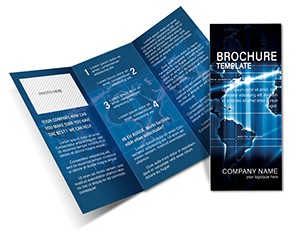 (240)
(240) Planet Communication Brochure: Global Connect LayoutID: #BT01758$18.00
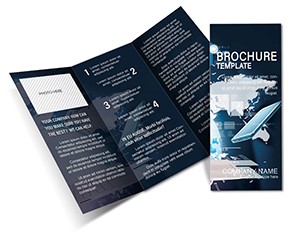 (419)
(419) Functional Programming Brochure Template: Code Your Story ElegantlyID: #BT01582$15.00
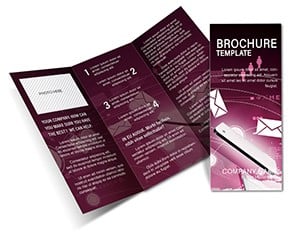 (166)
Versatile Brochure Template: Weave Messages That ResonateID: #BT01581$15.00
(166)
Versatile Brochure Template: Weave Messages That ResonateID: #BT01581$15.00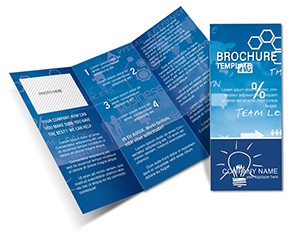 (867)
(867) Network Marketing Brochure TemplatesID: #BT01531$12.00
 (599)
Online Courses Brochure Template - 3 Formats | ImagineLayoutID: #BT01530$14.00
(599)
Online Courses Brochure Template - 3 Formats | ImagineLayoutID: #BT01530$14.00 (172)
(172) Twitter Brochure Template: Tweet Your Story to LifeID: #BT01517$15.00
 (807)
Online Social Websites Brochure Template: Fuel Your Digital ConnectionsID: #BT01488$15.00
(807)
Online Social Websites Brochure Template: Fuel Your Digital ConnectionsID: #BT01488$15.00 (6)
Computer Engineering Brochure TemplateID: #BT01337$18.00
(6)
Computer Engineering Brochure TemplateID: #BT01337$18.00 (480)
System Access Tri-Fold Brochure TemplateID: #BT01336$18.00
(480)
System Access Tri-Fold Brochure TemplateID: #BT01336$18.00 (881)
Motion Picture Producer Brochure TemplateID: #BT01295$18.00
(881)
Motion Picture Producer Brochure TemplateID: #BT01295$18.00 (524)
Telecom Brochure Template: Hosting Services LayoutID: #BT01290$18.00
(524)
Telecom Brochure Template: Hosting Services LayoutID: #BT01290$18.00 (958)
Web Portal Brochure Template: Tech-Forward OutreachID: #BT01271$18.00
(958)
Web Portal Brochure Template: Tech-Forward OutreachID: #BT01271$18.00 (1080)
Satellite Communication Half-Fold Brochure TemplateID: #BT01227$16.00
(1080)
Satellite Communication Half-Fold Brochure TemplateID: #BT01227$16.00 (861)
Internet Communication: Brochures That Bridge Digital DividesID: #BT01183$14.00
(861)
Internet Communication: Brochures That Bridge Digital DividesID: #BT01183$14.00 (1181)
Social Network Tri-Fold Brochure Design: Weave Connections That LastID: #BT01176$14.00
(1181)
Social Network Tri-Fold Brochure Design: Weave Connections That LastID: #BT01176$14.00 (260)
News Social Networks Tri-Fold Brochure: Broadcast Insights with AuthorityID: #BT01175$14.00
(260)
News Social Networks Tri-Fold Brochure: Broadcast Insights with AuthorityID: #BT01175$14.00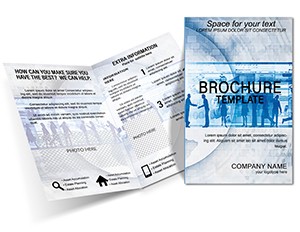 (82)
Sociology Behavior Brochure Template - People InsightsID: #BT01124$12.00
(82)
Sociology Behavior Brochure Template - People InsightsID: #BT01124$12.00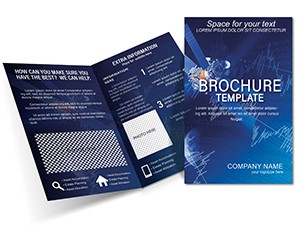 (1006)
Satellite Encoded Signals Brochure Template: Broadcast Your VisionID: #BT01048$16.00
(1006)
Satellite Encoded Signals Brochure Template: Broadcast Your VisionID: #BT01048$16.00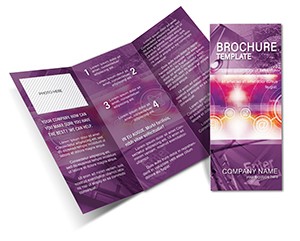 (851)
Tri-Fold Communication System Brochure Template: Connect Ideas with Cutting-Edge DesignID: #BT01030$16.00
(851)
Tri-Fold Communication System Brochure Template: Connect Ideas with Cutting-Edge DesignID: #BT01030$16.00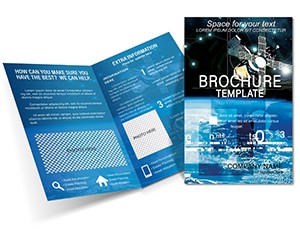 (713)
Space Satellite Half-Fold Brochure Template: Orbiting Ideas into RealityID: #BT01001$14.00
(713)
Space Satellite Half-Fold Brochure Template: Orbiting Ideas into RealityID: #BT01001$14.00 (755)
Digital TV Brochure Template: Revolutionize Your Media OutreachID: #BT00995$14.00
(755)
Digital TV Brochure Template: Revolutionize Your Media OutreachID: #BT00995$14.00 (614)
Communication Brochure Template: Forging Stronger ConnectionsID: #BT00981$15.00
(614)
Communication Brochure Template: Forging Stronger ConnectionsID: #BT00981$15.00 (582)
IT Communication Brochure Template: Empowering Tech ConnectionsID: #BT00979$14.00
(582)
IT Communication Brochure Template: Empowering Tech ConnectionsID: #BT00979$14.00 (505)
Satellite TV Brochure Template: Tri-Fold Telecom GuideID: #BT00278$20.00
(505)
Satellite TV Brochure Template: Tri-Fold Telecom GuideID: #BT00278$20.00 (1181)
Postage Stamp Collecting Brochure Template: Inspire Your Philatelic PassionID: #BT00089$15.00
(1181)
Postage Stamp Collecting Brochure Template: Inspire Your Philatelic PassionID: #BT00089$15.00
How to Choose the Right Brochure Layout for Telecom Messaging
Telecom brochures succeed when coverage maps sit beside pricing tables and call-to-action panels line up on the back fold. These layouts lock those zones on the master so text reflows without shifting the map.
Common Pitfalls When Designing Telecom Brochures from Scratch
Manual design often misaligns the coverage legend with the map or forces pricing numbers into cramped columns. The templates remove those alignment decisions so the team focuses on tariff wording instead.
Real-World Scenarios Where These Templates Save the Day
A telecom marketing manager must produce 10,000 tri-fold brochures for a regional rollout of fiber-optic service. The template supplies pre-sized map placeholders and tariff comparison tables; only the city names and pricing change.
A sales director at a satellite provider needs a handout for a B2B trade show explaining latency advantages. The layout already includes speed icons and comparison bullets that stay aligned after swapping the numbers.
An HR team rolling out a new employee mobile plan uses the same brochure file for internal distribution; the master ensures the company logo and legal disclaimer remain in the correct panel.
A product manager launching an IoT connectivity package prepares the brochure for partner events. The template provides space for device icons and data-usage charts that update automatically.
How Structured Brochure Files Support Multi-Channel Campaigns
One master file exports to print PDF, web-optimized PNG, and Keynote presentation slides. The same content appears in the sales deck and the printed handout without reformatting.
Non-Obvious Customization Tricks for Telecom Content
Group the coverage map and legend into a locked object on the master; updating the map in one place updates every version instantly. Use the color palette panel to swap carrier brand colors across all panels at once.
Technical Considerations When Exporting Telecommunication Brochures
When exporting from Keynote to high-resolution PDF, embed all fonts to ensure the coverage legend prints crisply on any printer. Set bleed marks on the master for professional print shops.
What Sets These Telecommunication Brochures Apart
Layouts are built for corporate clarity rather than decorative graphics. All shapes remain editable, text boxes reflow, and maps accept new data without breaking alignment.
Finding the Right Template Category for Your Next Project
If your deliverable is a digital process map, explore our PowerPoint flowchart templates. For data visualization inside presentations see the Keynote pie chart templates. Software teams preparing investor updates may prefer the software Keynote templates.
Download the telecommunication collection now to start your next campaign with structure already in place.
Are these brochure files compatible with professional print shops?
Yes, all files export to 300 dpi CMYK PDF with bleed and crop marks already set on the master. Print shops receive a ready file; no extra setup required.
Can I edit these in Microsoft PowerPoint instead of Keynote?
Export the Keynote file to PowerPoint format first. Most layouts transfer cleanly; map placeholders remain grouped and editable.
Do the templates include editable coverage maps?
Yes, every map slide uses vector shapes and placeholder images. Swap the background image and adjust the colored regions directly in Keynote.
What license allows team and client distribution?
The license permits unlimited internal use and client presentations. Printed brochures may be distributed to customers; digital resale of the template file is not allowed.
Can I change the tri-fold to a bi-fold layout?
Duplicate the master slide and adjust panel widths once; text boxes and images reflow automatically because they are grouped by panel.


