
Business Brochures
This collection includes structured business brochure templates built for teams that need clear, print-ready communication - not decorative marketing pieces. You`re typically working in Word or exporting to PDF, preparing something that will be handed out, emailed, or attached to a proposal. The layouts here focus on information hierarchy - sections, columns, and reading flow that hold up outside a slide environment.
A marketing manager preparing a service overview for a client meeting doesn`t need design exploration - they need a clean tri-fold that reads logically when printed. That`s where these templates work. The structure is already resolved, so you`re adjusting content, not rebuilding layout. And yes, the spacing actually holds when exported to PDF, which isn`t always the case.
If you need a brochure that reads clearly in both digital and print formats, start with the layout that matches your content length and fold type.
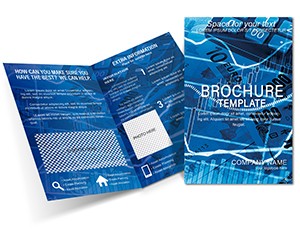 (150)
(150) Forex Currency Exchange Brochure Template: Navigate Markets with ClarityID: #BT01769$15.00
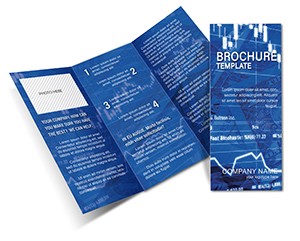 (206)
(206) Graphic Indicator Brochure Template - Custom DesignsID: #BT01767$17.00
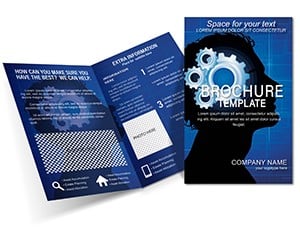 (564)
Task Mental Training Brochure Template: Sharpen Minds for SuccessID: #BT01759$18.00
(564)
Task Mental Training Brochure Template: Sharpen Minds for SuccessID: #BT01759$18.00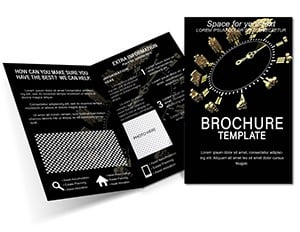 (650)
Finance Time Money Brochure Template: Clocking In Financial SuccessID: #BT01752$18.00
(650)
Finance Time Money Brochure Template: Clocking In Financial SuccessID: #BT01752$18.00 (1151)
 International Business Brochure Template: Global EdgeID: #BT01739$15.00
 (216)
Economy Business Brochure Template: Pro DesignsID: #BT01733$15.00
(216)
Economy Business Brochure Template: Pro DesignsID: #BT01733$15.00 (1066)
Composition Financial Report Brochure Template: Structured Excellence for Finance ProsID: #BT01717$15.00
(1066)
Composition Financial Report Brochure Template: Structured Excellence for Finance ProsID: #BT01717$15.00 (1155)
 World Map Tri-Fold Brochure - Print Ready | ImagineLayoutID: #BT01716$14.00
 (769)
Work Planning Tri-Fold Brochure - Print Ready | ImagineLayoutID: #BT01715$12.00
(769)
Work Planning Tri-Fold Brochure - Print Ready | ImagineLayoutID: #BT01715$12.00 (128)
Globalization and Development Brochure Templates: Weave Global NarrativesID: #BT01706$15.00
(128)
Globalization and Development Brochure Templates: Weave Global NarrativesID: #BT01706$15.00 (459)
Design Strategy Brochure Template: Master Tactics for Impactful MarketingID: #BT01704$15.00
(459)
Design Strategy Brochure Template: Master Tactics for Impactful MarketingID: #BT01704$15.00 (183)
Rising Prices Brochure Template: Decode Market Shifts with PrecisionID: #BT01702$15.00
(183)
Rising Prices Brochure Template: Decode Market Shifts with PrecisionID: #BT01702$15.00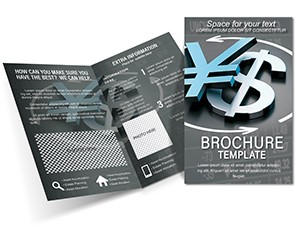 (152)
USD vs Yen Brochure Template: Currency InsightsID: #BT01701$18.00
(152)
USD vs Yen Brochure Template: Currency InsightsID: #BT01701$18.00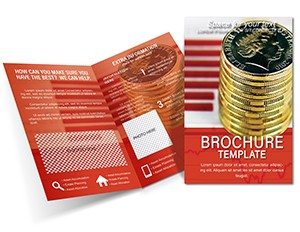 (192)
Pound Sterling Course Brochure TemplateID: #BT01700$15.00
(192)
Pound Sterling Course Brochure TemplateID: #BT01700$15.00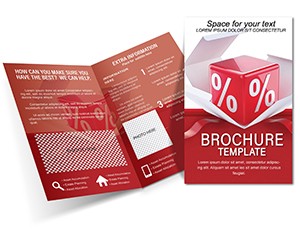 (1068)
Discount Box Brochure Template: Boost SalesID: #BT01699$12.00
(1068)
Discount Box Brochure Template: Boost SalesID: #BT01699$12.00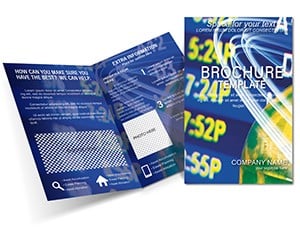 (1174)
Global Foundation Brochure Template: Build Trust in Finance with Sleek DesignsID: #BT01693$14.00
(1174)
Global Foundation Brochure Template: Build Trust in Finance with Sleek DesignsID: #BT01693$14.00 (646)
Versatile Process Brochure Template: Streamline Your Business StoryID: #BT01689$15.00
(646)
Versatile Process Brochure Template: Streamline Your Business StoryID: #BT01689$15.00 (633)
USA Flag Business Brochure Template: Patriotic Power for Your BrandID: #BT01652$14.00
(633)
USA Flag Business Brochure Template: Patriotic Power for Your BrandID: #BT01652$14.00 (877)
United States Flag Brochure Template: Patriotic Designs That InspireID: #BT01651$15.00
(877)
United States Flag Brochure Template: Patriotic Designs That InspireID: #BT01651$15.00 (1200)
Ideas Advertising and Marketing Brochure templateID: #BT01612$15.00
(1200)
Ideas Advertising and Marketing Brochure templateID: #BT01612$15.00 (580)
Paid Email Newsletter Brochure Templates: Connect and Convert SeamlesslyID: #BT01611$14.00
(580)
Paid Email Newsletter Brochure Templates: Connect and Convert SeamlesslyID: #BT01611$14.00 (83)
Brochure Template: Creative Design Backgrounds to CaptivateID: #BT01608$15.00
(83)
Brochure Template: Creative Design Backgrounds to CaptivateID: #BT01608$15.00 (882)
Steps Success Brochures templatesID: #BT01607$15.00
(882)
Steps Success Brochures templatesID: #BT01607$15.00 (1042)
ProfitBoost Brochure Template: Fuel Your Business GrowthID: #BT01606$15.00
(1042)
ProfitBoost Brochure Template: Fuel Your Business GrowthID: #BT01606$15.00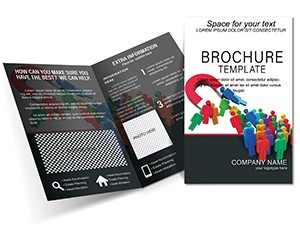 (223)
Customer-Attracting Marketing Brochure: Ignite Your Sales StrategyID: #BT01596$15.00
(223)
Customer-Attracting Marketing Brochure: Ignite Your Sales StrategyID: #BT01596$15.00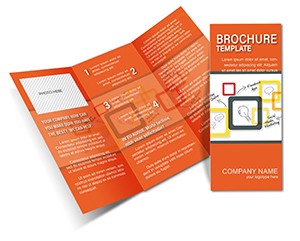 (469)
Decision Making Brochure Template: Your Guide to Smarter ChoicesID: #BT01575$14.00
(469)
Decision Making Brochure Template: Your Guide to Smarter ChoicesID: #BT01575$14.00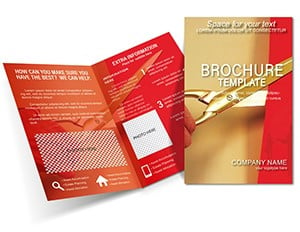 (357)
Z-Fold Creative Brochure - 5 Panels, .ait .dotx .indt | ImagineLayoutID: #BT01570$12.00
(357)
Z-Fold Creative Brochure - 5 Panels, .ait .dotx .indt | ImagineLayoutID: #BT01570$12.00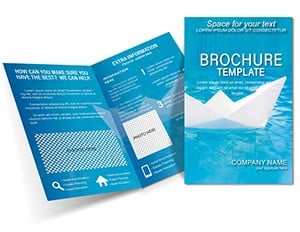 (566)
Professional Business Brochure Templates - Start StrongID: #BT01565$14.00
(566)
Professional Business Brochure Templates - Start StrongID: #BT01565$14.00 (106)
How to Earn Money Brochure Template: Guide Readers to Financial EmpowermentID: #BT01564$15.00
(106)
How to Earn Money Brochure Template: Guide Readers to Financial EmpowermentID: #BT01564$15.00 (1187)
Delivery Messages Brochure Template: Communicate Shipments with Clarity and CharmID: #BT01563$15.00
(1187)
Delivery Messages Brochure Template: Communicate Shipments with Clarity and CharmID: #BT01563$15.00 (531)
Marketing Strategy Brochure Templates - Ideas That ConvertID: #BT01560$14.00
(531)
Marketing Strategy Brochure Templates - Ideas That ConvertID: #BT01560$14.00 (382)
Objectives Marketing Brochure Template - Pro DesignsID: #BT01559$14.00
(382)
Objectives Marketing Brochure Template - Pro DesignsID: #BT01559$14.00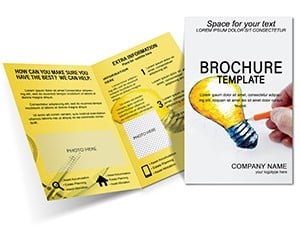 (1079)
Creative Half-Fold Brochure TemplateID: #BT01545$15.00
(1079)
Creative Half-Fold Brochure TemplateID: #BT01545$15.00
What makes a brochure layout usable in real business settings
A brochure isn`t just a smaller presentation - it behaves differently. The reader controls pacing, not you. That changes everything. In practice, the templates here handle that shift by structuring content into predictable sections: introduction, offering, proof, contact. Sounds obvious, but when you build this from scratch, it`s easy to lose that order halfway through.
I`ve seen teams reuse slide content directly inside brochures, and it rarely works. The density is off, headings don`t carry the same weight, and spacing breaks when printed. These layouts avoid that by treating each panel as its own reading unit. Works as-is.
The column logic is consistent across templates, which matters more than it sounds. Once you align one section, the rest follow without adjustment. That`s the difference between a 20-minute edit and a full rebuild.
If you`re preparing something for external use - client-facing, printed, or attached to proposals - this structure is genuinely useful. Download the format that matches your fold type and content length.
Where these templates show up in actual work
A consulting team preparing a capability overview for a new client usually needs something that sits between a slide deck and a full proposal. Too short for slides, too early for a document. A brochure fills that gap. The layout carries the structure - services, approach, examples - without forcing a long read.
In internal settings, I`ve used similar layouts for onboarding materials. New hires don`t read long documents on day one. But a 2-3 page brochure with clear sections? They skim it, keep it, come back later. Slightly unexpected, but it works.
Another case: event handouts. You know the situation - you have something to give people after a presentation, but you don`t want to print slides. These templates are built for that moment. No redesign needed. Done.
When to choose brochures over slides or documents
If your content needs to be read independently, without narration, a brochure is usually the better format. Slides assume a presenter. Documents assume time. Brochures sit in between - structured, but skimmable.
Compared to Word document templates, these are more visual and constrained - which is good when you want consistency. Compared to PowerPoint templates, they remove the presentation layer entirely. No animations, no sequencing. Just content.
If you need flexibility and long-form explanation, go with a document. If you need guided storytelling, use slides. But for compact, structured communication - this category is the right fit.
What actually saves time here (and what doesn`t)
It`s not just the layout. It`s the decisions you don`t have to make: margins, column widths, heading styles, spacing between sections. These are small individually, but together they eat time. Here, they`re already set - and consistent across pages.
The first time you open one of these files, it can feel slightly rigid. But that`s the point. Once you accept the structure, editing becomes mechanical - replace text, adjust images, export. No layout drift.
What it doesn`t solve: content clarity. If your messaging is unclear, no template fixes that. But it does remove formatting as a variable.
Technical note: Word layout behavior under real conditions
These templates rely on standard Word layout tools - text boxes, columns, and styles. That`s good for compatibility, but there`s one thing to watch: when you change page size or margins, alignment can shift slightly.
From experience, it`s better to finalize page setup first, then edit content. Also, export to PDF early and check spacing. Word`s print preview isn`t always reliable. Oh, and most templates are set to A4 by default.
Why this collection feels different in practice
There`s very little decorative padding here. No oversized icons, no empty sections just to fill space. The layouts assume you have real content to place - and they make room for it.
I liked how the typography stays consistent across pages without needing manual fixes. That`s not always the case with brochure templates online. Slight thing, but in a real project it matters.
If you`re building something client-facing and need it to hold together visually without constant adjustment, this set works well. Also works for internal ops materials, not just marketing.
How to navigate related categories
If you`re unsure whether a brochure is the right format, it helps to compare nearby categories. Business card templates are obviously more minimal - identity, not explanation. Letterhead templates are document-focused, meant for formal communication rather than structured content blocks.
So if your goal is to explain services, present an offering, or give a structured overview - stay here. If it`s branding or formal correspondence, those other categories fit better.
Choose the format based on how the content will be used, not just how it looks.
FAQ
Can I edit these brochure templates in Microsoft Word without design issues?
Yes, they are built for Microsoft Word using standard layout tools like text boxes and styles. In most cases, editing text and images won`t break alignment. But if you resize pages or change margins significantly, some elements may shift. From experience, it`s best to keep the original layout settings and adjust content within that structure. Works fine.
Are these templates suitable for printing and PDF export?
The short answer is yes. These layouts are designed with print output in mind, including margins and fold structure. Exporting to PDF preserves spacing well, which is critical for brochures. I always recommend checking the PDF version before final printing - Word preview can be misleading sometimes. That`s basically it.
Can I adjust the fold type or layout structure?
Usually yes, but it depends a bit on how much you want to change. Small adjustments - like resizing sections or modifying text blocks - are straightforward. Changing from tri-fold to bi-fold, for example, requires more restructuring. I`ve seen this trip up even experienced users, but here`s the quick fix: duplicate a panel, adjust widths, then realign content manually.
What license applies to these brochure templates?
It`s the same license most marketplaces use - one buyer, one project, commercial use included. You can edit and distribute the final brochure, but not resell the template itself. Nothing unusual here. Just standard usage terms.
Do these templates work for team collaboration?
Yes, especially if your team uses shared Word files or version-controlled documents. The structure helps maintain consistency across edits. Just avoid multiple people editing layout at the same time - that`s where conflicts happen. Content edits are fine. Layout edits, one person at a time. Oh, and you can also export to PDF from there.


