
Self - Presentation Keynote Themes
Formerly known as self presentation - this collection now includes templates for personal introductions and career storytelling.
This category gathers Keynote files with dedicated slides for about me overviews, career timelines, skill highlights, and achievement lists.
They are intended for job seekers, students preparing theses, freelancers, and consultants who need to communicate their experience to recruiters, clients, or peers.
These templates prove useful when a standard blank slide would leave your story looking unfinished or when you have limited time to prepare for an important meeting.
For example, a software engineer preparing for a senior role interview at a tech company can use a template with a chronological timeline slide and icon list for technical skills to deliver a concise yet complete overview in under 10 minutes.
Browse the available options and select the file that aligns with your next opportunity.
 (960)
(960) Work Home Online Jobs, Employment Keynote templateID: #KT03307$12.00
 (306)
(306) Work from Home Jobs Keynote Template | Download NowID: #KT03306$12.00
 (590)
(590) Multimedia Presentation Keynote template - ThemesID: #KT03305$12.00
 (675)
Manual for Managers Keynote templatesID: #KT02496$12.00
(675)
Manual for Managers Keynote templatesID: #KT02496$12.00 (324)
Studies Lesson Plans Keynote templatesID: #KT02491$12.00
(324)
Studies Lesson Plans Keynote templatesID: #KT02491$12.00 (278)
(278) Fantastic Keynote TemplatesID: #KT02180$12.00
 (999)
Building Bricks Keynote templates PresentationID: #KT02174$12.00
(999)
Building Bricks Keynote templates PresentationID: #KT02174$12.00 (931)
Business Notebook Keynote templatesID: #KT02166$12.00
(931)
Business Notebook Keynote templatesID: #KT02166$12.00 (923)
Educate Keynote Templates - ThemesID: #KT02103$12.00
(923)
Educate Keynote Templates - ThemesID: #KT02103$12.00 (728)
Collective Impact Keynote Template: PresentationID: #KT02096$12.00
(728)
Collective Impact Keynote Template: PresentationID: #KT02096$12.00 (967)
Virtual Artificial Brain Keynote Template: PresentationID: #KT02081$12.00
(967)
Virtual Artificial Brain Keynote Template: PresentationID: #KT02081$12.00 (803)
Blood Plasma Keynote templates PresentationID: #KT02013$12.00
(803)
Blood Plasma Keynote templates PresentationID: #KT02013$12.00 (947)
World as Seen Under the Lens Keynote TemplatesID: #KT01977$12.00
(947)
World as Seen Under the Lens Keynote TemplatesID: #KT01977$12.00 (615)
Professional Writing Startup Business Plan Keynote TemplateID: #KT01896$12.00
(615)
Professional Writing Startup Business Plan Keynote TemplateID: #KT01896$12.00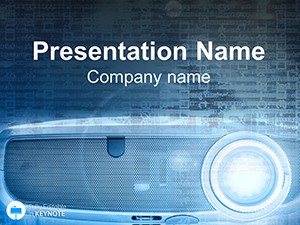 (1094)
Projector Keynote Template: Radiate Report RadianceID: #KT00806$10.00
(1094)
Projector Keynote Template: Radiate Report RadianceID: #KT00806$10.00 (1150)
Free Company ID Card Keynote TemplateID: #KT00667free
(1150)
Free Company ID Card Keynote TemplateID: #KT00667free (317)
Free Current Vacancies Keynote TemplateID: #KT00665free
(317)
Free Current Vacancies Keynote TemplateID: #KT00665free (74)
Business Success Keynote TemplateID: #KT00488$8.00
(74)
Business Success Keynote TemplateID: #KT00488$8.00 (522)
Service Help Keynote TemplateID: #KT00485$8.00
(522)
Service Help Keynote TemplateID: #KT00485$8.00 (104)
Telephone Calls Keynote Template ProID: #KT00255$10.00
(104)
Telephone Calls Keynote Template ProID: #KT00255$10.00 (200)
Efficient Office Manager Keynote TemplateID: #KT00191$10.00
(200)
Efficient Office Manager Keynote TemplateID: #KT00191$10.00 (569)
Business Manager Keynote Template: Master Organizational NarrativesID: #KT00175$10.00
(569)
Business Manager Keynote Template: Master Organizational NarrativesID: #KT00175$10.00 (86)
Impactful Business Communication Keynote TemplateID: #KT00152$8.00
(86)
Impactful Business Communication Keynote TemplateID: #KT00152$8.00
Use Cases
Job seekers in the technology sector rely on these templates when preparing for interview presentations. They structure education and work history with timeline slides to show progression and key accomplishments in software development roles. The layouts help maintain audience attention during typical interview slots. This approach allows the candidate to emphasize transitions between roles and the value brought to each position. Recruiters appreciate the visual flow that highlights growth over time without dense text blocks.
MBA students use the templates for capstone project defenses. Skill icon sections display analytical tools mastered during the program alongside personal motivation for choosing the topic. This setup conveys both expertise and passion to faculty panels. Photo placeholders can include images from research or internships to add context. The overall structure ensures the presentation stays within time limits while covering all required points.
Freelance designers turn to these templates for client acquisition meetings. Photo placeholders let them showcase portfolio pieces alongside client results from previous contracts. The structure guides the flow from background to value offered. Icons for tools and techniques make the skills section easy to scan. This format helps clients understand the designer approach without long explanations.
Career changers in finance employ the templates for networking at industry conferences. They organize their transition story using dedicated sections for previous roles and new certifications to explain the move effectively to potential employers or partners. Achievement list slides provide space for quantifiable results from past work. The design keeps the focus on forward-looking goals. This helps build connections based on clear communication of skills and ambitions.
Comparison vs. default Keynote shapes or blank slides
Templates in this category provide pre-arranged layouts that save significant preparation time compared to starting with blank slides or basic shapes. The alignment of elements is already optimized for readability from the back of a room or on screen sharing platforms. Default shapes require manual adjustment of every text box and image, while these files have placeholders that snap into place.
Animations for sequential reveals are built in, avoiding the need to add them one by one. Color schemes match common business themes and can be changed globally. Overall narrative flow is guided by the slide sequence, reducing the risk of disorganized content that often occurs with blank files. In addition, the templates include ready combinations like timeline and photo layouts that would take hours to assemble manually. This consistency helps the audience follow the story without distraction from design flaws.
Best-practice advice for using the templates in this category
Begin by selecting the template that most closely matches your industry and the length of your presentation. Remove any slides that do not apply to your situation to keep the deck concise. Replace all placeholder content with your own details, ensuring every example is specific and relevant to the audience in front of you.
Check the font sizes and contrast for visibility in different lighting conditions or when shared online. Rehearse the delivery multiple times with the slides to ensure smooth transitions between verbal explanations and visual elements. Export a backup version in PDF format for situations where Keynote is not available on the presentation device. Test the file on the actual device you will use to confirm all elements display correctly.
Adjust the order of sections if your story requires a different emphasis, such as placing achievements before timeline for certain audiences. Keep text brief on each slide to support your spoken delivery rather than reading verbatim.
Technical tip specific to this category type
When working with timeline slides, select the group of elements and use the Animate tab in Keynote to apply a build in effect with a delay between each milestone. This technique allows the audience to focus on one part of your career path at a time, improving retention of key points. You can further customize the animation duration to match your speaking pace. The inspector panel also allows you to add sound effects if the presentation calls for it. Testing the build sequence in presenter view ensures everything advances correctly during the actual delivery.
Why ImagineLayout's version of this category differs from competitors
ImagineLayout designs these templates with a focus on practical use in real scenarios such as job interviews and client meetings rather than generic decorative styles. The slide modules are created specifically for storytelling flow that fits consulting frameworks and training sessions. Unlike some marketplaces that offer one-size-fits-all designs, these files support full theme color changes and object editing without breaking layouts. The collection avoids overly complex animations that can fail on different devices. Each template has been refined based on feedback from users in corporate environments to ensure clarity and efficiency in delivery. This approach makes the templates suitable for board meetings, quarterly reviews, and investor pitches where time is limited and messages must land quickly.
FAQ
How do I download the About Me Keynote templates?
The process starts by selecting the template you want from the collection and adding it to your cart. After completing checkout you receive immediate access through your account dashboard. The file downloads as a native .key package that opens directly in the Keynote application on Mac or iPad. You can save it to any folder or iCloud drive for easy access later. No additional software is required beyond the standard Keynote app.
Are the templates compatible with the latest version of Keynote?
Yes, all files in this category are built and tested with the current version of Keynote. They use standard features such as shape groups, image placeholders, and theme colors that remain fully functional across recent updates. If you are on an older version you may notice minor differences in animation options but core layouts and editing capabilities stay intact. You can always update Keynote through the App Store to ensure the best experience.
Can I edit the layouts and elements freely?
Every element including text, images, icons, timelines, and colors is fully editable using the standard Keynote tools. You can drag and drop new photos into placeholders, change fonts, resize sections, or add extra slides as needed. The master slides allow global changes to styles across the deck. There are no locked elements or restrictions that prevent customization to match your personal branding or specific requirements.
What licensing options come with these templates?
The templates are licensed for personal and business use by the purchaser. You can use them in client presentations, internal meetings, or educational settings. Resale or redistribution of the original files is not permitted. The license covers unlimited presentations created from the template as long as the design is substantially modified with your content. This gives flexibility for ongoing use across multiple projects without additional fees.
Are there any format options besides .key files?
The primary format is native Keynote .key for full editing capabilities. You can export the completed presentation to PDF, PowerPoint, or video formats directly from Keynote. This flexibility allows sharing with audiences who do not have Keynote installed. Image exports or individual slide saves are also possible for use in documents or reports.


