
Neutral - Abstract Keynote Themes
This collection brings together neutral abstract Keynote templates built around subtle geometric shapes, soft gradients, and clean lines. They work especially well for business strategists, innovation leads, and consultants who present complex ideas and want the audience focused on the logic instead of the decoration.
Picture a strategy consultant the night before a board review. The three-year roadmap needs to feel structured but not rigid. Open one of these abstract flow layouts, drop in your milestones, and the gentle background curves guide the eye along the timeline without forcing attention. Suddenly the deck feels intentional rather than assembled at 2 a.m.
Pick the layout that matches your next executive briefing and download it directly.
 (10)
(10) Financial Market Analysis Keynote Diagrams - Editable KEY | ImagineLayoutID: #KT03988free
 (15)
(15) Abstract Project Proposal Keynote Template: Ignite CreativityID: #KT03986free
 (15)
Free Digital Transformation Keynote Template: 28 DiagramsID: #KT03962free
(15)
Free Digital Transformation Keynote Template: 28 DiagramsID: #KT03962free (15)
Neural Network Keynote Template: AI Diagrams & ChartsID: #KT03960$10.00
(15)
Neural Network Keynote Template: AI Diagrams & ChartsID: #KT03960$10.00 (12)
Digital Revolution Keynote Template: Tech Innovation SlidesID: #KT03959$9.00
(12)
Digital Revolution Keynote Template: Tech Innovation SlidesID: #KT03959$9.00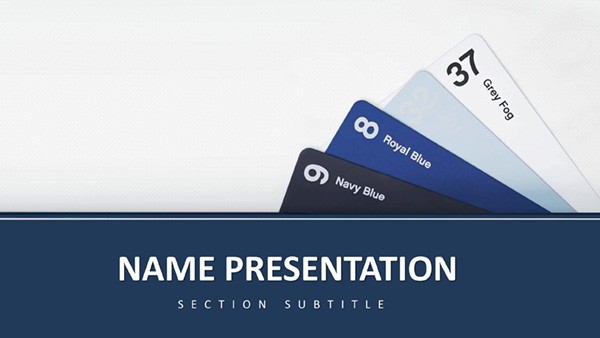 (163)
(163) Free Folders of New Ideas Keynote TemplateID: #KT03917free
 (338)
Abstract Geometric Keynote Template: Shape Your Data StoryID: #KT03910free
(338)
Abstract Geometric Keynote Template: Shape Your Data StoryID: #KT03910free (181)
Modern Networked Keynote Template for PresentationsID: #KT03909$8.00
(181)
Modern Networked Keynote Template for PresentationsID: #KT03909$8.00 (202)
Abstract Geometric Keynote Template: Sleek Designs for Impactful StoriesID: #KT03893free
(202)
Abstract Geometric Keynote Template: Sleek Designs for Impactful StoriesID: #KT03893free (402)
Free Modern Keynote Template: Craft Professional Presentations EffortlesslyID: #KT03889free
(402)
Free Modern Keynote Template: Craft Professional Presentations EffortlesslyID: #KT03889free (274)
Scientific Keynote Template - Download Free, PresentationID: #KT03886free
(274)
Scientific Keynote Template - Download Free, PresentationID: #KT03886free (290)
Binary Digital Code Keynote Template: Decode Your Data StoryID: #KT03877free
(290)
Binary Digital Code Keynote Template: Decode Your Data StoryID: #KT03877free (306)
Innovation Network Keynote Template - Download PresentationID: #KT03856$10.00
(306)
Innovation Network Keynote Template - Download PresentationID: #KT03856$10.00 (1)
Rainbow of Success Design Keynote TemplateID: #KT03829$10.00
(1)
Rainbow of Success Design Keynote TemplateID: #KT03829$10.00 (1014)
Business Consultation Keynote Template: Strategy MasteryID: #KT03818$12.00
(1014)
Business Consultation Keynote Template: Strategy MasteryID: #KT03818$12.00 (1026)
"Camouflage Military Keynote Template: Blend In, Stand Out Strategically"ID: #KT03724$12.00
(1026)
"Camouflage Military Keynote Template: Blend In, Stand Out Strategically"ID: #KT03724$12.00 (290)
Neural Network Keynote Template for Tech TalksID: #KT03645$10.00
(290)
Neural Network Keynote Template for Tech TalksID: #KT03645$10.00 (1188)
 Bamboo Grove Keynote Template for Tranquil PresentationsID: #KT03636$12.00
 (319)
Announcement Keynote Template: Renovation RevealsID: #KT03630$12.00
(319)
Announcement Keynote Template: Renovation RevealsID: #KT03630$12.00 (1120)
Books Learning Keynote Template: Knowledge IgnitionID: #KT03629$12.00
(1120)
Books Learning Keynote Template: Knowledge IgnitionID: #KT03629$12.00 (561)
Orbit Plasma Keynote: Finance Abstract SlidesID: #KT03628$12.00
(561)
Orbit Plasma Keynote: Finance Abstract SlidesID: #KT03628$12.00 (960)
Spiritual Abstractions Keynote Template: Crafting Ethereal PresentationsID: #KT03627$12.00
(960)
Spiritual Abstractions Keynote Template: Crafting Ethereal PresentationsID: #KT03627$12.00 (605)
Vibration Keynote Template: Ignite Your Abstract PresentationsID: #KT03472$12.00
(605)
Vibration Keynote Template: Ignite Your Abstract PresentationsID: #KT03472$12.00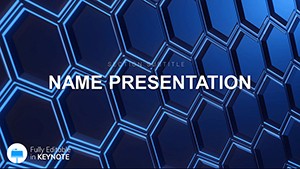 (1106)
Miracle Keynote Template: Where Creativity Meets WavesID: #KT03471$12.00
(1106)
Miracle Keynote Template: Where Creativity Meets WavesID: #KT03471$12.00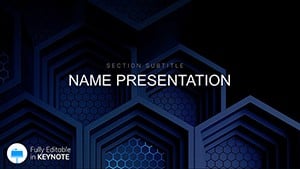 (840)
Design Presentation Keynote Template: Fuel Your Creative FireID: #KT03470$12.00
(840)
Design Presentation Keynote Template: Fuel Your Creative FireID: #KT03470$12.00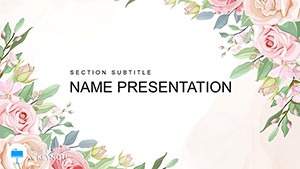 (413)
Congratulation Flowers Keynote Template: Let Your Milestones BloomID: #KT03453$8.00
(413)
Congratulation Flowers Keynote Template: Let Your Milestones BloomID: #KT03453$8.00 (142)
Luminescent Filaments Keynote Template: Glow of Digital CreativityID: #KT03436$12.00
(142)
Luminescent Filaments Keynote Template: Glow of Digital CreativityID: #KT03436$12.00 (582)
Structural lattice, Interconnection template | Keynote ThemesID: #KT02963$12.00
(582)
Structural lattice, Interconnection template | Keynote ThemesID: #KT02963$12.00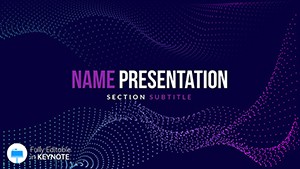 (137)
Download Light Breeze Keynote TemplateID: #KT02919$9.00
(137)
Download Light Breeze Keynote TemplateID: #KT02919$9.00 (485)
Abstract Fiery Wool Templates for Keynote PresentationID: #KT02918$10.00
(485)
Abstract Fiery Wool Templates for Keynote PresentationID: #KT02918$10.00 (1163)
Background Ornament Keynote templatesID: #KT02917$10.00
(1163)
Background Ornament Keynote templatesID: #KT02917$10.00 (581)
Pattern Flower Keynote Template: Download PresentationID: #KT02914$9.00
(581)
Pattern Flower Keynote Template: Download PresentationID: #KT02914$9.00 (270)
Galaxy Keynote Template: PresentationsID: #KT02846$12.00
(270)
Galaxy Keynote Template: PresentationsID: #KT02846$12.00
What Neutral Abstract Designs Actually Do in a Live Deck
These templates use shape and negative space to create breathing room. Unlike busy illustrative themes or heavy data charts, the abstract elements stay in the background. They support your message instead of competing with it.
In practice this means your key metrics, decision frameworks, or transformation steps sit in the foreground while soft geometric patterns or flowing lines quietly reinforce structure. I have used similar layouts when a client needed to explain organizational change to a skeptical leadership team. The subtle overlaps and gradients made the “before and after†feel connected rather than disjointed.
Real Executive Scenarios Where These Templates Made a Difference
A technology firm`s strategy lead presented a multi-year digital transformation plan. The abstract roadmap slide with gentle connecting arcs let the board see sequencing at a glance. No one asked for extra clarification slides that night.
During a merger integration briefing, the manager used layered comparison layouts. The neutral dividers kept both sides of the story visually balanced. The discussion moved from defensive questions to actual integration planning within the first 15 minutes.
An innovation director pitched new product concepts using idea cloud variants. The soft background shapes gave each concept its own space without colorful icons pulling focus. The team spent the meeting on feasibility instead of design feedback.
I once opened the Folders of New Ideas template for a creative strategy session. The clean pockets of space helped participants map initiatives without the usual clutter. By the end we had clearer prioritization than in previous workshops with more "designed" decks.
Choosing and Editing the Right Abstract Palette in Keynote
Most of these files rely on the slide master for consistency. Change the corporate colors once and every shape, line, and gradient updates across the deck. That alone saves hours when you are aligning materials from different team members.
Pay attention to grouping. Some abstract elements are grouped to keep proportions when you resize for different aspect ratios. Ungroup only when you need to remove or recolor individual pieces. The vectors stay crisp even after heavy editing.
When to Use This Collection vs Charts, Maps, or Other Categories
Reach for these neutral abstract Keynote templates when your story needs structure and breathing room more than raw data visualization. If you are presenting dense metrics or quarterly results, head to the Keynote chart templates instead. For geographic or location-based content, the Keynote maps templates will serve you better.
Use this category when the message itself carries the weight and you want the design to stay supportive. When the core is a named framework like a maturity model or portfolio analysis, these layouts keep the focus exactly where it belongs.
Technical Realities of Working with Abstract Shapes in Keynote
Keynote handles these vector shapes reliably. Animation builds usually sit on the text layers so the background does not steal attention during presentations. If you add more milestones to a timeline-style abstract layout, check the connector lines - they sometimes need manual adjustment to maintain even spacing.
When exporting to PDF, the transparency in overlapping gradients holds up well in recent Keynote versions. Test one slide early if your final deliverable must be a static PDF for board members who prefer printed decks.
What Makes This Collection Usable for Real Corporate Work
These templates avoid decorative fluff. Every shape is a native Keynote object, which means you can recolor, resize, or delete elements without breaking the file or losing quality. The collection offers both free and premium options, so you can test the style before committing to larger decks.
Honest limitation: if your presentation is almost entirely heavy charts or photos, these backgrounds may feel too minimal. In those cases a more data-oriented collection will save you time.
Need structured diagrams instead of open abstract space? See the Keynote diagram templates. For printed collateral, check the Word templates.
Ready to build the next concept deck without fighting the design? Download the layout that fits your story.
Can I add more elements to these neutral abstract layouts without breaking the design?
Yes, you can add shapes, text, or milestones safely in most cases because the backgrounds use native Keynote vectors and grouped master elements. For flow or timeline styles, check connector lines after adding items - they may need slight manual repositioning to keep even spacing. The slide master usually updates colors globally, so your additions blend in naturally.
How do the overlapping gradients behave when I resize the slide?
Keynote maintains the gradient transparency well during resizing thanks to vector construction. If you change from 16:9 to 4:3, grouped background elements usually scale proportionally. Ungroup only if you need to edit a single layer. Always test one slide first, especially before exporting to PDF for board packs.
Are these templates suitable for heavy data presentations?
They work best when your story needs breathing room and focus on logic. For dense charts and quarterly results they can serve as clean backgrounds, but you will get better results with dedicated chart layouts if numbers dominate the deck. Many users combine both collections successfully.
Do I need the latest version of Keynote to use these abstract templates?
They perform best on Keynote 12 and newer, especially for gradient overlaps and animation layering. Older versions still open the files but some advanced transparency effects may flatten. I recommend updating if you frequently export to PDF or share across teams.
Can these be used for client pitches or only internal meetings?
They work very well for client pitches because the neutral tone feels premium and focused. The clean abstract style avoids distracting from your proposal content. Several consultants I know use them for both internal alignment and external strategy presentations.
How do I change colors across the entire deck?
Edit the slide master - most templates are built so that updating theme colors propagates to all abstract shapes and lines automatically. This is one of the biggest time-savers when you inherit decks from different team members.


