
Holiday - Special Occasion Keynote Themes
Formerly known as holiday special occasion keynote templates - this collection now covers the full seasonal and milestone presentation range: Christmas and New Year business reviews, Valentine's Day campaigns, wedding planning decks, Easter programs, Black Friday promotions, and birthday or milestone presentations. Each template is a complete Apple Keynote file with a full slide set - title, agenda, data, timeline, and closing slides - not a single decorative background.
The category exists because seasonal presentations have a specific challenge that generic business themes don't solve: the visual register needs to match the occasion without undermining the data. A retail marketing manager presenting December campaign results to the executive team needs slides that reflect the season and still hold a revenue chart and a forecast table without looking like a greeting card. That balance - festive enough to feel intentional, structured enough to carry real content - is what these templates are designed for.
Browse the collection and download the theme that fits your next seasonal deadline.
 (357)
(357) Elegant Wedding Rings Keynote Template for Memorable MomentsID: #KT03785$12.00
 (465)
(465) Beautiful Wedding Invitations Keynote TemplateID: #KT03460$12.00
 (413)
(413) Congratulation Flowers Keynote Template: Let Your Milestones BloomID: #KT03453$8.00
 (85)
(85) Greeting Keynote Template: Welcome Your Audience to Memorable StoriesID: #KT03452$12.00
 (4)
Wedding Rings Bouquet Keynote Template: Romance in Every SlideID: #KT03451$12.00
(4)
Wedding Rings Bouquet Keynote Template: Romance in Every SlideID: #KT03451$12.00 (1065)
Merry Christmas and Happy New Year Wishes Keynote Template: Sparkle with Professional FlairID: #KT03413$12.00
(1065)
Merry Christmas and Happy New Year Wishes Keynote Template: Sparkle with Professional FlairID: #KT03413$12.00 (558)
Merry Christmas and Happy New Year Greetings Keynote Template: Weave Elegance into Every WishID: #KT03412$12.00
(558)
Merry Christmas and Happy New Year Greetings Keynote Template: Weave Elegance into Every WishID: #KT03412$12.00 (974)
New Year Greetings to Partners Keynote Template: Forge Bonds That EndureID: #KT03411$12.00
(974)
New Year Greetings to Partners Keynote Template: Forge Bonds That EndureID: #KT03411$12.00 (637)
Merry Christmas Keynote Template: Deck the Slides with Professional JoyID: #KT03410$9.00
(637)
Merry Christmas Keynote Template: Deck the Slides with Professional JoyID: #KT03410$9.00 (336)
Merry Christmas Keynote Templates: Spark Joy in Every SlideID: #KT03409$10.00
(336)
Merry Christmas Keynote Templates: Spark Joy in Every SlideID: #KT03409$10.00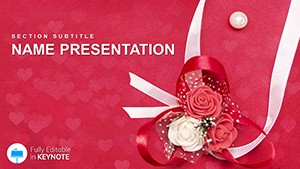 (650)
Wedding Greetings Keynote Template: Toasts That Touch HeartsID: #KT03389$12.00
(650)
Wedding Greetings Keynote Template: Toasts That Touch HeartsID: #KT03389$12.00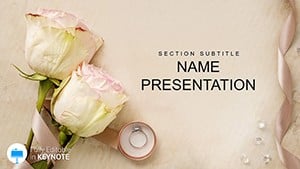 (245)
Wedding Keynote Template: Celebrate Love in Every SlideID: #KT03380$10.00
(245)
Wedding Keynote Template: Celebrate Love in Every SlideID: #KT03380$10.00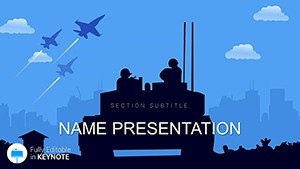 (1077)
Armed Forces Day Keynote template for PresentationID: #KT03221$12.00
(1077)
Armed Forces Day Keynote template for PresentationID: #KT03221$12.00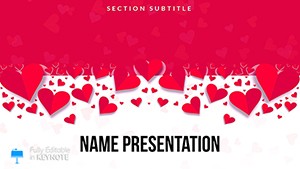 (560)
Valentine Messages Keynote TemplateID: #KT02906$12.00
(560)
Valentine Messages Keynote TemplateID: #KT02906$12.00 (288)
Captivating Valentine Greetings Keynote Template for Heartfelt PresentationsID: #KT02903$10.00
(288)
Captivating Valentine Greetings Keynote Template for Heartfelt PresentationsID: #KT02903$10.00 (812)
Valentines Day Special Keynote Template - Download Free PresentationID: #KT02895free
(812)
Valentines Day Special Keynote Template - Download Free PresentationID: #KT02895free (400)
Christmas Gifts Xmas Presents Keynote - Free Presentation TemplateID: #KT02860free
(400)
Christmas Gifts Xmas Presents Keynote - Free Presentation TemplateID: #KT02860free (85)
Christmas Presents Keynote Template - Download FreeID: #KT02859free
(85)
Christmas Presents Keynote Template - Download FreeID: #KT02859free (407)
Christmas Ornaments and Tree Toppers Keynote Template - Download FreeID: #KT02858free
(407)
Christmas Ornaments and Tree Toppers Keynote Template - Download FreeID: #KT02858free (649)
Free Christmas Tree Keynote Template and Background for PresentationID: #KT02857free
(649)
Free Christmas Tree Keynote Template and Background for PresentationID: #KT02857free (946)
Celebrate Christmas with Family Keynote Template - Download FreeID: #KT02856free
(946)
Celebrate Christmas with Family Keynote Template - Download FreeID: #KT02856free (959)
Free Christmas Tree Keynote Template for Memorable PresentationID: #KT02855free
(959)
Free Christmas Tree Keynote Template for Memorable PresentationID: #KT02855free (83)
Holiday Christmas Decorations Keynote Themes - Download Free TemplateID: #KT02854free
(83)
Holiday Christmas Decorations Keynote Themes - Download Free TemplateID: #KT02854free (778)
Stars Christmas Decorations Keynote Template - Download PresentationID: #KT02850$10.00
(778)
Stars Christmas Decorations Keynote Template - Download PresentationID: #KT02850$10.00 (965)
Festive Fireworks Keynote Template DownloadID: #KT02849$12.00
(965)
Festive Fireworks Keynote Template DownloadID: #KT02849$12.00 (536)
Christmas Sparkler In Haze Light Keynote TemplatesID: #KT02842$10.00
(536)
Christmas Sparkler In Haze Light Keynote TemplatesID: #KT02842$10.00 (75)
Download Black Friday Deals Keynote Template PresentationID: #KT02799$10.00
(75)
Download Black Friday Deals Keynote Template PresentationID: #KT02799$10.00 (663)
Balloons Background to Black Friday Keynote TemplateID: #KT02798$10.00
(663)
Balloons Background to Black Friday Keynote TemplateID: #KT02798$10.00 (887)
Black Friday Balloons Keynote Template - PresentationID: #KT02787$10.00
(887)
Black Friday Balloons Keynote Template - PresentationID: #KT02787$10.00 (438)
Birthday Keynote Template Happy Patty - Instant DownloadID: #KT02769$10.00
(438)
Birthday Keynote Template Happy Patty - Instant DownloadID: #KT02769$10.00 (135)
Easter Bunny Keynote templates, Holiday Presentation ThemesID: #KT02604$12.00
(135)
Easter Bunny Keynote templates, Holiday Presentation ThemesID: #KT02604$12.00 (148)
Easter Eggs Traditions Keynote Template - Download Free PresentationID: #KT02605free
(148)
Easter Eggs Traditions Keynote Template - Download Free PresentationID: #KT02605free (286)
Paint Easter Eggs Keynote templates - ThemesID: #KT02607$12.00
(286)
Paint Easter Eggs Keynote templates - ThemesID: #KT02607$12.00
Where seasonal Keynote templates actually get used in business settings
Holiday and event presentations span a wider range of professional contexts than people initially assume. The obvious ones - Christmas company updates, Valentine's campaigns - are only part of it.
A retail group's marketing director is presenting the Q4 holiday campaign performance to the board in early January. The deck needs to cover campaign reach, revenue versus target, channel breakdown, and next-year recommendations. Using a generic corporate Keynote theme in that meeting is technically fine. Using a theme that still carries controlled seasonal visual cues signals that the deck was built for this review - not repurposed from a Q2 operations report. The visual context tells the audience before slide two that this presentation is about the period they're discussing.
An HR director at a 500-person firm is building the annual New Year all-hands deck. The presentation covers the prior year's performance, recognition awards, the upcoming organizational changes, and an open Q&A structure. It runs to 30 slides. A New Year Keynote theme provides the tonal transition from year-end review to forward-looking goals without the HR team spending half a day on visual consistency across a deck that long.
A wedding planner is building the client proposal deck for a venue walk-through meeting. The proposal includes venue options, photography packages, catering menus, and a pricing summary. The client is evaluating three vendors. A polished wedding Keynote theme - structured for image placement, service descriptions, and a clean pricing table - gives the planner's proposal a level of finish that directly supports their case during that comparison.
A nonprofit communications manager is preparing the Easter fundraising pitch for the annual gala. The deck needs to tell the impact story, present the year's financial summary, and make the case for the giving campaign. A festive-but-serious template - one that carries seasonal warmth without diluting the data - lets the communications team present numbers and narrative together without one undermining the other.
Getting the festive-to-corporate balance right
The risk with any holiday template is misjudging the audience. A heavy Christmas visual treatment that works for a company party invitation looks wrong in a board performance review. The templates in this collection include options across that spectrum - from subtly seasonal (a muted color accent, a small icon cluster in the corner) to fully festive (full-bleed holiday imagery, bold seasonal palettes).
A practical rule: for internal presentations to senior leadership or clients, choose templates where the seasonal element is in the color palette and the opening slide only - not distributed across every data slide. For event programs, party invitations, and community-facing materials, the more expressive options are appropriate. Most templates in this collection follow the subdued approach by default, with the festive elements concentrated in the title and closing slides, leaving the middle slides available for charts and tables without visual competition.
What to check when customizing a holiday Keynote template
Before editing content, open the Slide Master view (View > Edit Master Slides) and identify which elements are locked to the master and which are editable on individual slides. Holiday templates often include decorative elements - snowflakes, floral borders, firework accents - embedded in the master background. If you need a clean data slide without those accents, the fastest approach is to duplicate the slide, open the master for that layout, and remove or mute the decorative layer there rather than trying to delete it from individual slides.
For image replacement, use Keynote's Format > Image > Replace Image command rather than deleting and inserting manually. This preserves the original crop mask and any applied image effects (vignette, border, reflection), which are usually calibrated for the template's proportions. Replacing the image file while keeping the mask intact saves the step of re-cropping and re-positioning on every slide where photos appear.
A technical note on animation in holiday Keynote themes
Several templates in this collection include build animations - typically on the title slide and closing slide where a festive graphic animates in. These are optional and can be disabled entirely in the Animate panel (View > Animate). For business presentations, especially those exported to PDF for distribution, animations should be removed before export: a PDF export of an animated Keynote slide captures only the final state of each animation, which may not be the layout you intend the reader to see. Check the Animate panel for each slide before exporting and disable any builds that leave the slide in a partially revealed state.
How this category connects to adjacent Keynote collections on the site
If your presentation straddles the festive and formal - a year-end company review that opens with a seasonal theme before moving into financial results - it's worth pairing a holiday opening slide from this collection with chart-heavy slides from the Business Keynote templates category, which provides board-ready data layouts. For general-purpose slide structures that carry seasonal color schemes without subject-specific imagery, the General Keynote templates collection offers neutral layouts that pair well with a holiday title slide. If you want to browse all Keynote themes together, the Keynote templates main collection covers every category in one view.
Download the holiday Keynote template that fits your event and open it directly in Apple Keynote.
Frequently Asked Questions
Can I use a Christmas Keynote template for a formal business year-end review?
Yes, but template selection within this category matters. Look for themes where the seasonal visual elements are concentrated in the title and closing slides, with neutral data-friendly layouts in the middle. Templates in this collection that include chart, timeline, and table slide layouts are the right choice for business reviews - the data slides give you clean editing space while the opening and closing slides carry the seasonal context. Avoid templates where bold holiday graphics appear on every slide, as these compete with chart readability in a formal review setting.
How do I convert a holiday Keynote template to PowerPoint for Windows colleagues?
Use Keynote's built-in File > Export To > PowerPoint function, which outputs a .pptx file. Text, shapes, and background fills convert reliably. The areas that sometimes require review after export are animation effects (Keynote builds don't always convert to PowerPoint animations faithfully) and any Keynote-specific image effects like reflections or vignettes, which may convert as flattened images rather than editable effects. For holiday templates that include decorative graphics as grouped shapes, those shapes typically survive the export as editable PowerPoint objects. Test the exported file on a Windows machine before a live presentation if the rendering needs to be exact.
What license applies - can I use these for a client event or commercial venue?
The standard license covers commercial use, including client events, venue presentations, and any professional context where you're presenting to an external audience on behalf of your organization or client. Event planners, wedding coordinators, marketing agencies, and retail teams all fall within standard commercial use. What's not permitted is reselling the original template files or including them in a template product you distribute to others. For very large-scale public events where the templates will be displayed to mass audiences, it's worth confirming with ImagineLayout's support team that your use case falls within the standard terms.
Will the fonts render correctly when I open the file on a different Mac?
Keynote does not embed fonts inside .key files. If the template uses a font that isn't installed on the Mac you open it on, Keynote substitutes a system font - which can alter heading sizes and text wrapping in ways that shift the layout. Most templates in this collection use fonts available on all recent macOS versions or widely distributed free fonts. Check the font names in the Format > Text panel when you first open the file, and confirm those fonts are on any machine you plan to use for delivery. If presenting on a machine you don't control (a venue Mac, a borrowed laptop), export to PDF beforehand to guarantee layout fidelity.
Do these templates include slide layouts for charts and data - or just decorative covers?
Most multi-slide templates in this collection include a full slide set: title, agenda, content, data chart, timeline, and closing. The data and timeline slides are built in Keynote's chart and table objects, which means figures are fully editable through the standard Keynote data editor - not locked as images. Single-slide or themed background templates (typically the lower-priced items in the collection) are optimized for decorative or cover use and may not include full data layouts. Check the slide count and the preview thumbnails in the product listing to confirm whether a specific template includes the data slide types you need before purchasing.


