
Construction Business Cards
These templates contain ready business card designs for Microsoft PowerPoint and Word built for the construction industry. A site manager preparing for a trade show can insert the company logo and contact details in minutes instead of recreating the layout from scratch.
The print-safe margins and bleed guides are already set so the cards look sharp when printed or shown on screen. Reach for these when the new project team needs cards before the next client meeting.
Download the file that fits your card size and open it in PowerPoint or Word.
 (102)
(102) Laying of Engineering Communications Business Cards: Built for PrecisionID: #BC01218$8.00
 (120)
(120) Professional Plumbing Business Card Template: Leak-Proof ImpressionsID: #BC01197$8.00
 (454)
(454) Robust Plumbing Tools Business Cards for ContractorsID: #BC01130$8.00
 (204)
Repairing Windows Business Cards: Professional Edge for Cleaning ProsID: #BC01018$8.00
(204)
Repairing Windows Business Cards: Professional Edge for Cleaning ProsID: #BC01018$8.00 (832)
Car 3D Drawing Business Card TemplatesID: #BC00978$10.00
(832)
Car 3D Drawing Business Card TemplatesID: #BC00978$10.00 (100)
Professional Car 3D Modeling Card DesignsID: #BC00977$9.00
(100)
Professional Car 3D Modeling Card DesignsID: #BC00977$9.00 (485)
(485) Notebook for Lesson Business Card TemplateID: #BC00888$12.00
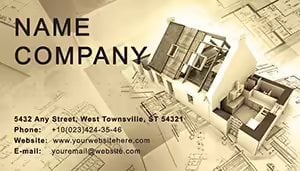 (671)
Professional House Plans Business Card TemplateID: #BC00869$12.00
(671)
Professional House Plans Business Card TemplateID: #BC00869$12.00 (1099)
Carpenter Measures Business Card Template: Precision in Every HandshakeID: #BC00656$12.00
(1099)
Carpenter Measures Business Card Template: Precision in Every HandshakeID: #BC00656$12.00 (1012)
Tool Repair Business Card Template: Wrenching Wins from Every ExchangeID: #BC00650$12.00
(1012)
Tool Repair Business Card Template: Wrenching Wins from Every ExchangeID: #BC00650$12.00 (475)
Custom Tape Measure Business Card TemplateID: #BC00649$5.00
(475)
Custom Tape Measure Business Card TemplateID: #BC00649$5.00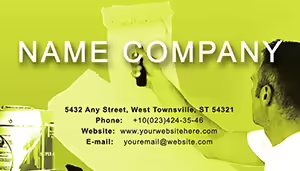 (327)
Apartment Repair Business Card Template - Customizable DesignID: #BC00648$10.00
(327)
Apartment Repair Business Card Template - Customizable DesignID: #BC00648$10.00 (1199)
Construction Tools Business Card TemplateID: #BC00646$12.00
(1199)
Construction Tools Business Card TemplateID: #BC00646$12.00 (137)
Repair Construction Business Card TemplateID: #BC00645$12.00
(137)
Repair Construction Business Card TemplateID: #BC00645$12.00 (958)
Professional Monitor and Networking Business Card TemplateID: #BC00350$5.00
(958)
Professional Monitor and Networking Business Card TemplateID: #BC00350$5.00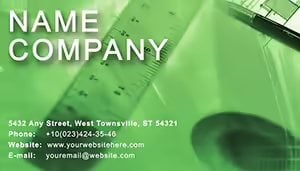 (16)
Modern Architecture Projects Business Card TemplateID: #BC00346$10.00
(16)
Modern Architecture Projects Business Card TemplateID: #BC00346$10.00 (918)
Renovated Apartments Business Card Template for RepairsID: #BC00332$10.00
(918)
Renovated Apartments Business Card Template for RepairsID: #BC00332$10.00 (464)
Art Drawing Lessons Business Card Template | ImagineLayoutID: #BC00325$5.00
(464)
Art Drawing Lessons Business Card Template | ImagineLayoutID: #BC00325$5.00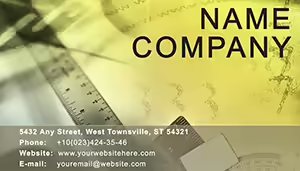 (104)
3-Panel Architectural Cards Ready for Print at $5 | ImagineLayoutID: #BC00276$5.00
(104)
3-Panel Architectural Cards Ready for Print at $5 | ImagineLayoutID: #BC00276$5.00 (581)
Project Management Business Card Template: Streamline Your Professional IdentityID: #BC00273$10.00
(581)
Project Management Business Card Template: Streamline Your Professional IdentityID: #BC00273$10.00 (259)
Paints Business Card Template: Color Your Professional WorldID: #BC00256$12.00
(259)
Paints Business Card Template: Color Your Professional WorldID: #BC00256$12.00 (641)
Technical Floor Plan Business Card DesignID: #BC00210$10.00
(641)
Technical Floor Plan Business Card DesignID: #BC00210$10.00 (90)
2-Panel Construction Paint Cards for $5 | ImagineLayoutID: #BC00178$5.00
(90)
2-Panel Construction Paint Cards for $5 | ImagineLayoutID: #BC00178$5.00
How do these business card templates remove the usual formatting headaches?
Margins, bleed lines, and alignment guides sit on the master so every card stays identical when you duplicate the slide or page for the full sheet.
What real construction situations make these templates the fastest option?
A project coordinator ordering cards for a new crew of twenty workers opens the file, swaps the logo, and sends the PDF to the printer the same afternoon.
Four construction moments where professional cards matter
A safety officer at a large site hands out cards during the subcontractor orientation. The clean layout and high-contrast text ensure the contact details are readable even after a day on site.
A bid manager at a trade fair swaps the project name on the card front. The template keeps the company branding intact so every conversation starts with trust.
An estimator meeting potential clients at the office uses the digital version in the proposal deck. The card slide matches the rest of the presentation style.
A foreman updating contact details after a company rebrand reprints the sheet using the same file. The bleed guides prevent white edges on the cut cards.
What you lose when you design cards without a template
You manually set bleed, align text blocks, and test print margins on every version. One misalignment on the final sheet wastes an entire print run and delays the team rollout.
Non-obvious step that guarantees print-ready results
After editing, convert the slide to PDF using the High Quality Print setting and check the crop marks in Acrobat. This catches any hidden overlap before you send the file to the printer.
Technical detail for PowerPoint and Word business cards
In PowerPoint the card objects must stay as grouped shapes to survive export to Word. In Word use the table cell for exact positioning - never float text boxes or the alignment shifts on different printers.
What makes this collection suited for construction teams
The designs focus on readability in harsh site conditions and quick updates when crews change. No decorative elements, just clear contact information and durable layout logic.
If your deliverable also needs data charts, pair these with PowerPoint chart templates. For geographic work see Africa PowerPoint maps templates or North America PowerPoint maps templates. Keynote users can combine with Keynote charts templates for mixed media client packets.
Download the construction business card layout that matches your current branding and get the team equipped.
Do these business card templates work for both print and digital use?
Yes, each file includes a print version with bleed and crop marks plus a digital slide version. The print PDF uses 300 dpi resolution while the digital version optimizes for screen sharing without quality loss.
Can I customize colors and logos for different crews?
Yes, the logo placeholder and color blocks are fully editable shapes. Duplicate the card, recolor, and save as a new version - the master layout stays intact for future updates.
Are the templates compatible with standard business card paper sizes?
Yes, layouts match Avery and standard 3.5 x 2 inch cards. The bleed guides are set for both US and EU cutting machines - simply choose the matching sheet layout before printing.
Is commercial use and team distribution allowed?
Yes, you may print and distribute the edited cards to your entire crew and clients. The original template file stays internal and is not shared outside the company.


