
Medicine - Pharma Business Cards
This collection includes medical and pharmaceutical business card templates designed for real client-facing use - clinics, private practices, labs, and pharma representatives who need clear, credible contact materials without overdesign.
A clinic administrator preparing new staff cards before a patient intake expansion doesn`t need decoration - they need legibility, hierarchy, and trust signals in a small format. These layouts prioritize name, role, specialization, and contact structure so nothing gets lost at 9pt font size.
Use these when you need cards that print cleanly and communicate clearly. Open, edit, and send to print - done.
 (898)
(898) Spiral Genome Business Card Template: Helix Your Professional HelixID: #BC01286$5.00
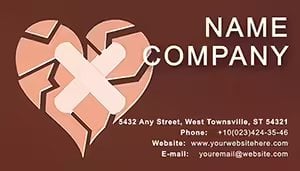 (988)
(988) Cracked Heart Business Card Template: Unveil Your BrandID: #BC01285$5.00
 (849)
(849) Phonendoscope Business Card: Medical Pro ImpressionsID: #BC01283$5.00
 (356)
Scientific DNA Helix Business Card TemplateID: #BC01259$8.00
(356)
Scientific DNA Helix Business Card TemplateID: #BC01259$8.00 (780)
Neurology Nerve Connection Business CardID: #BC01258$8.00
(780)
Neurology Nerve Connection Business CardID: #BC01258$8.00 (1181)
DNA Helix Business Cards: Precision Design for Medical ProfessionalsID: #BC01257$8.00
(1181)
DNA Helix Business Cards: Precision Design for Medical ProfessionalsID: #BC01257$8.00 (908)
Brain Neurons Business Card Template: Spark Connections in NeuroscienceID: #BC01256$8.00
(908)
Brain Neurons Business Card Template: Spark Connections in NeuroscienceID: #BC01256$8.00 (786)
(786) First Aid Business Card Template for HealthcareID: #BC01245$8.00
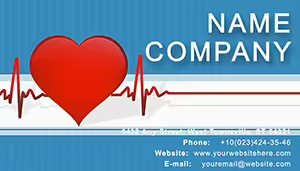 (953)
Heart Cardiogram Business Cards: Pulse-Pounding ProfessionalismID: #BC01224$8.00
(953)
Heart Cardiogram Business Cards: Pulse-Pounding ProfessionalismID: #BC01224$8.00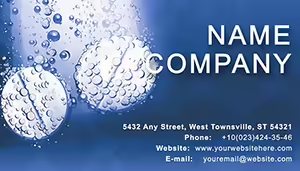 (1059)
Pharmacy Tablet Treatment Business Card TemplateID: #BC01101$8.00
(1059)
Pharmacy Tablet Treatment Business Card TemplateID: #BC01101$8.00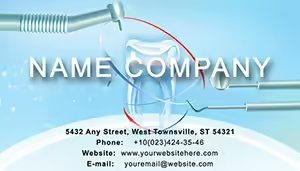 (650)
Dental Clinic: Tools and Tooth Business Cards TemplateID: #BC00950$10.00
(650)
Dental Clinic: Tools and Tooth Business Cards TemplateID: #BC00950$10.00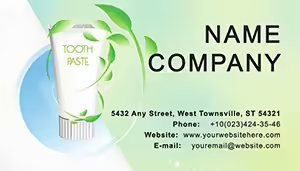 (731)
Toothpaste Business Card Template: Elevate Your Oral Care BrandID: #BC00949$10.00
(731)
Toothpaste Business Card Template: Elevate Your Oral Care BrandID: #BC00949$10.00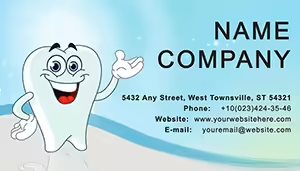 (1002)
Happy Tooth Business Cards Templates: Smile-Inducing DesignsID: #BC00948$12.00
(1002)
Happy Tooth Business Cards Templates: Smile-Inducing DesignsID: #BC00948$12.00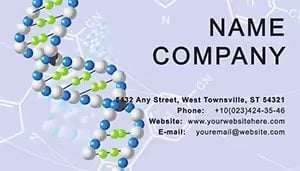 (225)
Structure Platinated DNA Business Cards Templates: Scientific PrecisionID: #BC00947$10.00
(225)
Structure Platinated DNA Business Cards Templates: Scientific PrecisionID: #BC00947$10.00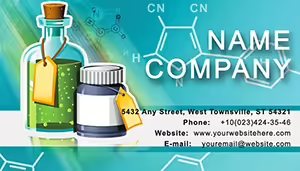 (840)
Chemical Reagents Business Cards Template: Precision for Pharma ProsID: #BC00944$10.00
(840)
Chemical Reagents Business Cards Template: Precision for Pharma ProsID: #BC00944$10.00 (369)
Creative Tablets Business Card Template: Design That Computes Your SuccessID: #BC00939$10.00
(369)
Creative Tablets Business Card Template: Design That Computes Your SuccessID: #BC00939$10.00 (772)
Pharmacy Tablets Business Card Template: Pill-Powered ProfessionalismID: #BC00938$12.00
(772)
Pharmacy Tablets Business Card Template: Pill-Powered ProfessionalismID: #BC00938$12.00 (786)
Tablets Business Card Template: Pill-Powered Design for Medical ProsID: #BC00901$12.00
(786)
Tablets Business Card Template: Pill-Powered Design for Medical ProsID: #BC00901$12.00 (106)
Laboratory Testing Business Card TemplateID: #BC00613$10.00
(106)
Laboratory Testing Business Card TemplateID: #BC00613$10.00 (727)
Chemistry Resources Business Card TemplateID: #BC00565$10.00
(727)
Chemistry Resources Business Card TemplateID: #BC00565$10.00 (1113)
Modern Pharmacy Business Cards: Pillars of Professional TrustID: #BC00449$10.00
(1113)
Modern Pharmacy Business Cards: Pillars of Professional TrustID: #BC00449$10.00 (681)
Professional Chemistry Warning Tablet Business CardID: #BC00348$10.00
(681)
Professional Chemistry Warning Tablet Business CardID: #BC00348$10.00 (833)
Healthcare Professional Business Card Template: Your Gateway to Trusted ConnectionsID: #BC00220$12.00
(833)
Healthcare Professional Business Card Template: Your Gateway to Trusted ConnectionsID: #BC00220$12.00 (79)
Patient Information Business Card Template: Empowering Healthcare ConnectionsID: #BC00195$12.00
(79)
Patient Information Business Card Template: Empowering Healthcare ConnectionsID: #BC00195$12.00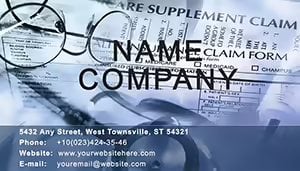 (384)
Hospital Treatment Business Card Template: Healing Through DesignID: #BC00190$10.00
(384)
Hospital Treatment Business Card Template: Healing Through DesignID: #BC00190$10.00 (306)
Premium Treatment Business Card Template for Healthcare ProfessionalsID: #BC00185$10.00
(306)
Premium Treatment Business Card Template for Healthcare ProfessionalsID: #BC00185$10.00 (434)
Cardiogram Business Card Template: Heartbeat of Professional NetworkingID: #BC00180$10.00
(434)
Cardiogram Business Card Template: Heartbeat of Professional NetworkingID: #BC00180$10.00
What actually matters on a medical business card (and what gets in the way)
Medical business cards fail in very predictable ways. Too many credentials stacked in one line. Contact details squeezed into the margins. Logos that overpower the name. In practice, the constraint isn`t design - it`s space. You`re fitting credibility, clarity, and accessibility into something smaller than a phone screen.
These templates work because they enforce a simple structure: name first, role second, contact third. Not clever, but it works. And in healthcare settings, that hierarchy matters more than visual flair. I`ve seen cards where the doctor`s name was harder to read than the clinic slogan - which defeats the whole point.
The layouts here keep spacing consistent even after edits, which sounds minor until you try adjusting text manually across multiple cards.
If you`re preparing cards for a new team or event, start with a layout that already respects those constraints. That`s the difference.
Real scenarios where these templates hold up
A private dentist expanding into cosmetic services needs updated cards before meeting new patients. The template choice isn`t about style - it`s about making the specialization visible without crowding the layout. These designs handle that by separating core role and specialty cleanly.
A pharmaceutical sales rep preparing for a regional conference needs something that survives quick exchanges - handed over, glanced at, and kept. In practice, bold name placement and simple color accents outperform anything complex. These templates lean into that. Works as-is.
Hospital HR teams ordering bulk cards for new hires face a different issue: consistency. When multiple people edit files, alignment usually breaks. Here, the grid system keeps things stable even after repeated edits. Slightly rigid, but that`s a good thing.
And then there`s the small clinic owner who just needs something that prints cleanly without trial and error. You drop in your data. Done.
Why these layouts print better than most downloads
Business cards live or die in print, not on screen. The templates here use safe margins, consistent padding, and color contrast that holds up when converted to PDF or sent to a print shop.
Honestly, the spacing is what makes them usable. Text doesn`t drift too close to the edges after editing - which is a common issue in generic files. And the font sizes are set with print reality in mind, not just visual balance on a monitor.
Also, most files are easy to adapt in Word without breaking alignment. That`s not always the case elsewhere.
When to use these instead of broader template categories
If you`re comparing options, this category is specific. Choose it when the audience expects medical credibility - patients, partners, or regulated environments.
If you need more general layouts without industry cues, start with standard business card templates. For document-heavy workflows like letterheads or reports, you`re better off in Word templates where branding extends beyond the card.
But for healthcare identity - names, roles, trust - this category is the right constraint. That`s the point.
Technical detail you`ll notice after editing a few cards
Most layouts rely on aligned text boxes rather than grouped shapes, which makes editing faster but still controlled. You can adjust one field without nudging everything else out of place.
The first time you open one, it might feel a bit locked-in. But once you change a few fields, the logic becomes obvious. And it saves you from fixing alignment manually later.
Oh, and the aspect ratio is standard print size - no resizing needed before export.
Why this collection works for real teams
These aren`t decorative layouts. They`re structured for repeated use - across departments, hires, or events. The consistency is what makes them actually useful in practice.
There`s no extra visual noise. No unnecessary graphics. Just enough design to carry identity without interfering with readability. That`s usually what teams need, even if they don`t say it directly.
Use them, adapt them, print them. That`s it.
FAQ
Can I edit these medical business card templates in Microsoft Word?
Yes, that`s actually the main use case. The files are set up so you can open them in Word, click into each field, and replace the text without dealing with complex layout tools. From experience, the alignment holds even after edits, which isn`t always true with downloaded templates. You might need to adjust font sizes slightly depending on name length, but overall it`s straightforward. Works fine.
Will these templates print correctly without extra setup?
Usually yes, but it depends a bit on your print provider. The layouts use standard dimensions and safe margins, so exporting to PDF and sending to a printer is typically enough. Just double-check bleed requirements if your printer asks for it. I always do a quick test print - saves surprises later.
Can I add more information, like multiple phone numbers or departments?
The short answer is yes, but you`ll need to be selective. These layouts are built around a clear hierarchy, so adding too much can break readability. I`ve seen this trip up even experienced users - they try to fit everything in. Better approach: prioritize the main contact and keep secondary info minimal. That`s basically it.
Are these suitable for pharmaceutical company representatives?
Yes - especially for conference or meeting use. The layouts keep branding subtle and focus on name and role, which is what people actually look at during quick exchanges. It`s not designed for heavy marketing messaging, but for identity and follow-up. That`s usually enough.
What kind of license applies to these templates?
It`s the same license most marketplaces use - one buyer, one project, commercial use included. You can edit and print as needed, but redistribution isn`t allowed. Nothing unusual here. Oh, and you can also export to PDF from there.


