
Construction Business Cards
This collection includes construction business card templates built for contractors, site managers, and small firm owners who need clear, durable contact cards that actually work on-site. The focus here is practical layout, not decoration. You get formats that keep phone, role, and services readable even after a few weeks in a pocket.
If you`re a project manager preparing for a client kickoff or a foreman handing details to subcontractors during a site walk, these cards solve a simple problem: fast recognition and no confusion. In practice, cards with tight hierarchy get used. The others get lost.
Browse and download a layout that fits your next client exchange. You`ll likely edit it once and reuse it across the team.
 (102)
(102) Laying of Engineering Communications Business Cards: Built for PrecisionID: #BC01218$8.00
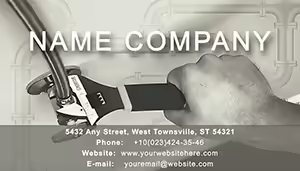 (120)
(120) Professional Plumbing Business Card Template: Leak-Proof ImpressionsID: #BC01197$8.00
 (454)
(454) Robust Plumbing Tools Business Cards for ContractorsID: #BC01130$8.00
 (204)
Repairing Windows Business Cards: Professional Edge for Cleaning ProsID: #BC01018$8.00
(204)
Repairing Windows Business Cards: Professional Edge for Cleaning ProsID: #BC01018$8.00 (832)
Car 3D Drawing Business Card TemplatesID: #BC00978$10.00
(832)
Car 3D Drawing Business Card TemplatesID: #BC00978$10.00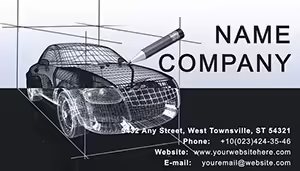 (100)
Professional Car 3D Modeling Card DesignsID: #BC00977$9.00
(100)
Professional Car 3D Modeling Card DesignsID: #BC00977$9.00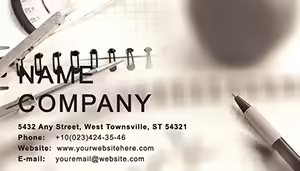 (485)
(485) Notebook for Lesson Business Card TemplateID: #BC00888$12.00
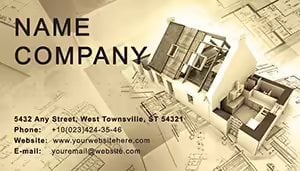 (671)
Professional House Plans Business Card TemplateID: #BC00869$12.00
(671)
Professional House Plans Business Card TemplateID: #BC00869$12.00 (1099)
Carpenter Measures Business Card Template: Precision in Every HandshakeID: #BC00656$12.00
(1099)
Carpenter Measures Business Card Template: Precision in Every HandshakeID: #BC00656$12.00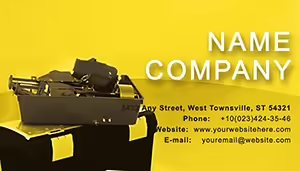 (1012)
Tool Repair Business Card Template: Wrenching Wins from Every ExchangeID: #BC00650$12.00
(1012)
Tool Repair Business Card Template: Wrenching Wins from Every ExchangeID: #BC00650$12.00 (475)
Custom Tape Measure Business Card TemplateID: #BC00649$5.00
(475)
Custom Tape Measure Business Card TemplateID: #BC00649$5.00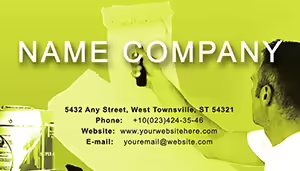 (327)
Apartment Repair Business Card Template - Customizable DesignID: #BC00648$10.00
(327)
Apartment Repair Business Card Template - Customizable DesignID: #BC00648$10.00 (1199)
Construction Tools Business Card TemplateID: #BC00646$12.00
(1199)
Construction Tools Business Card TemplateID: #BC00646$12.00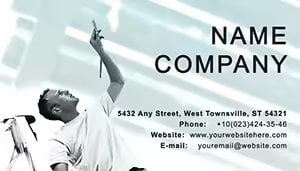 (137)
Repair Construction Business Card TemplateID: #BC00645$12.00
(137)
Repair Construction Business Card TemplateID: #BC00645$12.00 (958)
Professional Monitor and Networking Business Card TemplateID: #BC00350$5.00
(958)
Professional Monitor and Networking Business Card TemplateID: #BC00350$5.00 (16)
Modern Architecture Projects Business Card TemplateID: #BC00346$10.00
(16)
Modern Architecture Projects Business Card TemplateID: #BC00346$10.00 (918)
Renovated Apartments Business Card Template for RepairsID: #BC00332$10.00
(918)
Renovated Apartments Business Card Template for RepairsID: #BC00332$10.00 (464)
Art Drawing Lessons Business Card Template | ImagineLayoutID: #BC00325$5.00
(464)
Art Drawing Lessons Business Card Template | ImagineLayoutID: #BC00325$5.00 (104)
3-Panel Architectural Cards Ready for Print at $5 | ImagineLayoutID: #BC00276$5.00
(104)
3-Panel Architectural Cards Ready for Print at $5 | ImagineLayoutID: #BC00276$5.00 (581)
Project Management Business Card Template: Streamline Your Professional IdentityID: #BC00273$10.00
(581)
Project Management Business Card Template: Streamline Your Professional IdentityID: #BC00273$10.00 (259)
Paints Business Card Template: Color Your Professional WorldID: #BC00256$12.00
(259)
Paints Business Card Template: Color Your Professional WorldID: #BC00256$12.00 (641)
Technical Floor Plan Business Card DesignID: #BC00210$10.00
(641)
Technical Floor Plan Business Card DesignID: #BC00210$10.00 (90)
2-Panel Construction Paint Cards for $5 | ImagineLayoutID: #BC00178$5.00
(90)
2-Panel Construction Paint Cards for $5 | ImagineLayoutID: #BC00178$5.00
Why construction cards fail in real use, and what fixes it
Most construction cards look fine on screen and fail in the field. Text too small. Colors too light. Logos eating space. When I last worked on a contractor rebrand, half the issue was simple spacing. The number line wrapped. People stopped calling. Small thing, big consequence.
These layouts keep hierarchy obvious: name, role, phone. That order. The column alignment here actually saves you a lot of pain. You read it in one glance. That`s the job.
Download one version, print a test batch, and check it under daylight. That`s usually enough to validate.
Real situations where these layouts actually matter
You know that moment when the deck is due at 9am and you still need contact cards for the meeting pack. Different context, same pressure. A site supervisor meets a new client during a safety briefing. Gloves on, quick handshake. The card has to be readable instantly. No scanning, no guessing.
A subcontractor exchange. Three companies on one job. Cards get mixed. Clear color coding and consistent layout avoid mix-ups. I`ve seen crews call the wrong office because two cards looked identical. Not great.
And a small firm pitching for a residential project. The card reinforces the brand. Subtle, but real. Anyway, it adds up.
What to check before you send to print
Bleed and margins. Always. Keep text at least 3-4 mm from edges. Use solid backgrounds carefully. In practice, dust and wear reduce contrast. So push contrast higher than you think you need.
Fonts. Stick to two. One for name, one for details. Works as-is.
When to choose business cards vs other formats
If you need broader materials like brochures for property or project overviews, use brochure templates. For formal correspondence, go to letterhead templates. Cards are for quick exchange. That`s it.
And if you`re building a full presentation for a client pitch, start from PowerPoint templates instead. Different job, different format.
Why these templates beat starting from scratch
Alignment, spacing, and print-safe colors are already handled. That sounds basic. It isn`t. The first time you open the file, it feels like a lot. But once you get the logic, it becomes second nature. I`ve rebuilt cards from scratch more times than I`d like. This avoids that loop.
Also, consistent team rollout. Everyone uses the same structure. No drift.
FAQ
Can I edit all text and colors in the card templates?
Yes. In most cases everything is editable, including fonts, colors, and layout elements. You open the file, replace text, and adjust colors to your brand palette. From experience, the only thing to watch is font substitution if you don`t have the original font installed. Just swap it early and check spacing again. Works fine.
What file formats are included for printing?
Usually you get formats compatible with common editors like Word or vector files depending on the template. The short answer is you can export to PDF for print. Always check bleed settings before sending to the printer. Oh, and you can also export to PDF from there.
Can I share one purchase across my whole team?
It depends a bit on the license. It`s the same license most marketplaces use, one buyer, one project, commercial use included. If your whole team needs access, it`s safer to purchase per user or confirm extended terms.
Will the layout stay aligned if I change text length?
Usually yes, but longer names or titles can push spacing. Keep an eye on line breaks. I`ve seen this trip up even experienced users, but here`s the quick fix: reduce font size slightly or widen the text box. That keeps alignment intact without redesign.
Do these work with standard business card sizes worldwide?
Yes, most templates follow common sizes like 3.5x2 inches or equivalent. If you need a regional variation, you can adjust dimensions before printing. It`s a small tweak. Just remember to recheck margins after resizing.


