
Neutral - Abstract Business Cards
Formerly known as neutral abstract business cards templates - this collection now covers business card templates with neutral abstract geometric patterns.
A startup founder preparing trade-show collateral can swap contact details into the pre-set bleed areas without redesigning the layout from scratch.
Focus remains on professional first impressions. A freelance consultant or small business owner inserts logo and details and the composition stays balanced. Choose the file that fits your next print run.
 (1098)
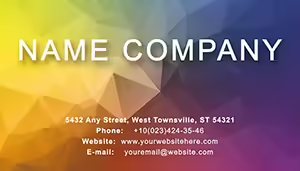
 Rhombus Business Card Template: Geometric EleganceID: #BC01282$5.00
 (347)
Vibrant Color Effect Business Card TemplateID: #BC01281$5.00
(347)
Vibrant Color Effect Business Card TemplateID: #BC01281$5.00 (1011)
 Professional Azure Business Card TemplateID: #BC01280$5.00
 (769)
(769) Professional Rhombus Business Card Template: Make Every Handshake CountID: #BC01279$5.00
 (333)
Green Sheets Business Card TemplateID: #BC01273$5.00
(333)
Green Sheets Business Card TemplateID: #BC01273$5.00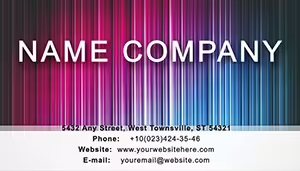 (911)
Vibrant Rainbow Fiction Business Card TemplateID: #BC01267$5.00
(911)
Vibrant Rainbow Fiction Business Card TemplateID: #BC01267$5.00 (935)
Aerial Illusion Business Card Template: Abstract Elegance for Creative MindsID: #BC01243$6.00
(935)
Aerial Illusion Business Card Template: Abstract Elegance for Creative MindsID: #BC01243$6.00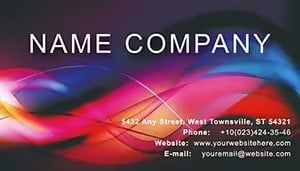 (702)
(702) Power Attention Abstract Business Card: Harness Focus in Every HandshakeID: #BC01240$8.00
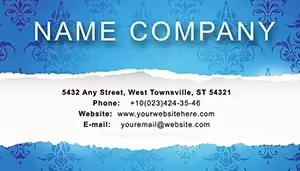 (541)
Torn Wallpaper Business Card: Rip into Remarkable First ImpressionsID: #BC01239$8.00
(541)
Torn Wallpaper Business Card: Rip into Remarkable First ImpressionsID: #BC01239$8.00 (539)
Purple Wallpaper Business Card Template: Weave Elegance into Every ConnectionID: #BC01229$8.00
(539)
Purple Wallpaper Business Card Template: Weave Elegance into Every ConnectionID: #BC01229$8.00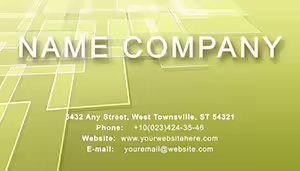 (159)
Green Tile Business Card Template: Modern Design for Professional ImpactID: #BC01220$6.00
(159)
Green Tile Business Card Template: Modern Design for Professional ImpactID: #BC01220$6.00 (496)
Stylish Green Lace Business Cards TemplateID: #BC01189$8.00
(496)
Stylish Green Lace Business Cards TemplateID: #BC01189$8.00 (418)
Purposefulness Business CardsID: #BC01187$8.00
(418)
Purposefulness Business CardsID: #BC01187$8.00 (571)
Dark Night Business Card Template: Sleek DesignID: #BC01167$6.00
(571)
Dark Night Business Card Template: Sleek DesignID: #BC01167$6.00 (296)
Water Basis of Life Business Card Template | ImagineLayoutID: #BC01166$6.00
(296)
Water Basis of Life Business Card Template | ImagineLayoutID: #BC01166$6.00 (702)
Festive Rain Abstract Business Card TemplateID: #BC01165$6.00
(702)
Festive Rain Abstract Business Card TemplateID: #BC01165$6.00 (1071)
Cosmic Glow Abstract Business Card DesignID: #BC01164$6.00
(1071)
Cosmic Glow Abstract Business Card DesignID: #BC01164$6.00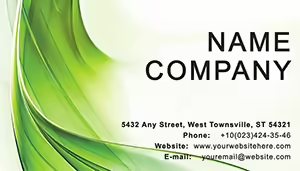 (350)
Green Curtain Abstract Business Card TemplateID: #BC01163$6.00
(350)
Green Curtain Abstract Business Card TemplateID: #BC01163$6.00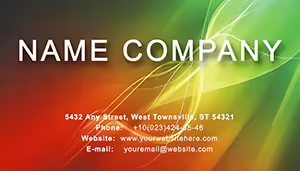 (626)
Spectacular Backdrop Abstract Business CardID: #BC01162$6.00
(626)
Spectacular Backdrop Abstract Business CardID: #BC01162$6.00 (126)
Stunning Waterfall Business Card Template DesignID: #BC01161$3.00
(126)
Stunning Waterfall Business Card Template DesignID: #BC01161$3.00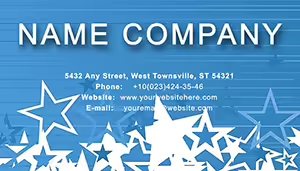 (1025)
Cosmic Star World Business Card Template for ArtistsID: #BC01155$8.00
(1025)
Cosmic Star World Business Card Template for ArtistsID: #BC01155$8.00 (1174)
Elegant High-End Business Card Template for LeadersID: #BC01154$6.00
(1174)
Elegant High-End Business Card Template for LeadersID: #BC01154$6.00 (814)
Serenity Business Card Template: Elegant & CustomizableID: #BC01153$6.00
(814)
Serenity Business Card Template: Elegant & CustomizableID: #BC01153$6.00 (18)
Epicenter of Events Business Cards Template: Power Your ConnectionsID: #BC01149$8.00
(18)
Epicenter of Events Business Cards Template: Power Your ConnectionsID: #BC01149$8.00 (247)
Numerical Code Business Card Template: Sleek Design for Modern ProfessionalsID: #BC01138$8.00
(247)
Numerical Code Business Card Template: Sleek Design for Modern ProfessionalsID: #BC01138$8.00 (305)
Green Linear Business Cards: Sleek Design for Tech InnovatorsID: #BC01137$6.00
(305)
Green Linear Business Cards: Sleek Design for Tech InnovatorsID: #BC01137$6.00 (494)
Abstract Bubbles Business Card Template: Flowing Designs for Modern ProfessionalsID: #BC01004$8.00
(494)
Abstract Bubbles Business Card Template: Flowing Designs for Modern ProfessionalsID: #BC01004$8.00 (854)
Burgundy Digital Encoding Business CardsID: #BC00954$12.00
(854)
Burgundy Digital Encoding Business CardsID: #BC00954$12.00 (1055)
Flying Arrow Business Cards Template DynamicID: #BC00951$10.00
(1055)
Flying Arrow Business Cards Template DynamicID: #BC00951$10.00 (1164)
Square Pointers Business Card Template: Direct Your Path to PerseveranceID: #BC00937$12.00
(1164)
Square Pointers Business Card Template: Direct Your Path to PerseveranceID: #BC00937$12.00 (881)
Elegant Indian Ornament Business CardsID: #BC00936$12.00
(881)
Elegant Indian Ornament Business CardsID: #BC00936$12.00 (280)
Stunning Indian Heritage Business CardsID: #BC00935$10.00
(280)
Stunning Indian Heritage Business CardsID: #BC00935$10.00 (362)
Red Grace Business Cards: Ignite Connections with Bold RedID: #BC00906$12.00
(362)
Red Grace Business Cards: Ignite Connections with Bold RedID: #BC00906$12.00
Why Geometric Abstraction Works for Business Cards
Traditional layouts often feel dated. These designs use overlapping shapes and subtle gradients to create depth while keeping text fully legible at business-card size.
Four Situations Where These Designs Made the Difference
A graphic designer attending a networking event swapped colors to match the client brief overnight. The vector layers allowed instant updates without quality loss.
A tech startup founder printed 500 cards for a conference. The bleed-safe margins and crop marks ensured every card cut perfectly on standard presses.
A marketing consultant updated contact information after a rebrand. The layered AI files let the logo and tagline move independently while the background geometry stayed intact.
A freelancer designing for multiple clients kept one master file and duplicated artboards for each brand palette in minutes.
Decisions You Skip When Starting from These Files
No time spent calculating safe text zones, setting 3 mm bleed on all sides, or testing print contrast ratios. The templates already solve those production details.
Practical Guidance for Print-Ready Output
Export each artboard as PDF with "Press Quality" settings and include crop marks. The geometric elements remain vector sharp at 300 dpi and colors convert accurately to CMYK.
Technical Tip for Editing in Adobe Illustrator
Keep the background layers locked and edit only the text and logo layers. This prevents accidental movement of the geometric base while you personalize each card.
Why These Business Card Templates Focus on Corporate Usability
They deliver maximum editing freedom in AI and PDF without unnecessary decorative layers. Every file is print-ready and works for both digital proofing and offset production.
When you need presentation slides instead of print cards see our PowerPoint shape templates. For data flows explore the PowerPoint diagram templates. For timeline visuals the Keynote timeline templates follow similar clean principles.
Open the design that matches your brand and update the contact fields.
FAQ
Are these business card templates print-ready?
Yes, every AI and PDF file includes 3 mm bleed, crop marks, and 300 dpi resolution. Colors are set to CMYK for accurate offset printing and the layers remain editable in Adobe Illustrator or Acrobat.
Can I use the files for both digital and physical cards?
The vector formats work for both. Export PDF for email signatures or social media and send the same file to the printer with no quality loss.
Do the templates support team sharing?
The license allows unlimited internal use. Multiple designers can open the AI files simultaneously on a shared drive and customize individual artboards.
What software is required?
Adobe Illustrator or any vector editor that opens AI files. The PDF versions open in Acrobat or Preview for quick text changes without full editing capability.


