3D Pie Keynote Charts - Fully Editable | ImagineLayout



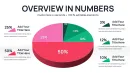
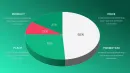
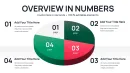


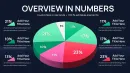



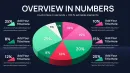

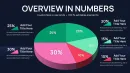
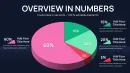
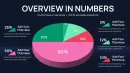

What is a Keynote diagram template? A Keynote diagram template is a pre-built .key file containing professional charts and visual elements ready for customization in Apple Keynote software.
36 3D Pie Charts: Full Contents
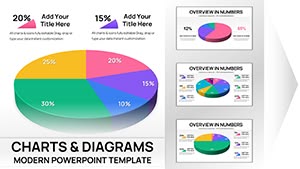
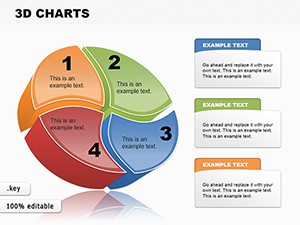
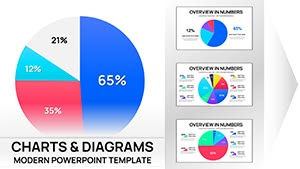
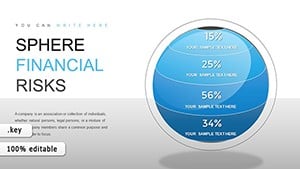
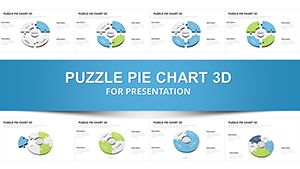
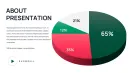
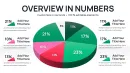
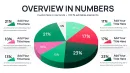
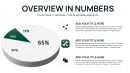
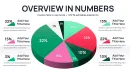
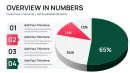
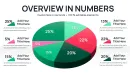
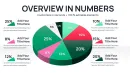
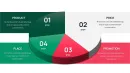
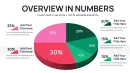
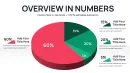
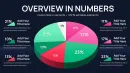
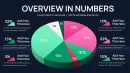
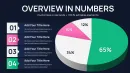
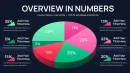
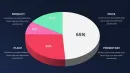
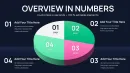
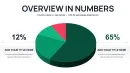
36 editable slides deliver a complete set of 3D pie charts designed for board meetings.
The collection supports data visualization where multiple layouts maintain consistent visual hierarchy and zone segmentation across every slide in your deck.
Compared to single-chart layouts this set delivers coordinated variations that suit strategy meetings and investor decks where quick insight matters most.
- 36 fully vector 3D pie chart slides
- Editable shapes and segment labels
- Ready-to-use .key master file
Editing Capabilities at a Glance
| Feature | Details |
|---|---|
| Slides / diagrams included | 36 3D pie charts |
| Diagram categories | Pie charts with 3D extrusion |
| Editable elements | Segments resize recolor and relabel independently |
| Color theme adjustments | Compatible with Keynote slide master palette |
| Label positioning | External labels with leader lines for small slices |
| Aspect ratio | 16:9 optimized for modern screens |
| File formats | .key for direct Keynote editing |
Real Board Meeting Scenarios
Three hours before the quarterly board meeting the executive summary slides still lacked clear proportion visuals for revenue breakdown.
A financial analyst at a mid-sized tech firm faced misaligned slices that slowed stakeholder understanding.
After opening the file the analyst updated data adjusted 3D depth and matched brand colors resulting in reduced per-session prep from 2 hours to 20 minutes.
Download and start editing immediately
From Download to Final Deck
Editing difficulty: Moderate.
Open the .key file and spend the first minute reviewing the slide master structure where global color changes happen in one place.
The most common mistake is editing individual slide fills directly instead of the master which saves 15 minutes of repeated work.
Once placeholders hold your data the export step depends on the destination audience so PDF works for distribution while the native file keeps full editability.
- Open the .key file in Keynote 12 or later (1 minute)
- Replace labels and data values in each pie chart (8 minutes)
- Apply color theme adjustments via the master (3 minutes)
- Review 3D perspective and export (2 minutes)
For teams exploring pie Keynote chart templates this workflow keeps every change aligned.
Why This Template Beats Building From Scratch
Creating 36 matching 3D pie charts manually demands 4 to 6 hours and solid Keynote skills to keep proportions and extrusion consistent.
Manual builds often produce mismatched slice angles poor label spacing and inconsistent flow direction that confuse audiences during live discussion.
The 3D extrusion in these pie charts serves a functional purpose beyond aesthetics - it creates visual weight that corresponds to percentage size making larger slices appear to pop forward so executives grasp budget dominance or market share at a glance before reading any legend.
- Time required drops from hours to minutes
- No advanced design skills needed
- Eliminates alignment errors across slides
Check similar 3D pie chart collections or standard pie chart layouts for additional variety.
Download and start editing immediately
Which Keynote versions does this template support?
The template works in Keynote 12 and all newer versions on macOS. Older versions may display reduced 3D effects or missing master overrides. Open the file directly in the latest Keynote release to access every editable segment and label layer. Test the file on your device before the meeting to confirm full compatibility.
How do I change the color scheme?
Open the slide master view then select the pie chart placeholder. Update the color palette once and every slide updates automatically. Individual overrides remain available for any slice that needs a unique accent. This approach keeps diagram structure intact while matching your brand colors in seconds.
What does the license allow?
The license permits both internal company use and paid client work. You may insert the charts into your own presentations and deliver them to customers. Reselling or redistributing the original .key file itself remains prohibited. Multiple team members can edit copies under the same single-user license.
What are the differences between free and paid versions?
This product is offered as a paid download only with no free tier available. The paid version provides the complete .key file containing all 36 editable 3D pie charts. Preview images show limited views only and do not include master layouts or full editability. Purchase unlocks immediate access to every slide and diagram connector adjustment.
What is the refund policy?
Refunds are available within 14 days if the file fails to open in your version of Keynote. Provide proof of the compatibility issue and the team will process the refund promptly. Refunds do not apply after the file has been downloaded and edited. All purchases remain final once the template has been successfully customized and used.
How do I update chart data?
Select any pie chart on the slide then click Edit Data in the chart inspector panel. Enter new values for each segment and Keynote recalculates proportions and 3D angles automatically. External labels update in real time without manual repositioning. Save the file after changes to keep all slides synchronized for your next board briefing.