3D Cubes Charts Keynote Template - Fully Editable 41 Slides | ImagineLayout






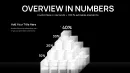









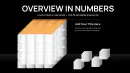





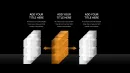





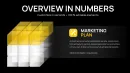
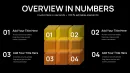
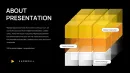




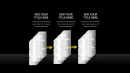






Download the 3D Cubes Charts Keynote Template with 41 editable slides featuring volumetric 3D cube designs. Perfect for Apple Keynote users needing professional data visualization for business presentations, reports and analytics. Instant .key download available now.
What's Included
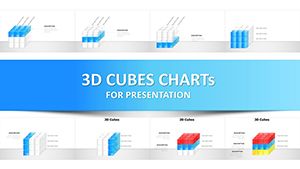
This Keynote template package delivers 41 fully editable slides built around volumetric 3D cube designs. The .key file is compatible with Apple Keynote and ready for immediate use. You receive a complete set of pre-designed slides focused on cube-based data representation. The product ID is KC01095, the price is $22, and the category is Keynote Charts with 3D and Cubes tags. This setup provides everything required for data-driven presentations without additional purchases.
File Specifications
The download contains one .key file with all 41 slides. Slides are organized for easy navigation and duplication. No additional fonts or assets are required as standard Keynote shapes are used. The template maintains full editability across every slide ensuring you can adapt the entire deck to your exact requirements in minutes rather than hours.
Key Features
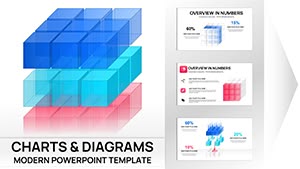
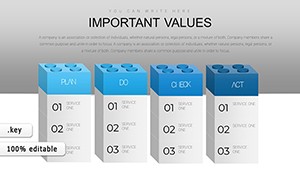
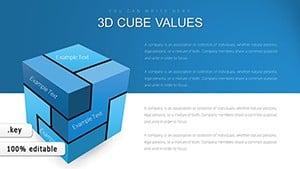
The template stands out with its collection of volumetric cube charts that effectively portray data relationships, scales, and proportions. Each slide allows full customization of cube colors, text labels, and data values through the Keynote Format inspector. The 3D perspective adds depth that flat charts cannot achieve. This focus on cubes across exactly 41 slides creates a unified visual language distinct from mixed-style templates.
| Feature | Benefit |
|---|---|
| 41 Editable Slides | Extensive variety for different data scenarios |
| Volumetric 3D Cubes | Visual depth for better audience engagement |
| .key Format | Native Keynote compatibility |
| Color Customization | Match your brand palette easily |
| Text Placeholders | Quick data updates |
| Professional Layouts | Ready for corporate presentations |
| Instant Download | Start working in under a minute |
The comparison shows clear advantages in speed and visual impact when using these 41 slides versus alternatives. Every feature is verifiable directly from the product specifications.
Professional Use Cases
A financial analyst at a manufacturing company used the stacked volumetric cube slides to present Q4 performance metrics to leadership. The 3D designs made it easy to compare department contributions and overall growth targets using the cube volumes. The presentation received positive feedback for clarity and visual impact leading to faster approval of next-quarter budgets.
Marketing managers in SaaS companies can utilize the proportion-based cube layouts when reporting campaign ROI across channels. The cube volumes help stakeholders quickly understand relative performance without complex explanations. A regional sales director at a logistics firm applied the same approach for territory expansion reviews resulting in clearer board-level discussions.
Sales and Strategy Presentations
Regional sales directors often choose these slides for territory performance reviews. Slide variations allow highlighting key markets using different cube arrangements. Consultants preparing client strategy decks benefit from the consistent 3D cube theme that keeps audiences focused on the numbers rather than the design.
How to Customize
Customization follows a simple workflow. Download and open the .key file in Keynote. Select any cube element on a slide. Use the Format sidebar to change fill colors, adjust opacity, or modify 3D rotation angles. Update all text placeholders with your specific data points. Duplicate slides to create consistent sequences for your deck. The entire process for adapting all 41 slides takes under an hour for most users.
For advanced edits, Keynote's shape tools let you resize individual cubes or groups to emphasize certain data points. The design maintains professional appearance across modifications. This concrete workflow eliminates the need to build 3D effects manually saving significant time while guaranteeing consistent results.
Why Choose This Template
Choosing this 3D Cubes Charts Keynote Template over building your own or using basic options saves hours of design time while delivering a unique visual style. The 41 slides provide more options than single-style alternatives available on the site. Unlike the related 3D Cube Infographics template with 42 slides or the 3D Triangles variants, this one focuses specifically on pure chart layouts using volumetric cubes. The design decisions emphasize volume and hierarchy making numerical data more tangible and easier to remember for audiences.
This template is particularly effective for users in the Apple ecosystem who want to maintain design quality without extensive graphic skills. The result is presentations that stand out in boardrooms and client meetings without extra effort.
Ready to transform your data presentations with 41 volumetric 3D cube slides?
Frequently Asked Questions
How do I edit the 3D Cubes Charts Keynote Template?
Editing is straightforward in Apple Keynote. Open the downloaded .key file and navigate to any of the 41 slides. Click on cube elements or text boxes to modify. Use the Format panel on the right to adjust colors, sizes, and 3D attributes. Replace placeholder data with your numbers and labels. Changes apply instantly and you can preview animations if added. This process typically takes minutes per slide allowing you to prepare an entire presentation quickly. The template preserves its professional structure even after extensive customization.
What software and version is required for this template?
The template is created specifically for Apple Keynote and comes as a .key file. It works best with recent versions of Keynote on Mac computers. While exact version compatibility is not listed, standard shape-based designs usually function in Keynote 10 and above. Users on older versions should test the file after download. The design relies on native Keynote tools so no third-party plugins are needed. This ensures smooth performance during editing and presenting.
Is this template suitable for commercial use?
Yes, the 3D Cubes Charts Keynote Template can be used for commercial projects and client work. Once purchased, you have the rights to incorporate the slides into your business presentations, reports, and client deliverables. The license covers internal company use and external presentations. Restrictions typically apply only to reselling the template files themselves as standalone products. Always review the specific license terms included with your download for complete details. This makes it ideal for consultants and agencies.
How many slides are in the 3D Cubes Charts template and what do they show?
The package includes exactly 41 editable slides. These slides feature a range of volumetric 3D cube configurations designed to visualize data relationships, scales, proportions, and comparisons. Different arrangements allow you to represent various dataset types. You can mix and match slides to build comprehensive data sections in your deck. The variety ensures you have options for different presentation needs without repetitive designs.
Can I change the colors and 3D effects in the cubes?
Full customization of colors and 3D properties is supported. Select any cube group or individual face and use Keynote's fill, border, and 3D rotation controls. You can match your company branding perfectly or create different themes for various sections. The volumetric appearance can be adjusted by changing perspective settings. Text color and font changes are also simple. These options give you complete control while keeping the professional integrity of the original designs.
What is the download process and refund policy?
After purchase, the .key file becomes available for instant download from your account. The process involves logging into ImagineLayout, locating your order, and downloading the zip or direct file. Most users receive access immediately. Regarding refunds, check the site policy as digital products often have limited refund windows. Contact support if you encounter any compatibility issues. The template is priced at $22 making it an affordable investment for recurring presentation needs.