
Industry - Production Word templates
Running an industrial or manufacturing operation means juggling production schedules, safety protocols, quality reports, and endless documentation. Creating these documents from scratch wastes valuable time your team could spend on the factory floor.
Our industry production Word templates give you professionally designed, fully editable documents tailored for manufacturing environments, logistics operations, warehouse management, and industrial workflows. From shift reports to equipment maintenance logs, these templates help you maintain consistent, professional documentation without the design headache.
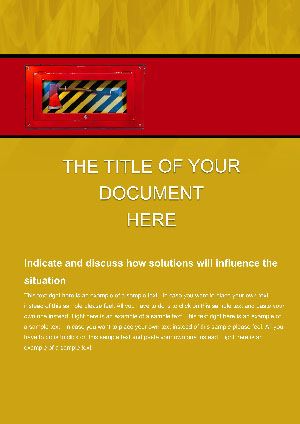 (380)
(380) Fire Ax Word Template: Forge Safety in Every DocumentID: #WT01509$11.00
 (1113)
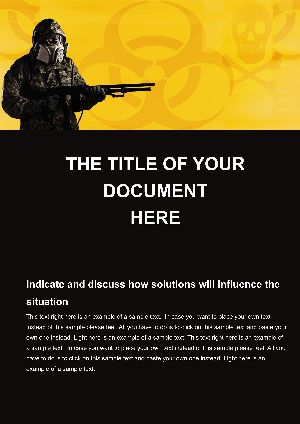
Chemical Weapon Word Template: Navigating Toxicity with ClarityID: #WT01418$12.00
(1113)
Chemical Weapon Word Template: Navigating Toxicity with ClarityID: #WT01418$12.00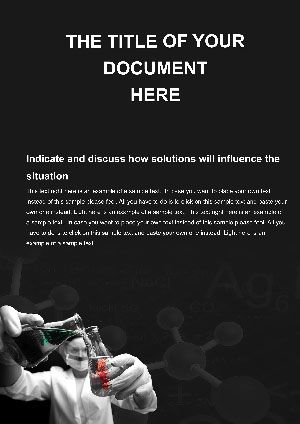 (135)
Search Harmful Chemistries Word Document TemplatesID: #WT01408$12.00
(135)
Search Harmful Chemistries Word Document TemplatesID: #WT01408$12.00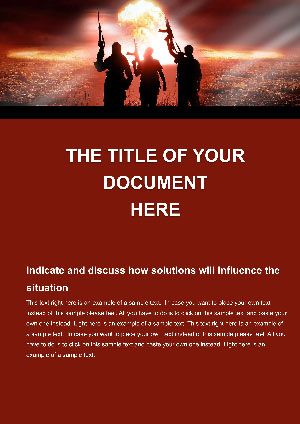 (168)
(168) Preventing Future Wars Word Template: Building Pathways to Lasting PeaceID: #WT01403$12.00
 (782)
(782) Murderous Weapon Word Template: Structure Legal Defense DocumentsID: #WT01391$8.00
 (973)
Military Fighter Word Template: Precision in Defense DocumentationID: #WT01383$10.00
(973)
Military Fighter Word Template: Precision in Defense DocumentationID: #WT01383$10.00 (1085)
Helicopter Gunships Word Template: Military PrecisionID: #WT01368$12.00
(1085)
Helicopter Gunships Word Template: Military PrecisionID: #WT01368$12.00 (1188)
Sniper Ambush Word TemplateID: #WT01358$8.00
(1188)
Sniper Ambush Word TemplateID: #WT01358$8.00 (1186)
Soldier Equipment Word TemplateID: #WT01357$12.00
(1186)
Soldier Equipment Word TemplateID: #WT01357$12.00 (1180)
Preparing Soldier Word TemplateID: #WT01356$8.00
(1180)
Preparing Soldier Word TemplateID: #WT01356$8.00 (1171)
 Special Forces Word TemplateID: #WT01355$8.00
 (1158)
Sniper Rifle Word Template: Craft Precision in Every DocumentID: #WT01354$10.00
(1158)
Sniper Rifle Word Template: Craft Precision in Every DocumentID: #WT01354$10.00 (1138)
Mortar Explosions Word Template: Ignite Clear CommunicationID: #WT01353$12.00
(1138)
Mortar Explosions Word Template: Ignite Clear CommunicationID: #WT01353$12.00 (311)
Packing Ammunition Word Template: Secure Your NarrativeID: #WT01352$12.00
(311)
Packing Ammunition Word Template: Secure Your NarrativeID: #WT01352$12.00 (938)
Shooter War Word Template: Charge Your Documents with IntensityID: #WT01351$10.00
(938)
Shooter War Word Template: Charge Your Documents with IntensityID: #WT01351$10.00 (206)
Warehouses and Industrial Word TemplatesID: #WT01063$8.00
(206)
Warehouses and Industrial Word TemplatesID: #WT01063$8.00 (262)
Excavators Earthworks Word Template: Pro BuildsID: #WT01056$10.00
(262)
Excavators Earthworks Word Template: Pro BuildsID: #WT01056$10.00 (840)
Rev Your Documentation with the Designer Engine Word TemplateID: #WT01039$12.00
(840)
Rev Your Documentation with the Designer Engine Word TemplateID: #WT01039$12.00 (1078)
Molecular Engineering Word Template Precision Documents | ImagineLayoutID: #WT01014$8.00
(1078)
Molecular Engineering Word Template Precision Documents | ImagineLayoutID: #WT01014$8.00 (1001)
Professional Faucet Plumbing Word Template: Flow into ExcellenceID: #WT01011$12.00
(1001)
Professional Faucet Plumbing Word Template: Flow into ExcellenceID: #WT01011$12.00 (570)
Industrial Factory Word Template for Production ExcellenceID: #WT00990$12.98
(570)
Industrial Factory Word Template for Production ExcellenceID: #WT00990$12.98 (151)
Mechanic at Work Word Template: Workshop EssentialsID: #WT00988$12.98
(151)
Mechanic at Work Word Template: Workshop EssentialsID: #WT00988$12.98 (102)
Aviation Word Template for Pilot BriefingsID: #WT00961$8.00
(102)
Aviation Word Template for Pilot BriefingsID: #WT00961$8.00 (417)
Platinated DNA Structure Word Template: Unravel Genetics with EleganceID: #WT00947$12.00
(417)
Platinated DNA Structure Word Template: Unravel Genetics with EleganceID: #WT00947$12.00 (827)
Chemical Investigation Word Template: Probe Deeper into ScienceID: #WT00946$14.00
(827)
Chemical Investigation Word Template: Probe Deeper into ScienceID: #WT00946$14.00 (1055)
Chemistry Teaching Word Template: Ignite Classroom CuriosityID: #WT00943$12.00
(1055)
Chemistry Teaching Word Template: Ignite Classroom CuriosityID: #WT00943$12.00 (451)
Molecular Structure Word Template: Building Blocks of Scientific ClarityID: #WT00942$12.00
(451)
Molecular Structure Word Template: Building Blocks of Scientific ClarityID: #WT00942$12.00 (1196)
Ampoule Chemistry Word TemplatesID: #WT00907$14.00
(1196)
Ampoule Chemistry Word TemplatesID: #WT00907$14.00 (662)
Laboratory Experiments Word Template: Document Discoveries SeamlesslyID: #WT00899$8.00
(662)
Laboratory Experiments Word Template: Document Discoveries SeamlesslyID: #WT00899$8.00 (249)
Free Molecule Structure Word Template | ImagineLayoutID: #WT00898free
(249)
Free Molecule Structure Word Template | ImagineLayoutID: #WT00898free (194)
Professional Chemistry Word Templates for ReportsID: #WT00897$12.00
(194)
Professional Chemistry Word Templates for ReportsID: #WT00897$12.00 (640)
Chemistry Flasks Word Templates for Lab DocsID: #WT00896$12.00
(640)
Chemistry Flasks Word Templates for Lab DocsID: #WT00896$12.00 (714)
Skyscraper City Word Template: Erecting Impressive Urban NarrativesID: #WT00835$12.00
(714)
Skyscraper City Word Template: Erecting Impressive Urban NarrativesID: #WT00835$12.00
Why Industrial Teams Choose Pre-Built Word Templates
Generic office templates don't speak the language of the production floor. Industrial and manufacturing professionals need documents that reflect the precision, safety standards, and technical requirements of their environment. Pre-designed Word templates bridge this gap by offering industry-appropriate layouts that you can customize in minutes rather than hours.
Whether you're documenting standard operating procedures, tracking inventory movements, or preparing audit reports, having the right template means faster turnaround, fewer formatting errors, and documents that actually look professional when shared with stakeholders, regulatory bodies, or clients.
Real-World Applications Across Manufacturing & Production
Production Planning & Scheduling
Production managers use these templates to create shift schedules, capacity planning documents, and production forecasts. Clean tables and structured layouts make it easy to communicate daily targets, resource allocation, and bottleneck analysis to both floor supervisors and executive teams.
Quality Control & Compliance Documentation
Quality assurance teams rely on structured templates for inspection checklists, non-conformance reports, corrective action plans, and audit preparation documents. Templates with built-in sections for findings, root cause analysis, and action items ensure nothing falls through the cracks during quality reviews.
Safety & Training Materials
Safety coordinators use templates to develop incident reports, hazard assessments, safety meeting agendas, and training documentation. Consistent formatting helps ensure critical safety information is communicated clearly and meets regulatory documentation requirements.
Maintenance & Equipment Management
Maintenance teams benefit from templates for preventive maintenance schedules, work order forms, equipment history logs, and downtime reports. Organized layouts help track service intervals, parts inventory, and equipment performance metrics efficiently.
Logistics & Supply Chain Documentation
Warehouse managers and logistics coordinators use templates for shipping manifests, receiving reports, inventory cycle counts, and supply chain status updates. Structured formats make data entry faster and help maintain accuracy in high-volume operations.
What Makes These Templates Different from Standard Word Docs
Starting with a blank Word document means making dozens of formatting decisions before you even begin writing content. Should tables have borders? What font size for headers? How should you structure multi-section reports? These decisions eat up time and often result in inconsistent documents across your organization.
Professional templates solve these problems by providing:
- Industry-appropriate color schemes and professional typography that reflect the technical nature of manufacturing work
- Pre-formatted tables, charts, and data sections designed for common industrial metrics and KPIs
- Logical document structures that guide you through completing reports, forms, and documentation systematically
- Branded placeholder sections you can customize with your company logo, colors, and specific requirements
- Ready-to-use headers, footers, and page numbering appropriate for multi-page technical documents
The result? Documents that look like they came from a professional design team, created in a fraction of the time.
Tips for Customizing Templates to Your Operation
Adapt the Structure, Keep the Flow
Templates provide excellent starting points, but your facility may have unique requirements. Feel free to add sections specific to your processes, but maintain the logical flow the template provides. If a quality report template includes executive summary, findings, analysis, and recommendations sections, keep that structure even as you adjust the specific content areas.
Incorporate Your Branding Consistently
Replace placeholder logos and adjust color schemes to match your company identity. Consistency across all production documents strengthens your professional image both internally and when sharing reports with external auditors, clients, or partners.
Create Master Templates for Recurring Documents
Once you've customized a template for a specific report type, save it as a master version. This ensures everyone on your team uses the same format for weekly production summaries, monthly safety reports, or quarterly inventory analyses. Consistency makes document review faster and helps identify trends across reporting periods.
Use Styles for Easy Updates
Take advantage of Word's built-in styles feature. If your template uses specific heading styles, you can update the formatting across your entire document instantly by modifying the style definition rather than reformatting each section individually.
Common Mistakes to Avoid When Using Document Templates
Even with great templates, some common pitfalls can reduce their effectiveness. Watch out for these issues:
- Leaving placeholder text in final documents - Always do a final review to ensure you've replaced all sample content with your actual data
- Over-customizing to the point where the template's design advantages disappear - Make targeted changes rather than rebuilding everything
- Ignoring print settings - If you'll print documents, verify page breaks and margins work for physical copies, not just screen viewing
- Forgetting to update dates and version numbers - Templates often include these fields; make sure they reflect the current document
- Not saving customized versions properly - Use clear file naming conventions so you can find the right template quickly next time
Building a Template Library for Your Facility
Smart manufacturing organizations don't just use templates - they build libraries of customized templates for their most common documentation needs. Start by identifying your top 10-15 most frequently created documents, then develop or download templates for each. Store them in a shared location where your team can access them easily.
This approach creates massive time savings over months and years while ensuring brand consistency and professional quality across all production documentation.
Ready to streamline your industrial documentation? Browse our collection of production-focused Word templates and find the perfect starting point for your next report, form, or procedure document.
Frequently Asked Questions
Can I edit these Word templates to match our company's specific production processes?
Absolutely. All templates are fully editable in Microsoft Word. You can modify sections, add your company branding, adjust tables and charts, change color schemes, and customize any element to fit your facility's specific workflows and documentation requirements.
Do these templates work with both newer and older versions of Microsoft Word?
Most templates are compatible with Word 2010 and later versions. Some advanced formatting features may require Word 2016 or newer. If you're using an older version and encounter compatibility issues, you can typically adjust formatting elements manually while keeping the overall structure intact.
Are these templates suitable for ISO audit documentation?
Many templates include structures commonly required for quality management system documentation and audit reports. However, you should customize them to meet your specific ISO standard requirements and ensure they align with your organization's documented procedures and audit protocols.
Can multiple team members use the same template without licensing issues?
Template licensing varies by source. Generally, once you download a template, you can share it within your organization and multiple team members can create documents from it. Check the specific license terms for commercial or redistribution restrictions.
How do I prevent team members from accidentally changing the master template?
Save your customized master templates in a protected or read-only folder. When team members need to use a template, they should copy it to their working directory or use the Save As function to create a new document, preserving the original template for future use.


