How to Create a Financial Presentation That Makes Numbers Clear
Learn how to create a financial presentation that turns complex numbers into a clear story using the right structure, charts, and PowerPoint visuals.
Design tips, tutorials, product updates, and industry insights.

Learn how to create a financial presentation that turns complex numbers into a clear story using the right structure, charts, and PowerPoint visuals.
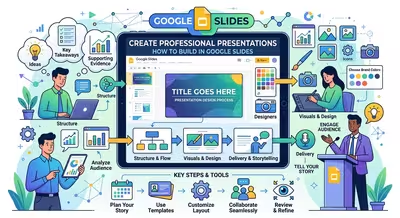
A practical workflow for turning raw information into a professional Google Slides presentation with clear structure, controlled visuals, and stronger delivery.
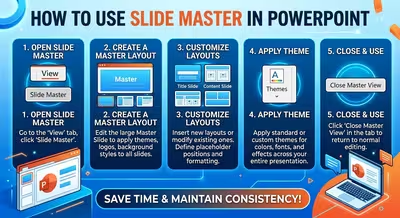
Learn how to use Slide Master in PowerPoint to control layouts, placeholders, typography, and recurring elements without rebuilding every slide manually.
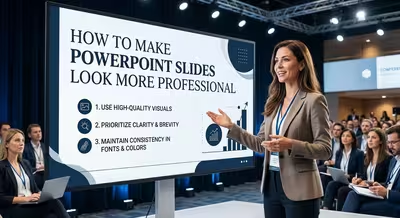
Make PowerPoint slides look more professional with practical advice on hierarchy, typography, spacing, images, charts, color, and reusable layouts.

Learn how to create a PowerPoint template from scratch using Slide Master, custom layouts, theme settings, placeholders, and reusable design rules.
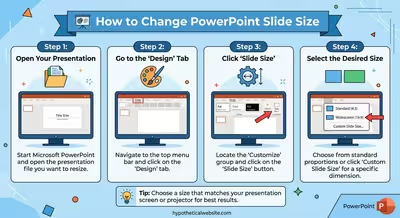
Need to change your PowerPoint slide dimensions? Learn how to switch to 16:9, 4:3, or custom size and protect your existing layout.

You can build a professional presentation without PowerPoint or Google Slides by separating the story, design system, production tool, and delivery format.
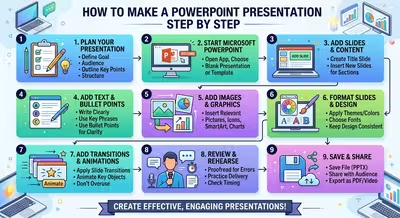
A practical step-by-step workflow for turning a blank PowerPoint file into a clear, structured, presentation-ready deck without redesigning everything twice.

A practical way to build PowerPoint slides that remain readable and visually balanced when presented in both dark and light environments.