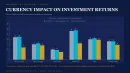
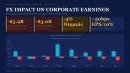
Currency Exchange Rate Differences PowerPoint Template 2026 - Analysis Charts

5
16 ratings
Currency Exchange Rate Differences PowerPoint Template 2026 - Analysis Charts - Slide







thumbnail slide #0
thumbnail slide #1
thumbnail slide #2
thumbnail slide #3
thumbnail slide #4
thumbnail slide #5
thumbnail slide #6
thumbnail slide #7
thumbnail slide #8
thumbnail slide #9
thumbnail slide #10
thumbnail slide #11
thumbnail slide #12
thumbnail slide #13
thumbnail slide #14
thumbnail slide #15
thumbnail slide #16
thumbnail slide #17
thumbnail slide #18
thumbnail slide #19
thumbnail slide #20
thumbnail slide #21
thumbnail slide #22
thumbnail slide #23
thumbnail slide #24
thumbnail slide #25
thumbnail slide #26
thumbnail slide #27
thumbnail slide #28
thumbnail slide #29
thumbnail slide #30
thumbnail slide #31
thumbnail slide #32
thumbnail slide #33
thumbnail slide #34
thumbnail slide #35
thumbnail slide #36
thumbnail slide #37
thumbnail slide #38
thumbnail slide #39
thumbnail slide #40
thumbnail slide #41
thumbnail slide #42
thumbnail slide #43
thumbnail slide #44
thumbnail slide #45
thumbnail slide #46

Type: PowerPoint Charts template

Category: Analysis

Sources Available: .pptx

Product ID: PC01136

Template incl.: 47 editable slides
Purchase this template

$ 15.00

How currency exchange rate differences affect global financial performance

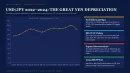
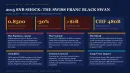
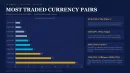
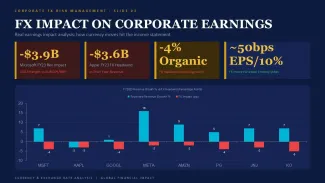
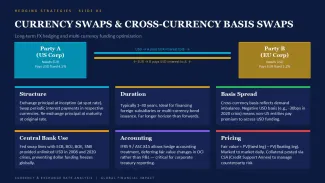
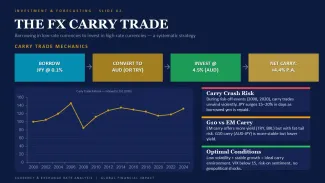
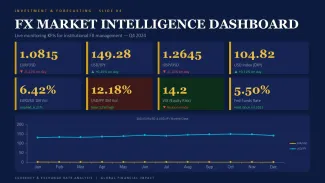
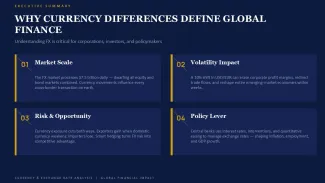
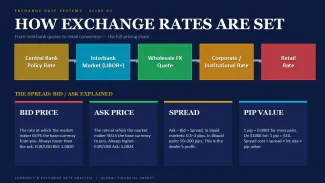
The thing about currency exchange rate differences is they hit every multinational operation sooner or later. A finance manager prepping the quarterly board deck at 9am knows this pain. One slide needs to show how a 12% shift in EUR/USD changed margins last quarter. These 47 slides give you layouts that already handle paired comparisons, trend overlays and impact breakdowns.

When I opened templates from this collection for a client quarterly review, the column alignment held even after swapping in new monthly data. Basically the structure survives real edits. In practice the side-by-side rate comparison slides make variance obvious without forcing extra explanation.

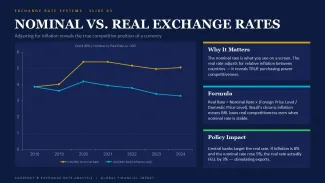
This set works for analysts and treasury teams who need to explain forex exposure. Not every visual type does that cleanly. Line charts here track movement over time while bar sets show regional differences in one view.

Editing experience with these exchange rate analysis slides

First time you open the slide master it looks busy, but the color system is straightforward once you see it. You know that moment when the deck is due soon and the summary slide still looks messy - this is exactly that moment. Duplicate the slide, drop your numbers in the embedded data sheet, adjust two labels. Done.

Honestly the column alignment here is what makes it actually usable. And the aspect ratio is 16:9 by default. But they are not ideal for highly interactive dashboards. For static board reviews they do the job.

Choose this over generic diagram packs when numbers and rates drive the story. Generic shapes won't give you the data-linked behavior these have.

FeatureDetails
Slides / diagrams47 editable slides focused on rate comparisons, impact bars, trend lines and paired financial visuals
File format.pptx - opens directly in current PowerPoint versions
Software versionPowerPoint 2016+ with native chart objects for easy data updates
Color schemesMultiple variants switchable via theme colors or direct master edits without breaking layouts
Editable elementsData sheets update linked charts automatically; individual bars, lines and labels resize and recolor independently
Aspect ratio16:9 standard - holds proportions when resized in widescreen decks
Best used forcurrency exchange rate differences PowerPoint template in treasury reports, forex risk updates and global performance reviews

analysis PowerPoint chart templates

Are these currency exchange rate differences PowerPoint template slides compatible with PowerPoint 365 and older versions?

They work in PowerPoint 2016 and newer including 365. In most cases formatting stays solid. Older versions may need minor font or spacing tweaks. Honestly the native charts behave best in recent releases. From experience test the main comparison slides first before the full deck.

How to change colors via slide master in these exchange rate analysis slides?

So basically go to View > Slide Master. The top master controls the main palette. Update the theme colors there and most elements pick them up automatically. For stubborn grouped objects you select and recolor manually. The system is straightforward once you do it once. First time it looks like a lot but it speeds up later decks.

What is the license for client work with this template?

Standard single-use commercial license. You can use and adapt the slides in client projects after purchase. Usually yes you deliver the final presentation. Sharing the raw .pptx file outside your team is not allowed. Check the exact terms at checkout but this matches typical marketplace rules.
What are the free vs paid differences?

This is a paid template at $15. No free lite version. Paid gives you the full 47 slides with editable charts and master layouts. Free options on the site are usually much smaller or different categories. In most cases the investment pays off if you present currency topics regularly.

Best charts for presenting currency volatility and exchange rate risks

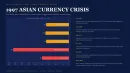
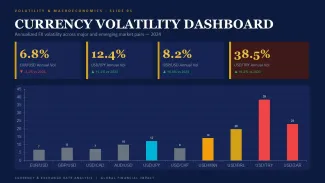
Usually the paired bar and line overlay slides work best here. They show rate movement against financial outcomes clearly. But it depends on your use case - too many series and it gets crowded. From experience splitting across two slides keeps things readable. Oh and always duplicate before heavy changes.

See more in Analysis PowerPoint Chart →