Revenue Expense Dynamics Charts - Editable PPTX | ImagineLayout
Type: PowerPoint Charts template
Category: Analysis
Sources Available: .pptx
Product ID: PC01116
Template incl.: 10 editable slides
Revenue Expense Dynamics Charts
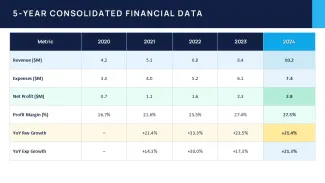
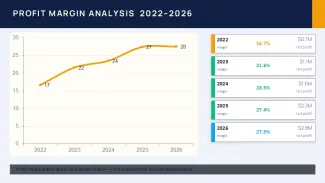
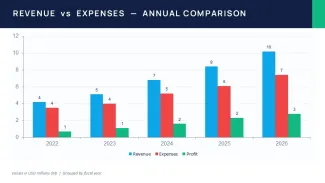
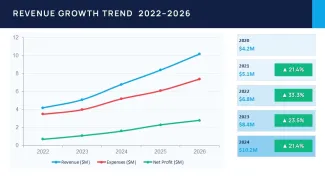
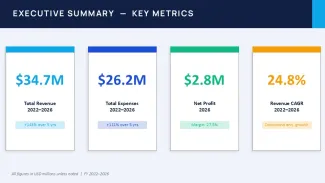
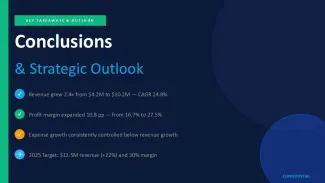
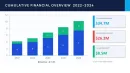
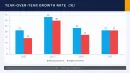
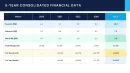
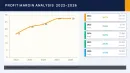
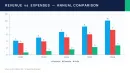
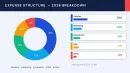
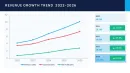
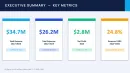
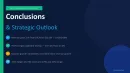
The file has 11 slides that focus on revenue and expense numbers. You see the profit margin analysis table for 2022-2026 and the big 5-year consolidated data with all the metrics like revenue growth and YoY changes. Plus those text slides that sum up the efficiency gains and the 2025 targets. You drop in your data and it works as-is.
And the tables use a horizontal layout so you can scan the years side by side without hassle. Spacing is decent, nothing crowded even if you tweak the text a bit.
It's a PPTX file so PowerPoint 2016 plus is all you need. The paid version gives you everything while the free one is just for checking things out.
honestly, the horizontal alignment here is what makes it actually usable when you're dealing with time series data like this. But the color switching is slightly confusing the first time, but once you find the slide master it takes under a minute.
You know that situation when the deck is due tomorrow - this is exactly when you grab something like this for the financial review. Financial analysts preparing reports use it a lot for showing trends.
The setup supports analysis on operational leverage and where margins are improving over the years. Not ideal for if you want advanced chart types but it shines with tabular financial stuff. I circled back to the profit margin part because it really demonstrates the leverage nicely.
Oh, and the aspect ratio is 16:9 by default.
The consolidated data tables are genuinely well-structured - the columns line up perfectly for quick scanning without any crowding. If your team regularly presents financial updates, this set covers most of what you'll need without any redesign.
Honestly, I just opened it, changed the colors, and it looked fine. Took maybe five minutes. The color system is one of the better-built parts - one change in the master and the whole deck updates. That alone saves real time.
For anyone who presents quarterly reviews or stakeholder updates, this gives you a solid starting point that doesn't look generic. One thing I noticed - the tables don't feel crowded even when you add more text than you probably should. Anyway, that's about it for the visuals.
Download and start editing immediately
| Feature | Details |
|---|---|
| Slides/diagrams | 11 slides with profit margin and consolidated financial tables |
| File format | .pptx |
| Software version | PowerPoint 2016+ |
| Color schemes | Adjust in slide master for full deck update |
| Editable elements | Tables and text elements resize and recolor independently |
| Aspect ratio | 16:9 |
| Free vs Paid | Paid unlocks full editable access; free offers limited preview |
| Masters/Backgrounds | 1 master slide for consistent changes |
How do I change the colors in the template?
So basically you go to the View menu, click Slide Master, pick the colors you want and it applies across all slides automatically. It takes under a minute once you know the spot. Works fine.
Does the license allow client work?
It's the same license most marketplaces use - one buyer, one project, commercial use is fine as long as you don't redistribute the template files themselves. Usually yes for client presentations you create but depends a bit on the exact terms.
What are the free vs paid differences?
The short answer is the paid version gives you the complete 11 slides fully editable with no restrictions while the free version is mostly a preview or has some limitations on editing. In practice you want the paid one if you're going to use it for real projects. That's basically it.
What are the refund conditions?
Refunds are possible if the template doesn't open or work on your software but you need to reach out to support within the policy window. They handle it case by case. Oh, and you can also export to PDF from there.
Is it compatible with PowerPoint 2016/2019/365/Mac?
It runs on PowerPoint 2016, 2019 and 365 versions on Windows and the Mac versions too in most cases. But in a real project this is a must to check your specific setup first since slight differences can pop up. No big issues there though.