Marketing Mix PowerPoint Charts - 47 Editable Slides for Strategy Presentations | Download Now


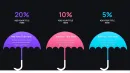
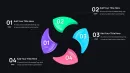
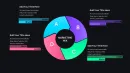
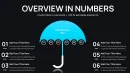


Type: PowerPoint Charts template
Category: Matrix, Business Models
Sources Available: .pptx
Product ID: PC01108
Template incl.: 47 editable slides
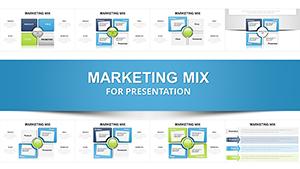
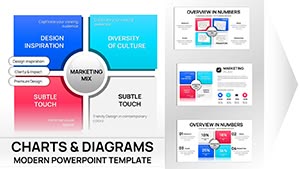
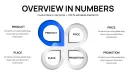
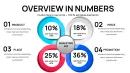
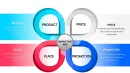
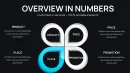
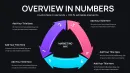
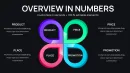
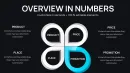
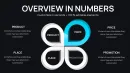
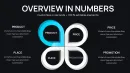
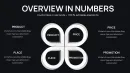
Marketing Mix PowerPoint Charts Template with 47 editable slides addresses the challenge of presenting complex marketing strategies to stakeholders who demand clarity and visual rigor. When leading quarterly business reviews or investor presentations, marketing leaders need more than bullet points - they need structured frameworks that communicate how Product, Price, Place, and Promotion work together. This comprehensive template delivers professional slide layouts for executive decks, strategic planning sessions, and client presentations where frameworks translate into actionable insights.
Extended Framework Coverage Across 47 Slides
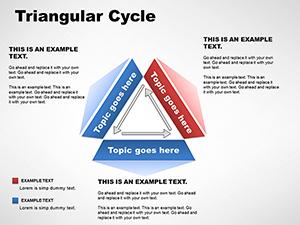
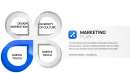
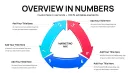
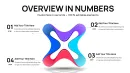
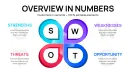
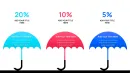
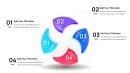
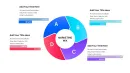
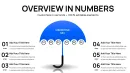
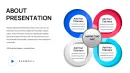
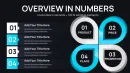
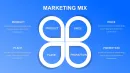
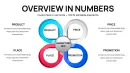
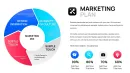
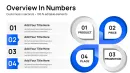
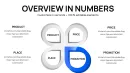
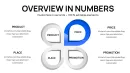
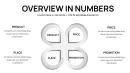
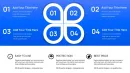
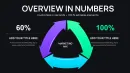
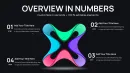
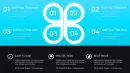
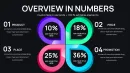
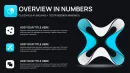
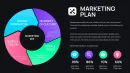
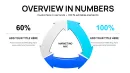
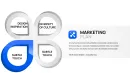
This expanded collection provides the most comprehensive visual treatment of marketing models available. Beyond the standard 4Ps, you get extensive coverage of the 7Ps framework (adding People, Process, Physical Evidence) critical for service industries. Multiple slide designs present the same framework through different visual lenses - circular diagrams for holistic views, matrix layouts for detailed analysis, flowcharts for sequential processes, and comparison tables for competitive positioning. This variety ensures you always have the right visual tool for your specific strategic message.
Enterprise-Grade Customization and Compatibility
Built entirely with native PowerPoint vector shapes, every element in this template is fully editable. Click to change text, drag to resize sections, or use PowerPoint's color tools to apply your corporate palette across all 47 slides simultaneously. The template maintains formatting integrity across PowerPoint 2016 and later versions, Google Slides (via .pptx upload), and Keynote. Standard fonts ensure cross-platform compatibility without requiring custom typeface installations. Animation-ready elements let you reveal strategic components sequentially during live presentations.
Strategic Use Cases for Marketing Leaders
CMOs use these slides to present annual marketing plans to boards, showing how budget allocation across the 4Ps drives revenue targets. Product marketing managers leverage the framework slides during new launch reviews, demonstrating pricing strategy relative to competitive positioning and distribution channel selection. Marketing consultants employ the full 47-slide library to conduct comprehensive audits for clients, documenting current state across all marketing mix elements and recommending optimization priorities.
Real Presentation Scenarios Across Business Functions
During budget planning sessions, finance teams expect to see how marketing spend distributes across Promotion channels and Product development. Use the matrix slides to show this allocation clearly. In investor updates, stakeholders want proof that your go-to-market strategy (Place) aligns with your value proposition (Product). The circular integration diagrams communicate this relationship effectively. For internal strategy workshops, the detailed 7Ps layouts facilitate team discussions about service quality (People) and customer touchpoint consistency (Process).
Editing Workflow for Fast Deck Assembly
Open the downloaded .pptx file in PowerPoint. Browse the 47 slides to identify which layouts match your presentation narrative. Copy selected slides directly into your working deck using Ctrl+C and Ctrl+V. Click placeholder text boxes and type your content - headers, bullet points, or data labels. For color customization, select shapes, navigate to Format Shape, and choose Fill Color from your brand palette. Use PowerPoint's Align and Distribute tools to adjust spacing if you add new elements. Export final slides as PDF for distribution or upload to Google Drive for team collaboration.
Framework Comparison for Strategic Selection
| Framework | Ideal Application | Slide Count | Decision Impact |
|---|---|---|---|
| 4Ps Marketing Mix | Product companies, market entry, pricing strategy | 18 slides | Focuses investment decisions |
| 7Ps Extended Mix | Service businesses, customer experience design | 22 slides | Drives operational excellence |
| 4Cs Customer-Centric | Digital products, subscription models | 7 slides | Aligns around user needs |
Cross-Industry Strategic Applications
Consumer packaged goods companies use the Product and Place slides to present retail distribution strategies and promotional calendars during quarterly reviews. B2B SaaS organizations leverage Promotion and Process diagrams to map lead generation funnels and customer onboarding workflows for investor decks. Healthcare providers apply People and Physical Evidence layouts to communicate patient experience improvements in board presentations. Professional services firms use the complete 7Ps framework to differentiate their service delivery model during new business pitches.
Transform your strategic presentations into executive-ready communications. Download this 47-slide marketing mix template now and build compelling decks in half the time.
Frequently Asked Questions
How does the 47-slide version differ from the 31-slide template?
The 47-slide version includes 16 additional layouts focused on the 4Cs framework (Consumer, Cost, Convenience, Communication) and advanced 7Ps variations. You get more comparison matrices, detailed process flows, and alternative visual styles for the same frameworks. If your presentations require multiple perspectives on marketing strategy or you need options for different audience types, the expanded collection provides greater flexibility.
Can I use these slides for client-facing consulting presentations?
Yes. Once purchased, you own the license to use these slides in commercial presentations, including client deliverables and consulting engagements. Many strategy consultants and marketing agencies use these templates as baseline frameworks, customizing them with client branding and data. Just ensure you add substantive analysis and insights - the templates provide structure, you provide strategic value.
What's the learning curve for someone unfamiliar with PowerPoint design tools?
Minimal. If you can type in a text box and click a color selector, you can customize these slides. The template uses basic PowerPoint functionality - no advanced features required. For someone new to design, allow 10 minutes to understand how to select and modify shapes. Most users become proficient within their first editing session. The slides are designed for marketing professionals, not graphic designers.
Do these templates include data charts or just framework diagrams?
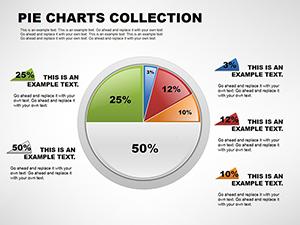
These are framework diagram templates, not data chart templates. They visualize strategic concepts (the relationship between Product and Price, for example) rather than numerical data trends. If you need to show Q3 sales performance data, use PowerPoint's Insert Chart function to add bar or line graphs. Then use these framework slides to explain the marketing strategy driving those results.
How do I choose the right slide layout for my specific presentation?
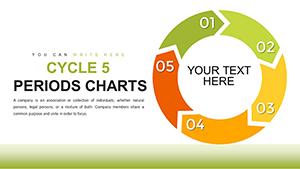
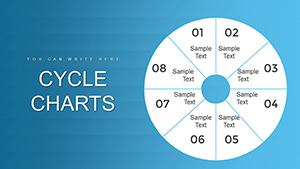
Match the visual metaphor to your message. Use circular diagrams when emphasizing how all elements work together systemically. Choose matrix layouts for detailed audits comparing multiple components. Select puzzle-piece visuals when demonstrating integration and dependencies. Linear flowcharts work best for sequential processes or customer journey mapping. Start with the framework (4Ps vs 7Ps) your audience expects, then pick the layout that makes your specific point clearest.
Are there any restrictions on how many times I can use these slides?
No usage limits. Once purchased, use these slides in unlimited presentations across your organization. Create as many customized versions as needed for different projects, clients, or business units. The only restriction is redistribution - you cannot resell or share the original template files with others. But presentations you create using the templates are yours to use without restriction.