Marketing Mix PowerPoint Charts - 31 Editable Slides for Board Meetings | Instant Download



Type: PowerPoint Charts template
Category: Matrix, Business Models, Tables
Sources Available: .pptx
Product ID: PC01090
Template incl.: 42 editable slides
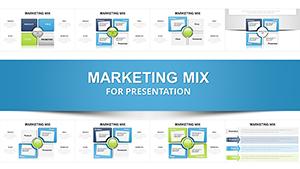
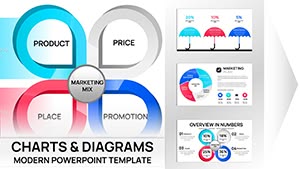
Marketing Mix PowerPoint Charts with 31 editable slides solve a recurring problem for marketing directors and strategists: translating complex go-to-market frameworks into clear, executive-ready presentations. When preparing quarterly reviews or investor updates, you need visuals that communicate the 4Ps (Product, Price, Place, Promotion) or 7Ps framework without dense paragraphs or confusing diagrams. This template collection provides structured, professional layouts for board meetings, strategy sessions, and training workshops where clarity drives decisions.
Complete Marketing Framework Coverage
This 31-slide deck addresses every major marketing model. The 4Ps slides work for product-focused companies analyzing competitive positioning and pricing strategies. The 7Ps layouts serve service businesses needing to communicate People, Process, and Physical Evidence alongside traditional elements. The flexible quadrant and circular diagrams adapt easily to the 4Cs model (Consumer, Cost, Convenience, Communication). Each framework gets multiple visual treatments - concentric circles, puzzle pieces, linear flows, detailed matrices - letting you match the metaphor to your strategic narrative.
Slide Breakdown and Customization Options
Every slide is built with native PowerPoint vector shapes, giving you complete editing control. Ungroup elements to resize individual sections, recolor segments to match brand guidelines, or adjust text hierarchies without design software. The template works seamlessly in PowerPoint 2016+, Google Slides, and Keynote. Color schemes use professional palettes suitable for corporate environments, but you can apply your brand colors with one click using PowerPoint's color replacement tool.
Professional Use Cases Across Industries
FMCG brand managers use the Product and Packaging slides to present shelf strategies and competitive differentiation during quarterly business reviews. SaaS marketing teams rely on the Promotion and Process diagrams to map user acquisition funnels for investor decks. Hospitality sector leaders present service standards using the People and Physical Evidence layouts during operational reviews. Consultants employ the full range to audit client marketing strategies across multiple touchpoints.
Real-World Presentation Scenarios
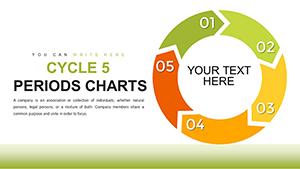
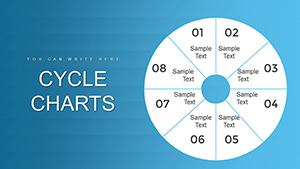
In board meetings, executives expect data-driven visuals, not abstract concepts. Use the matrix layouts to show how pricing strategy (Price) aligns with distribution channels (Place). During team training sessions, the circular diagrams illustrate how all elements work together systemically. For pitch meetings, puzzle-piece slides demonstrate integration between promotion tactics and product positioning. Each scenario demands different visual emphasis - this collection provides options for every context.
Editing Workflow in PowerPoint and Google Slides
Download the .pptx file and open it in PowerPoint. Select the slide layout matching your immediate need - say, a 7Ps circular diagram. Copy it into your main presentation deck. Click any text box to replace placeholder content with your data. To change colors, select a shape, navigate to Shape Format, and choose Fill Color. For batch color changes, use the Replace Colors feature under the Design tab. Export to PDF for distribution or upload to Google Slides for cloud-based collaboration.
Marketing Mix Template Comparison
| Slide Type | Best For | Visual Style | Typical Outcome |
|---|---|---|---|
| 4Ps Circular Diagram | Product launches, market entry | Concentric circles | Shows interconnected strategy |
| 7Ps Matrix Layout | Service business audits | Structured grid | Comprehensive service review |
| Puzzle Piece Integration | Demonstrating alignment | Interlocking elements | Highlights dependencies |
| Linear Flow Charts | Process documentation | Step-by-step sequence | Clear execution roadmap |
Industry-Specific Applications
Retail companies use these slides to present merchandising strategies and promotional calendars. Technology firms leverage them for SaaS positioning and go-to-market planning. Healthcare organizations apply the People and Process slides to patient experience improvement initiatives. Financial services teams use the framework to communicate advisory service models and client touchpoint optimization. Education institutions utilize them for program marketing and enrollment strategy presentations.
Ready to transform your next marketing presentation? Download these editable marketing mix charts now and start building executive-ready slides in minutes.
Frequently Asked Questions
When should I use the 4Ps versus the 7Ps framework?
Use the 4Ps (Product, Price, Place, Promotion) for tangible product marketing where physical distribution and product features dominate. Use the 7Ps when presenting service businesses or experiences where People, Process, and Physical Evidence significantly impact customer perception. In quarterly reviews for retail products, stick with 4Ps. For hospitality, healthcare, or professional services, the 7Ps provides necessary depth.
Can I customize colors to match our corporate brand guidelines?
Yes. Every element is a native PowerPoint vector shape. Select any shape, go to Shape Format, and choose your brand color. For faster bulk changes, use the Replace Colors feature under the Design tab to swap the entire color scheme at once. The template uses standard RGB values, so you can input precise brand color codes for perfect matching.
How do executives typically respond to these visual frameworks?
Board members and senior stakeholders appreciate structured, familiar frameworks. The Marketing Mix models are taught in MBA programs, so executives recognize them immediately. This shared vocabulary accelerates discussion and reduces time spent explaining methodology. Clean, professional visuals signal thorough preparation, which builds confidence in your strategic recommendations during high-stakes presentations.
Will this template work in Google Slides and Keynote?
Yes. Upload the .pptx file to Google Slides through the File > Open menu. Most formatting transfers directly. For Keynote, open the file and confirm font substitutions if needed. Both platforms support the vector shapes and color fills, maintaining visual quality. Some advanced animations may require manual reapplication in Keynote.
What's the difference between this 31-slide pack and single-slide templates?
This collection offers 31 distinct visual treatments across multiple marketing frameworks, giving you layout options for different narrative needs. Single-slide templates lock you into one visual style. With this pack, you can use circular diagrams for holistic strategy overviews, puzzle pieces for demonstrating integration, and matrices for detailed audits - all within one cohesive design system.