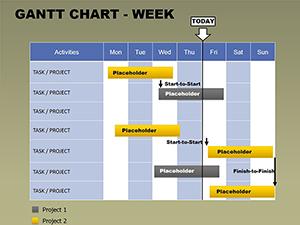
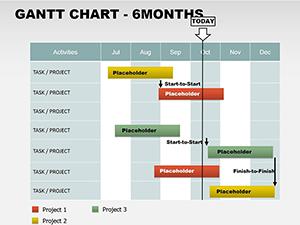
Monthly Gantt Tables Charts PowerPoint Template

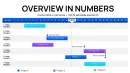
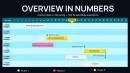
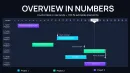
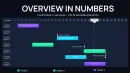

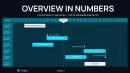
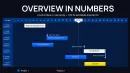
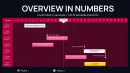

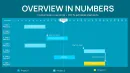
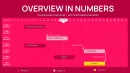
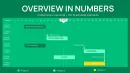
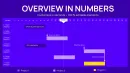
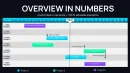
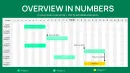
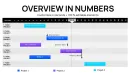
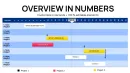
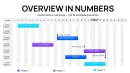
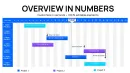
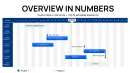
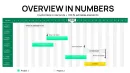
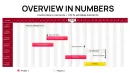
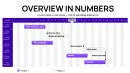
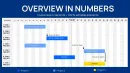
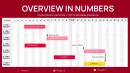
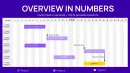
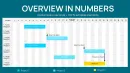
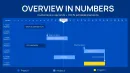
Type: PowerPoint Charts template
Category: Tables
Sources Available: .pptx
Product ID: PC01081
Template incl.: 28 editable slides
When presenting multi-phase initiatives to senior stakeholders, vague timelines invite questions that derail momentum. I've refined decks for C-suite audiences where precise monthly breakdowns transformed skepticism into commitment. This monthly Gantt tables charts template provides the granular structure needed to showcase task sequences, durations, and interdependencies with absolute clarity.
Built for comprehensive project communication, the 28 editable slides offer varied table-based Gantt formats that balance detail with readability. From high-level overviews to drill-down schedules, these layouts ensure every phase remains visible and accountable.
Instantly adapt to your branding while benefiting from professional proportions that maintain impact across devices. Elevate beyond basic bars to structured tables that support informed discussions.
Key Layout Variations and Structural Features
The extensive slide collection focuses on table-driven Gantt visualization for monthly precision.
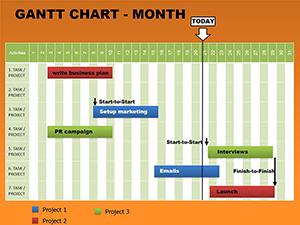
- Core table timelines: Grid layouts with task rows and monthly columns, using fill patterns to indicate progress and status.
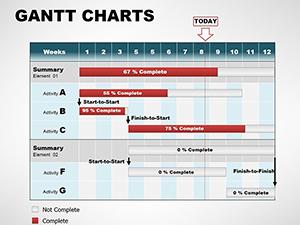
- Hybrid chart-table slides: Combine traditional bars with tabular data for dual-perspective views.
- Detail-oriented variants: Expanded rows for subtasks, responsible parties, and notes alongside timelines.
- Summary and dashboard options: Consolidated tables highlighting critical paths and completion metrics.
Clean fonts and aligned grids ensure professional delivery, with flexible cell formatting for custom indicators.
Practical Deployments in Professional Settings
Program managers use these monthly Gantt tables during steering committee meetings to justify resource requests with detailed phase breakdowns. The tabular format excels at displaying parallel workstreams common in large transformations.
In agency environments, account directors present client roadmaps that include approval gates and deliverables in structured rows. Research teams coordinate experiment schedules and publication targets with clear ownership columns.
Non-profit leaders track grant milestones across funding cycles, maintaining transparency for donors and boards.
Effortless Incorporation Into Existing Processes
Drop these slides into current presentations seamlessly, preserving theme consistency. Fully compatible with PowerPoint formats, and adaptable for Google Slides or Keynote collaboration.
Edit table content directly, apply conditional formatting for status colors, and resize columns without breaking layouts. The variety allows selecting perfect fits for different audience levels.
Accelerate preparation when requirements evolve close to presentation time - the robust tables handle additions gracefully.
Proven Applications From Actual Projects
A global operations team mapped supply chain recovery post-disruption using detailed monthly tables, identifying bottlenecks that informed executive actions. University program coordinators scheduled cohort activities from orientation through graduation.
Software development leads presented release trains with swimlane tables distinguishing front-end, back-end, and QA efforts. Event planners outlined festival preparation from vendor booking to execution.
Benefits Compared to Standard Methods
| Element | This Gantt Tables Template | Standard PowerPoint Tables | Manual Design | Project Software Exports |
|---|---|---|---|---|
| Detail Capacity | 28 specialized layouts for varying complexity | Basic grids only | Limited by time constraints | Often lose formatting |
| Status Visualization | Pattern fills and icons integrated | Manual coloring required | Inconsistent application | Static screenshots |
| Audience Adaptation | Multiple abstraction levels built-in | Single format | Difficult to vary | One-size-fits-all |
| Update Efficiency | Direct cell editing with preserved design | Frequent reformatting | Redraw everything | Re-export needed |
Streamline your scheduling communications today - secure this monthly Gantt tables charts template and present with unmatched precision.
Sector-Tailored Implementations
Financial controllers schedule audit cycles and reporting deadlines in structured grids. Tech product owners detail feature backlogs across release months. Medical coordinators plan patient recruitment and trial milestones.
Educational administrators manage accreditation processes, while marketing leads orchestrate integrated campaign timelines.
Frequently Asked Questions
How many layout variations are included?
28 fully editable slides offering different table densities, hybrid formats, and summary views to match any presentation need.
Can I add custom columns for responsibilities?
Yes - tables are standard PowerPoint objects, so insert columns for owners, costs, or notes while maintaining alignment.
Are animations available for progressive reveal?
Basic entrance effects are pre-applied to rows, easily modifiable for phased discussion of timeline sections.
How does this handle critical path highlighting?
Dedicated slides use bold formatting and color differentiation to emphasize tasks that determine project duration.
Is collaboration supported across platforms?
The .pptx format works natively in PowerPoint and imports cleanly to Google Slides for team editing.