Hand Shapes Keynote Icons - 25 Medical Slides | ImagineLayout
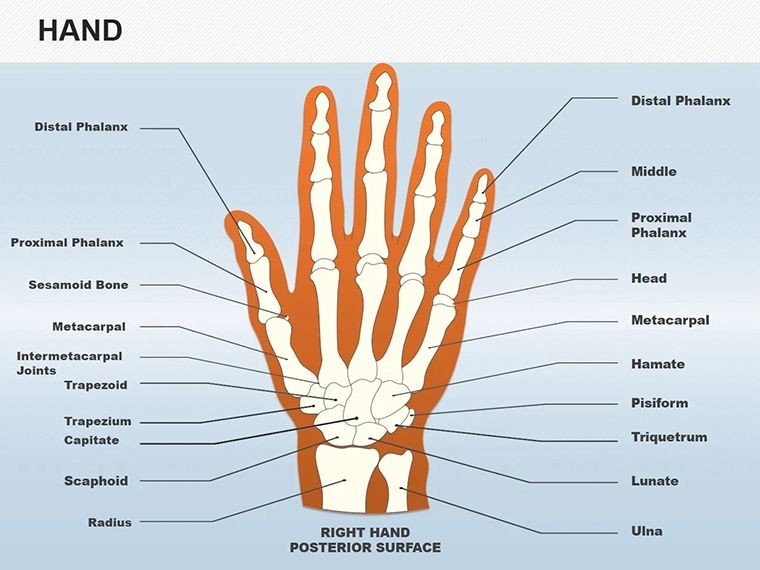
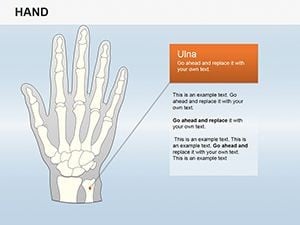
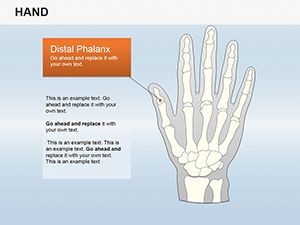
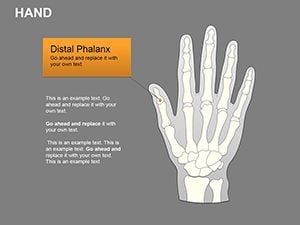
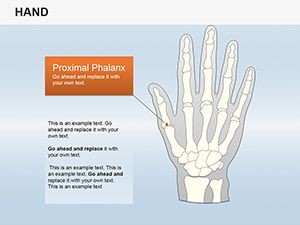
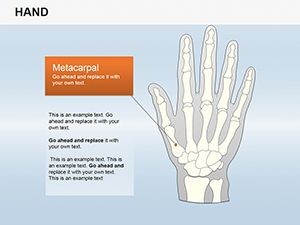
Type: Keynote Shapes template
Category: Medicine - Pharma
Sources Available: .key
Product ID: KS00025
Template incl.: 25 editable slides
What is a Keynote hand shapes template? A Keynote hand shapes template is a .key file containing a library of editable vector hand gesture illustrations - open palms, pointing fingers, clasped pairs, thumbs-up poses - arranged across ready-to-use slide layouts for medical, pharmaceutical, and educational presentations in Apple Keynote.
25 Slides, One Library: Full Contents
25 fully editable slides ship in a single .key file. The library covers a range of gesture categories: open palms in welcome and stop-and-think orientations, directional pointing in four angles, thumbs-up and thumbs-down variants for outcome indication, clasped-hand pairings for collaboration contexts, fist shapes for emphasis, and waving gestures for transitions and section openers. Each slide presents one dominant gesture with a layout structure around it - a heading region, a body text area, and a data callout field - so the gesture functions as a visual anchor for slide content rather than an isolated decoration.
Construction uses high-resolution vector paths scaled for projection: shapes retain full edge clarity at 4K display sizes and in large-venue projection, which matters for medical conference use where audience distance can be 15-20 meters from the screen. The style spans two treatments across the 25 slides - outline-only gestures for formal clinical settings and fully filled illustrations for training and educational contexts - giving the buyer a choice of visual register within the same file. Color defaults to neutral skin tones and dark grays, both of which are recolorable via the standard Format panel fill controls without unlocking or ungrouping.
Where general business presentation icon sets include gestures as one category among dozens, this library dedicates all 25 slides to hand shapes, with gesture variety and layout depth specifically calibrated for healthcare communication scenarios. A pharma educator who needs a distinct gesture for each of five protocol steps does not need to adapt a mismatched icon from a general-purpose set; the five directional and emphasis variants here are each matched to a full slide layout ready for content insertion.
Editing Capabilities at a Glance
| Feature | Details |
|---|---|
| Slides included | 25 editable slides; gesture types span open palm, pointing, thumbs, clasped, fist, and waving variants |
| Illustration style | Outline and filled variants both included; select by slide; mix within a deck by duplicating slides |
| Vector construction | High-resolution paths; scale to any slide dimension or export size without edge degradation |
| Color editing | Fill and stroke both adjustable via Format panel; recolor without ungrouping the gesture illustration |
| Text placeholders | Three text regions per slide - heading, body, callout - all update independently without touching gesture geometry |
| Aspect ratio | 16:9 widescreen standard |
| Keynote compatibility | Keynote 6 and later; macOS and iOS both supported |
| File format | .key for editing; PDF for printed handouts; JPEG or PNG export for digital assets |
How Medical Trainers Use This in Practice
A clinical training coordinator at a regional hospital used the stop-and-think open palm slide to anchor a patient safety module on medication administration. The gesture placed at the top of the slide - before any text - communicated the pause-and-verify message before the audience read the headline. The training team reported that post-session assessment scores on the relevant protocol improved by approximately 18 percentage points compared to the prior text-only version of the same module. Preparation time dropped from 4 hours to 55 minutes because the coordinator replaced slide-building time with content-writing time.
A pharmaceutical medical affairs director used the clasped-hand pairing slides for an internal alignment presentation on a cross-functional regulatory submission project. Each clasped-hand slide represented one collaboration pairing - clinical and regulatory, regulatory and commercial, commercial and medical affairs - with the gesture providing an immediate visual cue to the relationship being discussed. She reused the same file structure for a subsequent cross-functional project by relabeling the partnership names and updating two accent colors via the master slide. Total editing time for the second use: 20 minutes. Browse the full Medicine - Pharma Keynote shapes library for complementary anatomy and system illustration sets, or pair this with a male reproductive system shapes file when building a comprehensive medical education deck.
A medical school faculty member running a fourth-year clinical reasoning seminar used the directional pointing slides as question anchors during a case-based session. Each pointing gesture slide introduced a new case question; the gesture's direction cued whether the question concerned a prior finding (pointing left - looking back) or a next step (pointing right - looking forward). Students reported finding the directional convention intuitive after the first two cases, which reduced session management overhead for the instructor during Q&A transitions.
Download and start editing immediately - 25 gesture slides in one .key file.
How to Make It Yours in Under 20 Minutes
Editing difficulty: Beginner. Standard Keynote Format panel controls cover all routine customization tasks.
- Step 1 - Open the .key file in Keynote 6 or later on macOS or iOS (1 minute)
- Step 2 - Browse the 25 slides in the navigator and select the gesture types that fit your presentation sequence (2 minutes)
- Step 3 - Update the master slide colors via View > Edit Master Slides to apply your brand or department color palette across all referencing slides simultaneously (3 minutes)
- Step 4 - Click into each text placeholder - heading, body, callout - and replace the sample text with your clinical, training, or protocol content (4-5 minutes per slide)
- Step 5 - Export as .key for live presenting with optional builds, or as PDF for printed session materials (1 minute)
To mix outline and filled gesture styles within a single deck, duplicate the slides you need from each style group and arrange them in your preferred sequence. The two style groups share the same master slide color tokens, so a single master-level color change applies uniformly across both outline and filled gesture slides.
What You'd Need to Replicate This Yourself
Drawing anatomically plausible hand gestures in Keynote as native vector shapes is technically demanding in a way that most other presentation elements are not. Straight rectangles and circles are native Keynote primitives. A human hand - with foreshortened fingers, natural knuckle spacing, and a thumb that reads as a thumb rather than a rotated rectangle - requires either an imported illustration or extensive work with Keynote's custom shape tool, which lacks the Bezier curve control of dedicated illustration software. Most presenters who attempt manual hand illustrations end up with results that look like clip art from the mid-2000s, which undercuts the clinical credibility a medical presentation requires.
A specific design reasoning observation: many manually-built medical slides use photographic hand images sourced from stock libraries. Photos introduce inconsistency when multiple gestures appear across a deck - different skin tones, lighting angles, and backgrounds create a fragmented visual register that is harder to brand consistently than a unified vector illustration library. A vector set with a single style treatment and a controllable fill color resolves both the consistency problem and the licensing ambiguity that comes with stock photography.
The high-resolution vector paths also solve a problem that raster images cannot: a photograph of a hand resized to 150% of its original dimensions loses sharpness at the edges, which is visible on high-resolution display screens and in PDF exports destined for print. Vector paths remain sharp at any scale, which matters when slides are repurposed across presentation formats - conference screen, printed handout, and digital report - from the same source file.
Download and start editing immediately - 25 high-resolution gesture slides in one .key file.
Which Keynote versions are compatible with this file?
The .key file is compatible with Keynote 6 and all later versions on macOS, including the current Mac App Store release. Keynote for iOS and iPadOS also opens the file correctly, which is useful for reviewing or annotating slides on a tablet before a clinical session. Keynote 12 or later on macOS is recommended for full animation and color rendering accuracy. In Keynote 6 through 11, all vector shapes and text placeholders remain fully editable; minor visual rendering differences, if any, are cosmetic and do not affect editability.
How do I recolor the hand gesture illustrations to match a brand or department palette?
For a global palette change across all 25 slides, update the fill and stroke accent colors in the master slide via View > Edit Master Slides. Close the master editor and the new colors apply to every slide referencing those color tokens. For individual gesture recoloring - for example, changing one pointing-hand slide to a distinct color to signal a different protocol step - click the gesture illustration, open the Format panel, and update the Fill and Stroke values individually. The vector group does not need to be ungrouped for standard color edits; double-clicking enters the group and allows per-path color changes for more granular control.
Can this template be used in non-medical business presentations?
Yes. The gesture vocabulary - pointing, open palm, thumbs, clasped hands - applies broadly across business, education, and professional training contexts. The medical-industry framing on the product page reflects the primary buyer segment, but the vector library itself contains no medical-specific imagery beyond the gesture shapes. Corporate trainers, management consultants, HR teams, and educators have used similar hand gesture libraries for onboarding programs, strategy sessions, performance review decks, and workshop facilitation materials. The neutral color defaults and the clean vector style both suit non-clinical professional contexts without modification.
What does the license cover for institutional and commercial use?
The single-purchase license covers use in internal training sessions, patient education, clinical presentations, conference talks, pharmaceutical product briefings, and educational courses within your organization. You may export slides to PDF for handouts and include static exports in published documents. The license does not permit redistribution of the original .key file, sublicensing to third parties, or inclusion in commercially resold template or course packages. For institutional licensing where multiple staff members require access to the source file, contact ImagineLayout through the site's contact form before purchasing to discuss a multi-seat arrangement.
What is the refund policy for this purchase?
Refunds apply when the delivered file is technically defective - for instance, a .key file that fails to open in a supported Keynote version on a compatible macOS or iOS device. Refund requests submitted after download based on design preference or content expectations are reviewed individually. The full and current refund conditions are available on the Refund Policy page at ImagineLayout.com. Pre-purchase questions about file contents, compatibility, or gesture variety can be sent to the support team via the contact form on the site.