Business Silhouettes Keynote Charts - Editable | ImagineLayout

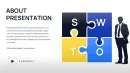
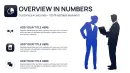







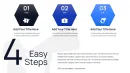

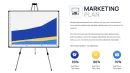





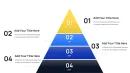



Type: Keynote Charts template
Category: Relationship, Organizational, Illustrations, Silhouettes & People
Sources Available: .key
Product ID: KC01110
Template incl.: 25 editable slides
25 Slides: What You Get
25 editable slides come in a single .key file ready for immediate use in Keynote.
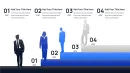
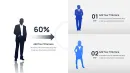
Charts incorporate business silhouettes as data markers across graphs and infographics to support clear visual hierarchy in corporate decks.
Compared to single-chart layouts the full set enables consistent flow direction and zone segmentation for complete strategy meetings without additional files.
What is a Keynote chart template? A Keynote chart template is a pre-designed set of editable slides featuring data visualizations that open directly in Apple Keynote.
How to edit business silhouette charts in Keynote? Open the .key file and select individual elements for quick changes.
- Click on a chart to access the data editor and replace values.
- Select silhouette shapes to adjust fill color or size through the Format panel.
- Apply slide master updates for global color theme adjustments across all 25 slides.
Key Specifications At a Glance
| Feature | Details |
|---|---|
| Slides included | 25 charts with business silhouette elements |
| Editable shapes | Diagram segments resize and recolor independently |
| Text placeholders | Labels update without unlocking grouped elements |
| Color theme adjustments | Compatible with Keynote slide master palette |
| Diagram connectors | Arrows and lines adjustable in direction and weight |
| Export options | .key for editing, PDF for distribution |
Real Scenarios
Three hours before a board briefing the slide deck still had no data visualization incorporating human context for the metrics.
A management consultant in the finance industry needed to present quarterly performance numbers but wanted the audience to connect emotionally with the figures.
After loading the template the analyst adapted the 25 slides and completed a consistent deck in 45 minutes.
Download and start editing immediately
Adapting the Template to Your Brand
Open the file and spend the first two minutes orienting to the master slide structure — this is where all color changes happen globally.
The most common mistake is editing individual slide colors directly; going through the master saves 15 minutes of repeated work.
Once content is in place the export step depends on the destination audience.
Editing difficulty: Moderate.
Teams looking for business people silhouettes can review similar silhouette chart collections.
Why This Template, Not a Blank Slide
Replicating 25 business silhouette charts manually takes at least 4 hours for someone with advanced Keynote skills.
Starting here requires only moderate design experience and cuts the process to 20 minutes.
Manual builds often result in mismatched layout composition and weak information spacing that confuses viewers during live presentations.
- Inconsistent silhouette scaling across charts
- Poor color contrast in data zones
- Lack of proper flow direction between graph elements
The silhouettes function as pre-attentive data markers where zone segmentation communicates magnitude before any text is read.
If your needs extend beyond silhouettes check diverse chart options.
Download and start editing immediately
Frequently Asked Questions
What Keynote versions does this template support?
The template works with Keynote 12 and later on macOS. Earlier versions may experience compatibility issues with some shape styles. Test the file in your current version before full editing. Contact support if display problems occur after opening.
How do I change the color scheme?
Open the slide master view in Keynote. Select the master slide and update the color palette there. This applies changes globally to all 25 charts. Individual overrides remain possible on specific slides if needed.
What does the license allow?
The license permits use in internal presentations and paid client work. You may not resell the template as is or share the file with non-license holders. Multiple team members require separate licenses for compliance. Review full terms on the product page for details.
What are the differences between free and paid versions?
This template offers only the paid version at $15 with the complete 25 slides. No free tier is available on the page. The paid version includes full editing access to all elements. Download occurs immediately after purchase.
What is the refund policy?
Refunds are available within 30 days if the file does not open in your Keynote version. Contact support with proof of purchase and issue description. Refunds do not apply after editing or use in a presentation. The policy ensures buyer protection for technical issues only.
How do I update chart data?
Select the chart slide and double-click the graph to open the data sheet. Replace numbers and labels directly then close the editor. Silhouette positions stay intact during data updates. Preview the slide to confirm visual hierarchy remains clear.