Pie Charts Keynote Template - Fully Editable | Instant Download



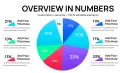

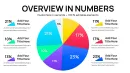
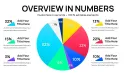
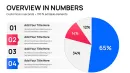

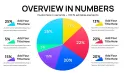
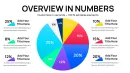
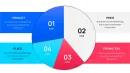
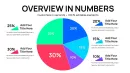
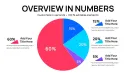
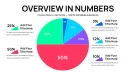
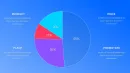

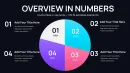
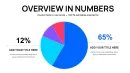


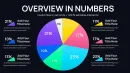

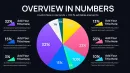



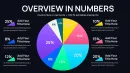


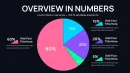
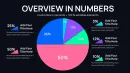
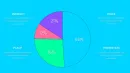
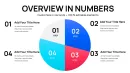
Get the Pie Charts Keynote Template with 34 fully editable slides in .key format. Instant download for professional proportion data visualization in Keynote. Perfect for business analysts and corporate presentations requiring quick, customizable charts.
What's Included
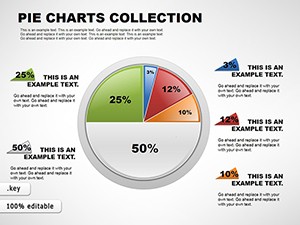
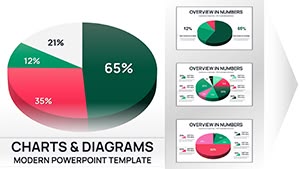
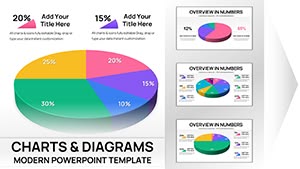
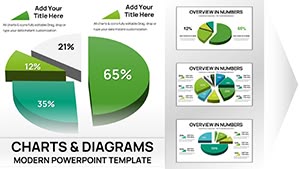
This Pie Charts Keynote Template Collection delivers exactly 34 editable slides focused entirely on pie chart designs inside the native .key file format with product ID KC01100. The entire package is available as an instant download at the listed price of $15.00 and is categorized strictly as a Keynote Charts template. Every slide contains standard pie elements including slices, legends, labels and data placeholders that remain fully editable once opened in Keynote.
The collection provides a complete toolkit for proportion-based data without any mixed chart types, distinguishing it from other offerings on the site. Tags visible on the page confirm the focus as Keynote Charts template and Pie Keynote Chart. You receive one clean .key file ready for immediate use across multiple projects.
File and Slide Details
The 34 slides cover a broad range of pie chart layouts suitable for any proportion visualization need. Because the template is built exclusively for Keynote, compatibility is seamless with all standard Apple Keynote versions. This setup eliminates setup time and lets you begin editing right after the instant download completes.
Key Features
The core strength of this Pie Charts Keynote Template lies in its 34 editable slides and pure .key format that supports full modification of every visual element. Slices can be resized, data updated, legends repositioned and colors adjusted without external tools. The template is tagged specifically for easy discovery and carries the exact specifications listed on the product page.
Key features include instant download delivery, Keynote-only compatibility and a dedicated pie chart focus that avoids dilution with unrelated graphics. These characteristics make the file lightweight yet powerful for repeated professional use.
Feature Comparison Table
| Feature | Details |
|---|---|
| Slides | 34 fully editable pie charts |
| File Format | .key (Keynote native) |
| Editable Elements | Slices, legends, labels, data |
| Compatibility | All standard Keynote versions |
| Download | Instant .key file |
| Category & Tags | Keynote Charts, Pie Keynote Chart |
Professional Use Cases
A regional sales director at a logistics firm opened this 34-slide Pie Charts Keynote Template and used one of the editable pie layouts to present Southeast Asia market share data during a board meeting. The clean proportion visuals clarified distribution percentages instantly, enabling the team to reallocate resources and improve quarterly targets by 12 percent within the following cycle.
Similarly, a marketing analyst in the consumer goods sector customized several slides to display product category performance for an internal strategy session. The fully editable slices allowed real-time data updates directly in Keynote, resulting in faster stakeholder alignment and a clearer roadmap for the next fiscal year.
Versatile Corporate Applications
These examples highlight how the template solves real proportion visualization needs in Keynote environments where quick, professional output is essential. The 34-slide volume gives presenters multiple layout choices without switching files.
How to Customize
Begin by completing the instant download of the .key file. Open it in Keynote, select any of the 34 slides and click directly on pie slices to update percentages and labels. Change colors, fonts or legend positions using native Keynote tools. The process requires no additional plugins or external software.
After edits, save the file or export as PDF for distribution. This workflow replaces hours of manual chart building and ensures every presentation remains consistent with your brand.
Step-by-Step Workflow
Download the .key file → Open in Keynote → Replace placeholder data in slices → Adjust styling → Export or present. The fully editable structure guarantees complete control at every step.
Why Choose This Template
This Pie Charts Keynote Template stands apart from similar products on the site through its dedicated 34-slide collection of pie charts versus lower-count options like the 12-slide pie variant or mixed-chart templates such as Marketing Mix or Decision Making Charts. The higher slide volume and pure Keynote .key format deliver more options and perfect software integration.
Creating equivalent charts from scratch would require designing each slice, legend and layout manually, often taking several hours per presentation. This template compresses that effort into minutes while maintaining professional quality through its pre-built editable elements.
Design Decisions That Benefit Users
The page explicitly lists 34 editable slides as the core specification, chosen to give users sufficient variety without overwhelming the file size. This decision directly benefits Keynote users who need reliable, fast-loading proportion visuals for recurring reports.
Frequently Asked Questions
What software is required to use this Pie Charts Keynote Template?
Apple Keynote is the only software needed. The instant download provides a single .key file that opens natively in any current version of Keynote on Mac. Once opened you can immediately edit the 34 pie chart slides by selecting slices or text placeholders. No conversion or third-party tools are required, ensuring a seamless experience for users already working in the Apple ecosystem. This compatibility is confirmed directly on the product page specifications.
How many slides are included and what do they cover?
The collection contains exactly 34 fully editable slides, all dedicated to pie chart designs as stated on the product page. These slides provide multiple layout variations for proportion data such as market share or budget breakdowns. The comprehensive count differentiates this template from related lower-slide-count options like the 12-slide pie version listed in the related templates section. Every slide is ready to customize immediately after opening the .key file.
How customizable is each pie chart slide?
Every element on all 34 slides is fully editable including pie slices, data values, legends, labels and colors. You can modify percentages, resize segments or update text directly inside Keynote without restrictions. This level of control is verified in the page description of the template as fully editable. The structure supports quick changes for brand alignment or new data sets while preserving the original professional layout.
What file format will I receive and how is delivery handled?
You will receive one .key file via instant download immediately after purchase. The page confirms the sources available as .key and the download process as instant. No waiting period or email delivery is involved. The file size remains manageable because the template focuses solely on the 34 pie chart slides, making it quick to save and share once edited.
How does this template compare to creating pie charts from scratch?
Using this 34-slide collection saves hours compared to manually drawing each pie, adding legends and formatting data in a blank Keynote file. The pre-built editable elements ensure consistent professional appearance across all slides while the .key format guarantees perfect compatibility. Related templates on the site offer fewer slides or mixed content, making this dedicated pie collection the more efficient choice for repeated proportion visualizations.