Cycle Charts Keynote Template - 44 Editable Slides | Instant Download

























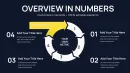

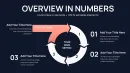















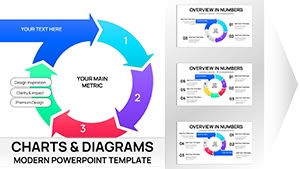
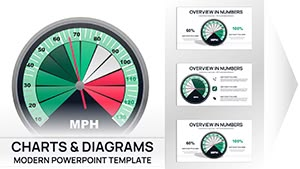
Download the Cycle Periods Keynote Charts Template with 44 editable slides for Apple Keynote. Visualize cycle periods using integrated cycle diagrams, pie charts and arrow flows. Instant .key file download for professional business presentations.
Business professionals often struggle to clearly communicate cyclical processes, time periods, and phase transitions in their presentations. The Cycle Periods Keynote Charts Template solves this by providing 44 editable slides specifically crafted for cycle, pie, and arrow-based visualizations in Apple Keynote. Whether presenting business cycles, project timelines in periods, or performance phases, this template ensures your data stands out with professional precision and clarity for your audience.
What's Included
The Cycle Periods Keynote Charts Template includes 44 editable slides in a single .key file optimized for Apple Keynote. This comprehensive set covers a wide range of cycle period visualizations combined with pie charts to display proportional data within each period and arrow elements to show directional flows and transitions. You receive everything needed for immediate use, including multiple layout variations tailored for illustrating repeating cycles and specific time or phase periods. The template is ready for download and opens directly in your Keynote application. Whether you are mapping business cycles or project phases, the included elements from the Cycle, Pie, and Arrows categories provide flexible options without any additional setup required. The file size is compact for fast downloading and the slides are structured for easy navigation in your presentation deck.
Key Features
This template stands out with its focus on cycle periods rather than fixed step counts, offering greater flexibility for diverse presentation needs compared to other cycle arrow templates. All 44 slides are fully editable, allowing changes to text, colors, data values, and shapes. Here is a detailed overview of the main features:
| Feature | Benefit |
|---|---|
| 44 Editable Slides | Extensive library for various period visualizations |
| .key File Format | Native Apple Keynote compatibility |
| Cycle Diagrams | Core layouts for period structures |
| Integrated Pie Charts | Proportional data representation within periods |
| Arrow Flow Elements | Directional indicators for phase transitions |
| Full Editability | Modify colors, text and shapes freely |
| Category Integration | Combines Cycle, Pie and Arrows elements |
These features make it easy to adapt the charts to your exact data and branding requirements while maintaining visual consistency across the entire deck.
Professional Use Cases
A project manager at a software development company used the cycle periods charts from this template to present the product lifecycle periods to stakeholders. By utilizing the cycle layouts with arrow flows and pie charts for resource allocation in each phase, the manager clearly showed transitions between planning, development, testing, and deployment periods, leading to better team alignment and faster project approval.
In another scenario, a business analyst in the finance sector presented economic cycle periods to executives using the integrated pie charts to highlight revenue distribution across different quarters. The 44 slides provided options for both high-level overviews and detailed breakdowns, resulting in more informed investment decisions by the board.
A marketing director at a consumer goods company relied on the template for seasonal campaign planning presentations. The period-focused layouts helped demonstrate sales cycle variations across quarters using cycle diagrams and arrow elements, making complex data accessible and driving higher team alignment on strategy execution.
How to Customize
Customization is straightforward in Apple Keynote. After downloading the .key file, open it in Keynote. Select any cycle diagram or pie chart on the slides. Replace the placeholder text with your specific period labels and data points. Adjust fill colors to match your brand palette by using the format panel. Resize or rotate arrows to emphasize particular flows between periods.
For pie charts, click on segments to update the percentages and labels. The template's structure ensures that changes maintain the professional alignment and proportions across all 44 slides. Export as PDF or share directly from Keynote once complete. This workflow allows you to go from download to finished presentation in minutes.
Step-by-Step Workflow
1. Download the .key file from your account. 2. Open in Apple Keynote. 3. Navigate to the relevant cycle period slide. 4. Edit text, data values and colors. 5. Duplicate slides if additional variations are needed for your deck.
Why Choose This Template
Compared to building cycle charts from scratch in Keynote, this template saves significant time while delivering consistent, polished results. Instead of spending hours aligning shapes, creating pie segments and positioning arrows, you start with 44 pre-designed slides focused on periods. The integration of cycle, pie, and arrow elements provides versatility not found in basic templates or the related step-count arrow products listed on the site.
This template is unique among similar products because of its emphasis on period-specific cycle designs and the large number of slides. Professionals benefit from the ready-to-use structure that emphasizes clarity in cyclical data communication, leading to more impactful presentations every time.
Frequently Asked Questions
Is the Cycle Periods Keynote Charts Template compatible with Apple Keynote?
Yes, the template is provided as a native .key file and works seamlessly with the latest versions of Apple Keynote on Mac and iOS devices. You can open it immediately after download without any conversion steps. All cycle diagrams, pie chart segments and arrow elements respond perfectly to Keynote's editing tools for resizing, recoloring and data updates. This ensures full compatibility and no loss of design quality during customization for your presentations.
How many slides are included and what chart types are featured?
The template includes a total of 44 editable slides featuring cycle period diagrams, integrated pie charts for proportional data and arrow flow elements. These are categorized under Cycle, Pie and Arrows, giving you multiple layout options for different numbers of periods within a cycle. You can select the most suitable slide for your needs and duplicate or modify it as required to fit your exact presentation structure and data requirements.
How do I edit the cycle periods, pie charts and arrows?
Editing is simple using standard Keynote tools. Click on any text placeholder in the period labels to replace content, select pie segments to adjust percentages and colors, and drag arrow points to change direction or length. All 44 slides maintain their professional alignment after edits. You can also copy elements between slides to create custom combinations for your business cycle or project phase visualizations without starting from scratch.
What is the download format and process?
The product is delivered as an instant .key file download after purchase. Once your payment is confirmed you receive a direct link to the file which you can save to your device. The download contains the complete 44-slide template ready to open in Keynote. No additional software or accounts are required beyond your existing Apple Keynote installation for immediate access and use.
Can I use this template for commercial presentations?
Yes, the template is licensed for both personal and commercial use in presentations. You can incorporate the 44 editable slides into client work, internal reports or public speaking engagements. There are no restrictions on the number of times you use the cycle periods, pie charts or arrow elements once downloaded. The only limitation is that you cannot resell or redistribute the original .key file itself as a standalone product.
What if the template does not meet my needs after purchase?
As a digital download product, all sales are final due to the immediate access nature of the .key file. However, if you encounter any technical issues with the 44 slides or Keynote compatibility, our support team is available to assist with troubleshooting or replacement. We recommend reviewing the preview images on the product page before purchase to ensure the cycle periods style matches your presentation requirements.