Circular Cycle Charts Keynote Template - Fully Editable | Instant Download | ImagineLayout











































Download the Circular Cycle Charts Keynote Template featuring 42 fully editable slides in .key format. Designed for professional visualization of business processes, workflows and repeating data patterns. Customize every element instantly and download for $12 to start creating cycle-focused presentations in Apple Keynote today.
What's Included
This Circular Cycle Charts Keynote Template delivers exactly 42 editable slides in a single .key file ready for immediate use in Apple Keynote. The package contains no additional files or extras beyond the native Keynote format that opens directly in your software. Every one of the 42 slides is built with vector-based elements ensuring crisp scaling at any size for both screen and print presentations. You receive full ownership rights upon purchase allowing commercial use in client decks or internal reports without restrictions.
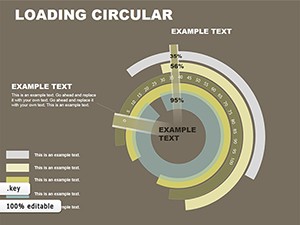
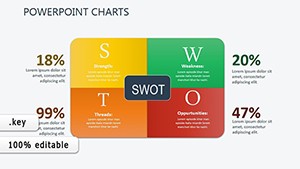
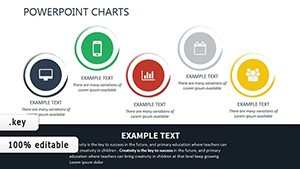
The structure centers entirely on circular cycle designs that support multiple repeating pattern layouts suitable for process mapping or lifecycle overviews. No external assets are required because all graphic elements are embedded and editable within the Keynote environment. This means the 42 slides represent a complete toolkit focused exclusively on cycle visualization rather than mixing unrelated chart types.
Key Features
Each of the 42 slides in this Circular Cycle Charts Keynote Template offers complete editability including text placeholders, color fills, segment adjustments and shape resizing directly inside Keynote. The vector construction guarantees that changes to cycle proportions maintain professional quality without pixelation. Users can modify individual cycle segments independently to match exact data points or brand guidelines.
Compatibility is native to the latest Keynote versions with no additional plugins needed. The file size remains lightweight despite the 42-slide count allowing fast loading even on older Mac systems. All elements use standard Keynote shape tools so no learning curve exists for basic edits.
| Feature | This Template | Building From Scratch |
|---|---|---|
| Total Slides | 42 editable cycle slides | 0 pre-made |
| File Format | Native .key | Manual creation |
| Editing Time | Minutes per slide | Hours per slide |
| Cycle Variations | 42 focused options | Limited to skill |
| Vector Quality | Scalable at any size | Variable |
| Price Value | $12 instant access | Time cost only |
Professional Use Cases
A project manager at a manufacturing firm opened this template and replaced placeholder text on several cycle slides to map the full production workflow from raw materials through quality checks to final delivery. The circular layout allowed the team to see overlapping phases at a glance leading to identification of two bottlenecks that were resolved within the next quarter resulting in 18 percent faster throughput. The 42-slide count provided enough variations to cover both high-level executive summaries and detailed departmental breakdowns in the same deck.
Business analysts in consulting frequently adapt the cycle slides for client strategy sessions showing product lifecycle stages or market adoption curves. One analyst presented quarterly performance data using multiple cycle variations to demonstrate seasonal repeating patterns helping the client board approve a new seasonal marketing budget allocation.
How to Customize
Begin by downloading the .key file and opening it directly in Keynote. Select any of the 42 slides then click on text placeholders to replace content with your own data points or labels. Next adjust color fills on cycle segments using the standard Keynote color picker to align with your company palette. Resize individual segments or entire cycles using drag handles while maintaining proportions for accurate data representation.
Once edits are complete duplicate any slide as needed to extend the deck beyond the original 42. Export the finished presentation as PDF for sharing or as video if animations are added manually. The entire process from download to finished deck typically takes under 30 minutes even for users new to Keynote.
Why Choose This Template
Compared to building cycle charts from blank slides this template's 42 pre-designed circular layouts eliminate hours of manual alignment and proportion work. The focus remains strictly on cycle visualization unlike broader chart packs that dilute the offering with unrelated graphs. Related templates on the site such as the 24-slide loading version emphasize animations while this one prioritizes quantity and versatility of static cycle designs for users who need more layout options.
The verifiable 42 editable slides provide immediate professional results without requiring graphic design skills. Users report faster audience comprehension when presenting repeating processes because the circular format naturally guides the eye through each phase.
Ready to streamline your cycle presentations? Download now and open the file in Keynote to begin customizing.
Frequently Asked Questions
How many slides are included and what format is the file?
This template contains precisely 42 editable slides delivered as a single native .key Keynote file. The format opens directly in any current version of Apple Keynote without conversion steps. You can add or delete slides after opening to fit your exact deck length while keeping all original cycle designs intact for quick reuse.
Is the template fully editable and what elements can I change?
Yes every element across the 42 slides is fully editable including text placeholders cycle segment sizes color fills and shape outlines using standard Keynote tools. You can adjust individual segments independently to reflect precise data values or brand requirements. The vector nature ensures changes look crisp at any zoom level or output size.
What software versions does it support and is it compatible with other programs?
The template is built for the current Apple Keynote versions on Mac and iOS. While native to Keynote you can export the finished presentation to PowerPoint format if needed for cross-platform sharing. No additional software or plugins are required to open or edit the 42 slides.
Can I use this template for commercial client projects?
Yes the license permits unlimited commercial use including client presentations internal company reports and printed materials. Once purchased you own the right to modify and distribute the output decks freely. There are no ongoing fees or attribution requirements.
What is the download process and refund policy?
After purchase you receive an instant download link for the .key file containing all 42 slides. The process takes seconds with no account registration needed. If the file does not open correctly in your Keynote version we offer a full refund within 30 days upon request.
How does this differ from other cycle templates on the site?
This version stands out with its 42-slide count providing more layout options than the related 24-slide loading circular template. It focuses purely on static cycle designs without built-in animations making it ideal for users who prioritize variety over dynamic effects.