Bowman's Strategy Clock Keynote Template - 42 Fully Editable Slides | ImagineLayout





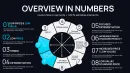
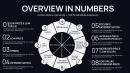

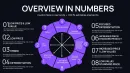
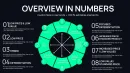

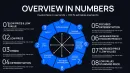
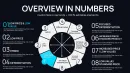
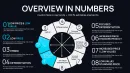
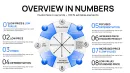
Type: Keynote Charts template
Category: Cycle, Business Models, Pie
Sources Available: .key
Product ID: KC01088
Template incl.: 42 editable slides
Present Bowman's Strategy Clock with 42 fully editable Keynote slides (.key). Cycle diagrams, 3D sphere charts, pie-process layouts, and business model slides - instant download, $16.
What's Included in This 42-Slide Bowman's Strategy Clock Keynote Template
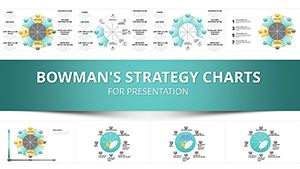
This template (Product ID: KC01088) delivers 42 fully editable Keynote slides built specifically around Bowman's Strategy Clock framework. Unlike the 35-slide version available elsewhere on this site, this pack extends coverage with additional cycle diagram variants, extra 3D sphere chart layouts, and more pie-process slides - giving strategists, consultants, and MBA educators a deeper visual toolkit without paying more. The single .key file opens directly in Apple Keynote and covers every stage of strategic positioning analysis, from an initial eight-position clock overview through to competitive benchmarking and strategic action summaries.
At $16.00 and an instant download after purchase, this is the most slide-rich Bowman's Clock option on ImagineLayout at the lowest price point in the category. All 42 slides are grouped by strategic function - overview, mapping, formulation, and summary - making it straightforward to select only the slides you need for a given audience without restructuring the file.
Slide Breakdown by Function
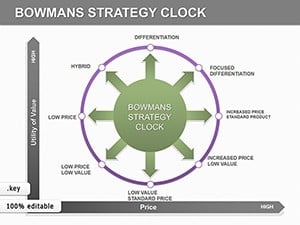
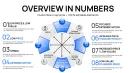
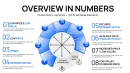
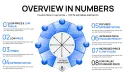
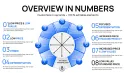
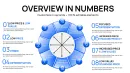
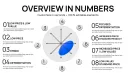
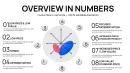
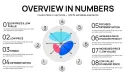
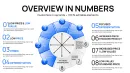
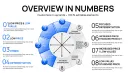
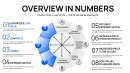
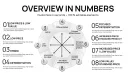
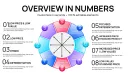
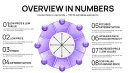
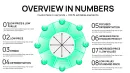
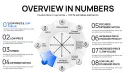
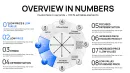
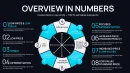
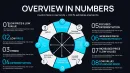
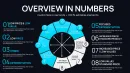
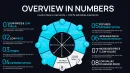
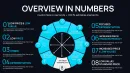
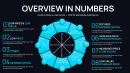
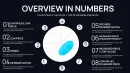
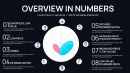
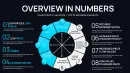
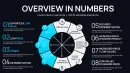
- Slides 1 - 8 (Overview & Clock Layouts): Eight-position radial diagrams labeling each strategic position from "No Frills" through "Focused Differentiation," with color-coded segments and editable position labels.
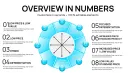
- Slides 9 - 18 (Competitive Mapping): 3D sphere charts and pie-process rings for plotting competitor positions against price and perceived-value axes. Icon layers include gear, arrow, and data-dot placeholders.
- Slides 19 - 30 (Strategy Formulation): Flowcharts connecting clock positions to tactical steps, SWOT-linked tables, and multi-step cycle diagrams for building a sequential competitive response.
- Slides 31 - 42 (Dashboards & Summary): KPI tracker slides, bar gauge layouts aligned to clock segments, and a closing summary canvas with text placeholders for strategic recommendations.
Key Features at a Glance
| Feature | Detail |
|---|---|
| Total Slides | 42 fully editable slides |
| File Format | .key (Apple Keynote native) |
| Price | $16.00 - instant download |
| Categories | Cycle, Business Models, Pie |
| Chart Types Included | 3D sphere charts, pie-process rings, radial cycle diagrams, flowcharts, KPI dashboards |
| Editable Elements | Color fills, text placeholders, icon layers, segment labels, data fields |
| Best For | Management consultants, strategy directors, MBA instructors, product marketing leads |
| Product ID | KC01088 |
Professional Use Cases - Who Uses These 42 Slides and How
The extended 42-slide count in this template is not padding - each additional slide addresses a specific scenario gap that shorter Bowman's Clock decks leave unfilled. The following use cases reflect the kinds of strategic presentations where the extra slide depth pays off directly.
Management Consultants: Competitive Repositioning Workshops
A senior strategy consultant at a mid-market retail advisory firm used slides 9 - 12 (the 3D sphere competitive mapping cluster) during a live client workshop to overlay four rival brands onto the clock simultaneously. Each sphere's size represented market share; color fill represented margin level. Because the sphere chart layers are independently editable vector objects, the consultant adjusted competitor positions in real time as client leadership challenged assumptions - something a static slide would not allow. The workshop produced a repositioning brief in one session rather than two, cutting prep-to-decision time significantly. The 42-slide file gave enough slide variety that no two workshop segments used the same chart type, preventing the visual fatigue that repetitive decks create.
Product Marketing Leads: Pricing Strategy Decks for Executive Review
A product marketing director at a B2B software company used the pie-process slides (slides 19 - 24) to build a quarterly pricing review deck for the CFO and CPO. Each pie segment corresponded to a pricing tier - starter, professional, enterprise - mapped against the "Hybrid" and "Differentiation" positions on the clock. The editable data fields on each segment allowed her to input churn rate and NRR (net revenue retention) per tier, making the connection between perceived value and financial outcome explicit without requiring a separate data slide. The CFO approved the premium tier price increase in that meeting, citing the clarity of the positioning argument.
MBA Educators: Teaching Competitive Strategy with Progressive Reveals
An MBA professor at a European business school used the full 42-slide set across a two-session competitive strategy module. Session one used the overview and mapping slides (1 - 18) to introduce the framework; session two used the formulation and dashboard slides (19 - 42) for case study application. The built-in animation builds - which reveal clock positions one at a time - allowed the professor to control information sequencing without building custom animations from scratch. Students received the .key file as a case template and populated the competitive mapping slides with their own industry data as an assessed exercise.
Ready to map your competitive position? Download all 42 slides for $16.00 and open the .key file in Keynote within minutes of purchase.
How to Customize This Template in Apple Keynote
The workflow from download to presentation-ready is straightforward. After purchasing, you receive a single .key file. Open it in Apple Keynote (version 10 or later recommended). The slide navigator on the left displays all 42 slides grouped by function - no hunting through a disorganized file. From there, customization follows a consistent pattern across all slides: click a color fill to open the Format panel, select a text placeholder to type your own label, and drag icon layers to reposition without affecting other elements.
Step-by-Step Customization Workflow
- Download & open: Purchase - download .key file - open in Apple Keynote.
- Select your slides: Identify which of the 42 slides match your presentation flow. Delete unused slides or move them to a scratch section at the end.
- Edit segment labels: Click any clock-position label (e.g., "No Frills," "Hybrid," "Focused Differentiation") and type your own competitor name or strategic descriptor.
- Adjust color fills: Select a radial segment or sphere object - Format panel - Fill - choose your brand color or enter a hex code.
- Replace icon layers: The gear, bulb, and arrow icons are grouped objects. Ungroup to swap individual icons from Keynote's built-in shape library.
- Input data fields: Dashboard and KPI slides include editable numeric placeholders. Click and overtype with your metrics.
- Export: File - Export To - PDF or PowerPoint for sharing with non-Keynote audiences.
Because all chart elements are vector-based, resizing for a 4K projector or a 13-inch laptop screen does not degrade image quality. The template also exports cleanly to PowerPoint format, though advanced animations may require adjustment in PowerPoint after export.
Why This Template vs. Building Bowman's Clock Slides from Scratch
Constructing a single accurate Bowman's Clock radial diagram from scratch in Keynote - with eight equidistant segments, correctly proportioned axes, and labeled positions - takes an experienced designer approximately 45 - 90 minutes per slide. Reproducing that across 42 slides with consistent color logic, icon sets, and animation builds would represent a full work day or more of design time. This template eliminates that entirely: the structural work is done, and customization reduces to label and color changes measurable in minutes per slide.
Beyond time, the 3D sphere chart layouts in slides 9 - 18 require Keynote's 3D object tools combined with precise layering - a non-trivial task for users without advanced Keynote experience. Those slides come pre-built and pre-layered here, ready for data input. For a $16.00 purchase, the value is in avoiding the opportunity cost of design work that falls outside most strategists' core skill set.
Frequently Asked Questions
What file format does this template come in, and which software do I need?
This template is delivered as a single .key file, which is Apple Keynote's native format. You will need Apple Keynote installed on a Mac or iPad to open and edit it. Keynote is available for free from the Mac App Store. If you need to share the final presentation with colleagues who use Microsoft PowerPoint, you can export the .key file to .pptx directly from Keynote via File - Export To - PowerPoint. Note that this template does not include a .jpg preview pack - if you need static image exports alongside the editable file, that option is available in the related 35-slide version (KC00019) on this site.
How many slides are included, and can I delete slides I don't need?
The template includes 42 fully editable slides organized across four functional groups: overview and clock layouts (slides 1 - 8), competitive mapping with 3D sphere and pie-process charts (slides 9 - 18), strategy formulation flowcharts and tables (slides 19 - 30), and KPI dashboard and summary slides (slides 31 - 42). You can delete any slides you do not need directly in Keynote's slide navigator - right-click the slide thumbnail and select Delete. There is no restriction on how you reorganize or trim the file for your specific presentation.
Can I change the colors to match my company's brand guidelines?
Yes. Every color fill in this template - including radial segment fills, sphere object fills, icon colors, background panels, and text colors - is individually editable in Keynote's Format panel. To match your brand, select any colored element, open Format - Style - Fill, and enter your brand's hex code or RGB values. Because all chart elements are vector-based objects rather than embedded images, color changes apply cleanly without degrading visual quality. You can update multiple elements simultaneously by selecting them with Shift+Click before applying a fill change.
Is this template licensed for commercial use, including client presentations?
Yes, a standard purchase of this template includes a commercial use license, which covers use in client-facing presentations, board decks, investor materials, and internal business strategy documents. The license covers one user. If multiple members of your team need to edit the file independently, each team member requires their own license. For agency or multi-seat licensing arrangements, contact ImagineLayout directly via the Contact page. Redistribution or resale of the template file itself - including as part of a template bundle - is not permitted under the standard license.
What is the refund policy if the template doesn't meet my needs?
ImagineLayout's refund policy applies to this purchase - please review the Refund Policy page on the site for current terms before purchasing. Because this is a digital download product, refunds are typically subject to conditions around whether the file has been downloaded. If you encounter a technical issue - such as the file not opening correctly in Keynote or elements appearing broken - contact ImagineLayout support via the Contact page with a description of the issue and your order details. Technical problems are handled separately from standard refund requests and are generally resolved quickly.
How does this 42-slide template differ from the 35-slide Bowman's Strategic Clock template also on this site?
The 35-slide template (KC00019, $18.00) and this 42-slide template (KC01088, $16.00) both cover Bowman's Strategy Clock but serve different needs. The 35-slide version includes a .jpg image pack alongside the .key file - useful if you need static slide previews for sharing without opening Keynote. This 42-slide version does not include .jpg exports but provides seven additional slides, more 3D sphere chart variants, and additional pie-process layouts for deeper competitive analysis coverage. It is also priced lower at $16.00. Choose the 35-slide version if you need the image pack; choose this one if you need the wider slide range and are comfortable working entirely within Keynote.
Do the slides include animations, and how do I control them?
Yes, the template includes built-in Keynote animation builds designed for strategic presentations. The clock overview slides use progressive reveal builds - each of the eight clock positions appears in sequence, allowing you to pace the audience's understanding of each strategic position before moving to the next. To view or modify animations, open the Animate panel in Keynote (View - Animate). From there you can adjust timing, trigger order, and build style for any animated element. If you prefer static slides without animations, you can remove individual build effects in the Animate panel by selecting the element and clicking the minus button next to the effect.
Get all 42 slides for $16.00 - the most slide-rich Bowman's Strategy Clock Keynote template on ImagineLayout, available for instant download.