Process Charts Keynote Template - Fully Editable Puzzle Pie 32 Slides | Instant Download


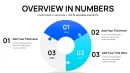
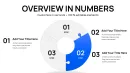
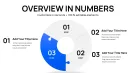
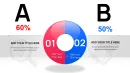
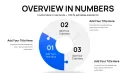
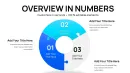
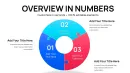
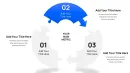


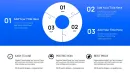
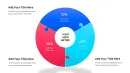

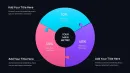













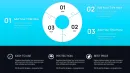

Download the fully editable Process Charts Keynote Template featuring interlocking puzzle pie designs. 32 slides perfect for workflows, milestones, supply chains and customer journeys in Keynote. Instant .key download for strategy presentations.
What's Included
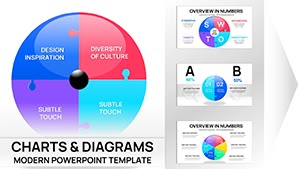
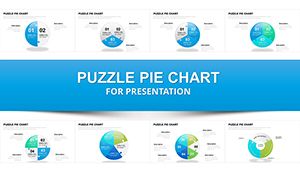
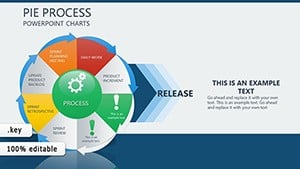
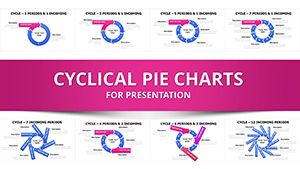
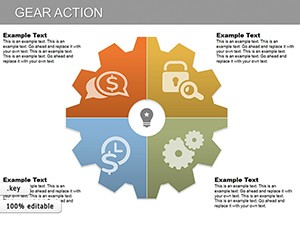
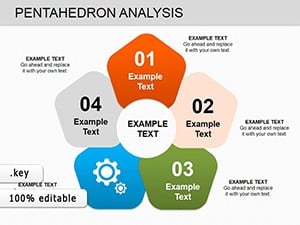
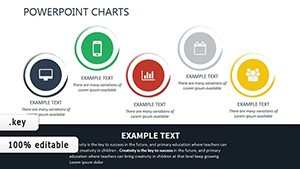
The Process Charts Keynote Template includes precisely 32 editable slides built around interlocking puzzle piece pie formats. Each slide shows how individual components combine into complete systems. You receive puzzle pie variations for project phase breakdowns, team contribution diagrams, value chain mappings, customer journey stages, supply chain flows, approval workflows, and continuous improvement cycles.
Core Slide Functions
Interlocking puzzle pieces represent milestones or departments and automatically align when data is updated. Pie segments resize proportionally while maintaining visual connection to adjacent pieces.
Key Features
Clean professional design with easy-to-modify text, colors, icons and data values. All 32 slides support mix-and-match layouts and duplicate functionality inside native Keynote. The puzzle pie format visually demonstrates collaboration and integration in business processes.
Editable Elements List
| Element | Customization Options |
|---|---|
| Puzzle pieces | Resize, recolor, swap icons |
| Pie segments | Adjust percentages, add labels |
| Connection lines | Change style or remove |
| Text placeholders | Update milestones instantly |
| Color fills | Match brand palette |
| Layout variants | Mix horizontal or circular |
Professional Use Cases
A strategy consultant used the puzzle pie slide showing project phase breakdowns to present a digital transformation roadmap to an executive team. Each interlocking piece represented a completed milestone, allowing the client to see exactly how departments contributed to the final outcome. Another example: a supply chain manager replaced placeholder text with actual workflow stages and exported the deck for stakeholder updates, making complex approval processes instantly understandable.
Workshop Scenario
During strategy workshops facilitators use customer journey puzzle pies to let participants drag segments live in Keynote on iPad, instantly visualizing changes in value chains or product feature priorities.
How to Customize
Download the .key file, open in Keynote, click any puzzle piece to recolor or edit text, drag data values to resize pie segments, and duplicate slides for additional process variations. The interlocking design maintains visual cohesion even after heavy customization.
Time-Saving Comparison
Creating interlocking puzzle diagrams manually in Keynote requires hours of shape alignment and grouping. This template provides 32 pre-built, perfectly connected layouts ready in under 15 minutes.
Why Choose This Template
Unlike standard cycle or pie chart packs in related products, this template uniquely uses interlocking puzzle pieces arranged in pie formats specifically for process visualization. The 32-slide collection focuses on collaboration and system integration rather than generic data display.
Frequently Asked Questions
How do I resize puzzle pie segments?
Click any segment in Keynote and drag the data value handles. The interlocking connections automatically adjust while preserving visual balance across all 32 slides. Text and icons inside pieces update instantly.
Does it work only in Keynote?
Yes, native .key format optimized for Apple Keynote. Puzzle interlocking and animation builds are designed exclusively for Keynote’s editing engine.
Can I mix slides with other decks?
All 32 slides are self-contained and can be copied into larger presentations. The clean design integrates seamlessly with any corporate template.
How many variations are included?
32 fully editable slides covering project phases, value chains, customer journeys, supply chains and approval workflows. Duplicate any for unlimited extensions.
What file format is delivered?
Single .key file with all 32 slides. Instant download, no additional files needed.