
Justice - Law Word templates
These justice law Word templates give attorneys and legal teams a solid starting point for the documents they produce every week - service agreements, opinion letters, regulatory filings, case briefs, and internal policy updates. Instead of fighting with formatting while the clock ticks, you open the file and focus on the actual legal work.
Last month a corporate counsel I know had to turn around a complex vendor contract for a board meeting the next morning. She dropped the negotiated clauses into one of these templates, refreshed the table of contents, and the document looked like it came from a much larger firm. No more last-minute alignment fixes at 11 p.m.
Pick the layout that fits your next deliverable and get straight to the substance.
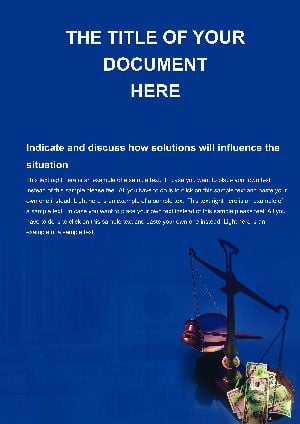 (439)
(439) Personal Selling Word Template: Craft Compelling Business NarrativesID: #WT01502$12.00
 (412)
(412) Cloud Law Word Template: Streamline Legal Workflows in the CloudID: #WT01334$9.00
 (962)
Laws and Court Case Word TemplatesID: #WT01062$8.00
(962)
Laws and Court Case Word TemplatesID: #WT01062$8.00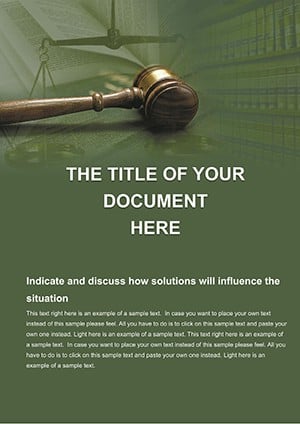 (882)
Decree of Judge Word TemplatesID: #WT01059$5.00
(882)
Decree of Judge Word TemplatesID: #WT01059$5.00 (861)
Legal Legislation Word Template: Justice System StandardID: #WT00987$10.00
(861)
Legal Legislation Word Template: Justice System StandardID: #WT00987$10.00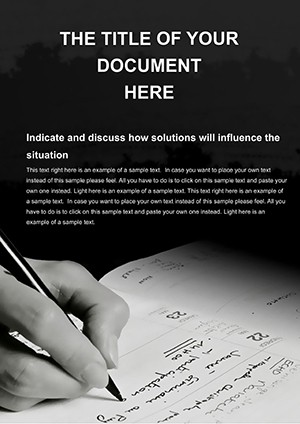 (339)
Accounting Word Templates: Ledger Your Success StoryID: #WT00632$14.00
(339)
Accounting Word Templates: Ledger Your Success StoryID: #WT00632$14.00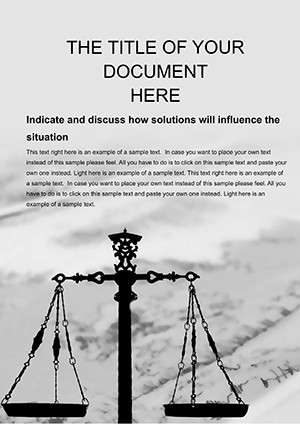 (870)
Violation of Law Word Template: Precision in Every DetailID: #WT00628$10.00
(870)
Violation of Law Word Template: Precision in Every DetailID: #WT00628$10.00 (610)
Judicial Authority Word Template: Authority in Every LineID: #WT00627$12.00
(610)
Judicial Authority Word Template: Authority in Every LineID: #WT00627$12.00 (327)
Law and Justice Word Template: Justice Served on the PageID: #WT00626$10.00
(327)
Law and Justice Word Template: Justice Served on the PageID: #WT00626$10.00 (340)
Law Society Word Template Design: Structure Meets SophisticationID: #WT00625$8.00
(340)
Law Society Word Template Design: Structure Meets SophisticationID: #WT00625$8.00 (57)
Law Cases Word Template: Building Compelling Case NarrativesID: #WT00624$10.00
(57)
Law Cases Word Template: Building Compelling Case NarrativesID: #WT00624$10.00 (782)
Law Degree Word Template: Structuring Scholarly Legal InsightsID: #WT00623$12.00
(782)
Law Degree Word Template: Structuring Scholarly Legal InsightsID: #WT00623$12.00 (83)
Justice Court Word Template: Where Form Meets Legal FortitudeID: #WT00622$10.00
(83)
Justice Court Word Template: Where Form Meets Legal FortitudeID: #WT00622$10.00 (677)
Law Justice Word Template: Architecting Equitable NarrativesID: #WT00621$12.00
(677)
Law Justice Word Template: Architecting Equitable NarrativesID: #WT00621$12.00 (300)
Multi-Page Criminal Justice Word Template for Legal TeamsID: #WT00620$8.00
(300)
Multi-Page Criminal Justice Word Template for Legal TeamsID: #WT00620$8.00 (1074)
 Business Law Word Template: Simplifying Corporate LegaleseID: #WT00619$8.00
 (889)
Legal Word Templates for Lawyers: Pro DesignsID: #WT00618$8.00
(889)
Legal Word Templates for Lawyers: Pro DesignsID: #WT00618$8.00 (345)
Customizable Certificate Word Templates - Pro DesignsID: #WT00413$10.00
(345)
Customizable Certificate Word Templates - Pro DesignsID: #WT00413$10.00 (526)
Pen for Making Deals Word Template: Inking Success One Clause at a TimeID: #WT00320$7.00
(526)
Pen for Making Deals Word Template: Inking Success One Clause at a TimeID: #WT00320$7.00 (538)
Drafting Commercial Plan Word TemplateID: #WT00279$10.00
(538)
Drafting Commercial Plan Word TemplateID: #WT00279$10.00 (857)
Time Planning Word Template: Organize EffortlesslyID: #WT00229$10.00
(857)
Time Planning Word Template: Organize EffortlesslyID: #WT00229$10.00 (19)
Employment Work Word Template: Streamline Your Office EssentialsID: #WT00218$12.00
(19)
Employment Work Word Template: Streamline Your Office EssentialsID: #WT00218$12.00 (818)
(818) Business Agreement Word Template: Forge Lasting PartnershipsID: #WT00217$12.00
 (556)
Business Plan Template for Word - Professional Editable Microsoft Word Document | Instant DownloadID: #WT00216$8.00
(556)
Business Plan Template for Word - Professional Editable Microsoft Word Document | Instant DownloadID: #WT00216$8.00 (947)
Professional Justice Judgment Word Template: Precision in Every ClauseID: #WT00202$10.00
(947)
Professional Justice Judgment Word Template: Precision in Every ClauseID: #WT00202$10.00 (446)
Business Manager Word Template: Orchestrate Organizational SuccessID: #WT00175$12.00
(446)
Business Manager Word Template: Orchestrate Organizational SuccessID: #WT00175$12.00 (751)
Background Manager and Diplomat Word Template: Orchestrate Professional HarmonyID: #WT00156$10.00
(751)
Background Manager and Diplomat Word Template: Orchestrate Professional HarmonyID: #WT00156$10.00 (269)
Time to Prepare Report Word Template: Clock in Efficiency for Business InsightsID: #WT00096$10.00
(269)
Time to Prepare Report Word Template: Clock in Efficiency for Business InsightsID: #WT00096$10.00 (811)
Legal Prep Word Template: Streamline Business DocsID: #WT00090$12.00
(811)
Legal Prep Word Template: Streamline Business DocsID: #WT00090$12.00 (1147)
Business Law Word Templates: Pro DocsID: #WT00010$5.00
(1147)
Business Law Word Templates: Pro DocsID: #WT00010$5.00 (1102)
Professional Signing Agreement Word TemplateID: #WT00003$7.00
(1102)
Professional Signing Agreement Word TemplateID: #WT00003$7.00
Structuring Legal Documents with Consistent Formatting in Word
Legal work lives or dies by how readable and professional the document looks under pressure. These templates set heading styles, clause numbering, hanging indents, footnote conventions, and page margins so everything stays consistent even after multiple rounds of edits.
Real-World Scenarios Where These Templates Accelerated Legal Work
A mid-size law firm associate was drafting a client opinion letter due at 9 a.m. She opened the opinion letter template, inserted her analysis, and the header, footer, signature block, and numbering were already correct. She only had to focus on the legal reasoning that night.
An in-house counsel at a manufacturing company needed to finalize a service agreement for board review. Using the agreement template, she added the commercial terms and let the automatic table of contents handle the structure. The board received a clean, uniform document instead of a patchwork.
A paralegal preparing discovery materials for litigation used a memo-style layout. Consistent section numbering let the entire team reference specific pages during prep calls without confusion.
During compliance season a regulatory officer produced several policy updates in one week. The built-in styles matched the required government formatting closely enough that only minor tweaks were needed.
Common Formatting Decisions These Templates Handle for You
You no longer waste time deciding table borders for exhibits, exact spacing for numbered clauses, or how footnotes should appear on every page. The templates make those choices once so you can repeat them reliably across every document the firm produces.
Using Styles and Table of Contents in Long Legal Documents
Apply the preset Heading styles and update the table of contents in one click. Add new sections or remove clauses and the numbering and page references adjust automatically. This becomes essential for contracts longer than 15 pages or multi-part regulatory responses.
Team Workflow and File Sharing in Law Firms
Store the templates on a shared drive or firm intranet. Juniors and partners open the same master file and the branding, styles, and numbering rules stay identical. Styles generally survive track changes, which makes internal review rounds much less painful.
What Makes This Justice and Law Collection Different
These templates were built by people who actually draft legal documents, not generic designers. The layouts prioritize clarity and court-system compatibility over decorative elements. They are not perfect for every obscure jurisdiction form, but they get you to 80-90% of a polished deliverable very quickly.
When to Use These Word Templates vs Other Formats
Choose these for formal written deliverables that need to be printed, filed, or shared as editable .docx files. For courtroom presentations or client pitches, head to the justice law Keynote templates. For firm branding materials like brochures or letterheads, check the dedicated justice law brochure templates or letterhead collection. General business writing works from the main Word templates library.
Ready to stop fighting formatting and focus on the legal content? Download the template that matches your next document below.
Are these templates compatible with different Microsoft Word versions?
They work best with Word 2016 and newer, including Microsoft 365. Older versions can open them but you might lose some advanced style connections and need to fix them manually. The core elements - headings, numbering, and indents - stay reliable in nearly all cases. Always test with your firm's standard version before using on a client filing.
Can I update the table of contents automatically after making changes?
Yes. Stick to the built-in heading styles and then go to References → Update Table. It refreshes titles and page numbers instantly, even after you add or delete whole sections. This feature alone has rescued more than one deadline I`ve seen.
How do the styles behave when using track changes and team reviews?
They hold up better than average templates. Clause indents and numbering usually remain consistent when text moves around. Still, switch to Print Layout view before sending the file externally - minor shifts can happen and you want to catch them early.
Are these suitable for jurisdiction-specific court forms?
They provide an excellent base structure for most contracts, memos, and reports. Pure government-mandated forms with very specific checkboxes or fields may need final manual adjustments. Most users find they handle the heavy lifting and only require small tweaks at the end.
What should I do before sharing the file with clients or external counsel?
Remove hidden metadata through File → Info → Check for Issues → Inspect Document. The styles travel with the .docx so the recipient sees the same formatting. This step has prevented a few awkward branding or previous-client references from slipping through.


