
Energy - Power Word templates
This collection contains Word document layouts created for energy and power organizations. A sustainability manager compiling the annual ESG report or a project engineer preparing a grant proposal opens these files because the section headings, chart placeholders and margin logic are already aligned to industry standards.
No more rebuilding table styles or hunting for the right icon set; the structure carries the professional tone so the content can focus on the numbers.
Select the template that fits your deliverable and begin editing.
 (1190)
 Free Atomic Emission Spectrum Word TemplateID: #WT01129free
 (171)
Electricity Facts Word Template for EducationID: #WT01077$8.00
(171)
Electricity Facts Word Template for EducationID: #WT01077$8.00 (306)
(306) Eco Earth Word Template for Green ReportsID: #WT01031$8.00
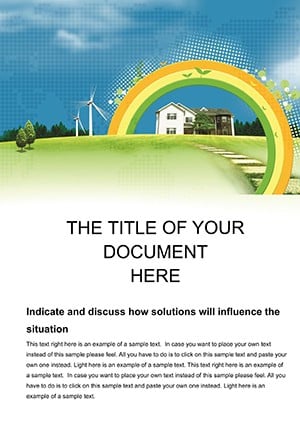 (666)
(666) Eco Home Sustainable Word Template PackID: #WT00992$12.00
 (31)
(31) Spend Money Electricity Word Template Design: Illuminate Your Energy FinancesID: #WT00967$12.00
 (479)
Windmill Word Template: Capturing the Breeze of InnovationID: #WT00910$14.00
(479)
Windmill Word Template: Capturing the Breeze of InnovationID: #WT00910$14.00 (1090)
Projection of the World Word TemplatesID: #WT00909$14.00
(1090)
Projection of the World Word TemplatesID: #WT00909$14.00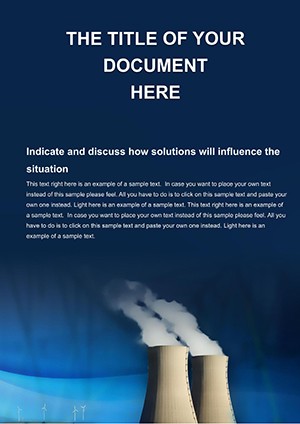 (596)
Nuclear Power Plants Word TemplateID: #WT00805$10.00
(596)
Nuclear Power Plants Word TemplateID: #WT00805$10.00 (1052)
Purple Wave Abstract Word Document TemplateID: #WT00693$14.00
(1052)
Purple Wave Abstract Word Document TemplateID: #WT00693$14.00 (852)
Lightbulb Word Template: Ignite Ideas on the PageID: #WT00675$12.00
(852)
Lightbulb Word Template: Ignite Ideas on the PageID: #WT00675$12.00 (952)
Chemical Industry Word Template: Streamline Your Production NarrativesID: #WT00612$10.00
(952)
Chemical Industry Word Template: Streamline Your Production NarrativesID: #WT00612$10.00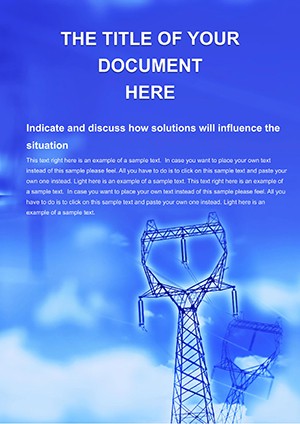 (130)
Electricity Distribution Word Template for Reports | ImagineLayoutID: #WT00574$8.00
(130)
Electricity Distribution Word Template for Reports | ImagineLayoutID: #WT00574$8.00 (1019)
Diagnose and Detail with Connection Problems Word TemplateID: #WT00333$10.00
(1019)
Diagnose and Detail with Connection Problems Word TemplateID: #WT00333$10.00 (73)
Repairs Services Word TemplateID: #WT00261$14.00
(73)
Repairs Services Word TemplateID: #WT00261$14.00
Why Energy Reports Need More Than Blank Pages
Regulatory filings and investor decks carry legal weight. A missing header style or inconsistent chart scale can raise questions about the entire document. These templates lock the visual hierarchy so compliance teams spend time on data, not formatting.
The Formatting Hours Saved on Every Report
Setting up running headers with page numbers, creating a table of contents that updates automatically, aligning every kilowatt-hour chart to the same grid; these tasks repeat across every energy document and vanish the moment you drop your content into the pre-built structure.
Four Energy Sector Moments These Templates Handle
The utility analyst submits the monthly generation report to the regulator. The pre-formatted tables already include the required unit conversions so the numbers slot in directly.
A wind-farm developer prepares the environmental impact statement. The section dividers already feature subtle turbine icons that reinforce the renewable focus.
An oil and gas consultant compiles a feasibility study. The financial summary page uses the exact grid that investors expect for capex and opex breakdowns.
A solar-installation firm sends a client proposal. The cover page layout already reserves space for the site photo and performance projections.
Word Feature That Makes These Files Powerful
Every chart is linked to an embedded Excel sheet. Update the source numbers and all visuals across the 30-page document refresh when you hit "Update Links." The style guide is baked into the template so brand colors stay consistent even when multiple authors edit.
Export Tip Specific to Energy Documents
Before sending the final PDF, go to File → Options → Display and enable "Show document content" to verify that all embedded charts rendered at full resolution. Then choose the "Best for printing" PDF preset to keep file size under 5 MB for regulatory portals.
When you also need slide decks, explore our analysis PowerPoint diagram templates or see food and beverage business card templates for complementary client materials.
Download the energy Word template that matches your next submission and complete the document before the deadline.
FAQ
Are the templates compatible with Microsoft Word for Mac?
Yes, the files open natively in Word 2016 and newer on both Mac and Windows. All styles, tables and linked charts function identically across platforms.
Does the collection include a free template?
One Atomic Emission Spectrum template is available at no cost. It follows the same structure and editing rules as the paid files so you can test the workflow before purchasing additional packs.
Can I link my own Excel data to the charts?
Every chart placeholder is already connected. Paste your data range into the embedded sheet and select "Update Links" to refresh every visual in the document automatically.
What license allows use in regulatory submissions?
The commercial license covers internal reports, client deliverables and official filings. You may not resell the original .docx files or distribute them as standalone templates.


