
Education & Training Business Cards
Over 30 editable business card templates feature graphics drawn from classroom and training settings such as notebooks, lab tools, and musical symbols. The collection targets teachers in K-12 schools, corporate trainers, university faculty, and consultants who deliver specialized courses.
These come into play when a basic card would not communicate your specific area of work on such a small format. Pre-arranged layouts save time compared to building everything from blank slides.
A trainer at a corporate development session can select a keyboard-themed design to highlight digital skills and exchange cards with attendees for follow-up resources.
Browse the full collection below to choose the option that aligns with your daily role and update the contact fields.
 (962)
(962) Print Keyboard Business Card TemplateID: #BC01268$8.00
 (200)
School Lessons Business Card Template: Ignite Curiosity One Connection at a TimeID: #BC01225$8.00
(200)
School Lessons Business Card Template: Ignite Curiosity One Connection at a TimeID: #BC01225$8.00 (875)
(875) Training Program Business Card Template: Elevate Your Professional PresenceID: #BC01215$8.00
 (584)
Book Club Business Card Template: Foster Literary ConnectionsID: #BC01204$8.00
(584)
Book Club Business Card Template: Foster Literary ConnectionsID: #BC01204$8.00 (499)
Maximum Knowledge Business Card Template: Showcase Expertise SeamlesslyID: #BC01203$8.00
(499)
Maximum Knowledge Business Card Template: Showcase Expertise SeamlesslyID: #BC01203$8.00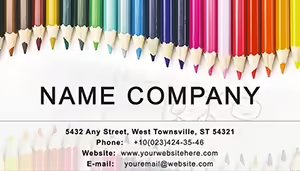 (852)
(852) Creative Pencils for Drawing Business Cards TemplateID: #BC01191$8.00
 (948)
Unique Chalkboard Business Card TemplateID: #BC01190$5.00
(948)
Unique Chalkboard Business Card TemplateID: #BC01190$5.00 (321)
Structure of Atom Business Card Template: Scientific Sophistication for ExpertsID: #BC01139$8.00
(321)
Structure of Atom Business Card Template: Scientific Sophistication for ExpertsID: #BC01139$8.00 (1139)
 3D Modeling Lessons Business Cards: Visualize SuccessID: #BC01135$8.00
 (1089)
Typing on the Keyboard Business Cards: Efficiency in Every KeyID: #BC01134$8.00
(1089)
Typing on the Keyboard Business Cards: Efficiency in Every KeyID: #BC01134$8.00 (162)
Virus Research Microscope Business Cards: Precision in Every HandshakeID: #BC01051$8.00
(162)
Virus Research Microscope Business Cards: Precision in Every HandshakeID: #BC01051$8.00 (388)
Chemical Lab Business Card Template: Showcase Your Scientific EdgeID: #BC01028$8.00
(388)
Chemical Lab Business Card Template: Showcase Your Scientific EdgeID: #BC01028$8.00 (569)
Elegant Ballet Business Cards: Graceful Designs for Dance ProfessionalsID: #BC01015$8.00
(569)
Elegant Ballet Business Cards: Graceful Designs for Dance ProfessionalsID: #BC01015$8.00 (223)
Guitar Chords Business Card: Strum Up Your Musical NetworkID: #BC01013$8.00
(223)
Guitar Chords Business Card: Strum Up Your Musical NetworkID: #BC01013$8.00 (489)
Innovative Computer Lessons Business Card TemplateID: #BC01005$8.00
(489)
Innovative Computer Lessons Business Card TemplateID: #BC01005$8.00 (1032)
Pilots Business Card Template: Take Your Aviation Brand to New HeightsID: #BC00961$10.00
(1032)
Pilots Business Card Template: Take Your Aviation Brand to New HeightsID: #BC00961$10.00 (712)
Keyboard and Web Business Card Template: Code Your Professional IdentityID: #BC00957$10.00
(712)
Keyboard and Web Business Card Template: Code Your Professional IdentityID: #BC00957$10.00 (125)
Chemistry: Teaching Business Card Template: Ignite Educational ConnectionsID: #BC00943$9.00
(125)
Chemistry: Teaching Business Card Template: Ignite Educational ConnectionsID: #BC00943$9.00 (727)
Molecular Structure Business Card Template - Science & Lab | ImagineLayoutID: #BC00942$5.00
(727)
Molecular Structure Business Card Template - Science & Lab | ImagineLayoutID: #BC00942$5.00 (172)
Harmonious Musical Notes Business CardsID: #BC00934$12.00
(172)
Harmonious Musical Notes Business CardsID: #BC00934$12.00 (593)
Rhythmic Music Notes Column CardsID: #BC00933$10.00
(593)
Rhythmic Music Notes Column CardsID: #BC00933$10.00 (837)
Chemistry World Pro Business Card TemplateID: #BC00897$10.00
(837)
Chemistry World Pro Business Card TemplateID: #BC00897$10.00 (478)
Button Keypad Business Card TemplateID: #BC00892$12.00
(478)
Button Keypad Business Card TemplateID: #BC00892$12.00 (485)
Notebook for Lesson Business Card TemplateID: #BC00888$12.00
(485)
Notebook for Lesson Business Card TemplateID: #BC00888$12.00 (725)
Vibrant Pie Chart Business Card on OrangeID: #BC00883$6.00
(725)
Vibrant Pie Chart Business Card on OrangeID: #BC00883$6.00 (1067)
Primary Education Business Card Template: Nurture Connections in the Classroom and BeyondID: #BC00855$5.00
(1067)
Primary Education Business Card Template: Nurture Connections in the Classroom and BeyondID: #BC00855$5.00 (227)
Global Knowledge Business Card Template: Pages of Professional PossibilityID: #BC00854$12.00
(227)
Global Knowledge Business Card Template: Pages of Professional PossibilityID: #BC00854$12.00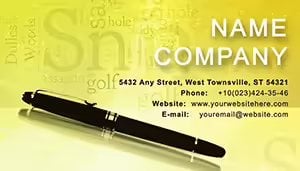 (991)
Pen Business Card Template: Script Your Professional NarrativeID: #BC00678$10.00
(991)
Pen Business Card Template: Script Your Professional NarrativeID: #BC00678$10.00 (340)
Vibrant Color Pencil Business Card: Sketch Your Professional StoryID: #BC00663$12.00
(340)
Vibrant Color Pencil Business Card: Sketch Your Professional StoryID: #BC00663$12.00 (582)
Advanced Concepts Business Card TemplateID: #BC00572$12.00
(582)
Advanced Concepts Business Card TemplateID: #BC00572$12.00 (58)
Artistic Human Figure Business Card TemplateID: #BC00335$12.00
(58)
Artistic Human Figure Business Card TemplateID: #BC00335$12.00 (933)
Scientific Researcher Business Card Template: Ignite Intellectual SparksID: #BC00042$12.00
(933)
Scientific Researcher Business Card Template: Ignite Intellectual SparksID: #BC00042$12.00
Use Cases
Elementary school teachers prepare cards with simple pencil and book motifs for parent-teacher conferences held twice each year. Parents receive the card and can reference the teacher name, grade level, and school email when following up on reading progress or behavior notes. The layout keeps the focus on essential information while the visual cue reminds families of the learning environment.
Corporate trainers in manufacturing firms carry cards showing flowchart icons to industry skill-building events. At the close of a session on safety protocols, they distribute the cards to supervisors who then schedule additional team training. The design links the trainer role to practical workplace outcomes.
University lecturers exchange cards at subject-specific symposia where the globe or research chart graphics help peers identify shared interests in international studies or data analysis. This leads to joint proposals for funding or co-authored articles submitted to academic journals.
Independent tutors specializing in language instruction use cards with language icons during open house events at community centers. New students and guardians note the contact details and website link, resulting in booked trial lessons and ongoing weekly sessions.
School administrators hand out cards at job fairs targeted at teaching candidates. The clean layout with school seal graphics supports recruitment conversations and allows candidates to follow up with questions about open positions.
Comparison with Default Business Card Designs or Blank Cards
Default business card shapes available in basic design software require manual adjustment of margins and text placement to avoid cutoff during printing. Templates arrive with those adjustments already handled, saving setup time and reducing errors at the print shop. Blank cards offer no guidance on icon placement, often leading to unbalanced results that distract from the contact details. Pre-built education templates include icons scaled correctly for the card size so readability stays high even when viewed from arm length. You gain consistent alignment across front and back sides without repeated testing prints.
Best-Practice Advice for Using the Templates
Match the dominant graphic to your main teaching subject so the card communicates expertise at first glance, such as atom symbols for chemistry instructors. Keep font size at least eight points for all contact lines to ensure legibility after trimming. Add a QR code linking to your school profile or personal teaching site in the lower corner to encourage immediate digital follow-up. Test the printed card on the exact paper stock you plan to order before finalizing the quantity. Align color choices with any existing school or organization palette to maintain visual consistency across all materials you distribute.
Double-check spelling of your title and credentials on both sides before sending to print. Consider a two-sided layout when you have additional certifications or social media links that clients find useful. Review the card at actual size on screen and on paper to confirm no element feels crowded. These steps ensure the finished card functions as a reliable tool in daily education work.
Technical Tips Specific to This Category
Set the canvas size to the standard 3.5 by 2 inches and add a 0.125 inch bleed area around all edges before exporting the final file for print shops. Choose CMYK color mode rather than RGB to match commercial printing standards and avoid color shifts on the finished cards. Use vector graphics for any icons so they remain sharp at 300 DPI resolution required for high-quality output. Export a test PDF with crop marks and bleed visible to verify the printer receives the correct file setup. When editing text layers, lock the background elements to prevent accidental movement during final adjustments.
Why ImagineLayout Versions Differ from Other Sources
ImagineLayout selects graphics based on actual items found in education environments rather than generic clip art, resulting in designs that feel authentic to teachers and trainers. The collection groups options by education level and subject so you locate a suitable match faster than sorting through mixed general catalogs. Files arrive fully layered for quick text swaps without hunting through menus. Support documentation explains print preparation steps tailored to business card workflows, helping users avoid common pitfalls at local print services. The range covers both simple and detailed styles across 31 options, giving choice without repetition seen on broader marketplaces.
Frequently Asked Questions
What file formats are available for the educational business card templates?
The templates come as high-resolution files ready for editing and print. You receive layered source files that open in standard design programs plus a ready-to-print PDF version. This combination allows both quick customization of text and colors and direct submission to any print provider without additional conversion steps. The print PDF includes all bleed and crop marks already applied so your order processes smoothly at commercial shops.
Can I customize the templates with my own logo and colors?
Yes, every template supports full replacement of colors, fonts, and addition of your logo or school emblem. The layers remain separate so you can swap background colors or adjust icon hues to match your branding guidelines. Text fields accept any length of name, title, phone, email, and website without layout breakage. After changes, you can export a proof version to review before committing to a print run.
Are the templates licensed for commercial use by education organizations?
The license covers use by individual educators and by schools or training companies for staff cards. You may print as many copies as needed for your team or personal distribution. The files remain your property after download, and you can use the design in related materials such as brochures or digital signatures. Sharing the source file with third-party designers for further work requires separate permission.
How do I ensure the cards print correctly at a commercial shop?
Download the print-ready PDF that already contains bleed areas and crop marks. Provide the shop with the exact paper weight you prefer, typically 14-point or 16-point card stock for durability. Request a physical proof if the order exceeds 500 cards to confirm color accuracy and trimming. Most shops accept the PDF directly and handle the rest once you specify the quantity and finish options such as matte or gloss coating.
Is there a limit to how many templates I can download?
Each purchase grants access to the chosen template file with no limit on the number of cards you print from it. You can buy multiple templates from the collection if your role requires different designs for various events. All files stay available in your account for re-download if you need to make updates later. This structure supports ongoing needs as your contact details or organization branding changes over time.


