
Consulting Business Cards
These business card templates built in PowerPoint and Keynote give independent consultants and firm partners ready layouts that balance professionalism with personality.
A solo strategy consultant attending an industry conference, or a senior partner preparing for a client dinner - these are the moments when the card must communicate expertise before the conversation starts. The collection focuses on print-ready yet editable layouts so you hand out something that reflects the quality of your work.
Open the file and the contact fields are already positioned. When the next networking event or proposal meeting arrives, the templates remove the design time that otherwise delays delivery.
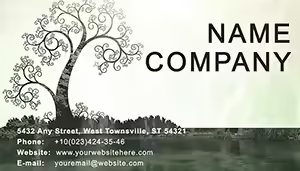 (33)
(33) Tree of Life Business Card Template - 3 FormatsID: #BC01221$8.00
 (499)
Maximum Knowledge Business Card Template: Showcase Expertise SeamlesslyID: #BC01203$8.00
(499)
Maximum Knowledge Business Card Template: Showcase Expertise SeamlesslyID: #BC01203$8.00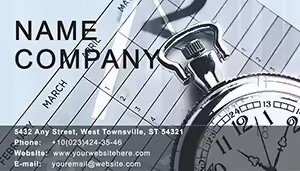 (1036)
 Time Concept Business Card Template - 4 FormatsID: #BC01200$8.00
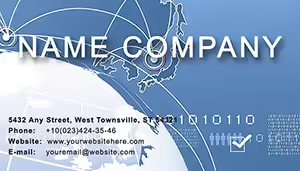 (175)
(175) Location Icon Business Cards: Travel & Real Estate ProsID: #BC01178$5.00
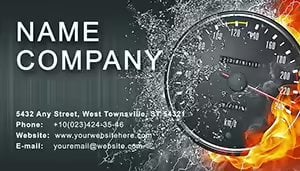 (502)
(502) High Speed Business Cards Template: Accelerate Your Professional DriveID: #BC01144$8.00
 (1102)
Mystery Birthday Business Card Template .ait .dotx .indt | ImagineLayoutID: #BC01127$5.00
(1102)
Mystery Birthday Business Card Template .ait .dotx .indt | ImagineLayoutID: #BC01127$5.00 (784)
Puzzles and People Business Card Template: Inspire Daily ProductivityID: #BC01106$8.00
(784)
Puzzles and People Business Card Template: Inspire Daily ProductivityID: #BC01106$8.00 (584)
Time Planning Business Card Template .ait .dotx .indt | ImagineLayoutID: #BC01104$6.00
(584)
Time Planning Business Card Template .ait .dotx .indt | ImagineLayoutID: #BC01104$6.00 (41)
Patriotic US Business Card Template for Professional NetworkingID: #BC01073$8.00
(41)
Patriotic US Business Card Template for Professional NetworkingID: #BC01073$8.00 (984)
Direction of Movement on Financial Issues Business Cards TemplateID: #BC01064$8.00
(984)
Direction of Movement on Financial Issues Business Cards TemplateID: #BC01064$8.00 (1100)
Largest City Business Card Template: Urban Elegance in Your PocketID: #BC00993$5.00
(1100)
Largest City Business Card Template: Urban Elegance in Your PocketID: #BC00993$5.00 (581)
Dynamic Speedometer Business Card Template for AutosID: #BC00974$10.00
(581)
Dynamic Speedometer Business Card Template for AutosID: #BC00974$10.00 (1155)
Businessman Talking Phone Business Card Template: Your Gateway to Professional NetworkingID: #BC00970$12.00
(1155)
Businessman Talking Phone Business Card Template: Your Gateway to Professional NetworkingID: #BC00970$12.00 (907)
Wholly-Owned Business Card Template - Finance & Consulting | ImagineLayoutID: #BC00966$5.00
(907)
Wholly-Owned Business Card Template - Finance & Consulting | ImagineLayoutID: #BC00966$5.00 (1135)
Time Business Processes Business Card Template: Clock Your Management MasteryID: #BC00956$10.00
(1135)
Time Business Processes Business Card Template: Clock Your Management MasteryID: #BC00956$10.00 (922)
Network of Business Cards Template ProID: #BC00952$12.00
(922)
Network of Business Cards Template ProID: #BC00952$12.00 (1164)
Square Pointers Business Card Template: Direct Your Path to PerseveranceID: #BC00937$12.00
(1164)
Square Pointers Business Card Template: Direct Your Path to PerseveranceID: #BC00937$12.00 (531)
Stellar Purple Stars Business Card TemplateID: #BC00931$10.00
(531)
Stellar Purple Stars Business Card TemplateID: #BC00931$10.00 (1025)
Professional Printable Business Card Template - Customize Fast | ImagineLayoutID: #BC00913$5.00
(1025)
Professional Printable Business Card Template - Customize Fast | ImagineLayoutID: #BC00913$5.00 (436)
Global World Projection Business Card Template | ImagineLayoutID: #BC00909$5.00
(436)
Global World Projection Business Card Template | ImagineLayoutID: #BC00909$5.00 (837)
Chemistry World Pro Business Card TemplateID: #BC00897$10.00
(837)
Chemistry World Pro Business Card TemplateID: #BC00897$10.00 (935)
Industrial City Vector Business Card TemplateID: #BC00894$9.00
(935)
Industrial City Vector Business Card TemplateID: #BC00894$9.00 (478)
Button Keypad Business Card TemplateID: #BC00892$12.00
(478)
Button Keypad Business Card TemplateID: #BC00892$12.00 (379)
Workplace Business Card Template for Office Pros | ImagineLayoutID: #BC00885$5.00
(379)
Workplace Business Card Template for Office Pros | ImagineLayoutID: #BC00885$5.00 (70)
Key Land Homes Business Card Template: Minimalist Elegance for Real Estate ProsID: #BC00836$12.00
(70)
Key Land Homes Business Card Template: Minimalist Elegance for Real Estate ProsID: #BC00836$12.00 (396)
Skyscraper City Business Card Template: Urban Sophistication for Architecture ExpertsID: #BC00835$10.00
(396)
Skyscraper City Business Card Template: Urban Sophistication for Architecture ExpertsID: #BC00835$10.00 (260)
Project Analyst Business Card Template: Strategize Your First ImpressionID: #BC00833$12.00
(260)
Project Analyst Business Card Template: Strategize Your First ImpressionID: #BC00833$12.00 (354)
Eco Green Planet Business Card Template: Grow Your Network SustainablyID: #BC00831$10.00
(354)
Eco Green Planet Business Card Template: Grow Your Network SustainablyID: #BC00831$10.00 (903)
Book and the City Business Card Template: Blend Knowledge with Urban FlairID: #BC00830$9.00
(903)
Book and the City Business Card Template: Blend Knowledge with Urban FlairID: #BC00830$9.00 (986)
World Cube Business Card Template: Global Design for Professional ImpactID: #BC00829$12.00
(986)
World Cube Business Card Template: Global Design for Professional ImpactID: #BC00829$12.00 (141)
Global Finance Business Card Template: Sleek Design for Financial ExcellenceID: #BC00828$12.00
(141)
Global Finance Business Card Template: Sleek Design for Financial ExcellenceID: #BC00828$12.00 (802)
Elite Top Business Leaders Card Template | ImagineLayoutID: #BC00822$5.00
(802)
Elite Top Business Leaders Card Template | ImagineLayoutID: #BC00822$5.00 (349)
Exclusive Marketing Strategy Business Card Templates: Your Networking Power PlayID: #BC00815$5.00
(349)
Exclusive Marketing Strategy Business Card Templates: Your Networking Power PlayID: #BC00815$5.00
The First Impression Challenge Consultants Face at Events
An independent consultant arrives at a three-day summit with a stack of generic cards from an online printer. The design feels interchangeable with every other attendee and the conversation never moves past surface level. Switching to the Maximum Knowledge Business Card Template the card now highlights credentials in a clean layout; prospects remember the expertise long after the event.
A firm partner uses the Time Concept Business Cards before a high-stakes dinner and the subtle clock motif reinforces forward-thinking positioning. A real-estate advisor hands out the Location Icon Business Cards and the map element sparks immediate discussion about property opportunities. An operations consultant chooses the High Speed Business Cards and the dynamic lines communicate efficiency before any words are spoken.
Why Designing Cards in Presentation Software Beats Generic Tools
Online card builders lock you into preset fonts and limited color options. PowerPoint and Keynote give full control over typography, vector icons, and alignment while letting you match the exact brand palette used in your slide decks. The same file that designs the card can also generate matching proposal covers, eliminating inconsistency across touchpoints.
Technical Setup for Print-Ready Output
Set the document to 3.5 x 2 inches with bleed guides enabled in PowerPoint or Keynote. Use the slide master to lock logo and contact placeholders so every card in a batch stays identical. Export as PDF with "High Quality Print" settings and crop marks; the vector elements stay crisp at 300 dpi for any commercial printer. Test one card on your own printer first to confirm color accuracy before placing the full order.
After the practical steps the choice becomes simple. Pick the card style that fits your positioning and prepare for your next event.
Non-Obvious Tip for Dual-Use Cards
Many consultants need both physical cards and digital versions for email signatures or LinkedIn. Keep the design on a single slide and duplicate it; the second version can include a live QR code that links to your calendar. Because the layout uses native shapes the QR remains scannable when exported as image or PDF.
What Makes These Templates Different for Consulting Work
The designs avoid generic stock icons and instead use subtle motifs that reinforce expertise or industry focus. Full editing freedom lets you swap colors or text in seconds while the print-safe bleed and alignment stay intact. The result feels like an extension of your client deliverables rather than an afterthought.
Choosing the Right Collection for Your Next Presentation
If your client work involves architectural visualizations, see our architecture and real estate Keynote templates. For process mapping inside decks try the arrow diagrams in PowerPoint. When you need conceptual visuals that engage training audiences, the illustrated diagrams for Keynote pair naturally with these cards.
Ready to update your personal brand? Open any file and begin.
FAQ
Can I print these cards directly from PowerPoint or Keynote?
Yes, export as PDF with crop marks and bleed, then send to any commercial printer. The vector shapes ensure crisp edges at 300 dpi. If using your office printer test one card first; colors may shift slightly on consumer devices compared with professional offset printing.
Do the templates work in both PowerPoint and Keynote?
Each file is saved in its native format so layouts open cleanly in either program. Text placeholders and vector icons transfer without reflow; simply adjust the document size once if moving between applications.
Can I add a QR code?
The layouts include an empty placeholder sized for standard QR codes. Insert your code via the insert-image function; because it sits on a separate layer it scales independently while the rest of the card remains balanced.
Is the license suitable for multiple consultants in one firm?
The license allows every employee in your organization to edit and print cards for personal use. You may not resell the original files; finished printed cards or PDF versions can be distributed freely to clients or prospects.


